1. Introduktion
Thank you for choosing the BYGD 200W Car Power Inverter. This device is designed to convert 12V DC power from your vehicle's battery into 110V AC household power, allowing you to operate and charge various electronic devices on the go. With dual AC outlets and dual USB ports, it provides a convenient power solution for laptops, tablets, smartphones, and other compatible devices. Please read this manual thoroughly before use to ensure safe and optimal performance.

Image: The BYGD 200W Car Power Inverter, showcasing its compact design, AC outlets, USB ports, and the included cigarette lighter plug and battery clamp cables, along with spare fuses.
2. Sikkerhedsinstruktioner
To prevent personal injury or damage to the inverter and connected devices, please observe the following safety precautions:
- Åbn ikke inverteren casing. Der er ingen dele indeni, som kan serviceres af brugeren.
- Hold inverteren væk fra vand, fugt og ekstreme temperaturer.
- Ensure proper ventilation. Do not block the cooling fan or ventilation openings.
- Tilslut ikke inverteren til AC-distributionsledninger.
- Avoid connecting appliances that exceed the inverter's continuous power rating of 200W.
- Tilslut altid kun inverteren til en 12V DC strømkilde.
- Afbryd inverteren fra strømkilden, når den ikke er i brug.
- The inverter features multiple safety protections including overheating, under/over voltage, overload, and short-circuiting protection. If a fault occurs, the red LED indicator will illuminate.

Image: A visual representation of the inverter's built-in safety features, including over-temperature, low-voltage, short-circuit, over-load, and over-voltage protection, ensuring the safety of both the device and connected electronics.
3. Pakkens indhold
Bekræft at alle varer er til stede i pakken:
- BYGD 200W Car Power Inverter
- Car Cigarette Lighter Plug Cable (approx. 23.62 inches)
- Pair of Alligator Clip Battery Cables (approx. 21.65 inches)
- 2 x 15A Replaceable Fuses
- Instruktionsmanual

Image: The BYGD 200W Car Power Inverter shown with its compact dimensions (6.2 x 5.1 x 2.6 inches) and the two types of connection cables: the battery clip cables (red and black) and the cigarette lighter plug cable.
4. Produktet er slutview
Familiarize yourself with the components of your power inverter:

Billede: En detaljeret view of the inverter highlighting its key components: 3.1A USB ports, AC outlets, green LED (power indicator), power button switch, red LED (fault indicator), positive and negative electrode terminals, 15A replaceable fuses, and the cooling fan.
- AC stikkontakter: Two 110V AC outlets for standard electronic devices.
- USB-porte: Dual 3.1A USB ports for fast charging smartphones, tablets, and other USB-powered devices.
- Power Button Switch: Turns the inverter ON/OFF.
- LED-indikatorer:
- Grøn LED: Indikerer normal drift.
- Red LED: Indicates a fault or shutdown condition.
- Køleventilator: Built-in silent automatic temperature control fan to dissipate heat and prevent overheating.
- DC-indgangsterminaler: Positive (+) and Negative (-) terminals for connecting battery clamp kabler.
- Sikringsrum: Houses the replaceable 15A fuses for circuit protection.
5. Opsætning
The inverter offers two connection methods:
5.1 Connecting via Car Cigarette Lighter Socket
This method is suitable for devices requiring up to 150W of power.
- Sørg for, at inverterens strømafbryder er i OFF-positionen.
- Insert the cigarette lighter plug cable firmly into your vehicle's 12V cigarette lighter socket.
- Connect the other end of the cigarette lighter plug cable to the inverter's DC input port.
- Proceed to Section 6: Operating Instructions.
5.2 Connecting via Battery Clips
This method is recommended for devices requiring more than 150W, up to the inverter's maximum 200W, or for direct connection to a 12V battery.
- Sørg for, at inverterens strømafbryder er i OFF-positionen.
- Connect the red battery clip cable to the positive (+) terminal of the inverter and the positive (+) terminal of your 12V battery.
- Connect the black battery clip cable to the negative (-) terminal of the inverter and the negative (-) terminal of your 12V battery.
- Sørg for, at alle forbindelser er sikre.
- Proceed to Section 6: Operating Instructions.

Image: The BYGD 200W Car Power Inverter positioned in a car's center console, connected via the cigarette lighter socket and actively charging a smartphone, demonstrating its practical in-car application.
6. Betjeningsvejledning
- After connecting the inverter to the 12V DC power source using either the cigarette lighter plug or battery clips, turn the inverter's power switch to the ON position.
- The green LED indicator will illuminate, indicating the inverter is operational.
- Plug your AC-powered devices into the 110V AC outlets or your USB-powered devices into the 3.1A USB ports.
- Sørg for det samlede wattage of all connected AC devices does not exceed 200W.
- When finished, turn the inverter's power switch to the OFF position and disconnect it from the power source.

Image: The BYGD 200W Car Power Inverter with a smartphone connected to one of its USB ports, illustrating the quick charging capability for mobile devices.
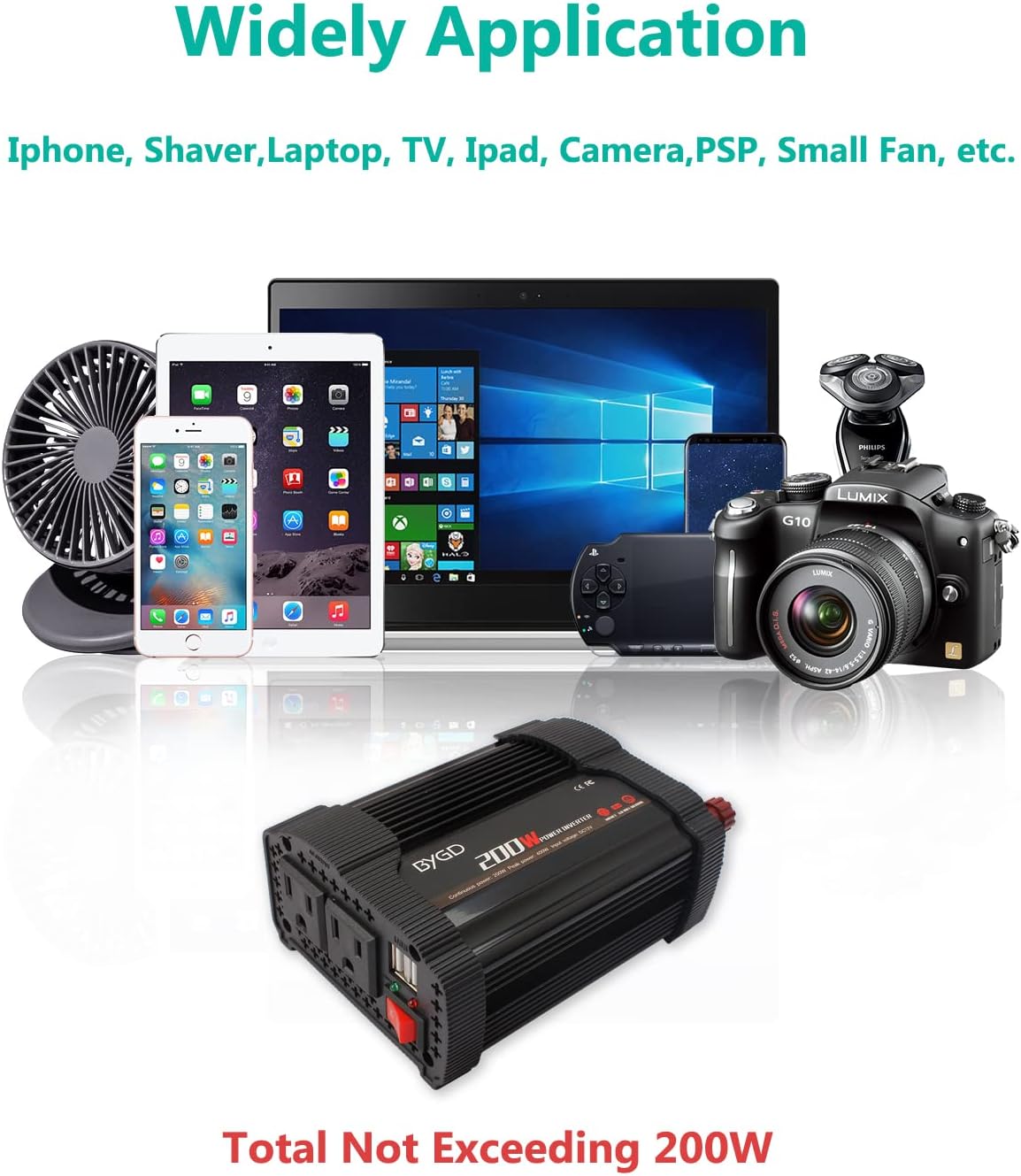
Image: A collection of electronic devices including a smartphone, tablet, laptop, shaver, and camera, demonstrating the wide range of applications for the BYGD 200W Car Power Inverter, emphasizing that the total power consumption should not exceed 200W.
7. Fejlfinding
If you encounter issues with your inverter, refer to the table below:
| Problem | Mulig årsag | Løsning |
|---|---|---|
| No power output / Red LED on | Lavt batteri voltage, Overload, Overheating, Short circuit, Blown fuse | Tjek batterivolumentage. Reduce load. Allow inverter to cool. Check for shorted cables/devices. Replace fuses if blown. |
| Fan not running or noisy | Normal operation (temperature controlled), Obstruction, Faulty fan | Fan runs only when needed. Ensure vents are clear. If persistent and loud, contact support. |
| Device not charging/powering | Device power requirement too high, Inverter not ON, Loose connection | Check device wattage. Ensure inverter is ON (green LED). Secure all connections. |
8. Vedligeholdelse
To ensure the longevity and proper functioning of your inverter:
- Hold inverteren ren og fri for støv. Brug en tør klud til at tørre ydersiden af.
- Ensure the ventilation openings and cooling fan are not obstructed. Periodically check for dust buildup.
- If a fuse blows, replace it with a new 15A fuse of the same type. The inverter comes with 2 extra 15A replaceable fuses.

Billede: Bagsiden view of the BYGD 200W Car Power Inverter, showing the location of the replaceable fuses and the cooling fan, with two spare fuses placed in front.
9. Specifikationer
| Feature | Specifikation |
|---|---|
| Model | YIMI-P200 |
| Input bindtage | 12 volt DC |
| Udgang Voltage | 110 Volt AC |
| Kontinuerlig kraft | 200 watt |
| Peak Power | 400 watt |
| USB udgang | Dual 3.1A Ports |
| AC-stikkontakter | 2 |
| Frekvens | 60 Hz |
| Dimensioner (L x B x H) | 15.7 x 13 x 6.6 cm (6.2 x 5.1 x 2.6 tommer) |
| Vægt | 526.17 g |
| Inkluderede komponenter | Fuse, Instruction Manual |
10. Garanti og support
BYGD is committed to providing high-quality products and customer satisfaction. For any questions, technical support, or warranty inquiries, please contact BYGD customer service through the platform where you purchased the product. Please have your model number (YIMI-P200) and purchase details ready when contacting support.


