1. Introduktion
Thank you for choosing the Tribit StormBox Blast Portable Speaker. This manual provides essential information for setting up, operating, and maintaining your speaker. Please read it thoroughly to ensure optimal performance and longevity of your device.
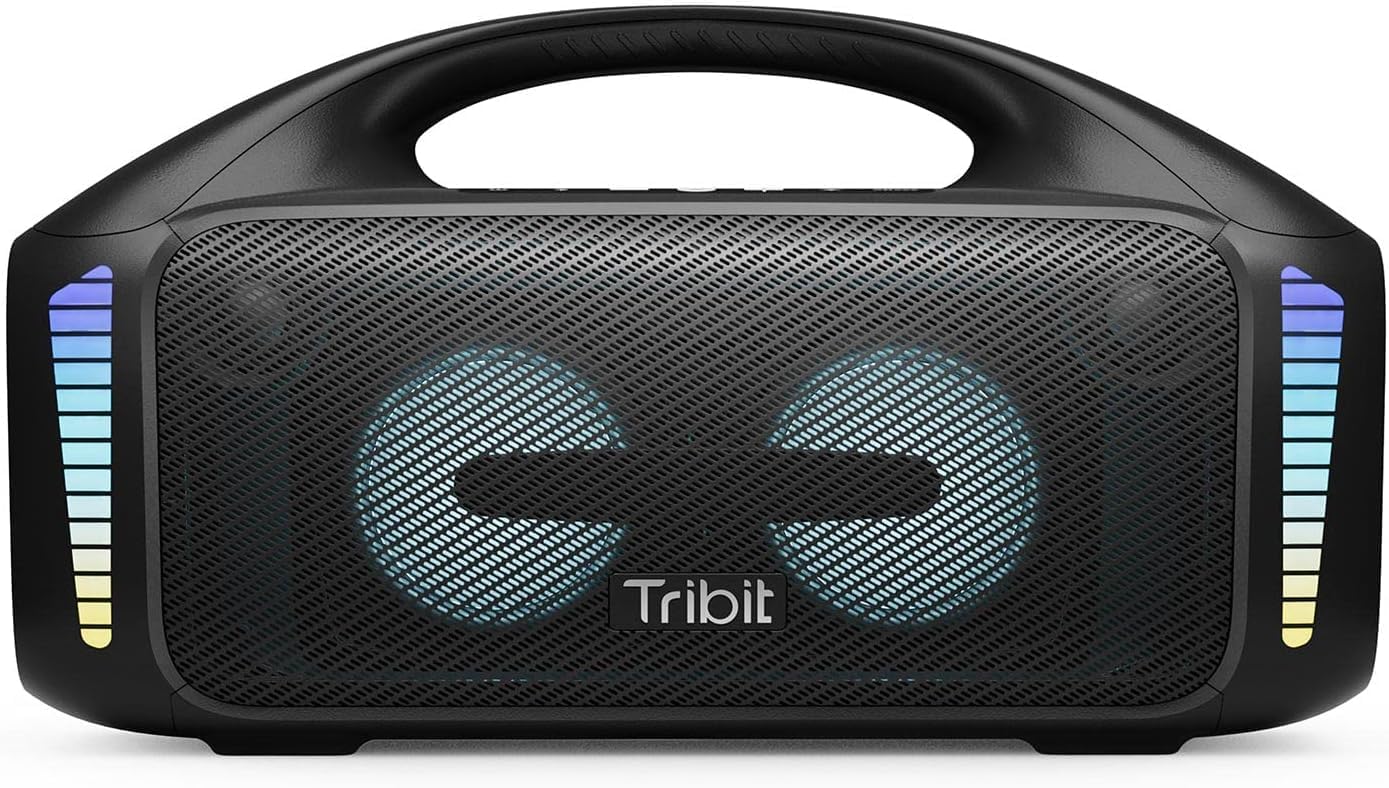
The Tribit StormBox Blast, a powerful portable speaker with integrated LED lights.
2. Hvad er der i æsken
- Tribit StormBox Blast Speaker x1
- Strømkabel x1
- Brugervejledning x1
3. Produktet er slutview
3.1. Knapper og knapper

Overview of the control panel on the Tribit StormBox Blast.
- Tænd / sluk-knap: Tryk og hold nede for at tænde eller slukke for højttaleren.
- Bluetooth knap: Tryk på for at gå ind i Bluetooth-parringstilstand.
- Skrue ned for lyden (-): Sænk afspilningslydstyrken.
- Multifunktionsknap (cirkel): Afspil/pause musik, besvar/afslut opkald.
- Lydstyrke op (+): Øg afspilningslydstyrken.
- Knap til lysjustering: Skift mellem LED-lystilstande.
- XBass Effect Switch: Activate or deactivate the XBass sound enhancement.
3.2. Porte og indikatorer

Rear panel of the speaker with charging and auxiliary input ports.
- USB-C opladningsport: Til opladning af højttaleren.
- USB-A udgangsport: For using the speaker as a power bank.
- AUX-indgang: Til kablet lydforbindelse.
- Batteriindikatorlys: Vis det aktuelle batteriniveau.
4. Opsætning
4.1. Oprindelig opkrævning
Before first use, fully charge your Tribit StormBox Blast. Connect the provided power cable to the USB-C charging port on the speaker and plug it into a power outlet. The battery indicator lights will show charging progress and turn solid when fully charged.
4.2. Tænd/sluk
Tryk og hold på Tænd/sluk button for 2 seconds to turn the speaker on or off. A sound prompt will indicate the power status.
5. Betjeningsvejledning
5.1. Bluetooth-parring
- Turn on the Tribit StormBox Blast. It will automatically enter Bluetooth pairing mode, indicated by a flashing blue LED.
- Aktiver Bluetooth på din enhed (smartphone, tablet osv.) og søg efter tilgængelige enheder.
- Select "Tribit StormBox Blast" from the list. Once connected, the LED will turn solid blue, and you will hear a confirmation sound.
- If pairing fails, clear the Bluetooth history on your device and try again.
5.2. Musikafspilning
- Tryk på Multifunktionsknap for at afspille eller sætte musik på pause.
- Tryk på Lydstyrke op (+) or Skrue ned (-) knapper for at justere lydstyrken.
- For next track, double-press the Multifunktionsknap.
- For previous track, triple-press the Multifunktionsknap.
5.3. XBass Technology

Indre view highlighting the speaker's drivers and XBass technology for enhanced bass.
The Tribit StormBox Blast features XBass technology for a deeper, richer bass experience. Press the XBass Effect Switch button on the top panel to toggle this feature on or off. When XBass is active, you will notice a significant boost in low-frequency sound.
5.4. LED-lystilstande
The speaker is equipped with 32 LED lights that sync to the beat of your music. Press the Lysjusteringsknap to cycle through different lighting modes or to turn the lights off. Experiment with the modes to find your preferred visual experience.
5.5. Ægte trådløs stereo (TWS) parring
If you have two Tribit StormBox Blast speakers, you can pair them together for a true wireless stereo experience, providing a wider soundstage and more immersive audio.
- Sørg for, at begge højttalere er tændt og ikke er forbundet til nogen anden Bluetooth-enhed.
- On one speaker, press and hold the Bluetooth button for 5 seconds until you hear a prompt indicating TWS pairing mode.
- The second speaker will automatically connect. Once connected, both speakers will play audio in stereo.
- Connect your device to one of the paired speakers via Bluetooth.
6. Tribit App

The Tribit app interface for customizing sound and settings.
Enhance your experience by downloading the Tribit App from your device's app store. The app allows you to:
- Customize EQ modes to tailor the sound to your preferences.
- Control LED light settings.
- Update speaker firmware.
- Access additional features and controls.
7. Opladning og powerbankfunktion
7.1. Batterilevetid

The speaker offers extended playtime, ideal for outdoor use.
The Tribit StormBox Blast provides up to 30 hours of playtime on a single charge, depending on volume level and LED light usage. For optimal battery life, it is recommended to fully charge the speaker before extended use.
7.2. Powerbank-funktion
The speaker can also function as a power bank to charge your other devices. Connect your device to the USB-A output port on the back of the speaker using a compatible charging cable. This feature is useful for charging smartphones or other small electronics on the go.
8. Vandtætning (IPX7)

The speaker's IPX7 waterproof rating makes it suitable for poolside or beach use.
The Tribit StormBox Blast is IPX7 waterproof, meaning it can be submerged in water up to 1 meter (3.3 feet) for up to 30 minutes. This makes it suitable for use by the pool, at the beach, or in rainy conditions. Ensure all port covers are securely closed before exposing the speaker to water.
9. Vedligeholdelse
- Rengør højttaleren med en blød, damp klæde. Brug ikke skrappe kemikalier eller slibende materialer.
- Opbevar højttaleren på et køligt, tørt sted, når den ikke er i brug.
- Undgå at udsætte højttaleren for ekstreme temperaturer eller direkte sollys i længere perioder.
- Forsøg ikke at skille højttaleren ad eller reparere den selv, da dette vil ugyldiggøre garantien.
10. Fejlfinding
| Problem | Mulig årsag | Løsning |
|---|---|---|
| Højttaleren tænder ikke | Lavt batteri; Tænd/sluk-knappen er ikke trykket længe nok ned | Charge the speaker; Press and hold the power button for 2 seconds |
| Ingen lyd | Volume too low; Device not connected; Incorrect input source | Increase volume on speaker and device; Re-pair Bluetooth; Check AUX cable connection |
| Bluetooth connection unstable/disconnects | Device too far; Obstructions; Interference | Move device closer to speaker (within 150 ft); Remove obstructions; Avoid strong Wi-Fi signals |
| Cannot pair two speakers for TWS | Speakers already connected to other devices; Incorrect pairing procedure | Sørg for, at begge højttalere er frakoblet andre enheder; følg TWS-parringstrinene omhyggeligt |
11. Specifikationer

Physical dimensions of the Tribit StormBox Blast.
| Feature | Detalje |
|---|---|
| Modelnavn | StormBox Blast |
| Modelnummer | BTS52 |
| Højttaler type | Subwoofer |
| Højttaler Maksimal udgangseffekt | 90 watt |
| Forbindelsesteknologi | Bluetooth 5.3, Aux, USB |
| Trådløs kommunikationsrækkevidde | Op til 30 meter (150 fod) |
| Vandmodstandsniveau | IPX7 (vandtæt) |
| Batterilevetid | Up to 30 Hours (varies with usage) |
| Opladningstid | Cirka 4.5 timer |
| Produktdimensioner | 6.41" D x 15.9" B x 8.89" H |
| Varens vægt | 12.01 pund |
| Inkluderede komponenter | Speaker, Power Cable, User Manual |
12. Garanti og support
The Tribit StormBox Blast comes with a full warranty. For detailed warranty information, product support, or technical assistance, please visit the official Tribit webwebstedet eller kontakt deres kundeservice. Gem din købskvittering som købsbevis i tilfælde af garantikrav.
Tribit Official Webwebsted: www.tribit.com


