1. Introduktion
Thank you for choosing the ENGiNDOT 42SA Digital Keypad Home Safe. This manual provides essential information for the safe and efficient operation of your new security safe. Please read it thoroughly before installation and use, and retain it for future reference.

Image: The ENGiNDOT 42SA safe in a typical home setting.
Video: En overview of the ENGiNDOT Safe Series, highlighting key features and design.
2. Sikkerhedsoplysninger
- Always keep the emergency keys in a secure location away from the safe and not inside the safe itself.
- Do not store the user manual or emergency keys inside the safe.
- Sørg for, at pengeskabet er sikkert monteret for at forhindre uautoriseret fjernelse.
- Udskift batterierne med det samme, når indikatoren for lavt batteri vises, for at undgå at blive låst ude.
- Undgå at udsætte pengeskabet for ekstreme temperaturer eller fugtighed.
3. Pakkens indhold
Bekræft at alle varer er til stede i pakken:
- 1.52 Cubic Feet Large Home Safe (1)
- Emergency Key (2)
- Mounting Accessories (4)
- Protective Pad (1)
- Brugervejledning (1)

Image: All components included with the ENGiNDOT 42SA safe.
4. Produktet er slutview
The ENGiNDOT 42SA safe is designed to protect your valuables with robust construction and a reliable digital locking system.

Billede: Forside view of the ENGiNDOT 42SA safe.
Nøglefunktioner:
- Robust stålkonstruktion: Features 2 round live-locking bolts, seamless forming construction, and pry-resistant concealed hinges for enhanced security.
- 1.52 kubikfod kapacitet: Spacious interior with a removable shelf for organizing documents, cash, jewelry, and other private items.
- Digitalt tastatur: Programmable electronic keypad allows setting two separate codes (master and guest code, up to 8 digits).
- Nødadgang: Includes two backup keys for emergency opening.
- Indikatorlys: Three instruction lights indicate different operational states.
- Warning Alarm System: Activates a loud audio alarm after three continuous incorrect PIN code entries, locking the keypad automatically.
- Lydløs tilstand: Option to silence keypad sounds for discreet operation.
- Mounting Capability: Pre-drilled mounting holes and hardware for floor and wall mounting.
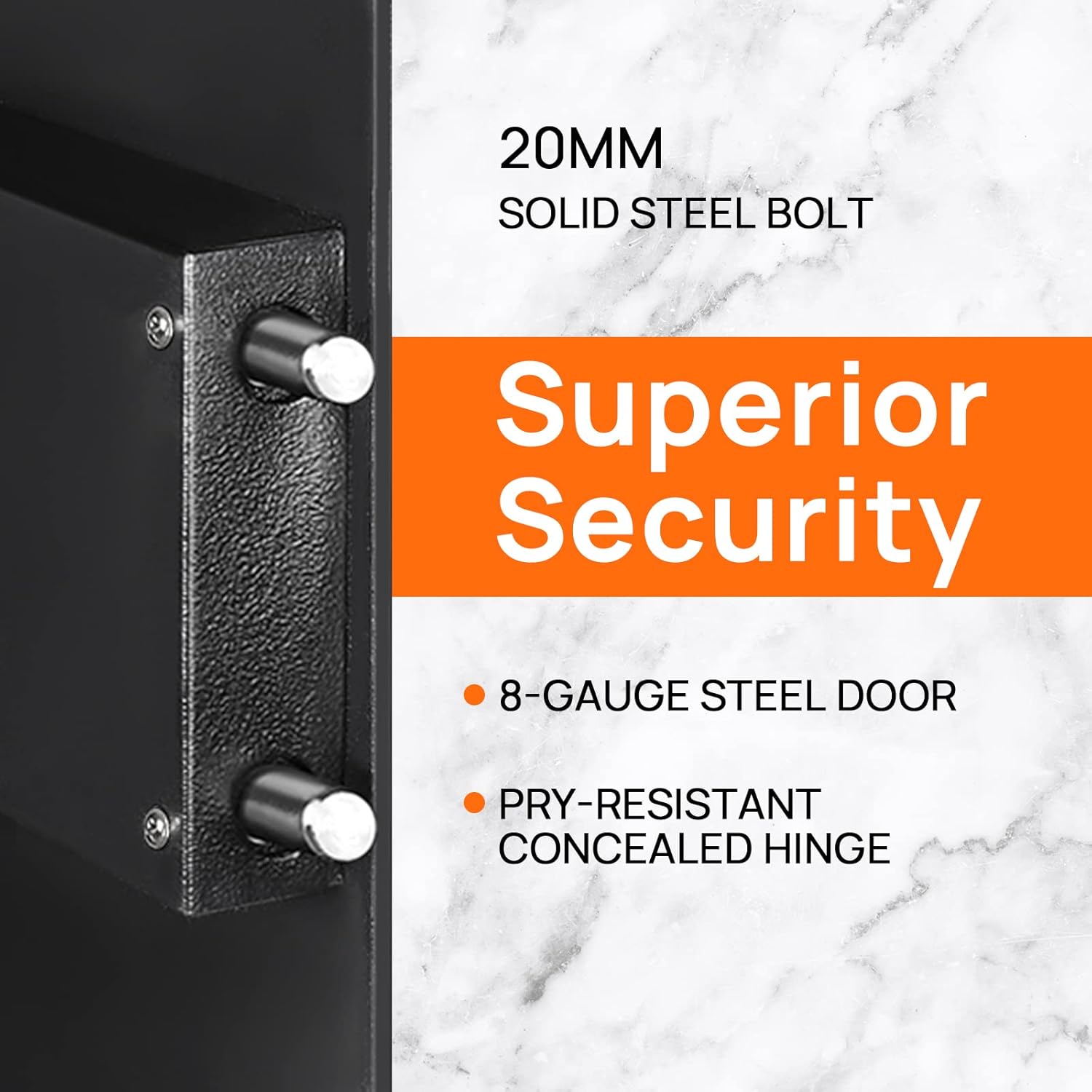
Image: Detail of the safe's solid steel bolts and security features.

Image: Interior of the safe with a removable shelf and exampvarerne.
5. Opsætning
5.1 First Opening
Upon receiving your safe, you will need to open it using the emergency key for the first time to install batteries and set your personal codes.
- Locate the emergency keyhole, usually concealed behind the keypad cover or a small panel.
- Sæt en af de medfølgende nødnøgler i nøglehullet.
- Turn the key counter-clockwise 90 degrees.
- Mens du holder nøglen inde, drejes knappen med uret for at åbne pengeskabsdøren.
Video: Demonstrates the initial opening of the ENGiNDOT safe using the emergency key.
5.2 Batteriinstallation
The safe requires 4 AA batteries (not included) to power the digital keypad.
- With the safe door open, locate the battery compartment on the inside of the door.
- Åbn batterirummets dæksel.
- Indsæt 4 AA-batterier, og sørg for korrekt polaritet (+/-).
- Luk batterirummets dæksel.
5.3 Montering af pengeskabet
For added security, it is recommended to mount the safe to a floor or wall.
- Vælg et passende sted til montering.
- Use the pre-drilled holes on the back or bottom of the safe as a template to mark drilling points on the wall or floor.
- Bor forhuller med et passende bor til din monteringsoverflade.
- Align the safe with the drilled holes and secure it using the provided mounting accessories.

Image: Instructions for wall mounting the safe.
6. Betjeningsvejledning
6.1 Indstilling af masterkoden
The master code allows you to open the safe and is used for initial setup. It can be 3-8 digits long.
- Åbn pengeskabsdøren.
- Press the reset button located on the inside of the door (often a small green button). The yellow indicator light on the keypad will turn on.
- Enter your desired new master code (3-8 digits).
- Press the '#' button to confirm. The yellow light will turn off, indicating the code is set.
Video: Step-by-step guide on how to set the master code for the safe.
6.2 Setting the Guest Code
A guest code can be set for temporary access. It can also be 3-8 digits long.
- Åbn pengeskabsdøren.
- Press the '0' button twice. The yellow indicator light will turn on.
- Enter your desired new guest code (3-8 digits).
- Press the '#' button to confirm. The yellow light will turn off.
6.3 Opening the Safe with a Code
- Enter your master or guest code on the keypad.
- The green indicator light will illuminate.
- Drej knappen med uret inden for 5 sekunder for at åbne pengeskabslågen.

Image: Visual guide for opening methods.
6.4 Mute Mode Setting
You can enable or disable the keypad sound for discreet operation.
- To turn off the sound: Enter "*633" on the keypad.
- To turn on the sound: Enter "*66" on the keypad.
Video: Instructions on how to activate and deactivate the mute mode.
6.5 Warning Alarm System
The safe features an audible alarm system to deter unauthorized access.
- If an incorrect PIN code is entered three consecutive times, the security safe will activate a loud audio alarm.
- The digital keypad will automatically lock for a short period.
- To stop the alarm, use the emergency key to open the safe or remove the batteries to power cycle the unit.
7. Vedligeholdelse
- Udskiftning af batteri: Replace all four AA batteries when the low battery indicator light illuminates. Always use new, high-quality alkaline batteries.
- Rensning: Tør pengeskabets yderside af med en blød, tør kludamp klud. Undgå slibende rengøringsmidler eller opløsningsmidler, der kan beskadige overfladen.
- Tastaturpleje: Keep the keypad clean and dry. Do not use excessive force when pressing buttons.
- Smøring: The locking mechanism and hinges are factory-lubricated and generally do not require additional lubrication. If operation becomes stiff, consult customer support.
8. Fejlfinding
| Problem | Mulig årsag | Løsning |
|---|---|---|
| Pengeskabet åbner ikke med kode. | Incorrect code entered; batteries are low or dead; knob not turned within 5 seconds. | Re-enter code carefully; replace batteries; turn knob immediately after green light. Use emergency key if necessary. |
| Tastaturet reagerer ikke. | Dead batteries; keypad locked due to multiple incorrect entries. | Replace batteries; wait for the lockout period to expire (usually a few minutes) or use the emergency key. |
| Alarmen lyder uventet. | Multiple incorrect code entries; safe was moved or tampered with (if motion sensor is active). | Enter correct code or use emergency key to disarm. Check for tampering. |
| Nødnøglen virker ikke. | Nøglen er ikke sat helt i eller drejet korrekt; låsemekanismen sidder fast. | Ensure key is fully inserted and turned 90 degrees counter-clockwise. Apply gentle pressure while turning. Contact support if issue persists. |
9. Specifikationer

Image: External dimensions of the ENGiNDOT 42SA safe.
| Feature | Detalje |
|---|---|
| Model | 42SA |
| Kapacitet | 1.52 Kubikfod |
| Produktmål (D x B x H) | 13 cm x 13.8 cm x 16.5 cm |
| Varens vægt | 29 pund |
| Låsetype | Elektronisk digitalt tastatur |
| Materiale | Kulstofstål |
| Strømkilde | 4 x AA batterier (medfølger ikke) |
| Monteringstype | Gulvmontering, vægmontering |
| Alarm | Hørbar |
| Vandmodstandsniveau | Ikke vandafvisende |
10. Garanti og support
ENGiNDOT products come with Worry-Free customer support. If you encounter any problems or have questions regarding your safe, please do not hesitate to contact us. We are committed to responding to your inquiries within 24 hours.
For assistance, please visit the official ENGiNDOT webwebstedet eller se de kontaktoplysninger, der blev oplyst ved dit køb.


