Indledning
This manual provides comprehensive instructions for operating and maintaining your 4DRC V8 Mini Drone. Designed for beginners, this drone features a 720P HD camera, multiple flight modes, and user-friendly controls. Please read this manual thoroughly before first use to ensure safe and optimal performance.

Image: The 4DRC V8 Mini Drone, its remote controller, two rechargeable batteries, and a compact carrying case. This image illustrates the complete product package.
Produktkomponenter
The 4DRC V8 Mini Drone package includes the following items:
- 4DRC V8 Mini Drone with integrated 720P HD Camera
- Fjernbetjening
- 2 x genopladelige litium-ion-batterier
- USB opladningskabel
- Reserve propeller
- Propeller Guards (integrated into design)
- Brugervejledning (dette dokument)
Opsætningsvejledning
1. Batteriinstallation og opladning
The drone comes with two rechargeable Lithium Ion batteries. Ensure both batteries are fully charged before first use.
- Tilslut batteriet til det medfølgende USB-opladerkabel.
- Sæt USB-kablet i en 5V/1A USB-strømadapter (medfølger ikke).
- The charging indicator light will show charging status (refer to battery/charger for specific light behavior).
- Når batteriet er fuldt opladet, skal du frakoble det.
- Insert a charged battery into the drone's battery compartment, ensuring it clicks securely into place.
For the remote control, insert 3 AAA batteries (not included) into the battery compartment, observing correct polarity.
2. Drone and Remote Pairing
Follow these steps to pair the drone with its remote control:
- Placer dronen på en flad, plan overflade.
- Turn on the drone by pressing the power button. The drone's indicator lights will flash.
- Tænd for fjernbetjeningen.
- Push the left joystick (throttle) all the way up, then pull it all the way down. The drone's lights will stop flashing and become solid, indicating successful pairing.
3. App Installation (Optional for FPV and Advanced Features)
To utilize the 720P HD camera and advanced flight modes like Trajectory Flight, download the official 4DRC app from your mobile device's app store (iOS/Android). Søg efter "4DRC" or scan the QR code provided in the quick start guide (if applicable).
- Download and install the 4DRC app.
- Turn on the drone and connect your mobile device to the drone's Wi-Fi network (usually named "4DRC-V8-XXXXXX").
- Åbn 4DRC-appen for at view live kamerafeedet og få adgang til yderligere kontroller.

Image: The drone's 720P HD camera capability, demonstrating its use for capturing photos and videos, with a mobile phone displaying the live FPV feed.
Betjeningsvejledning
Grundlæggende flyvekontrol
- Start/landing med én knap: Press the dedicated one-key takeoff/landing button on the remote control or in the app. The drone will automatically ascend to a stable altitude or descend and land gently.
- Højdehold: The drone maintains its current altitude automatically, allowing for stable hovering and easier control.
- Gashåndtag (venstre joystick): Skub op for at stige op, træk ned for at stige ned.
- Retningskontrol (højre joystick): Push forward/backward to move the drone forward/backward. Push left/right to move the drone left/right (sideways).
- Drejning (venstre joystick venstre/højre): Push left/right to rotate the drone counter-clockwise/clockwise.

Image: Visual representation of key flight functions: One-Key Start for easy takeoff, Headless Mode for simplified orientation, and Emergency Stop for immediate shutdown.
Advanced Flight Modes and Features
- Hovedløs tilstand: Activates a mode where the drone's orientation is relative to the pilot, regardless of the drone's actual front. This simplifies control for beginners.
- Trajectory Flight (Tap Fly): In the app, draw a desired flight path on your screen, and the drone will automatically follow the specified route.
- Cirkulær flyvning: Press and hold the designated button on the remote control to activate circular flight, causing the drone to fly in a circle around a central point.
- 360° vending: Press the 360° flip button and move the right joystick in any direction to perform an aerial flip.
- Bevægelseskontrol: Use specific hand gestures in front of the camera to trigger photo or video recording (e.g., V-sign for photo, open palm for video).
- Hastighedstilstande: The drone offers 3 speed settings (Low, Medium, High) to accommodate different skill levels and flying environments. Adjust speed using the speed switch on the remote.
- Undgåelse af forhindringer automatisk: The drone is equipped with sensors to detect and avoid obstacles in its path, enhancing safety during flight.

Image: Illustration of the drone's multifunctional capabilities, including automatic rotation, circular flight patterns, and intuitive gesture control for various commands.
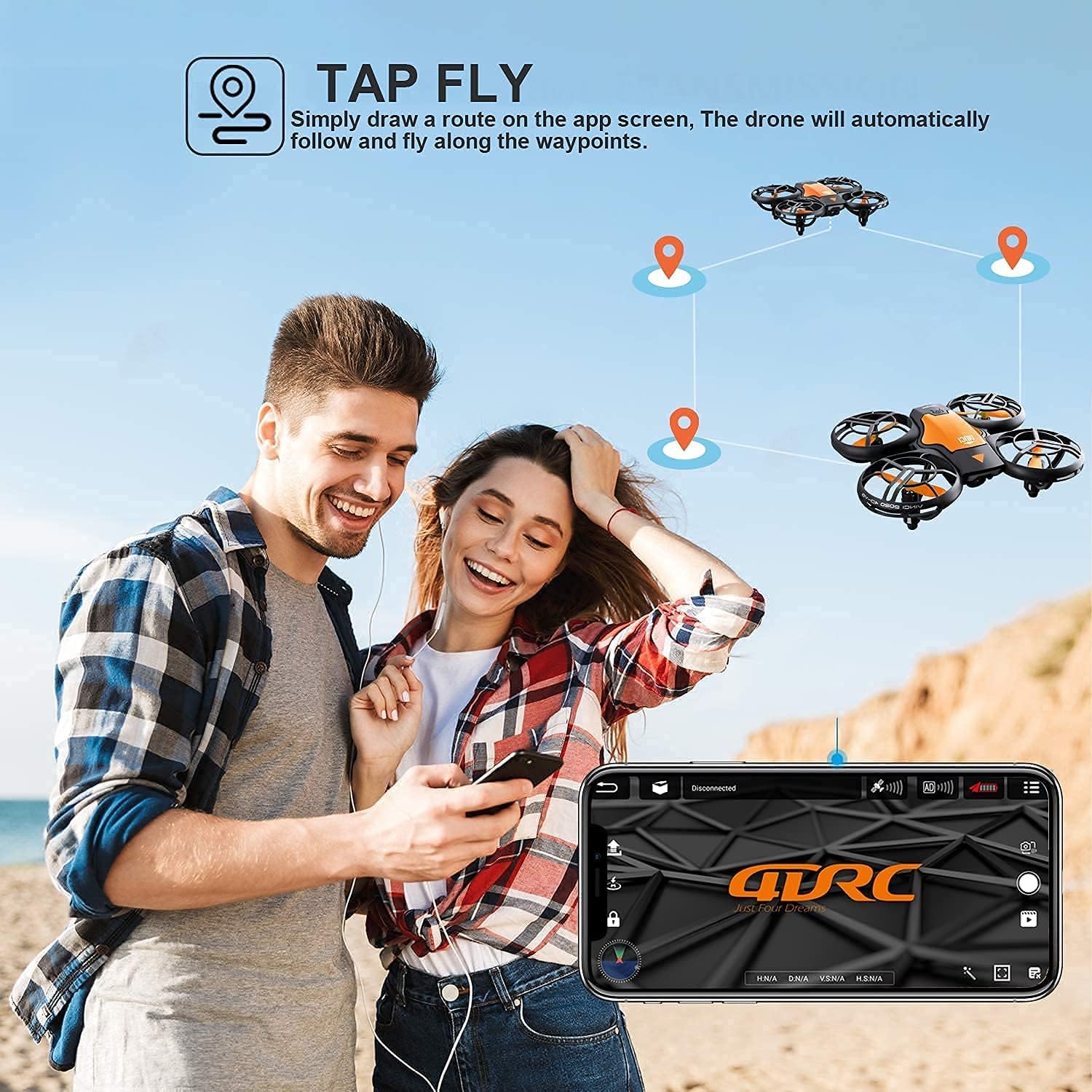
Image: The "Tap Fly" feature in action, where users can draw a flight trajectory on their smartphone screen for the drone to automatically follow.
Sikkerhedsretningslinjer
Adhere to the following safety guidelines to prevent accidents and ensure safe operation:
- Brug altid dronen i åbne områder, væk fra mennesker, dyr og forhindringer.
- Flyv ikke i nærheden af lufthavne, begrænset luftrum eller følsomme områder.
- Hold altid synslinjen i forhold til dronen.
- Undgå at flyve i stærk vind eller ugunstige vejrforhold.
- Ensure propellers are free from obstructions before takeoff.
- Rør ikke ved propellerne, når de roterer.
- Hold opsyn med børn under droneoperation.
- Regularly inspect the drone for any damage before and after each flight.
- Brug kun originale eller godkendte reservedele.

Image: The drone's auto obstacle avoidance system, which senses and bypasses objects in its flight path for enhanced safety.
Opretholdelse
Proper maintenance ensures the longevity and performance of your 4DRC V8 Mini Drone:
- Batteripleje:
- Opbevar batterier på et køligt, tørt sted.
- Undlad at overoplade eller overaflade batterier.
- Hvis de ikke bruges i længere perioder, skal batterierne oplades til ca. 50% kapacitet.
- Udskiftning af propel:
- If a propeller is damaged, carefully remove it and replace it with a new one. Ensure the correct propeller (A or B) is installed in the corresponding position.
- Rensning:
- Brug en blød, tør klud til at rengøre dronens hus.
- Undgå at bruge vand eller stærke kemikalier.
Fejlfinding
| Problem | Mulig årsag | Løsning |
|---|---|---|
| Dronen reagerer ikke på fjernbetjeningen. | Not paired; low battery on drone or remote. | Re-pair drone and remote; charge drone battery; replace remote batteries. |
| Drone driver afsted under flyvning. | Not calibrated; uneven surface at takeoff. | Perform gyroscope calibration (refer to remote control instructions); ensure drone is on a flat surface for takeoff. |
| Camera feed is not visible in app. | Ikke forbundet til dronens Wi-Fi; appen er ikke åben. | Connect mobile device to drone's Wi-Fi network; open the 4DRC app. |
| Kort flyvetid. | Batteriet er ikke fuldt opladet; gammelt batteri. | Ensure battery is fully charged; consider replacing old batteries. |
Specifikationer
| Mærke | 4DRC |
| Model | V8 |
| Produktets vægt | 410 g |
| Produktdimensioner | 13 x 11 x 4 cm |
| Batterier | 2 Lithium Ion (inkluderet) |
| Videooptagelsesopløsning | 720p |
| Forbindelsesteknologi | Wi-Fi |
| Særlige funktioner | Gesture Control, One-Key Takeoff/Landing, Headless Mode, Trajectory Flight, Circular Flight, 3 Speed Modes, 360° Flip, Altitude Hold, Auto Obstacle Avoidance |
| Færdighedsniveau | Nybegynder |
Garanti og support
For warranty information and technical support, please refer to the contact details provided on the product packaging or the official 4DRC webwebsted. Behold din købskvittering som købsbevis i tilfælde af garantikrav.
If you encounter any issues not covered in this manual, please contact 4DRC customer service for assistance.


