Brugermanual
Strong SRT 8119 Digital Terrestrial DVB-T2 HDMI Decoder with Display
Model: SRT8119
1. Introduktion
This manual provides comprehensive instructions for the installation, operation, and maintenance of your Strong SRT 8119 Digital Terrestrial DVB-T2 HDMI Decoder. Please read this manual carefully before using the device to ensure proper functionality and to prevent damage.
The Strong SRT 8119 is designed to receive free-to-air TV programs in high definition, supporting the H.265 standard. It offers features such as recording capabilities, a 700-channel memory capacity, Electronic Program Guide (EPG), parental controls, and various channel editing options for an enhanced viewoplevelse.
2. Sikkerhedsoplysninger
Always observe the following safety precautions to avoid electric shock, fire, or damage to the device:
- Udsæt ikke enheden for regn eller fugt.
- Åbn ikke c'enasing. Overlad al service til kvalificeret personale.
- Sørg for tilstrækkelig ventilation omkring enheden. Bloker ikke ventilationsåbningerne.
- Brug kun den strømadapter, der fulgte med enheden.
- Disconnect the device from the power outlet during lightning storms or when unused for long periods.
- Hold enheden væk fra direkte sollys, varmekilder og stærke magnetfelter.
3. Pakkens indhold
Bekræft at alle varer er til stede i pakken:
- Strong SRT 8119 Digital Terrestrial DVB-T2 HDMI Decoder
- Fjernbetjening (med 2 AAA-batterier inkluderet)
- Brugervejledning (dette dokument)
- Strømadapter

Figure 3.1: Packaging of the Strong SRT 8119 decoder, showing the product box with branding and key features listed.
4. Produktet er slutview
4.1. Frontpanel

Figur 4.1: Forside view of the Strong SRT 8119 decoder, featuring the display, Strong logo, Dolby Audio branding, and a USB port on the right.
- Vise: Shows channel number or time.
- USB-port: For connecting USB storage devices for media playback and software updates.
- Strømindikator: Angiver enhedens strømstatus.
4.2. Bagpanel

Figur 4.2: Bagside view of the Strong SRT 8119 decoder, clearly showing the input and output ports labeled for connection to a terrestrial antenna, HDMI TV, SCART TV, and S/PDIF coaxial audio output.
- MYRE I: Forbindes til din jordbaserede antenne.
- HDMI: High-Definition Multimedia Interface output for connecting to an HD TV.
- TV SCART: SCART output for connecting to older TVs.
- Coaxial S/PDIF: Digital lydudgang.
- DC IN: Strømindgang til den eksterne strømadapter.
4.3. Fjernbetjening

Figure 4.3: The remote control for the Strong SRT 8119 decoder, showing various buttons for power, channel navigation, volume, menu access, EPG, media playback, and numeric input.
The remote control allows full operation of the decoder. Familiarize yourself with the button layout for easy navigation.
5. Opsætning
5.1. Connecting the Decoder
- Tilslut antenne: Tilslut dit jordbaserede antennekabel til MYRE IND port on the rear panel of the decoder.
- Tilslut til tv:
- For HD TVs: Connect an HDMI cable from the HDMI port on the decoder to an available HDMI input on your TV.
- For older TVs: Connect a SCART cable from the TV SCART port on the decoder to the SCART input on your TV.
- Tilslut strøm: Insert the power adapter cable into the DC IN port on the decoder, then plug the adapter into a wall outlet.
- Indsæt batterier: Open the battery compartment on the remote control and insert the two AAA batteries, observing polarity.
5.2. Første gangs installation
Upon first power-on, the decoder will guide you through the initial setup process:
- Vælg din foretrukne Sprog.
- Vælg din Land.
- The decoder will then perform an automatic channel scan. This may take several minutes. Do not interrupt this process.
- Once the scan is complete, the decoder will display the first available channel.
6. Betjeningsvejledning
6.1. Grundlæggende betjening
- Tænd/sluk: Tryk på MAGT knappen på fjernbetjeningen.
- Kanalændring: Brug CH +/- knapperne eller indtast kanalnummeret direkte ved hjælp af det numeriske tastatur.
- Lydstyrkekontrol: Brug VOL +/- knapper.
- Menuadgang: Tryk på MENU button to access system settings and features. Use arrow keys to navigate and OK for at bekræfte.
6.2. Elektronisk programguide (EPG)
The EPG provides a schedule of current and upcoming programs.
- Tryk på EPG knappen på fjernbetjeningen.
- Navigate through channels and program times using the arrow keys.
- Trykke OK til view details about a selected program.
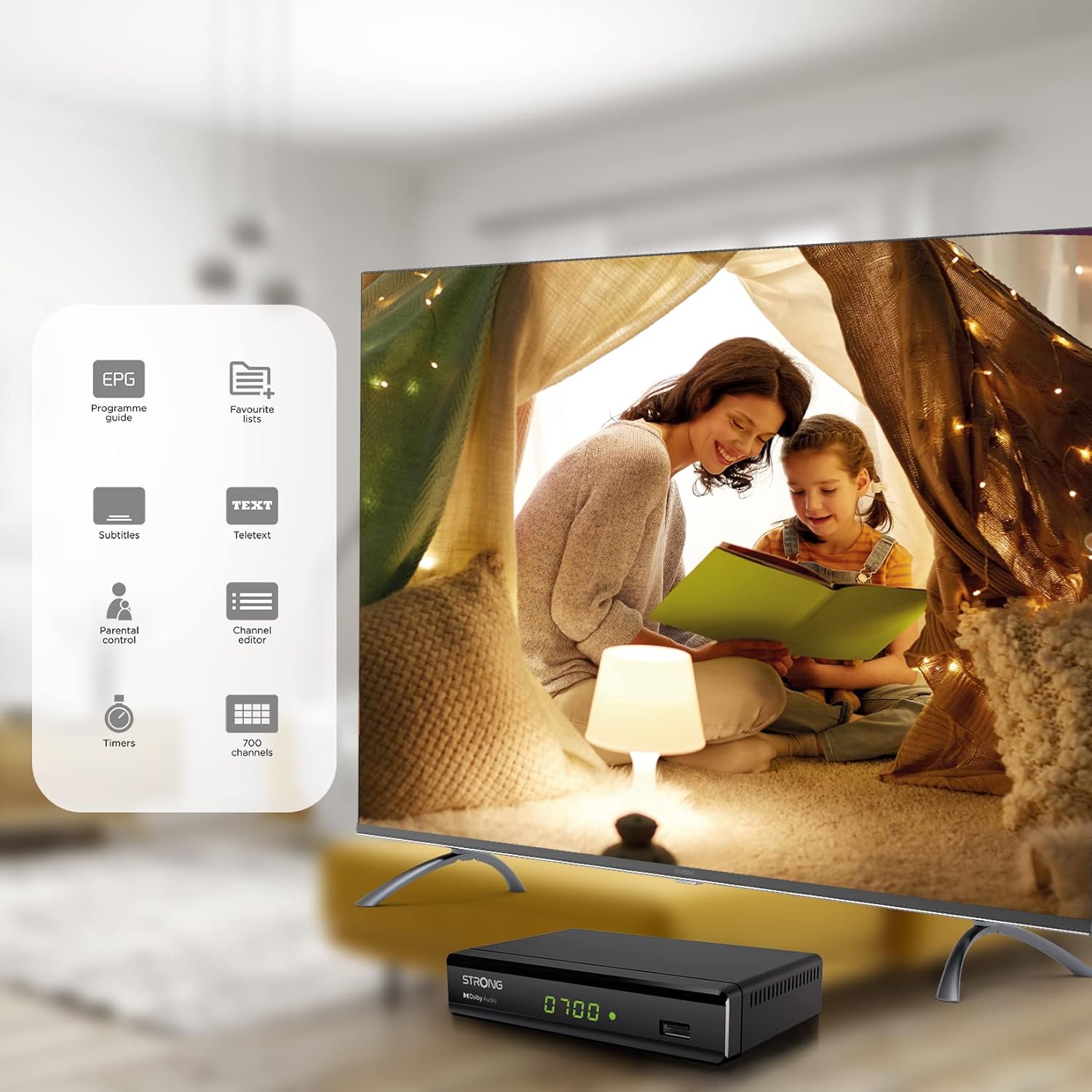
Figure 6.1: Visual representation of the Strong SRT 8119's features, including Electronic Program Guide (EPG), favorite lists, subtitles, teletext, parental control, channel editor, timers, and 700 channel capacity.
6.3. Media Playback and Recording (USB)
The decoder supports media playback from a USB storage device connected to the front USB port. Note: Recording function may not be active in all regions (e.g., Italy).
- Insert a USB flash drive or external hard drive into the front USB port.
- Tryk på MEDIER button on the remote control to access the media player.
- Naviger til den ønskede file (video, audio, image) and press OK at spille.
- To record a program, press the REC button during live TV. Ensure a USB device with sufficient free space is connected.
- To schedule a recording, use the EPG and select the program, then follow the on-screen prompts to set a timer.

Figure 6.2: The Strong SRT 8119 decoder shown in a living room setting, highlighting its USB playback and recording capabilities. A note indicates that recording is not implemented for Italy.
6.4. Kanalstyring
- Channel Editor: Access the channel editor via the MENU to move, delete, or lock channels.
- Favorite Lists: Create up to 4 favorite lists for TV and radio programs for quick access to your preferred channels.
- Forældrekontrol: Set a password to restrict access to certain channels or programs.
7. Vedligeholdelse
- Rensning: Use a soft, dry cloth to clean the exterior of the decoder. Do not use liquid or aerosol cleaners.
- Softwareopdatering: Kontroller regelmæssigt den stærke website for available software updates. Updates can typically be installed via the USB port.
- Opbevaring: If storing the device for an extended period, disconnect it from power and store in a cool, dry place.
8. Fejlfinding
| Problem | Mulig årsag | Løsning |
|---|---|---|
| Ingen strøm | Strømkabel ikke tilsluttet; Strømudtag defekt. | Kontrollér strømtilslutningerne; prøv en anden stikkontakt. |
| Intet signal / "Intet signal"-meddelelse | Antenna not connected; Antenna faulty; Incorrect input selected on TV. | Check antenna connection; Ensure antenna is working; Select correct HDMI/SCART input on your TV. |
| Intet billede, men der er lyd | Video cable (HDMI/SCART) loose or faulty. | Check video cable connections; Try a different cable. |
| Fjernbetjening virker ikke | Batteries depleted or inserted incorrectly; Obstruction between remote and decoder. | Replace batteries; Ensure correct polarity; Remove obstructions; Point remote directly at the decoder. |
| Kan ikke optage programmer | USB device not connected or full; Recording function not available in your region. | Connect a USB device with sufficient space; Check regional limitations for recording. |
9. Specifikationer
| Modelnummer | SRT8119 |
| Produktdimensioner | 4.41 x 5.98 x 1.5 tommer |
| Varens vægt | 9.5 ounce |
| Forbindelsesteknologi | Antenna (DVB-T2), HDMI, SCART, USB, Coaxial S/PDIF |
| Videokodning | H.265 |
| Kanalkapacitet | 700 kanaler |
| Batterier | 2 AAA-batterier (medfølger til fjernbetjening) |
| Lydudgangstilstand | Omgive |
| Surround Sound Kanalkonfiguration | 5.1 |
10. Support
For further assistance, technical support, or to find useful resources, please visit the official Strong website. You can also find information and support on their Facebook profile and LinkedIn page.
Note: Specific contact numbers or direct links are not provided in this manual. Please refer to the official Strong webwebstedet for de mest opdaterede supportoplysninger.


