VTech CS2051 trådløs telefon brugermanual
Model: CS2051 | Mærke: VTech
Indledning
This user manual provides comprehensive instructions for the setup, operation, maintenance, and troubleshooting of your VTech CS2051 Cordless Phone system. Please read this manual thoroughly before using your new phone to ensure proper functionality and to take full advantage af dens funktioner.
The VTech CS2051 is a DECT cordless phone system designed for home and office use, featuring two handsets and an integrated answering machine. It offers advanced features such as call blocking, ECO mode for energy efficiency, and a clear backlit display.
Opsætning
Pakkens indhold
Sørg for at alle varer er til stede i pakken:
- 1 x Basisenhed
- 2 x trådløse håndsæt
- 2 x Handset Chargers (for additional handsets)
- 2 x NiMH genopladelige batterier
- 1 x strømadapter til baseenhed
- 1 x telefonledning
- Brugervejledning (dette dokument)

Image: The VTech CS2051 cordless phone system, showing the main base unit with one handset docked, and a second standalone handset with its charger.
Installation af batteri
- Åbn batteridækslet på bagsiden af hvert håndsæt.
- Insert the supplied NiMH rechargeable battery, observing the correct polarity (+ and -).
- Luk batterirummets dæksel.
Tilslutning af baseenheden
- Tilslut den ene ende af telefonledningen til TEL LINE-stikket på baseenheden.
- Tilslut den anden ende af telefonledningen til dit telefonstik i væggen.
- Connect the small end of the power adapter to the POWER jack on the base unit.
- Sæt den store ende af strømadapteren i en almindelig stikkontakt.
- Place the main handset on the base unit to charge.
Connecting Additional Handset Chargers
- Connect the power adapter for each additional charger to the POWER jack on the charger.
- Sæt strømadapteren i en almindelig stikkontakt.
- Place the additional handset(s) on their respective chargers to charge.
Allow the handsets to charge for at least 16 hours before initial use to ensure optimal battery performance.
Betjeningsvejledning
Foretage og modtage opkald
- Sådan foretager du et opkald: Pick up a handset, dial the number, and press the Ring knap.
- Sådan modtager du et opkald: Når telefonen ringer, tryk på Ring knap.
- Hands-Free (Speakerphone): Under et opkald skal du trykke på Højttaler knappen for at aktivere højttalertelefonen.

Image: A VTech CS2051 handset with a speech bubble indicating hands-free communication, demonstrating the ease of making or receiving calls without holding the handset.
Adjusting Volume and Ringtones
You can adjust the handset's earpiece volume during a call using the navigation buttons. Ringtone volume and melody can be customized through the handset's menu settings.

Image: A VTech CS2051 handset on its base, with a visual representation of sound waves emanating from it, indicating adjustable ringtone volume and melody settings.
Opkaldslåsning
The VTech CS2051 allows you to block unwanted and intimidating calls. You can block up to 30 numbers by adding them to a blacklist. Refer to the handset menu for instructions on adding numbers to the call block list.
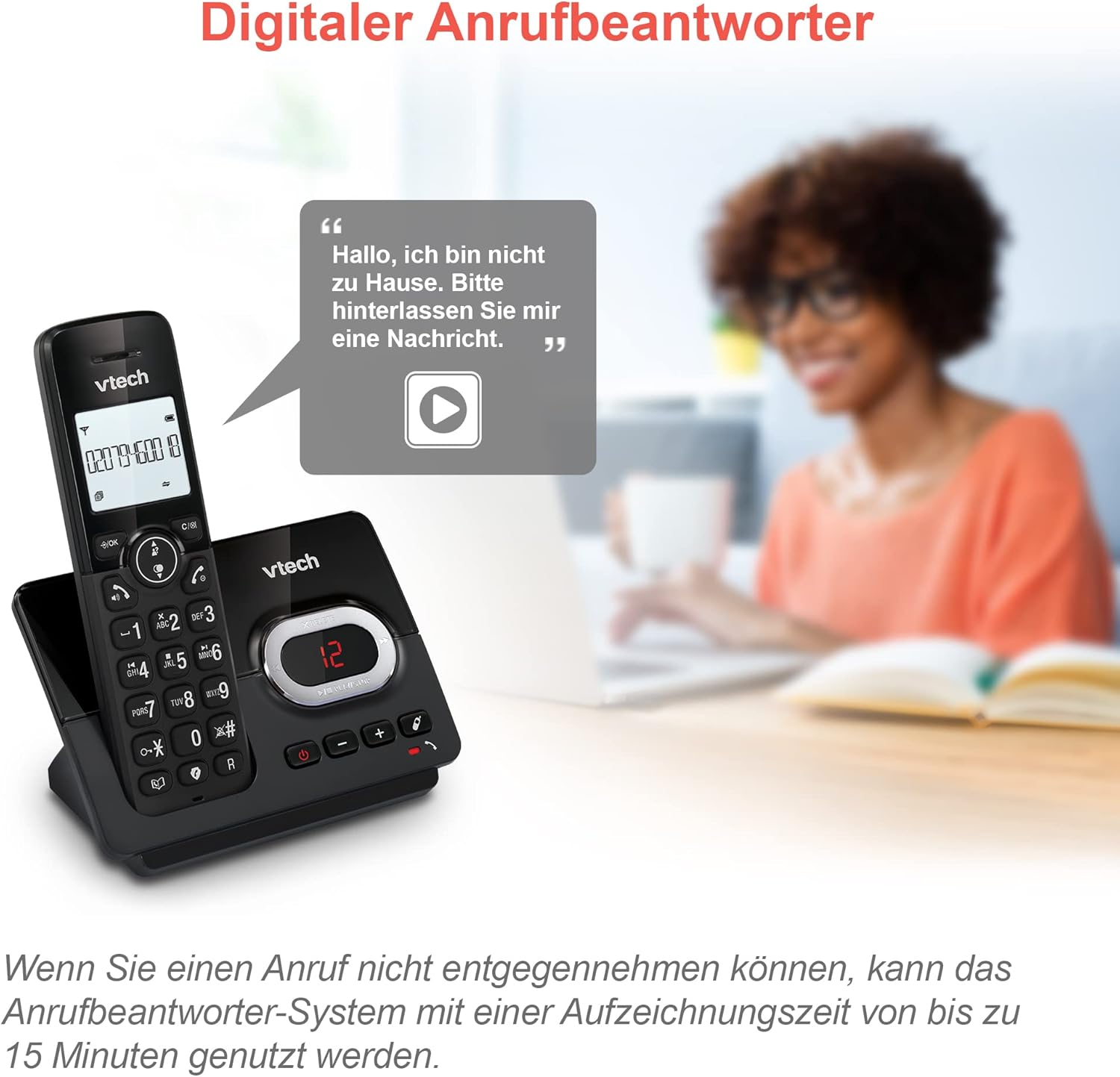
Image: A VTech CS2051 handset next to a television screen, with a "No Entry" symbol over a phone icon, illustrating the call blocking feature for unwanted and unknown calls.
Telefonsvarer
The integrated answering machine offers up to 15 minutes of recording time. It will automatically answer calls when you are unavailable. The digital message counter on the base unit indicates the number of new messages.
- Afspiller beskeder: Tryk på SPIL/STOP knappen på baseenheden.
- Recording Outgoing Message: Access the answering machine settings via the handset menu.

Image: A VTech CS2051 handset on its base, with a speech bubble showing a voicemail message, highlighting the digital answering machine function with up to 15 minutes of recording time.
Phonebook and Redial
- Telefonbog: Store up to 30 names and numbers in the integrated phonebook for quick dialing.
- Genopkald: Easily redial the last 10 numbers called by pressing the Redial button.
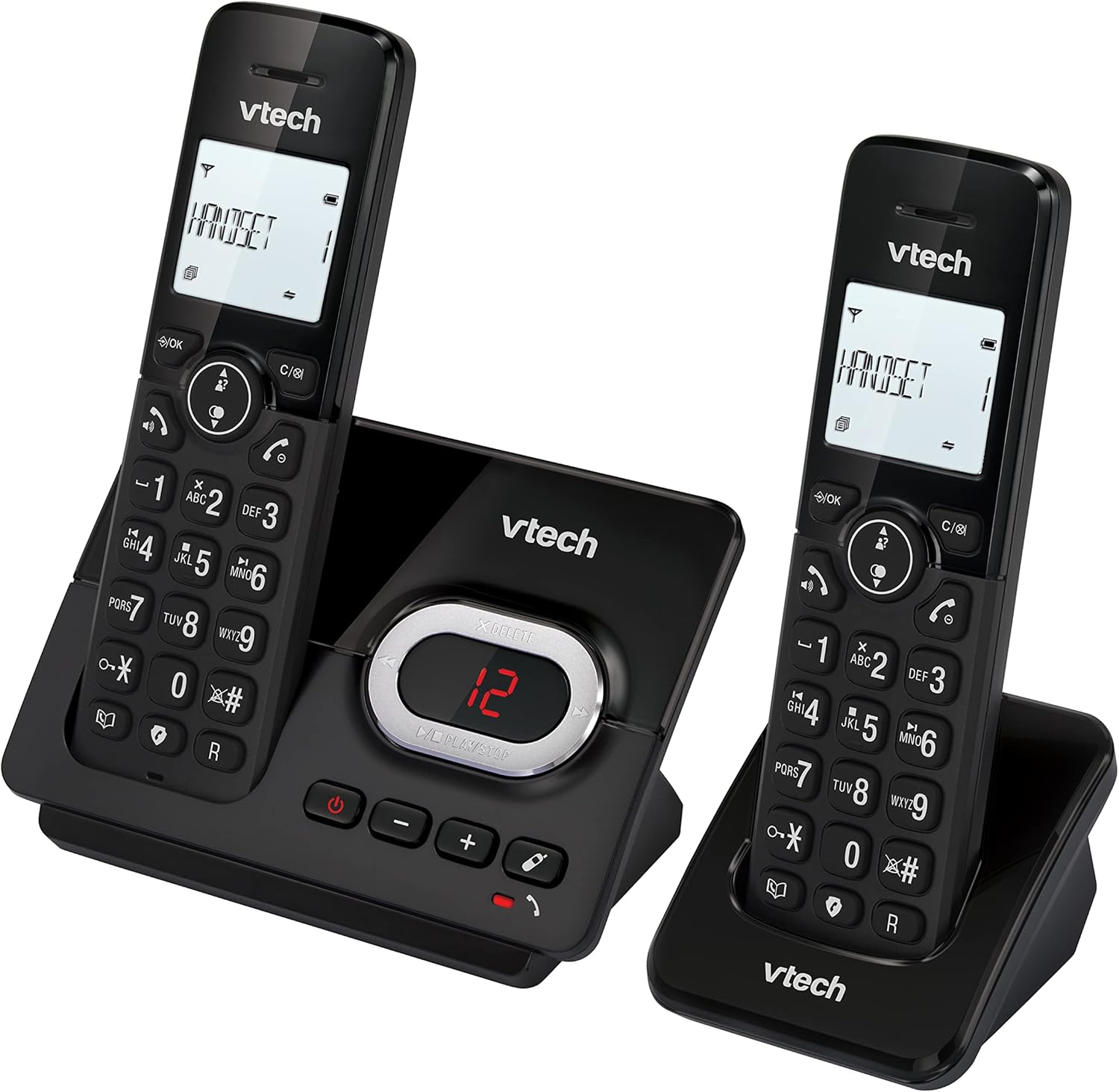
Image: A VTech CS2051 handset on its base, with an overlay showing a phonebook interface, indicating the ability to store up to 30 names and numbers.
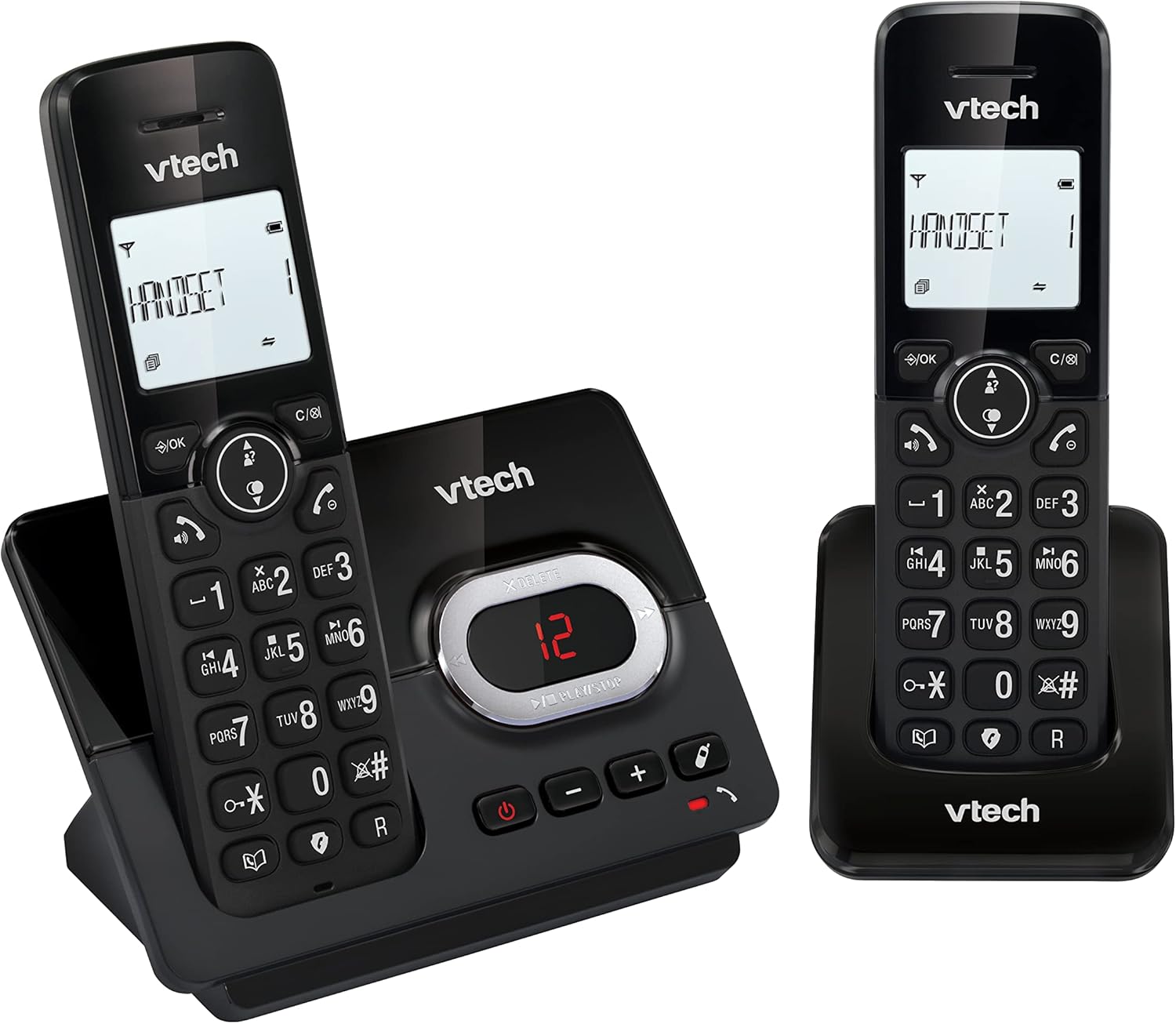
Image: A close-up of the VTech CS2051 handset's navigation buttons, with a circle highlighting the redial button, indicating the ability to redial the last 10 numbers.
Vis nummer og opkald venter
With Caller ID and Call Waiting features, you can see who is calling before you answer. The handset display shows the caller's name, number, time, and date of incoming calls.

Image: A VTech CS2051 handset on its base, with the screen displaying caller information, illustrating the Caller ID and Call Waiting features that show who is calling.
ECO-tilstand
The handset automatically adjusts the radio frequency power based on its distance from the base unit. In full ECO mode, there is no transmission power in standby mode, contributing to energy saving.
Opretholdelse
- Rensning: Rengør telefonen og baseenheden med en blød, tør klud.amp klud. Brug ikke rengøringsspray eller skrappe kemikalier.
- Batteripleje: Use only the supplied rechargeable NiMH batteries. If the phone will not be used for an extended period, remove the batteries from the handsets.
- Placering: Place the base unit and chargers in a dry, stable location away from direct sunlight, heat sources, and moisture. Ensure adequate ventilation.
Fejlfinding
| Problem | Mulig årsag/løsning |
|---|---|
| Ingen klartone |
|
| Håndsættet oplades ikke |
|
| Dårlig opkaldskvalitet / Statisk |
|
| Telefonsvarer optager ikke |
|
Specifikationer
- Model: CS2051
- Teknologi: DECT 6.0
- Vise: 1.8-tommer baggrundsbelyst LCD-skærm
- Telefonsvarer: Digital, op til 15 minutters optagetid
- Telefonbogskapacitet: 30 poster (navne og numre)
- Call Block Capacity: Op til 30 numre
- Opkalds-id-hukommelse: Stores last 20 calls
- Batteritype: NiMH rechargeable battery (included)
- Rækkevidde: Op til 300 meter (åbent felt)
- Farve: Sort
- Vægt: 660 Grams (approximate, for the system)
- Kompatible enheder: Analog telephone networks, router with analog connection
Garanti og support
VTech products are manufactured to high quality standards. For warranty information, please refer to the warranty card included in your product packaging or visit the official VTech webwebsted for din region. Behold din købskvittering som købsbevis.
For technical support or service inquiries, please contact VTech customer support. Contact details can typically be found on the VTech webwebsted eller i produktemballagen.
Online ressourcer: For the latest information, FAQs, and support, please visit the official VTech support webwebsted.


