1. Produktet er slutview
The DOOGEE X96 Pro is an Android 11 smartphone designed for reliable daily use. It features a 6.52-inch HD+ display, a 5400mAh battery, and a 13MP AI quad-camera system. The device supports 4G connectivity and offers security features like facial recognition and a fingerprint sensor.
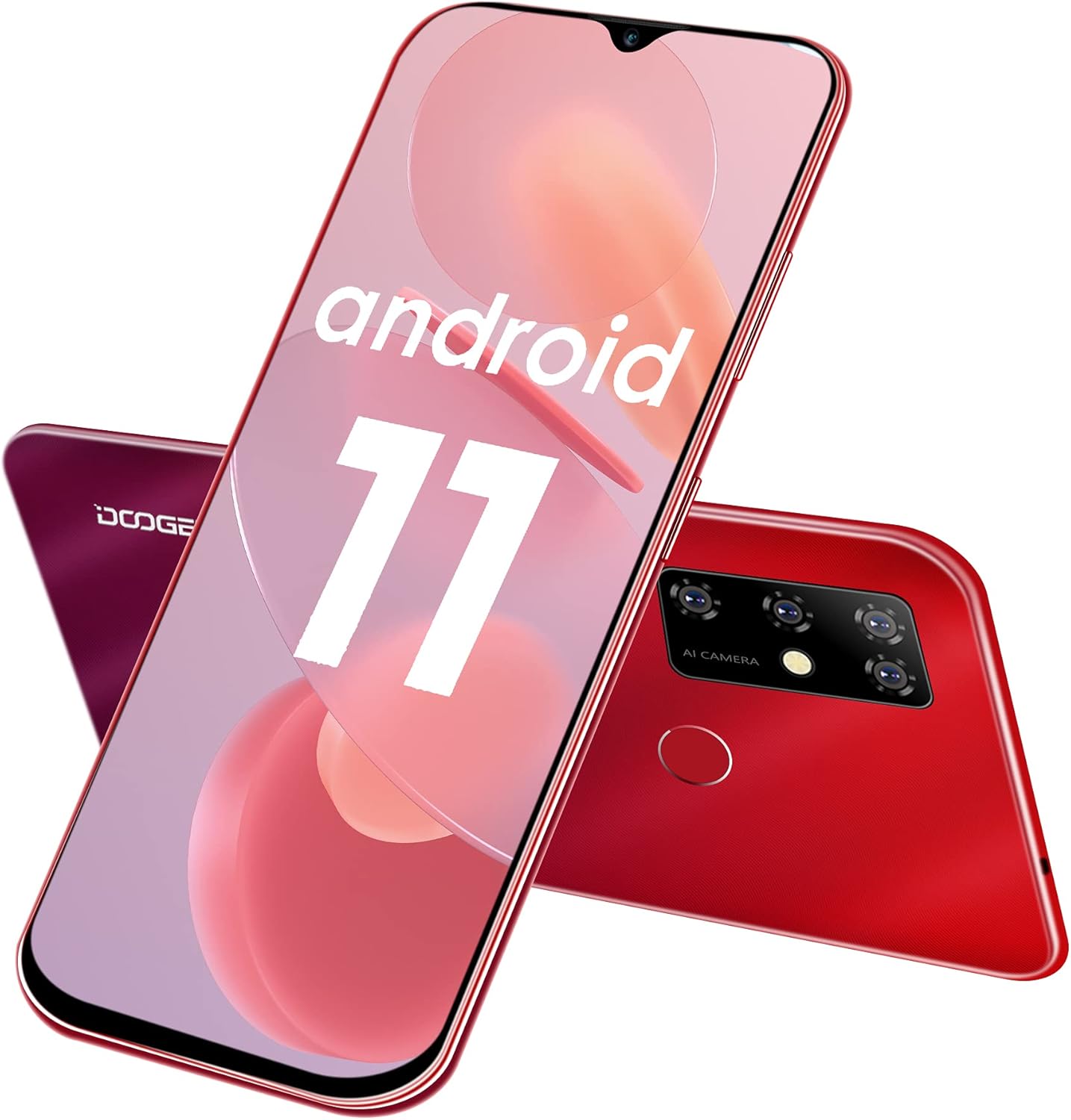
Billede 1.1: Foran og bagpå view of the DOOGEE X96 Pro smartphone, showcasing dens design og opsætning med fire kameraer.
Nøglefunktioner:
- Operativsystem: Android 11.0 for enhanced privacy and system optimization.
- Vise: 6.52-inch HD+ waterdrop screen with a 91% screen-to-body ratio and 720*1600 resolution.
- Præstation: T310 Quad-Core processor with 4GB RAM for smooth operation.
- Opbevaring: 64GB internal storage, expandable up to 256GB via TF card.
- Batteri: 5400mAh large capacity battery, offering 1-3 days of normal use, 17 days standby, and 25 hours of call time.
- Kamerasystem: 13MP AI main camera, 2MP macro camera, 2MP portrait camera, and a 2MP secondary camera. Features an 8MP front camera.
- Sikkerhed: Supports fingerprint unlock and facial recognition.
- Forbindelse: Dual Nano SIM support with a 3-in-1 card slot (2 SIMs + 1 TF card).
- Design: Slim and lightweight body, weighing 198 grams with a thickness of 9.7mm.
2. Indledende opsætning
2.1 Isætning af SIM- og TF-kort
The DOOGEE X96 Pro features a 3-in-1 card slot, allowing for two Nano SIM cards and one TF (microSD) card to be used simultaneously. To access the card slot, gently remove the back cover of the phone.
- Power off the device before inserting or removing cards.
- Find hakket på bagdækslet, og lirk det forsigtigt op for at fjerne det.
- Insert your Nano SIM cards and TF card into their respective slots as indicated on the tray. Ensure the gold contacts face downwards.
- Carefully replace the back cover, ensuring it clicks securely into place.

Image 2.1: Illustration of the 3-in-1 card slot for Nano SIM and TF cards.
2.2 Tænding og indledende konfiguration
- Press and hold the Power button on the side of the device until the DOOGEE logo appears.
- Følg vejledningen på skærmen for at vælge dit sprog, oprette forbindelse til Wi-Fi og konfigurere din Google-konto.
- Review og accepterer vilkårene og betingelserne.
2.3 Setting Up Security Features
To enhance device security, configure facial recognition and fingerprint unlock:
- Naviger til Indstillinger > Sikkerhed.
- Vælge Lås op med fingeraftryk and follow the instructions to register your fingerprint. The fingerprint sensor is located on the rear of the device.
- Vælge Ansigtslås and follow the instructions to register your face using the front camera.

Image 2.2: Icons representing facial recognition and fingerprint unlock features.
3. Betjening af din smartphone
3.1 Android 11-funktioner
The DOOGEE X96 Pro runs on Android 11, offering various enhancements:
- Conversation Bubbles: Manage and respond to conversations directly from floating bubbles on your home screen.
- Privatlivskontroller: Enhanced privacy settings allow for more granular control over app permissions, including one-time permissions for microphone, camera, and location.
- Enhedskontrol: Access smart home device controls quickly from the power menu.

Image 3.1: Visual representation of Android 11's messaging, quick settings, and privacy features.
3.2 Kamerabrug
The device is equipped with a 13MP AI quad-camera system on the rear and an 8MP front camera.
- Åbn Kamera applikationen fra din startskærm eller appskuffe.
- Switch between photo, video, portrait, and macro modes as needed.
- Tap the screen to focus on a specific area.
- Tryk på udløserknappen for at tage billeder eller starte/stoppe videooptagelse.

Billede 3.2: Overview of the smartphone's camera specifications, including front and rear camera resolutions.
3.3 Batteristyring
5400mAh-batteriet giver længere tids brug. Sådan optimerer du batterilevetiden:
- Juster skærmens lysstyrke.
- Luk ubrugte programmer, der kører i baggrunden.
- Aktiver batterisparetilstand, når batteriet er lavt.
- Use the provided 10W charger for optimal charging speed.
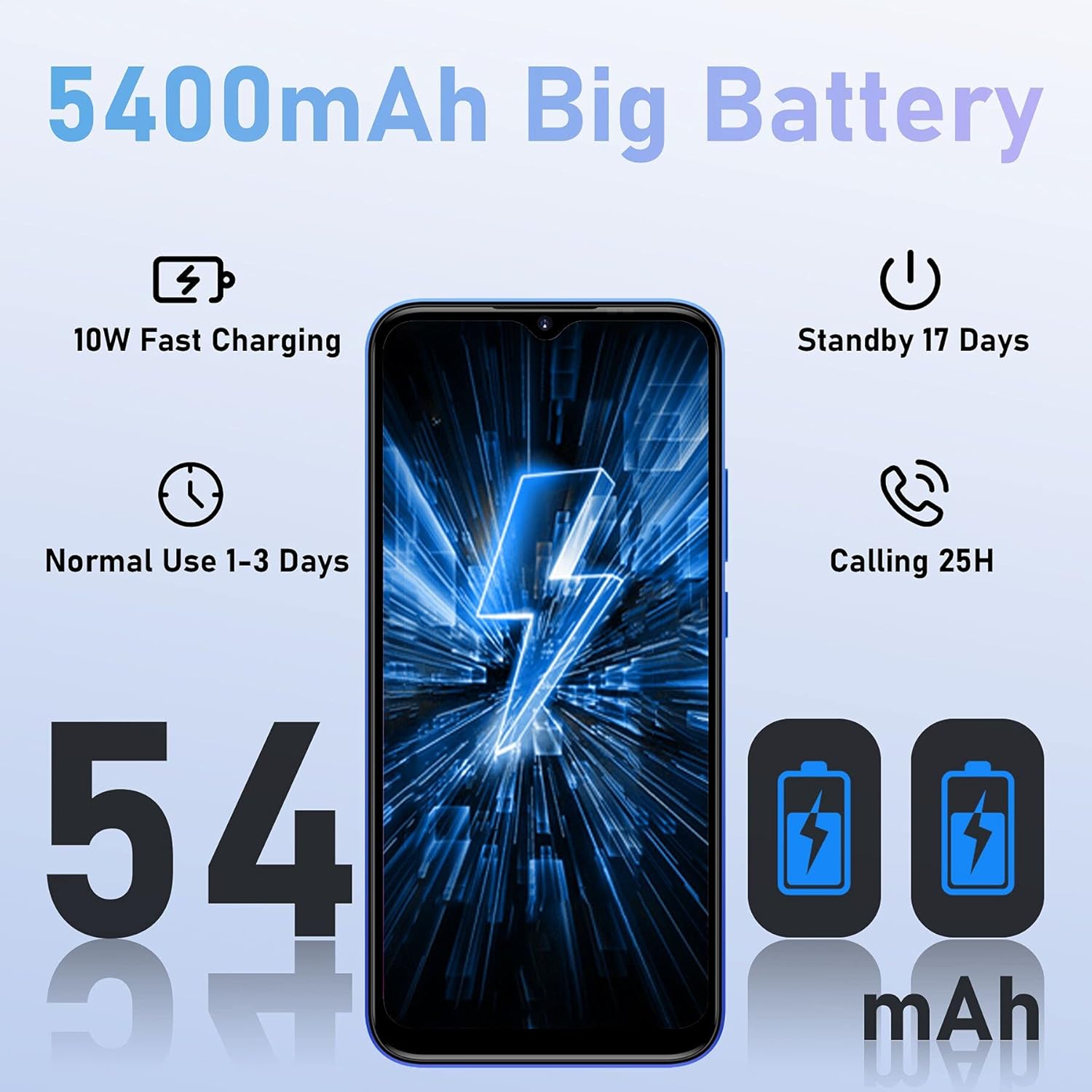
Billede 3.3: Batteriydelsesmålinger for 5400mAh-batteriet.
3.4 Lagerstyring
The device comes with 64GB of internal storage, expandable up to 256GB. Regularly manage your storage to maintain optimal performance:
- Gå til Indstillinger > Lager til view brug og frigør plads.
- Afinstaller ubrugte apps.
- Flyt stort files (fotos, videoer) til et TF-kort eller cloud-lagring.

Image 3.4: Display of the 4GB RAM and 64GB ROM configuration, highlighting expandable memory.
4. Vedligeholdelse
4.1 Rengøring af din enhed
- Brug en blød, fnugfri klud til at rengøre skærmen og kabinettet.
- Undgå at bruge skrappe kemikalier eller slibende materialer.
- Hold portene fri for støv og snavs.
4.2 Softwareopdateringer
Regularly check for software updates to ensure your device has the latest features and security patches:
- Gå til Indstillinger > System > Systemopdatering.
- Følg instruktionerne på skærmen for at downloade og installere alle tilgængelige opdateringer.
5. Fejlfinding
Almindelige problemer og løsninger:
- Enheden tænder ikke: Sørg for, at batteriet er opladet. Tilslut opladeren, og vent et par minutter, før du forsøger at tænde igen.
- Apps der går ned eller fryser: Close background applications. Clear the cache of the problematic app (Settings > Apps > [App Name] > Storage > Clear cache). Restart the device.
- Dårligt netværkssignal: Check if SIM cards are correctly inserted. Move to an area with better network coverage.
- Batteriet aflades hurtigt: Refer to the Battery Management section (3.3) for optimization tips. Reduce screen brightness and disable unnecessary features like GPS or Bluetooth when not in use.
- Lagerplads fuld: Refer to the Storage Management section (3.4) to free up space.
6. Specifikationer
| Feature | Detalje |
|---|---|
| Mærke | DOOGEE |
| Modelnummer | X96PRO |
| Operativsystem | Android 11.0 |
| Processor | T310 Quad-Core |
| VÆDDER | 4 GB |
| Intern opbevaring | 64 GB |
| Udvidelig opbevaring | Up to 256 GB (TF Card) |
| Skærmstørrelse | 6.52 tommer |
| Skærmopløsning | 720*1600 HD+ |
| Bagkamera | 13 MP AI Quad Camera (13MP main + 2MP macro + 2MP portrait + 2MP secondary) |
| Forreste kamera | 8 MP |
| Batterikapacitet | 5400 mAh (lithium-polymer) |
| Opladning | 10W Fast Charging, Micro USB |
| Cellulær teknologi | 4G |
| Trådløs teknologi | Wi-Fi |
| SIM-korttype | Dobbelt nano-SIM-kort |
| Sikkerhedsfunktioner | Fingeraftryks-ID, ansigts-ID |
| Vægt | 198 gram |
| Tykkelse | 9.7 mm |
7. Garanti og support
7.1 Produktgaranti
The DOOGEE X96 Pro smartphone comes with a 2 års garanti, ensuring a worry-free purchase. Please retain your proof of purchase for warranty claims.
7.2 Kundesupport
For technical assistance, troubleshooting beyond this manual, or warranty inquiries, please contact DOOGEE customer support through their official webwebstedet eller forhandleren, hvor produktet blev købt.


