1. Introduktion
Tak for købetasing the Final UX3000 Bluetooth Wireless Headphones. These headphones are designed to deliver premium Hi-Fi sound quality with hybrid noise-cancelling technology, ensuring an immersive audio experience. With long battery life and versatile connectivity options, the UX3000 is ideal for music listening, movies, and gaming.
Please read this manual thoroughly before using the product to ensure proper operation and to maximize your listening enjoyment.

Image: The Final UX3000 headphones in black, showcasing deres elegante design.
2. Pakkens indhold
Sørg for, at alle følgende varer er inkluderet i din pakke:
- Final UX3000 Headphone
- USB-C ladekabel
- Blød bæretaske
- 3.5mm Cable for Wired Connection
- Brugervejledning (dette dokument)
Note: A USB charger is not included in the package.
3. Produktet er slutview
3.1 Hovedtelefonkomponenter
Familiarize yourself with the various parts and controls of your Final UX3000 headphones.

Billede: En detaljeret view of the control buttons located on the ear cup.
Kontroller og indikatorer:
- Power knap: Bruges til at tænde/slukke hovedtelefonerne og starte Bluetooth-parring.
- Volume + / - Buttons: Justerer lydstyrken.
- Multifunktionsknap: Controls playback (play/pause), call management (answer/end calls), and activates voice assistant.
- ANC knap: Toggles Active Noise Cancelling on/off.
- Bluetooth / ANC Status Indicator: LED light indicating power, pairing status, and ANC status.
- USB-C opladningsport: Til opladning af høretelefoner.
- 3.5 mm lydstik: Til kablet forbindelse.

Image: Diagram showing the Power Button and Status Indicator.

Image: Diagram showing the Volume Up and Volume Down buttons.
4. Opsætning
4.1 Opladning af hovedtelefonerne
Before first use, fully charge your UX3000 headphones. Connect the supplied USB-C charging cable to the headphone's USB-C port and the other end to a USB power source (e.g., computer USB port, USB wall adapter). The LED indicator will show charging status and turn off when fully charged.
- Opladningstid: Cirka 2.5 timer for en fuld opladning.
- Batterilevetid: Op til 35 timers musikafspilning.
4.2 Bluetooth -parring
Sådan tilslutter du dine hovedtelefoner trådløst til en enhed:
- Sørg for, at hovedtelefonerne er slukket.
- Tryk på tænd/sluk-knappen og hold den nede i cirka 5 sekunder, indtil LED-indikatoren blinker blåt og rødt, hvilket angiver parringstilstand.
- Aktiver Bluetooth på din enhed (smartphone, tablet, computer) og søg efter tilgængelige enheder.
- Select "Final UX3000" from the list of found devices.
- Once connected, the LED indicator will flash blue slowly. A voice prompt will confirm "Device Connected".

Image: The UX3000 headphones positioned beside a smartphone displaying its Bluetooth connection settings.
Multipoint forbindelse:
The UX3000 supports multipoint connection, allowing you to connect to two Bluetooth devices simultaneously. For example, you can be connected to your smartphone and your laptop at the same time, seamlessly switching audio sources.
4.3 Kabelforbindelse
For a wired audio experience or when the battery is depleted, use the supplied 3.5mm audio cable.
- Connect one end of the 3.5mm cable to the audio jack on the headphones.
- Tilslut den anden ende til 3.5 mm lydudgangen på din enhed.
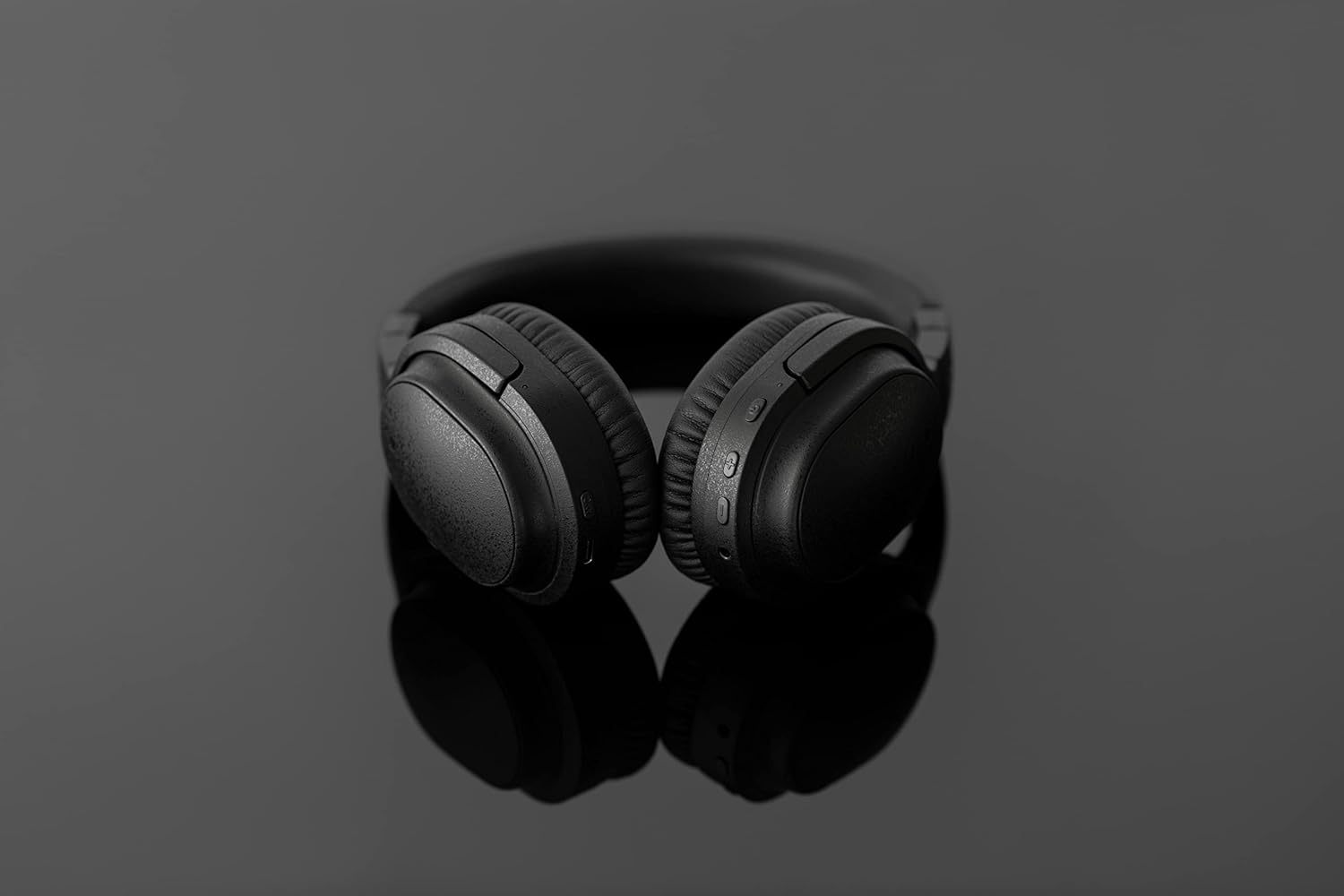
Image: The UX3000 headphones connected to a digital audio player using the 3.5mm audio cable.
5. Betjeningsvejledning
5.1 Tænd/sluk
- Tænd: Tryk på tænd/sluk-knappen og hold den nede i 2 sekunder. LED-indikatoren blinker blåt.
- Sluk: Tryk på tænd/sluk-knappen og hold den nede i 3 sekunder. LED-indikatoren slukker.
5.2 Musikafspilning
- Afspil/pause: Tryk én gang på multifunktionsknappen.
- Næste nummer: Tryk og hold Lydstyrke + knappen nede i 2 sekunder.
- Forrige nummer: Tryk og hold lydstyrkeknappen nede i 2 sekunder.
- Lydstyrke op: Press the Volume + button briefly.
- Skrue ned for lyden: Press the Volume - button briefly.
5.3 Hybrid Noise Cancelling (ANC)
The UX3000 features Hybrid Active Noise Cancelling, utilizing two microphones per ear cup to effectively reduce ambient noise. One microphone collects external noise, and the other collects sound from the driver unit, allowing for highly accurate anti-noise signal generation.
- Aktivér/deaktiver ANC: Press the ANC button once. A voice prompt will confirm the status.

Image: A schematic diagram explaining how the Hybrid Noise Cancelling technology works with external and internal microphones.
5.4 aptX Low Latency Support
The UX3000 supports aptX Low Latency, which minimizes audio delay and ensures proper synchronization with visuals. This feature provides an optimal experience for watching movies and playing games, preventing noticeable lag between audio and video.

Image: A user wearing the UX3000 headphones, engaged with a laptop, highlighting their suitability for media and communication.
5.5 Opkaldsfunktioner
- Besvar/afslut opkald: Tryk én gang på multifunktionsknappen.
- Afvis opkald: Tryk og hold multifunktionsknappen nede i 2 sekunder.
- Aktiver stemmeassistent: Tryk to gange på multifunktionsknappen.
6. Vedligeholdelse
To ensure the longevity and optimal performance of your Final UX3000 headphones, follow these maintenance guidelines:
- Rensning: Wipe the headphones with a soft, dry cloth. Do not use abrasive cleaners, solvents, or strong chemicals.
- Opbevaring: When not in use, store the headphones in the provided soft carrying pouch to protect them from dust and scratches. The headphones are foldable for compact storage.
- Undgå fugt: Keep the headphones away from water, humidity, and extreme temperatures.
- Opladning: Do not leave the headphones connected to a charger for extended periods after they are fully charged.

Image: The UX3000 headphones shown in their folded configuration, ready for compact storage or travel.
7. Fejlfinding
If you encounter issues with your Final UX3000 headphones, refer to the following common problems and solutions:
| Problem | Mulig årsag | Løsning |
|---|---|---|
| Hovedtelefonerne tændes ikke. | Lavt batteri. | Oplad hovedtelefonerne helt. |
| Kan ikke parres med enheden. | Headphones not in pairing mode; device's Bluetooth is off; too many paired devices. | Ensure headphones are in pairing mode (flashing red/blue). Turn on Bluetooth on your device. Forget previous pairings on your device and try again. |
| Ingen lyd eller lav lydstyrke. | Lydstyrken er for lav; hovedtelefoner er ikke tilsluttet; forkert lydudgang er valgt på enheden. | Increase volume on both headphones and device. Reconnect headphones. Check audio output settings on your device. |
| Støjreduktion er ikke effektiv. | ANC not activated; environmental noise too high for full cancellation. | Ensure ANC is activated. ANC is most effective for low-frequency, constant noises. |
| Voice prompts (e.g., "Battery Low") occur frequently even when charged. | Potential firmware issue or specific device interaction. | Ensure headphones are fully charged. If issue persists, contact customer support. |
8. Specifikationer
| Feature | Detalje |
|---|---|
| Modelnavn | UX3000 BLK |
| Forbindelsesteknologi | Trådløs (Bluetooth), Kablet (3.5 mm jack) |
| Trådløs kommunikationsteknologi | Bluetooth 5.0 |
| Bluetooth rækkevidde | 10 meter |
| Støjkontrol | Hybrid støjreduktion |
| Audio driver type | Dynamisk Driver |
| Frekvensområde | 20Hz-20kHz |
| Batterilevetid | Op til 35 timer |
| Opladningstid | 2.5 timer |
| Varens vægt | 260 gram (9.2 ounce) |
| Øreplacering | Over Ear |
| Formfaktor | Over Ear |
| Kompatible enheder | Bluetooth-enabled devices supporting HFP, HSP, A2DP, and AVRCP profiles, and specifically compatible with SBC, AAC, aptX, and aptX low latency codecs |
| Specifikke anvendelser af produktet | Film og spil |
| Fabrikant | Endelig lyd |
| Dato først tilgængelig | 14. december 2021 |
9. Garanti og support
The Final UX3000 headphones come with Final's 12 Month Worry-Free Warranty. This warranty covers defects in materials and workmanship under normal use for a period of 12 months from the date of original purchase.
For warranty claims, technical support, or any inquiries regarding your product, please contact Final customer service through the official Final webwebstedet eller dit købssted. Hav venligst dit købsbevis klar, når du kontakter support.
Final is committed to providing friendly and responsive customer service to ensure your satisfaction.


