1. Introduktion og overview
The LAUNCH X431 PRO3S+ V5.0 Elite is a professional-grade diagnostic scan tool engineered for extensive vehicle system analysis and maintenance. This device integrates advanced features such as OEM Topology Mapping, bi-directional control, and a wide array of service functions, making it an indispensable tool for automotive technicians and enthusiasts. Its intuitive Android-based interface ensures ease of use and efficient workflow.
Nøglefunktioner omfatter:
- OEM Topology Mapping for clear system overviews.
- Online Coding (VW, Audi, Skoda, Seat) and Offline Coding (BMW).
- 55+ Reset Services for comprehensive maintenance.
- Full Bi-Directional Control & All Systems Diagnosis.
- Extensive vehicle coverage for over 200 car brands and 10,000+ models.
- Support for CAN FD and DOIP protocols.
- AutoAuth for FCA SGW (requires separate account).
- Compatibility with HD expansion module for 24V Diesel Trucks (sold separately).
2. Produktkomponenter
The LAUNCH X431 PRO3S+ V5.0 Elite comes with a comprehensive set of components to facilitate various diagnostic tasks:
- Main Tablet Unit: The 10.1-inch Android 10.0 tablet serves as the primary interface for diagnostics.
- DBSCar VII VCI Connector: This Bluetooth dongle connects to the vehicle's OBD-II port for wireless communication with the tablet.
- OBDI & OBDII Connectors and Cables: A wide array of adapters and cables are included to ensure compatibility with various vehicle models, including older non-16 pin diagnostic ports.
- Power Adapter and Cables: For charging the main tablet unit.
- Hard Carrying Case: A durable case to store and transport all components securely.
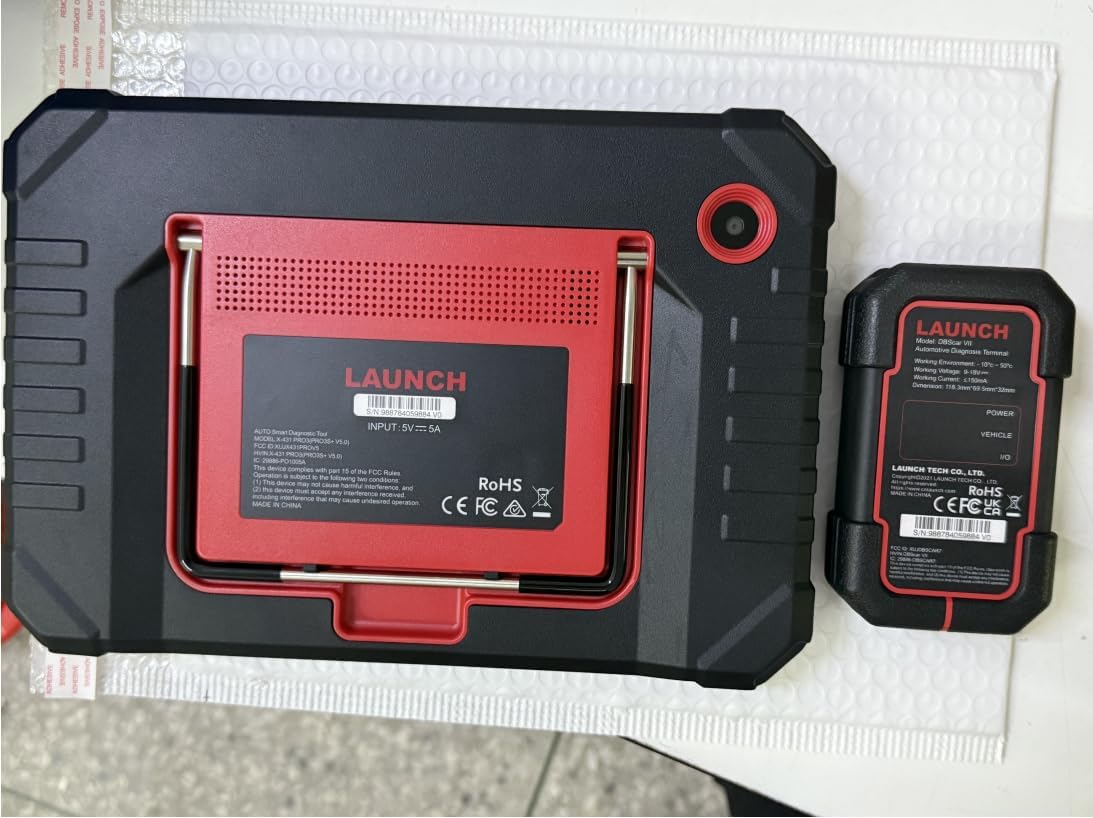
Figure 2.1: LAUNCH X431 PRO3S+ V5.0 Elite tablet and DBSCar VII VCI unit.
3. Opsætningsvejledning
- Indledende opladning: Before first use, fully charge the main tablet unit using the provided power adapter.
- Tilslut VCI: Locate your vehicle's OBD-II port (typically under the dashboard) and plug in the DBSCar VII VCI connector. The VCI will power on automatically.
- Power On Tablet: Press and hold the power button on the tablet until the LAUNCH logo appears.
- Wi-Fi-forbindelse: Navigate to the tablet's settings and connect to a stable Wi-Fi network. This is crucial for software updates and online functions.
- Softwareopdatering: Once connected to Wi-Fi, open the LAUNCH X431 application. The system may prompt you for software updates. It is highly recommended to download and install all available updates to ensure optimal performance and access to the latest vehicle data.
4. Betjeningsvejledning
The LAUNCH X431 PRO3S+ V5.0 Elite offers a user-friendly interface with various diagnostic functions. Below are key operating procedures:
4.1 Intelligent diagnose
This function allows for quick and automatic vehicle identification and system scanning.
- From the main menu, tap on "Intelligent Diagnose".
- The system will automatically attempt to connect to the VCI, read the VIN, and decode it.
- Once identified, you can proceed with a full system scan or select specific modules for diagnosis.
Video 4.1: Demonstration of Intelligent Diagnose and ECU Coding on LAUNCH X431 PRO3S+.
4.2 System Scan and Topology Mapping
Perform a comprehensive scan of all available vehicle modules and visualize their status through topology mapping.
- After vehicle identification, select "System Scan" or view the "System Topology" tab.
- The topology map visually represents the vehicle's electronic control units (ECUs) and their communication status (Normal, Abnormal, Scanned, Not Scanned, Not Equipped).
- Red indicates abnormal modules, green indicates normal, and blue indicates scanned modules.

Figure 4.2: Advanced Topology Mapping for streamlined repair analysis.
4.3 ECU-kodning
Customize vehicle settings, perform component matching, and re-code replacement parts.
- Access ECU Coding through the "Service Function" or specific module diagnostics.
- Functions include writing VIN to new ECUs, recoding replacement parts, performing transmission quick relearn, and programming VIN into replacement PCMs.
- Supports online coding for VW, Audi, Skoda, Seat, and offline coding for BMW.
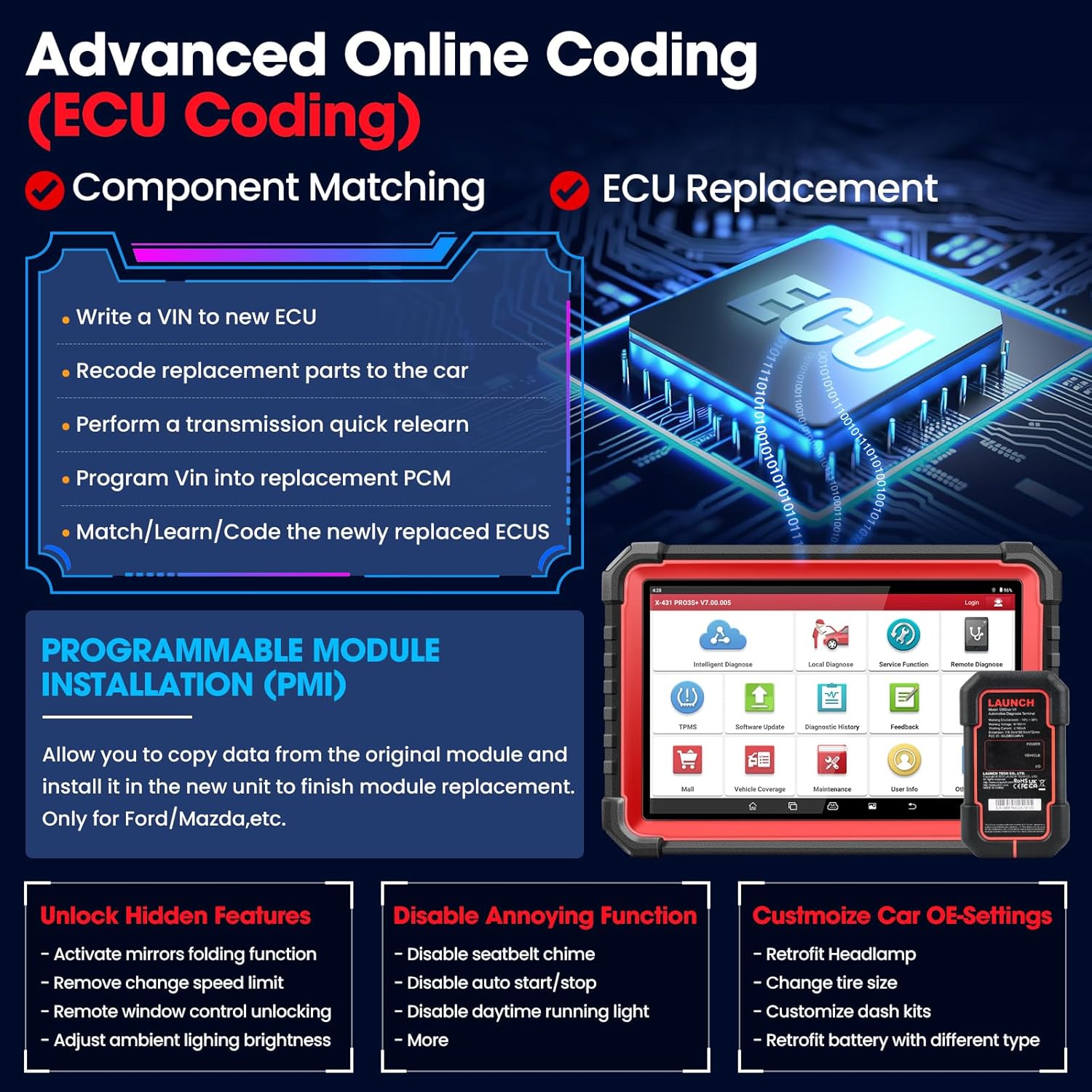
Figure 4.3: Advanced Online Coding capabilities for component matching and ECU replacement.
4.4 Tovejsstyring / Aktiv test
Actuate components and perform functional tests to verify their working status.
- Select a specific module (e.g., Engine, ABS) and look for "Active Test" or "Bi-Directional Control" options.
- Examples include Injector Buzz Test, Operating the Mirror, Turning On/Off Radiator Fan, Opening/Closing Windows, A/C Activation, Wiper Test, Test Door Lock Actuators, Modulating the Throttle, and Turning On/Off Lights/Horn.

Figur 4.4: Eksamples of Bi-Directional Control / Active Tests.
4.5 Servicefunktioner
Perform various reset and adaptation services after repairs and maintenance.
- Access the "Service Function" menu from the main screen.
- Common services include Oil Reset, EPB (Electronic Parking Brake) Reset, BMS (Battery Management System) Reset, SRS (Supplemental Restraint System) Reset, ABS Bleeding, SAS (Steering Angle Sensor) Calibration, Injector Coding, Throttle Matching, Suspension Matching, EGR Adaptation, TPMS Reset, and more.

Figure 4.5: A selection of the 55+ powerful reset services available.
4.6 Køretøjsdækning
The LAUNCH X431 PRO3S+ V5.0 Elite supports a vast range of global vehicle brands and models, covering over 200 car brands and 10,000+ car models from 1984 to 2025.
- Includes support for USA, European, and Asian car brands.
- Comes with 14 connectors and 12 cables for broad compatibility.

Figure 4.6: The extensive vehicle coverage of the LAUNCH X431 PRO3S+ V5.0 Elite.
4.7 Extended Modules
The device supports various add-on modules (sold separately) for specialized inspections and calibrations, enhancing its diagnostic capabilities.
- X431 HD Module: For gasoline vehicles and 24V Diesel Trucks.
- ADAS Mobile: For ADAS calibration operations.
- Videoscop: To check unseen parts of the engine or fuel tank system.
- X431 TSGUN: For TPMS relearn and activation.
- X431 Printer: To print diagnostic data and reports.

Figure 4.7: Optional extended modules for specialized diagnostic tasks.
5. Vedligeholdelse
- Softwareopdateringer: Regularly check for and install software updates via Wi-Fi to ensure the tool has the latest vehicle data and functions.
- Rensning: Keep the tablet and VCI unit clean and free from dust and debris. Use a soft, dry cloth for cleaning.
- Opbevaring: Store the device and all accessories in the provided hard carrying case when not in use to protect them from damage.
- Batteripleje: Avoid fully discharging the battery frequently. Charge the device regularly to prolong battery life.
6. Fejlfinding
If you encounter issues with your LAUNCH X431 PRO3S+ V5.0 Elite, consider the following common troubleshooting steps:
- Ingen strøm: Ensure the tablet is fully charged. Check the power adapter and cable connections.
- Problemer med VCI-forbindelse: Verify the VCI is securely plugged into the vehicle's OBD-II port. Ensure Bluetooth is enabled on the tablet and the VCI is paired. Restart both the tablet and the VCI.
- Software fryser/forsinkelser: Close unnecessary applications running in the background. Restart the LAUNCH X431 application or the tablet. Ensure sufficient storage space is available.
- Diagnostic Failures: Ensure the vehicle's ignition is on (or engine running if required for specific tests). Check that the correct vehicle make, model, and year are selected. Verify all cables and adapters are correctly connected.
- Update Failures: Ensure a stable and strong Wi-Fi connection. Try restarting the update process. If issues persist, contact technical support.
7. Specifikationer
| Feature | Specifikation |
|---|---|
| Fabrikant | LANCERING |
| Model | X431 PRO3S+ |
| Operativsystem | Android 10.0 |
| Skærmstørrelse | 10.1 tommer berøringsskærm |
| Batteri | 6300mAh litium-ion (inkluderet) |
| Opbevaring | 4GB RAM + 64GB (128GB extendable) |
| CPU Processor | 2.0 GHz Octa-core |
| Wi-Fi | 2.4 GHz og 5 GHz dual-band |
| Varens vægt | 19.01 pund |
| Produktdimensioner | 24.02 x 7.48 x 16.14 tommer |
| Oprindelsesland | Kina |
| Første ledige dato | 4. november 2021 |
8. Garanti og support
The LAUNCH X431 PRO3S+ V5.0 Elite comes with a 5-year warranty, 2 years of free Wi-Fi updates, and 24/7 professional technical support. For any inquiries or assistance, please refer to the contact information provided in your product packaging or reach out to the seller directly.


