Indledning
This manual provides essential information for the safe and efficient operation of your Winix 9800 4-Stage True HEPA Air Purifier. Please read thoroughly before use and retain for future reference.
The Winix 9800 features a comprehensive 4-stage air purification system designed to remove airborne particles as small as 0.003 microns. It incorporates PlasmaWave® Technology, Smart Sensors for air quality monitoring, Auto Mode for efficient operation, and a Sleep Mode for quiet performance. WiFi connectivity allows for remote control and monitoring via the Winix Smart App.
Produktegenskaber
- 4-Stage luftrensningssystem: Effectively captures 99.99% of airborne particles as small as 0.003 microns.
- PlasmaWave® Technology: Assists in reducing airborne bacteria and viruses.
- Smarte sensorer: Detect and monitor ambient air quality, providing visual feedback.
- Automatisk tilstand: Automatically adjusts fan speed based on detected air quality for optimal efficiency.
- Sove mode: Activates automatically in darkened rooms for quiet, energy-efficient operation.
- WiFi-forbindelse: Enables control and monitoring via the Winix Smart App.
- Dækningsområde: AHAM Verifide for rooms up to 500 sq ft. Cleans rooms up to 2,420 sq ft in 1 hour.
Filtration System Components
- Washable Fine Mesh Pre-Filter: The first line of defense against larger airborne particles, extending the life of subsequent filters.
- Aktivt kulfilter: Reduces Volatile Organic Compounds (VOCs) and common household odors from cooking, pets, and smoke.
- Ægte HEPA-filter: Traps 99.99% of airborne allergens including pollen, dust, smoke, pet dander, and ultrafine particles.
- PlasmaWave®: Creates hydroxyls to break down airborne pollutants at a molecular level.

Opsætningsvejledning
Udpakning
Carefully remove the air purifier from its packaging. Ensure all components are present: the main unit, washable fine mesh pre-filter, activated carbon filters, and True HEPA filter.
Installation af filter
- Open the front panel of the air purifier.
- Remove any protective packaging from all filters.
- Install the True HEPA filter first, followed by the Activated Carbon filters. Ensure correct orientation as indicated on the filters.
- Place the Washable Fine Mesh Pre-Filter on top of the other filters.
- Luk frontpanelet forsvarligt.
Placering
Place the air purifier on a flat, stable surface. Ensure there is adequate space (at least 6-12 inches) around the unit for optimal airflow.
Strømtilslutning
Sæt netledningen i en almindelig stikkontakt.
Betjeningsvejledning
Tænd/sluk
Tryk på tænd/sluk-knappen på kontrolpanelet for at tænde eller slukke enheden.
Blæserhastighedskontrol
Use the Fan Speed button to cycle through different fan speeds: Low, Medium, High, Turbo. In Auto Mode, the unit adjusts fan speed automatically.
Auto-tilstand
Press the Auto Mode button. The unit will automatically adjust its fan speed based on the detected air quality, indicated by the air quality sensor light.
Dvaletilstand
When in Auto Mode, the unit will automatically enter Sleep Mode in a dark room, operating at a reduced fan speed for quiet operation.

PlasmaWave® Function
The PlasmaWave® function is typically on by default. To toggle it on or off, press and hold the Fan Speed and Auto Mode buttons simultaneously for 3 seconds.
WiFi Connectivity and Winix Smart App
Download the Winix Smart App from your device's app store. Follow the in-app instructions to connect your air purifier to your home WiFi network. This allows for remote control, air quality monitoring, and filter life tracking.


Opretholdelse
Filterudskiftningsindikator
The unit features a filter replacement indicator light on the control panel. When illuminated, it signifies that the filters require replacement.

Forfilterrensning
The washable fine mesh pre-filter should be cleaned regularly (e.g., every 2-4 weeks) by vacuuming or rinsing with water. Ensure it is completely dry before reinstallation.
Udskiftning af aktivt kulfilter
Replace the activated carbon filters approximately every 3 months, or as indicated by the filter replacement light. These filters are not washable.
Ægte HEPA-filterudskiftning
Replace the True HEPA filter approximately every 12 months, or as indicated by the filter replacement light. This filter is not washable.
Resetting Filter Life Indicator
After replacing filters, press and hold the Filter Reset button (refer to specific model instructions if button is not clearly labeled) for 3-5 seconds until the indicator light turns off.
Fejlfinding
If you encounter issues with your Winix 9800 Air Purifier, please refer to the following common solutions:
| Problem | Mulig årsag | Løsning |
|---|---|---|
| Enheden tænder ikke | Power cord not securely plugged in; Power outage | Ensure power cord is fully inserted into outlet; Check household circuit breaker. |
| Luftstrømmen er svag | Filters are dirty or clogged; Air intake/outlet blocked | Clean or replace filters; Ensure unit is placed with adequate clearance. |
| Usædvanlig støj | Foreign object in fan; Filters not installed correctly | Turn off and unplug unit, check for obstructions; Reinstall filters correctly. |
| Air quality indicator always blue/green (Good) despite poor air | Sensoren er snavset | Clean the air quality sensor with a soft, dry cloth. |
| Problemer med WiFi-forbindelse | Incorrect network password; Router too far; App issues | Verify WiFi password; Move unit closer to router; Restart app or unit. |
Specifikationer
- Mærke: Winix
- Model: 9800
- Farve: Sort
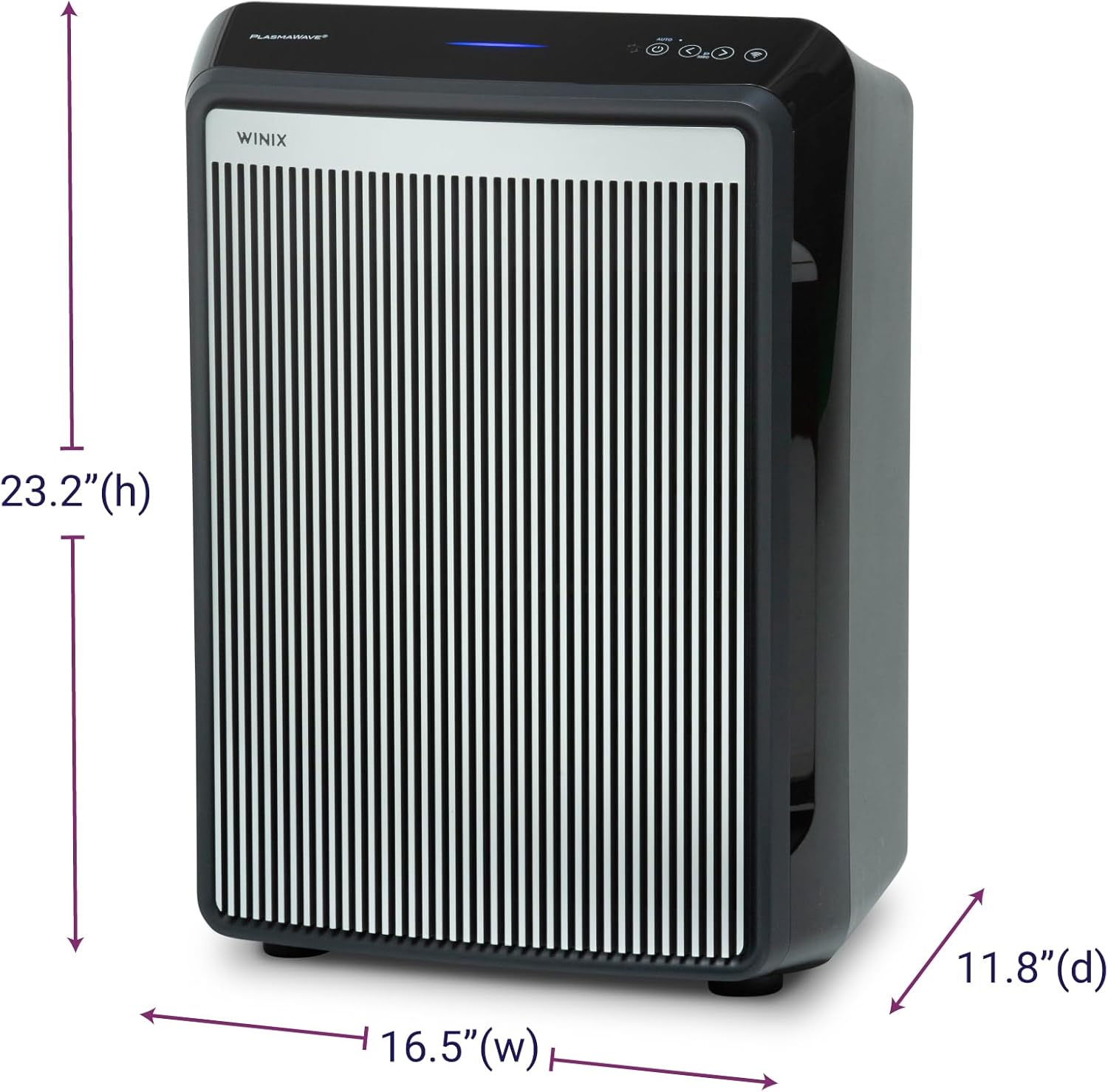
- Produktmål (D x B x H): 11.8 cm x 16.5 cm x 23.2 cm
- Varens vægt: 19 pund
- Dækning af gulvareal: AHAM Verifide at 500 sq ft. Cleans up to 2,420 sq ft in 1 hour.
- Støjniveau: 26.2 Decibels (lowest setting)
- Partikelretentionsstørrelse: 0.003 Micron (True HEPA)
- Wattage: 95 watt
- Controller type: Button Control, Winix Smart App (iOS, Android), Amazon Alexa
- Særlige funktioner: WiFi, 4-Stage Filtration, PlasmaWave®, Smart Sensors, Auto Mode, Sleep Mode
- Certificeringer: AHAM Certified, CARB Certified, UL Certified
- Inkluderede komponenter: True HEPA Filter (1 year supply), Activated Carbon Filters (1 year supply)
- Vedligeholdelsesinstruktioner: Hand Wash (Pre-filter only)
- Montering påkrævet: Ingen
- Antal stykker: 1
Garanti og support
Garantioplysninger
The Winix 9800 Air Purifier comes with a 2 års begrænset garantiDenne garanti dækker materiale- og fabrikationsfejl ved normal brug. Gem venligst din købsbevis i tilfælde af garantikrav.
Kundesupport
For technical assistance, troubleshooting, or warranty inquiries, please visit the official Winix website or contact Winix customer service. Refer to the product packaging or official webhjemmeside for aktuelle kontaktoplysninger.
Online ressourcer og ofte stillede spørgsmål kan også være tilgængelige på Winix Store Page.


