1. Produktet er slutview
The MageGee MK-Box is a compact 60% mechanical gaming keyboard designed for both gaming and office use. It features 68 keys, including separate arrow keys and Fn function keys, providing essential functionality while saving desk space. The keyboard is equipped with mechanical blue switches for a tactile and clicky typing experience, and it boasts charming blue LED backlighting with multiple customizable modes.
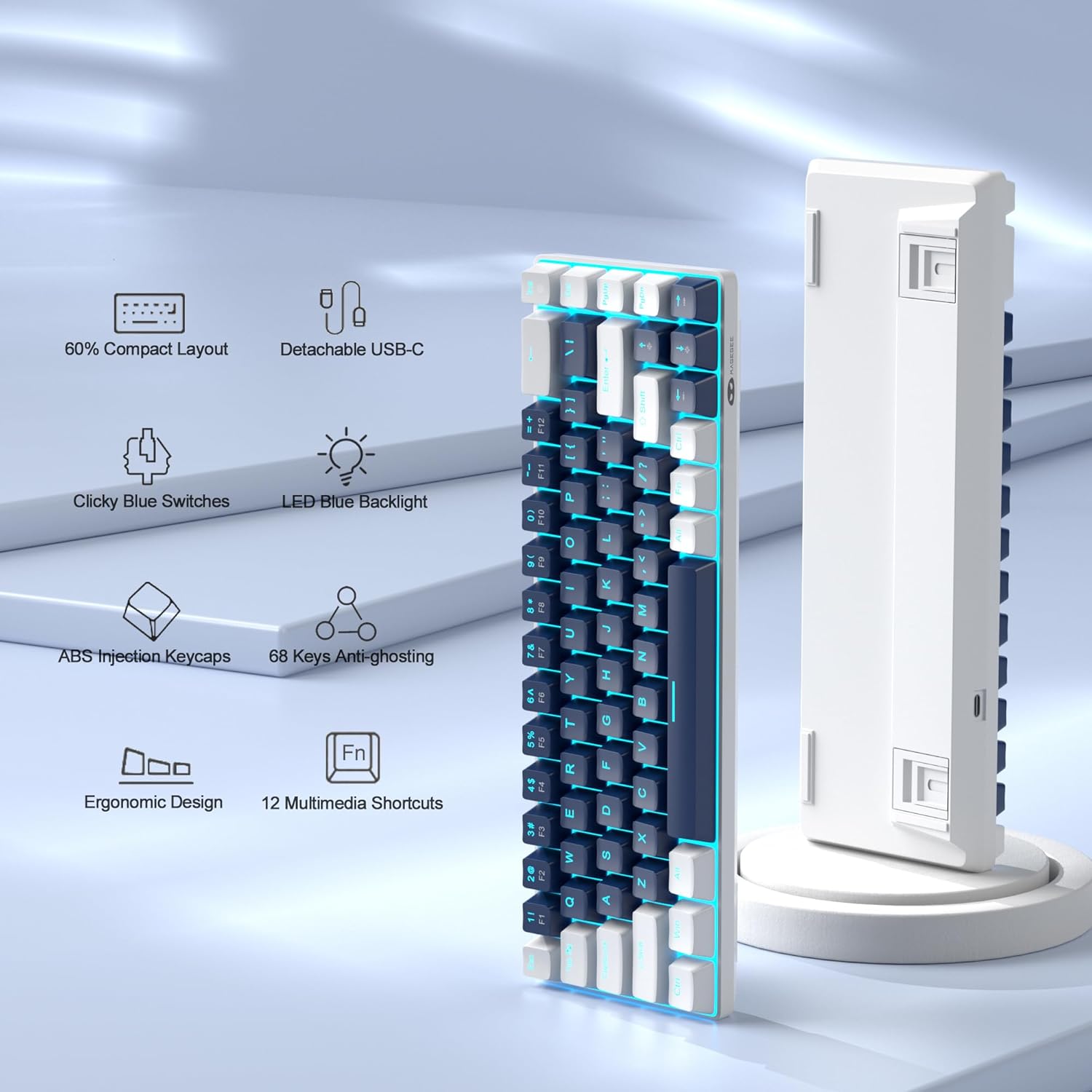
Figure 1: Key features of the MageGee MK-Box keyboard.
2. Opsætningsvejledning
2.1 Unboxing and Connection
Carefully remove the keyboard from its packaging. The MK-Box connects via a detachable USB-C cable, ensuring a stable and reliable connection to your device.

Figure 2: MageGee MK-Box keyboard with its USB cable.

Figure 3: Detachable USB-C connection for easy setup.
Connect the USB-C end of the cable to the keyboard and the USB-A end to an available USB 2.0 port on your computer (Windows, Linux, or Mac). The keyboard is plug-and-play, requiring no additional drivers or software installation.
2.2 Adjusting Typing Angle
The MK-Box features double kickstand feet on its underside, allowing you to adjust the typing angle for improved ergonomics and comfort during extended use.

Figure 4: Adjustable kickstand feet for ergonomic comfort.
3. Betjeningsvejledning
3.1 Tastaturlayout og funktionstaster
The MK-Box features a mini portable 60% compact layout with 68 keys. Despite its small size, it includes separate arrow keys and full F1-F12 function keys accessible via the Fn key, making it suitable for both gaming and productivity.
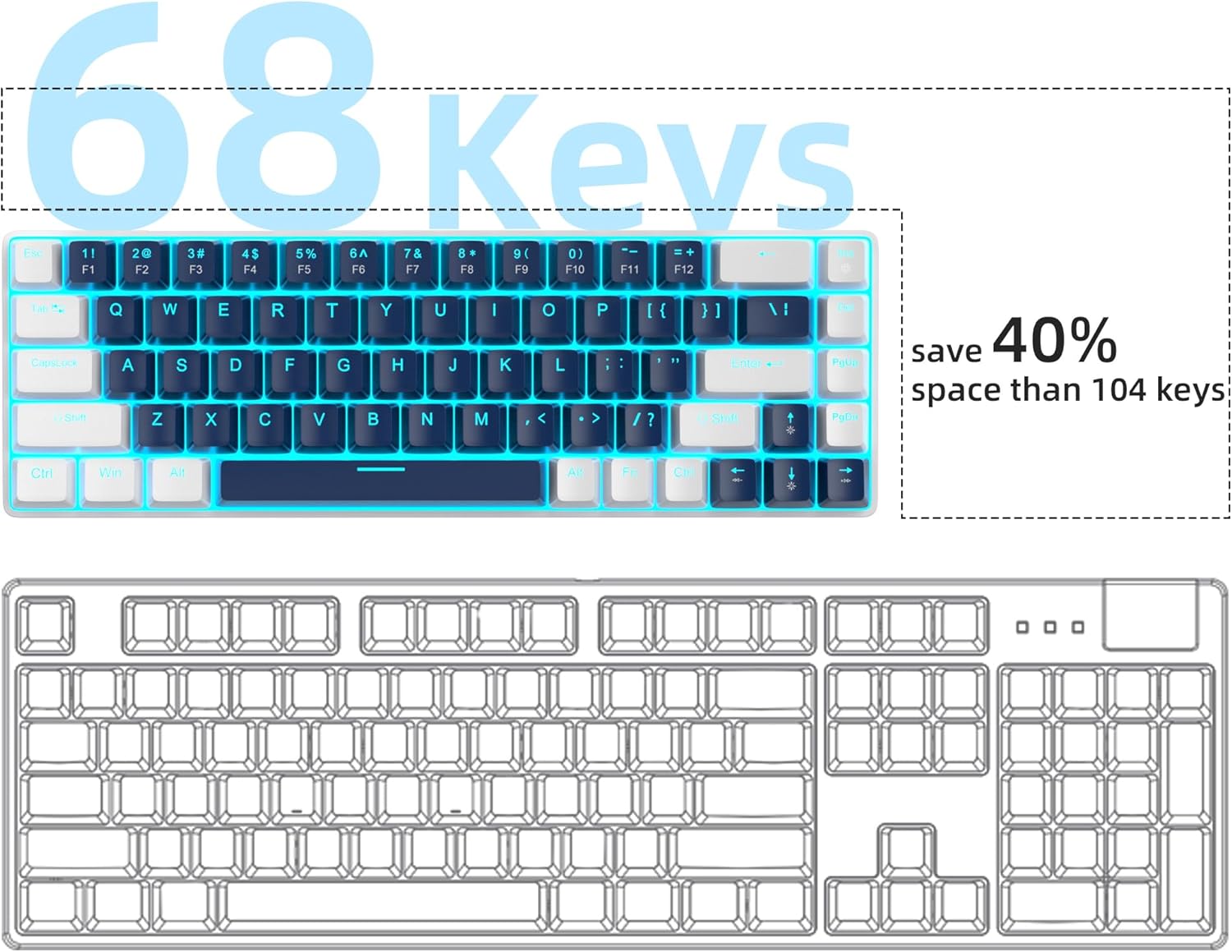
Figure 5: Space-saving 68-key compact layout.
3.2 Backlight Control
The keyboard features classic charming blue LED backlighting with approximately 15 different modes. You can control the backlight effects, brightness, and speed using the following key combinations:
- Fn + Ins: Skift mellem forskellige baggrundsbelysningstilstande
- Fn + ↑ (Pil op): Øg baggrundsbelysningens lysstyrke.
- Fn + ↓ (Pil ned): Reducer baggrundsbelysningens lysstyrke.
- Fn + ← (Venstre pil): Reducer baggrundsbelysningens hastighed.
- Fn + → (Højre pil): Øg baggrundsbelysningens hastighed.

Figure 6: Backlight control key combinations.
3.3 Mechanical Blue Switches
The MK-Box is equipped with mechanical blue switches, known for their distinct tactile bump and audible click sound. These switches provide excellent input feeling and strong mechanical feedback, ideal for typing and gaming.
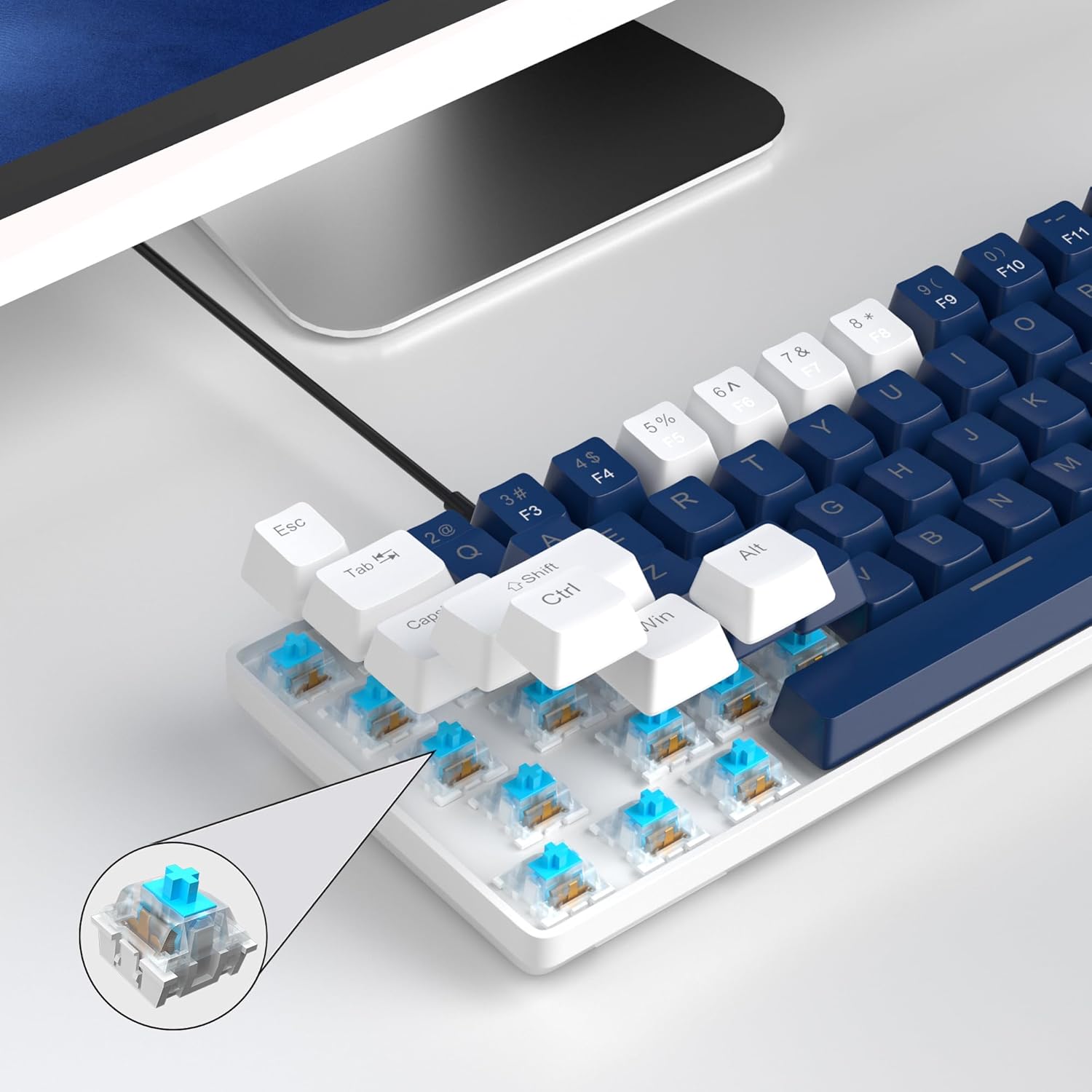
Figure 7: Detail of the mechanical blue switch.
3.4 Anti-ghosting
All 68 keys on the MK-Box feature full anti-ghosting, ensuring that every keystroke is registered accurately, even during rapid and simultaneous key presses in intense gaming sessions.

Figure 8: Full anti-ghosting for accurate input.
3.5 Officiel produktvideo
Video 1: Officiel produktvideovisningasing the MageGee 60% Gaming Keyboard with Blue Switches, including demonstrations of its features and backlighting.
4. Vedligeholdelse
To ensure the longevity and optimal performance of your MageGee MK-Box keyboard, follow these maintenance tips:
- Rensning: Rengør regelmæssigt tasterne og området mellem dem med en blød børste eller trykluft for at fjerne støv og snavs. Tør tasterne forsigtigt af med en børste, hvis der er genstridigt snavs.amp klæde.
- Kabelstyring: The detachable USB cable allows for easy storage and transport, reducing wear and tear on the cable and port.
- Undgå væsker: Keep liquids away from the keyboard to prevent damage to the internal components.
5. Fejlfinding
If you encounter any issues with your MageGee MK-Box keyboard, refer to the following common troubleshooting steps:
- Tastaturet reagerer ikke:
- Sørg for, at USB-kablet er korrekt tilsluttet til både tastaturet og din computer.
- Prøv at tilslutte tastaturet til en anden USB-port på din computer.
- Test tastaturet på en anden computer for at afgøre, om problemet skyldes tastaturet eller dit system.
- Baggrundsbelysning virker ikke/forkert:
- Trykke Fn + Ins for at skifte mellem baggrundsbelysningstilstande
- Juster lysstyrken ved hjælp af Fn + ↑ (Pil op) eller Fn + ↓ (Down Arrow).
- Nøgler registreres ikke (ghosting):
- The keyboard has full anti-ghosting. If specific keys are not registering, ensure no debris is lodged under the keycap.
- Consider gently removing the keycap (using a keycap puller if available) and cleaning the switch area.
6. Specifikationer
| Feature | Detalje |
|---|---|
| Produktdimensioner | 12.13 x 3.98 x 1.54 tommer |
| Varens vægt | 1.5 pund |
| Fabrikant | MageGee |
| Forbindelsesteknologi | USB (kablet) |
| Tastaturbeskrivelse | Mechanical, Gaming, Ergonomic |
| Switch Type | Blå switch |
| Antal nøgler | 68 |
| Baggrundslys farve | Blue (Single Color) |
| Kompatible enheder | Laptop, PC (Windows, Linux, Mac) |

Figur 9: Tastaturets dimensioner.
7. Garanti og support
The MageGee MK-Box keyboard comes with a standard manufacturer's warranty. For specific warranty details, claims, or technical support, please refer to the warranty information provided with your product packaging or visit the official MageGee webwebsted.
For further assistance, you may also contact MageGee customer support directly. Please have your product model number (MK-Box) and purchase details ready when contacting support.
Online support: Visit the MageGee Store on Amazon


