Indledning
This manual provides comprehensive instructions for the operation and maintenance of your HAYLOU GT6 Wireless Earbuds. Please read this manual thoroughly before use to ensure proper functionality and to maximize your listening experience. The HAYLOU GT6 earbuds feature advanced Bluetooth 5.2 technology, ultra-low latency game mode, and smart touch controls, designed for convenience and high-quality audio.
Hvad er der i æsken
Bekræft at alle varer er til stede i pakken:
- 1x Pair of HAYLOU GT6 Wireless Earbuds
- 1x opladningsetui
- 1x USB-C opladerkabel
- 1x brugermanual

Produkt overview
The HAYLOU GT6 earbuds are designed for comfort and performance. Each earbud is lightweight, weighing approximately 3.9 grams, and features a semi-in-ear design for extended wear. The charging case provides additional battery life and protects the earbuds when not in use.
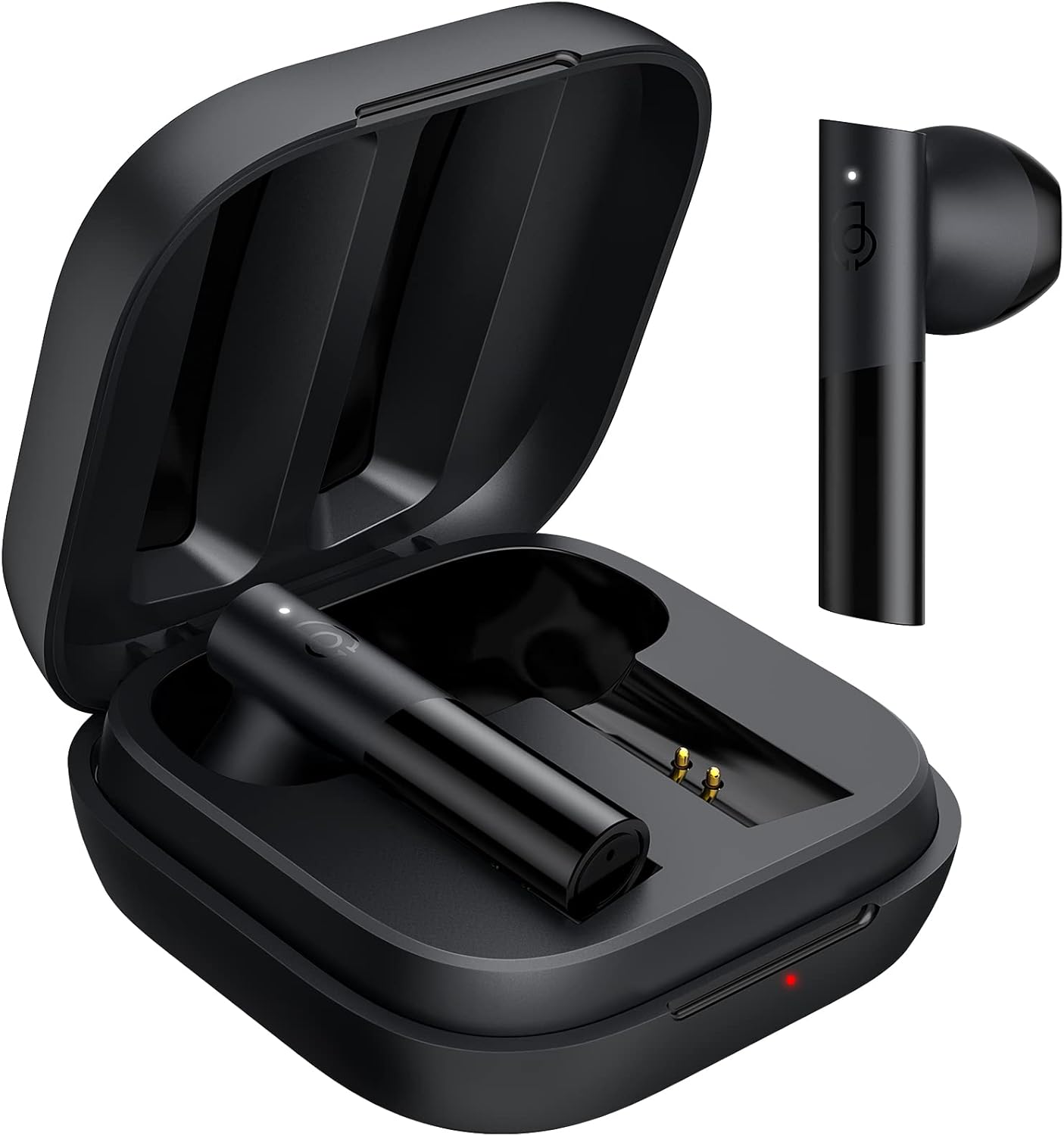
Nøglefunktioner:
- Bluetooth 5.2: Sikrer en stabil og hurtig forbindelse.
- 12 mm dynamisk driver: Delivers balanced audio with clear bass, midrange, and treble.
- Ultra-Low Latency Game Mode: Reducerer lydforsinkelse ved spil.
- Smart Touch Control: Administrer musik, opkald og tilstande med enkle tryk.
- IPX4 vandtæthed: Beskytter mod stænk og sved.
Opsætning
1. Første opladning
Before first use, fully charge the earbuds and the charging case. Connect the provided USB-C cable to the charging port on the case and to a power source. The indicator light on the case will show charging status.
2. Parring med din enhed
The HAYLOU GT6 earbuds support Bluetooth 5.2 for a stable connection.
- Sørg for, at din enheds Bluetooth er tændt.
- Open the charging case and take out both earbuds. They will automatically enter pairing mode, indicated by a blinking white light on the earbuds.
- On your device, search for Bluetooth devices and select "Haylou GT6" from the list.
- Once connected, a sound will confirm successful pairing.

Gentilslutning: After initial pairing, the earbuds will automatically reconnect to the last paired device when taken out of the case, provided the device's Bluetooth is active.
Betjeningsvejledning
The HAYLOU GT6 earbuds feature intuitive touch controls on each earbud.
Berøringskontroller overview:

- Tænd: Take out from case.
- Sluk: Put back into case.
- Afspil/pause: Single tap (either earbud).
- Besvar/læg på opkald: Single tap (either earbud).
- Spring spor frem: Dobbelttryk på højre øreprop.
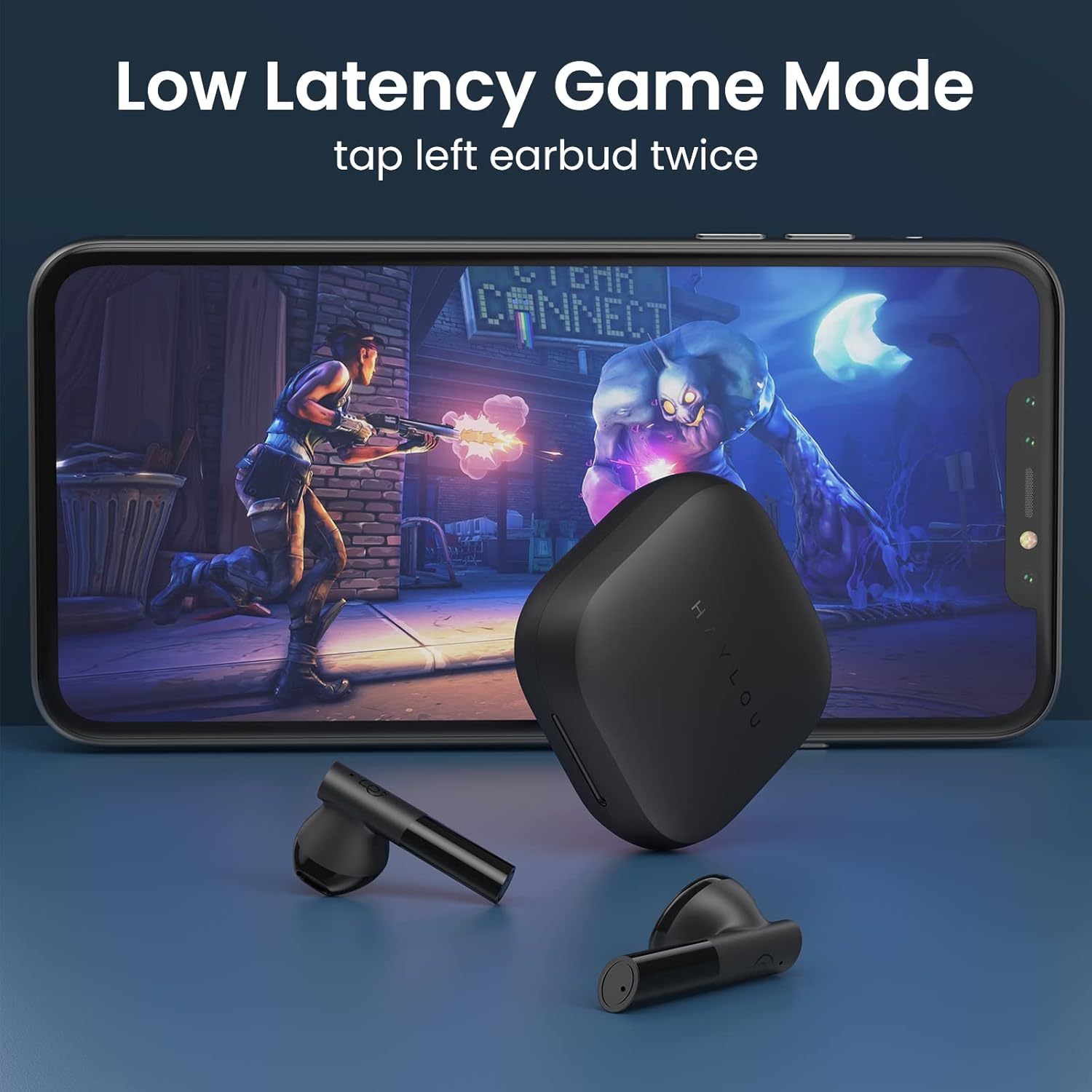
- Low Latency Game Mode On/Off: Dobbelttryk på venstre øreprop.
- Aktiver stemmeassistent: Triple tap (either earbud).
Spiltilstand med lav forsinkelse
For an optimized gaming experience, activate the ultra-low latency mode. This reduces audio delay to approximately 65ms, ensuring synchronized sound with on-screen action.
- To activate/deactivate: Double tap the venstre ørepropper.
Mono and Stereo Mode Switching
The earbuds support seamless switching between mono and stereo modes. When both earbuds are connected, they operate in stereo mode. To switch to mono mode, simply place one earbud back into the charging case. The remaining earbud will continue to function independently. To return to stereo mode, take the second earbud out of the case.
Official Operation Video Guide
For a visual demonstration of pairing, re-connection, mono/stereo switching, call handling, music control, low latency mode, voice assistant, and factory reset, please refer to the official operation video below:
Opretholdelse
- Rensning: Rengør regelmæssigt ørepropperne og opladningsetuiet med en blød, tør klud. Undgå at bruge skrappe kemikalier eller slibende materialer.
- Opbevaring: Opbevar ørepropperne i deres opladningsetui, når de ikke er i brug, for at beskytte dem mod støv og skader. Opbevar dem et køligt og tørt sted væk fra ekstreme temperaturer.
- Vandtæthed: Ørepropperne er vandafvisende i henhold til IPX4-klassificeringen, hvilket betyder, at de kan modstå stænk og sved. De må ikke nedsænkes i vand eller udsættes for kraftig regn.
Fejlfinding
| Problem | Løsning |
|---|---|
| Øretelefoner parrer ikke | Ensure both earbuds are out of the case and have sufficient charge. Turn off and on your device's Bluetooth. If issues persist, perform a factory reset. |
| Kun én øretelefon virker | Place both earbuds back into the charging case, then take them out again simultaneously. Ensure both are charged. |
| Lav lydstyrke | Adjust the volume on both your connected device and the earbuds. Ensure earbuds are properly seated in your ears. |
| Øretelefoner oplader ikke | Check the USB-C cable and power source. Ensure the charging contacts on the earbuds and inside the case are clean and free of debris. |
| Gendan fabriksindstillinger: |
|
Specifikationer
| Feature | Detalje |
|---|---|
| Modelnavn | GT6 |
| Forbindelsesteknologi | Trådløs (Bluetooth) |
| Bluetooth version | 5.2 |
| Bluetooth rækkevidde | 10 meter |
| Audio driver type | Dynamisk Driver |
| Audio driver størrelse | 12 millimeter |
| Lydforsinkelse | 65 millisekunder (spiltilstand) |
| Batterilevetid (ørepropper) | 5.5 timer |
| Samlet spilletid (med etui) | Op til 20 timer |
| Kontrolmetode | Røre |
| Vandmodstandsniveau | IPX4 (vandtæt) |
| Vægt (hver øreprop) | 3.9 gram (ca. 0.141 ounces) |
| Materiale | Metal, Plast |
| Farve | Sort |
| Kompatible enheder | iPhone, Android, Tablets, Laptops |
Garanti og support
For warranty information and technical support, please refer to the warranty card included in your product packaging or visit the official HAYLOU webwebsted. Behold din købskvittering som købsbevis i tilfælde af garantikrav.
For further assistance, you may contact HAYLOU customer service through their official channels.


