1. Introduktion
This manual provides essential information for the proper setup, operation, and maintenance of your HP Wireless Mouse S1500. Please read these instructions carefully before using the product to ensure optimal performance and longevity.

Image 1.1: The HP Wireless Mouse S1500, showcasing its ergonomic and lightweight design.
2. Opsætning
2.1 Pakkens indhold
Sørg for, at din pakke indeholder følgende varer:
- HP Wireless Mouse S1500
- USB 2.4 GHz-modtager
- AA-batteri (forinstalleret eller medfølger separat)
2.2 Batteriinstallation
- Find batteridækslet på undersiden af musen.
- Skub eller løft dækslet for at åbne rummet.
- Isæt et AA-batteri, og sørg for, at de positive (+) og negative (-) poler er justeret korrekt med indikatorerne i batterirummet.
- Sæt batterirummets dæksel på igen.
2.3 Tilslutning af USB-modtageren

Image 2.1: The HP Wireless Mouse S1500 and its accompanying 2.4GHz USB receiver.
- Remove the USB 2.4GHz receiver from its storage slot, usually located within the battery compartment or on the underside of the mouse.
- Sæt USB-modtageren i en ledig USB-port på din computer.
- Din computer burde automatisk registrere og installere de nødvendige drivere. Denne proces kan tage et par øjeblikke.

Image 2.2: The mouse utilizes 2.4GHz wireless technology for a stable connection up to approximately 10 meters.
3. Betjeningsvejledning
3.1 Grundlæggende funktioner
The HP Wireless Mouse S1500 features three standard buttons and a scroll wheel:
- Venstre knap: Primær klikfunktion, bruges til at vælge elementer, åbne files, og interaktion med software.
- Højre knap: Sekundær klikfunktion, bruges typisk til at åbne kontekstmenuer.
- Scrollhjul: Bruges til at scrolle gennem dokumenter og web pages. It can also function as a middle button when pressed.

Image 3.1: The HP Wireless Mouse S1500 in use, demonstrating its comfortable fit for daily tasks.
3.2 Ergonomics and Portability
The S1500 mouse is designed for comfort and ease of use. Its ergonomic shape fits naturally in the hand, and its lightweight construction makes it suitable for extended use and portability.
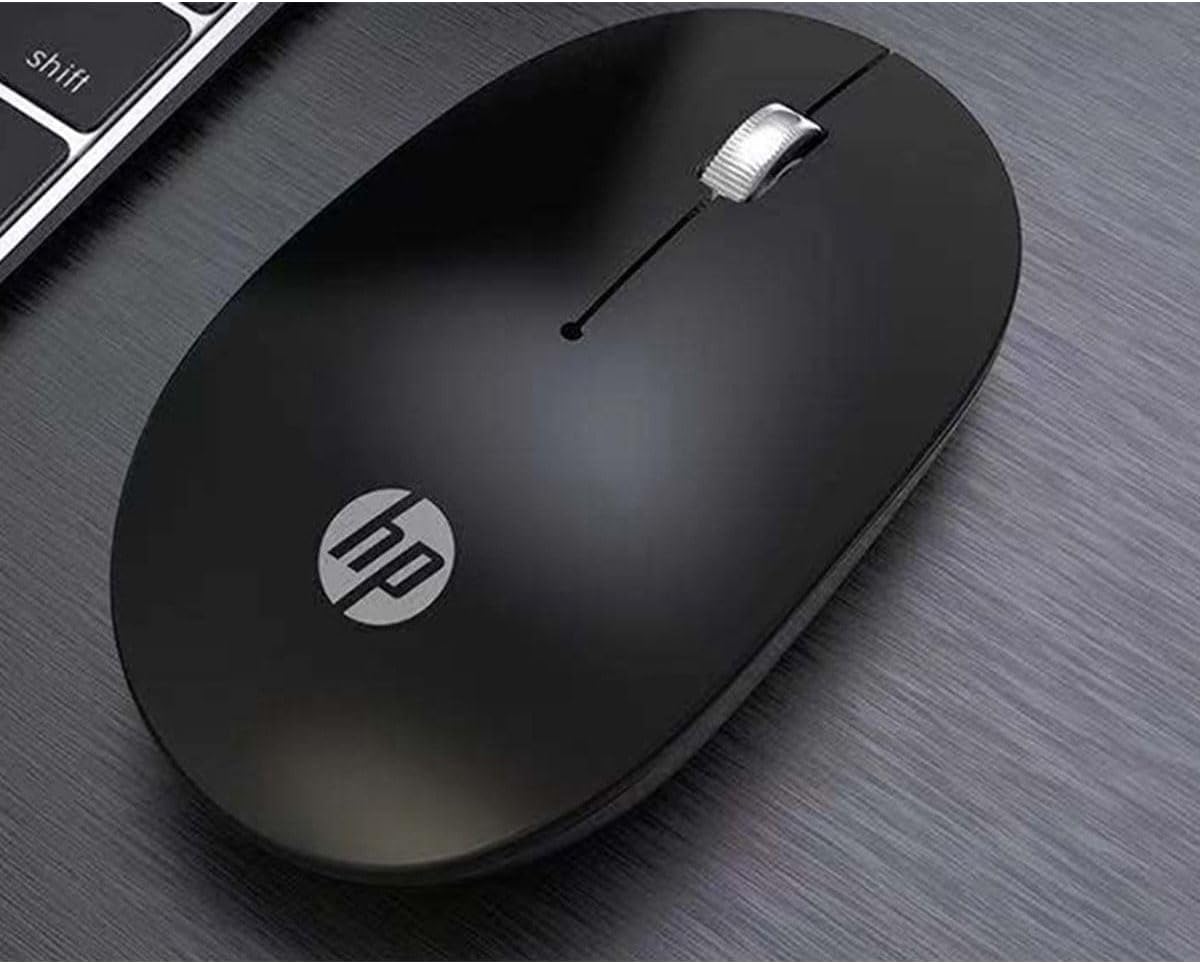
Image 3.2: The HP Wireless Mouse S1500 positioned for use on a typical workspace.
3.3 Strømstyring
The mouse features a smart sleep function combined with energy-saving optimization to extend battery life. If the mouse is inactive for a period, it will enter a low-power sleep mode. To wake it up, simply move the mouse or click any button.

Image 3.3: The HP Wireless Mouse S1500's power management features contribute to long battery life.
4. Vedligeholdelse
4.1 Rengøring
Brug en blød, tør og fnugfri klud til at rengøre din mus. Tør genstridigt snavs let af.ampen the cloth with water. Avoid using harsh chemicals, solvents, or abrasive cleaners, as these can damage the mouse's surface.
4.2 Udskiftning af batteri
When the mouse's performance degrades or it stops responding, it may be time to replace the battery. Follow the steps in Section 2.2 to replace the AA battery.
5. Fejlfinding
5.1 Musen reagerer ikke
- Tjek batteri: Sørg for, at AA-batteriet er korrekt installeret og har tilstrækkelig opladning. Udskift det om nødvendigt.
- Tjek USB-modtager: Sørg for, at USB-modtageren er korrekt tilsluttet en fungerende USB-port på din computer. Prøv en anden USB-port.
- Afstand: Ensure the mouse is within the effective operating range (approximately 10 meters) of the USB receiver.
- Interferens: Flyt musen og modtageren væk fra andre trådløse enheder eller store metalgenstande, der kan forårsage interferens.
- Genopret forbindelse: Some mice have a connect button on the underside. If available, press it and then press the connect button on the receiver (if applicable) to re-establish the connection.
5.2 Uregelmæssig markørbevægelse
- Rengør sensor: Ensure the optical sensor on the underside of the mouse is clean and free from dust or debris.
- Overflade: Use the mouse on a clean, non-reflective, and uniform surface. Avoid highly reflective or transparent surfaces like glass. A mouse pad is recommended.
6. Specifikationer
| Feature | Detalje |
|---|---|
| Modelnavn | S1500 |
| Mærke | HP |
| Forbindelsesteknologi | 2.4 GHz trådløs (USB-modtager) |
| Bevægelsesdetektion | Optisk |
| Knap Antal | 3 (Venstre, Højre, Scrollhjul/Midten) |
| Håndorientering | Højre |
| Særlige funktioner | Ergonomic Design, Lightweight, Portable, Soundless, Wireless |
| Strømkilde | 1 x AA batteri |
| Kompatible enheder | Personlig computer |
| Pakkedimensioner | 12 x 8.2 x 4.6 cm |
| Vægt | 250 g (including packaging) |
7. Garanti og support
7.1 Garantioplysninger
This HP product is covered by a limited warranty. For specific warranty terms and conditions, please refer to the warranty card included with your product or visit the official HP support webwebsted. Gem din købsbevis til garantikrav.
7.2 Teknisk support
For teknisk assistance, download af drivere eller yderligere information, besøg venligst den officielle HP-supportside. website or contact HP customer service. Contact details can typically be found on the HP webwebsted eller i produktemballagen.
HP-officielle Webwebsted: www.hp.com