1. Introduktion og overview
Welcome to the user manual for your new BLU J9L smartphone. This guide provides essential information to help you set up, operate, and maintain your device. The BLU J9L is designed for everyday use, featuring a 6.0-inch curved glass display, an 8MP dual camera system, and a long-lasting 3,000mAh battery, all powered by an Octa-Core processor running Android 11 (Go Edition).
This device is unlocked and compatible with GSM carriers such as AT&T, T-Mobile, and Metro PCS. Please note it is not compatible with CDMA networks like Verizon, Sprint, or Boost Mobile.

Figur 1: Forside og bagside view of the BLU J9L smartphone, showcasing dets elegante design og kameramodul.
2. Indhold i kassen
Upon unboxing your BLU J9L, please verify that all the following items are included:
- BLU J9L smartphone
- Skærmbeskytter i glas
- Silikone etui
- Hurtig guide
- Klistermærke
- Oplader
- USB kabel

Figure 2: All items included in the BLU J9L retail packaging, including the phone, charger, cable, and protective accessories.
3. Opsætning
3.1. Installation af SIM-kort og hukommelseskort
The BLU J9L supports dual SIM cards and a microSD card for expandable storage. Locate the SIM tray on the side of the device. Use the provided SIM ejector tool (if included, otherwise a small paperclip) to open the tray. Carefully place your Nano-SIM card(s) and/or microSD card into the designated slots, ensuring correct orientation. Gently push the tray back into the device until it clicks into place.
3.2. Første opladning
Before first use, it is recommended to fully charge your BLU J9L. Connect the USB cable to the phone's charging port and the other end to the provided charger. Plug the charger into a power outlet. The battery indicator on the screen will show charging progress. A full charge typically takes a few hours.
3.3. Tænd og indledende opsætning
Press and hold the Power button (usually located on the right side of the device) until the BLU logo appears. The phone will boot up, and you will be guided through the initial setup process. This includes selecting your language, connecting to a Wi-Fi network, setting up your Google account, and configuring security options like a screen lock or fingerprint sensor (if available).
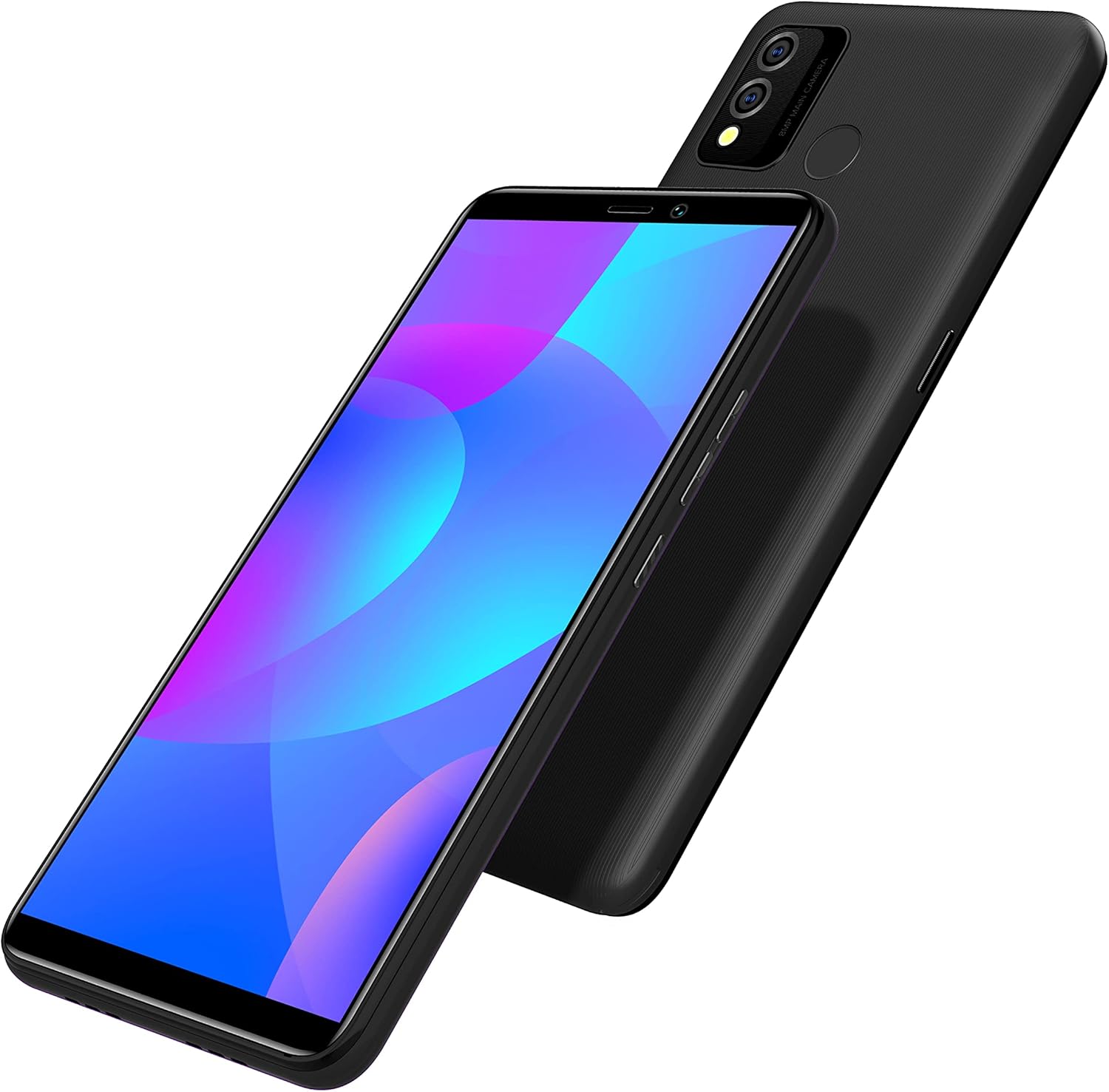
Figur 3: Vinklet view of the BLU J9L, highlighting the power and volume buttons on the side, essential for setup and operation.
4. Operating Your BLU J9L
4.1. Display og navigation
The BLU J9L features a vibrant 6.0-inch curved glass display with a resolution of 1080 x 1920 pixels. Navigate the interface using touch gestures: tap to select, swipe to scroll, pinch to zoom. The Android 11 (Go Edition) operating system provides an intuitive user experience with optimized performance for essential apps.

Figure 4: A hand holding the BLU J9L, illustrating the comfortable grip and the expansive 6.0-inch display for daily use.
4.2. Kamerafunktioner
Capture your moments with the BLU J9L's dual 8MP main camera with depth sensor, and a front-facing camera for selfies and video calls. Open the Camera app from your home screen or app drawer. You can switch between photo and video modes, adjust settings like flash and timer, and apply filters. The depth sensor assists in creating portrait effects with blurred backgrounds.
4.3. Ydeevne og batterilevetid
Equipped with a 1.6GHz Octa-Core processor, the BLU J9L ensures smooth performance for daily tasks, app usage, and light multitasking. The 3,000mAh battery provides long-lasting power, allowing you to use your device throughout the day without frequent recharging. Battery life can vary based on usage patterns and network conditions.
4.4. Forbindelse
The BLU J9L supports GSM cellular technology, enabling calls and mobile data on compatible networks. It also features Wi-Fi for internet access and Bluetooth for connecting to wireless accessories. The USB port is used for charging and data transfer to a computer.
5. Specifikationer
| Feature | Detalje |
|---|---|
| Modelnavn | J9L |
| Operativsystem | Android 11 (Go Edition) |
| Skærmstørrelse | 6.0 tommer |
| Skærmopløsning | 1080 x 1920 pixels |
| Processor | 1.6 GHz Octa-Core |
| Intern opbevaring | 32 GB |
| Hovedkamera | Dobbelt 8 MP + dybdesensor |
| Forreste kamera | Ja |
| Batterikapacitet | 3000 mAh |
| Kompatibilitet med trådløse udbydere | Unlocked for GSM Carriers (AT&T, T-Mobile, Metro PCS) |
| Forbindelse | USB, Wi-Fi, Bluetooth |
| Farve | Sort |
| Fabrikant | BLU |
| Dato først tilgængelig | 12. oktober 2021 |
6. Fejlfinding
6.1. Enheden tændes ikke
Ensure the battery is sufficiently charged. Connect the charger and wait a few minutes before attempting to power on again. If the issue persists, try holding the Power button for an extended period (10-15 seconds) to force a restart.
6.2. Problemer med netværksforbindelse
Verify that your SIM card is correctly inserted and activated with your GSM carrier. Check if Airplane Mode is disabled. Restart the device. If problems persist, contact your mobile service provider to confirm network coverage in your area and SIM card status.
6.3. Langsom ydeevne
Close unnecessary background applications. Clear cached data from apps. Ensure you have sufficient free storage space (at least 10-15% of total storage). Restarting the device can often resolve temporary performance slowdowns.
6.4. Hurtig batteridræning
Reduce screen brightness. Disable Wi-Fi, Bluetooth, and GPS when not in use. Limit background app refresh. Check battery usage in settings to identify apps consuming significant power. Avoid extreme temperatures.
7. Vedligeholdelse
Proper care of your BLU J9L will extend its lifespan and maintain its performance:
- Skærmpleje: Use the provided glass screen protector to prevent scratches. Clean the screen with a soft, lint-free cloth. Avoid harsh chemicals.
- Rengøring af enhed: Wipe the phone's body with a soft, slightly damp klæde. Brug ikke slibende rengøringsmidler eller nedsænk enheden i vand.
- Temperatur: Avoid exposing the device to extreme hot or cold temperatures, as this can affect battery life and internal components.
- Opbevaring: Når enheden ikke er i brug i længere perioder, skal den opbevares et køligt og tørt sted.
- Softwareopdateringer: Søg regelmæssigt efter og installer systemopdateringer for at sikre optimal ydeevne og sikkerhed.

Figure 5: The BLU J9L protected by its included silicone case, demonstrating a key maintenance accessory.
8. Garanti og support
The BLU J9L comes with a US Warranty. For specific details regarding warranty coverage, terms, and conditions, please refer to the warranty card included in your product packaging or visit the official BLU Products website. For technical support, troubleshooting assistance beyond this manual, or warranty claims, please contact BLU customer service through their official channels.
Always ensure you are contacting official support channels for assistance.


