Indledning
Thank you for choosing the Volkano 10W Rupture VK-3308-BK Bluetooth Speaker. This manual provides essential information for the safe and efficient operation of your device. Please read it thoroughly before use and retain it for future reference.
Pakkens indhold
- Volkano Rupture Bluetooth Speaker
- Auxiliary P2 Cable
- USB opladningskabel
- Instruktionsmanual
Produkt overview
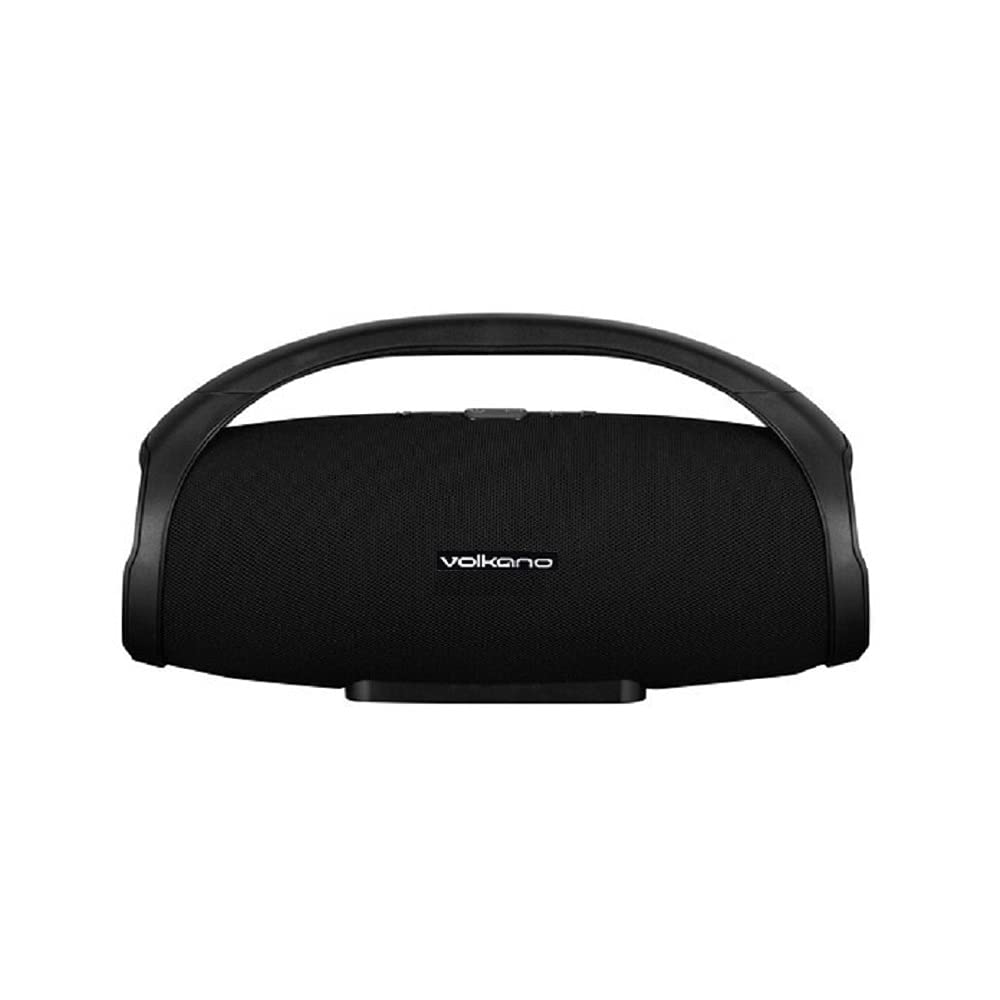
Figur 1: Front view of the Volkano Rupture VK-3308-BK Bluetooth Speaker. The speaker features a black mesh grille, the Volkano logo, and a sturdy integrated handle for portability.
The Volkano Rupture is a portable Bluetooth speaker designed for robust audio performance. It features multiple connectivity options including Bluetooth, FM radio, USB, Micro SD, and auxiliary input, making it versatile for various audio sources. Its integrated handle ensures easy transport.
Opsætning
- Opladning af højttaleren: Before first use, fully charge the speaker. Connect the supplied USB charging cable to the speaker's charging port and to a standard USB power adapter (not included). The charging indicator will illuminate. Charging time is approximately 3 hours.
- Tænd/sluk: Tryk og hold tænd/sluk-knappen nede (normalt markeret med ● or I/O symbol) for a few seconds to turn the speaker on or off.
Betjeningsvejledning
Bluetooth-tilstand
- Ensure the speaker is powered on and in Bluetooth mode. If not, press the Mode button to switch to Bluetooth. The speaker will indicate it's ready for pairing (e.g., a flashing LED or an audible prompt).
- Aktiver Bluetooth på din mobile enhed (smartphone, tablet, bærbar computer), og søg efter tilgængelige enheder.
- Select "Volkano Rupture" from the list of found devices.
- Once paired, the speaker will confirm the connection, and you can begin playing audio from your device. The effective Bluetooth range is up to 10 meters.
FM-radiotilstand
- Tryk på tilstandsknappen for at skifte til FM-radiotilstand.
- Tryk på Afspil/Pause-knappen for automatisk at scanne og gemme tilgængelige FM-stationer.
- Brug knapperne Forrige/Næste nummer til at navigere mellem gemte stationer.
USB / Micro SD Card Playback
- Insert a USB flash drive (up to 64GB) or a Micro SD card (up to 32GB) containing MP3 audio files ind i den respektive port.
- The speaker will automatically switch to USB or Micro SD mode and begin playing audio. If not, press the Mode button to select the correct source.
- Use the Play/Pause and Previous/Next track buttons to control playback.
Auxiliary Input (AUX) Mode
- Connect one end of the supplied Auxiliary P2 cable to the AUX input port on the speaker.
- Connect the other end of the cable to the audio output (headphone jack) of your external audio device.
- Press the Mode button to switch to AUX mode.
- Control audio playback from your external device.
Specifikationer
| Bluetooth version: | 5.0 |
| Bluetooth Range: | Op til 10 meter |
| Batterikapacitet: | 2000 mAh |
| Afspilningstid: | 3-6 hours (depending on volume) |
| Opladningstid: | Cirka 3 timer |
| Følsomhed: | 86 dB |
| Impedans: | 4 Ω |
| Strømudgang: | 10W RMS |
| Frekvensrespons: | 50Hz-20KHz |
| Driver størrelse: | 2 x 3.5 tommer |
| Dimensioner (H x B x D): | 18.5 cm x 37 cm x 14 cm |
| USB-understøttelse: | Op til 64 GB |
| Micro SD Support: | Op til 32 GB |
| Kompatible enheder: | Notebook, Smartphone, Tablet |
Opretholdelse
- Hold højttaleren væk fra vand, fugt og ekstreme temperaturer.
- Rengør højttaleren med en blød, tør klud. Brug ikke slibende rengøringsmidler eller opløsningsmidler.
- Undgå at tabe højttaleren eller udsætte den for kraftige stød.
- Når højttaleren ikke er i brug i længere perioder, skal den opbevares køligt og tørt og oplades med jævne mellemrum for at opretholde batteriets sundhedstilstand.
Fejlfinding
- Ingen strøm:
- Sørg for, at højttaleren er fuldt opladet.
- Kontroller opladningskablet og adapteren for skader.
- Kan ikke parres via Bluetooth:
- Sørg for, at højttaleren er i Bluetooth-parringstilstand.
- Sørg for, at din enheds Bluetooth er aktiveret, og at den er inden for 10 meter fra højttaleren.
- Prøv at ophæve parringen og parre højttaleren igen fra din enheds Bluetooth-indstillinger.
- Genstart både højttaleren og din enhed.
- Ingen lyd:
- Kontroller lydstyrkeniveauerne på både højttaleren og din tilsluttede enhed.
- Ensure the correct input mode (Bluetooth, FM, USB, SD, AUX) is selected.
- If using AUX, ensure the cable is securely connected and not damaged.
- FM-radiomodtagelsen er dårlig:
- Flyt højttaleren til et område med bedre signalmodtagelse.
- Udfør en automatisk stationssøgning igen.
Garanti og support
This Volkano Rupture VK-3308-BK Bluetooth Speaker comes with a 3 måneders garanti fra købsdatoen. Denne garanti dækker fabrikationsfejl. Gem venligst din købsbevis i tilfælde af garantikrav.
For technical support or warranty inquiries, please contact your retailer or the Volkano customer service department.


