Indledning
Tak, fordi du valgte NexiGo Smart Table Lamp. Denne alsidige lamp offers a wide range of lighting options, from warm to cool white light (2000K-6500K) and 16 million RGB colors. It features convenient touch controls, app control via the "NexiGo Home" app, and voice control compatibility with Amazon Alexa and Google Assistant. This manual provides detailed instructions to help you set up and operate your new smart lamp.
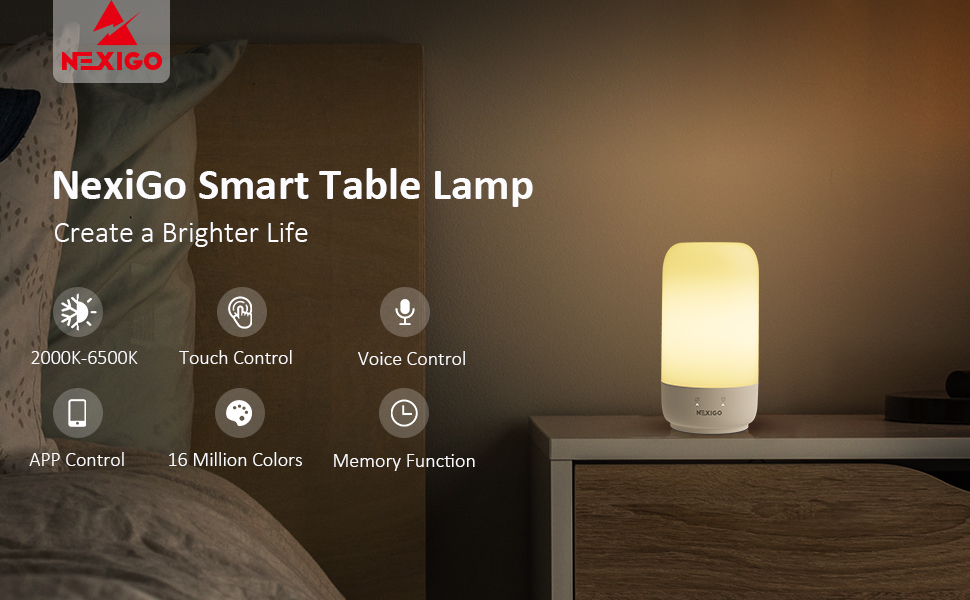
Image: The NexiGo Smart Table Lamp creating a pleasant ambiance on a bedside table.
Funktioner
- Justerbar lysstyrke: 350-lumen diffused lighting with a full dimming range (1%-100%).
- Farvetemperaturkontrol: Three shades of white light from warm to cool (2000K-6500K).
- RGB-farveindstillinger: Access to 16 million dimmable colors for personalized ambiance.
- Touch Control: Simple tap on the top for on/off, long press for brightness adjustment, and side taps for color change.
- Natlys -tilstand: Press and hold the top for two seconds to activate a dim night light.
- APP kontrol: Full control via the "NexiGo Home" app for color selection, brightness, timers, and schedules.
- Stemmestyring: Kompatibel med Amazon Alexa og Google Home for håndfri betjening.
- Hukommelsesfunktion: Internal memory retains previous settings.
- Timere og tidsplaner: Create custom schedules, timers, and countdowns through the app.
- Flere scenetilstande: Choose from eight preset scenes (Night, Read, Working, Leisure, Soft, Colorful, Dazzling, Gorgeous) and customization options.

Billede: L'etamp demonstrating its ability to produce warm white (2000K), neutral white (3500K), and cool white (6500K) light at 100% brightness.
Opsætning
- Pakker ud: Fjern forsigtigt lamp og alt tilbehør fra emballagen.
- Strømtilslutning: Connect the provided USB-C cable to the lamp's power port and plug the adapter into a standard electrical outlet. The lamp requires continuous power to operate.

- App-download: Download the "NexiGo Home" app from your device's app store (available on iOS and Android).
- App registrering: Open the NexiGo Home app and register for an account if you don't already have one.
- Enhedsparring:
- Sørg for, at din smartphone er forbundet til et 2.4 GHz Wi-Fi-netværk.
- In the NexiGo Home app, use the "Auto Scan" function to detect the lamp.
- Follow the on-screen prompts to connect the lamp til dit Wi-Fi-netværk. L'etamp's indicator light may flash green during pairing.
- Voice Assistant-integration (valgfrit):
- Once paired with the NexiGo Home app, you can link your lamp to Amazon Alexa or Google Home.
- Open the Alexa or Google Home app, search for the "NexiGo Home" skill/service, and enable it.
- Log in with your NexiGo Home account credentials to complete the linking process.
Betjeningsvejledning
Tryk på kontrol
Lamp features intuitive touch controls located on its top and front panel.
- Tænd/sluk: Short press the power button on the top of the lamp.
- Change Brightness (1%-100%): Long press the power button on the top of the lamp.
- RGB Color Cycling Mode: Long press the RGB color button on the front panel.
- RGB Color Speed Mode: Long press the RGB color speed button on the front panel.
- Timer knap: Short press once for 30 minutes, twice for 60 minutes.
- Mode knap: Short press to cycle through five available light modes.
- Natlys -tilstand: Press and hold the top for two seconds to reduce brightness to the lowest comfortable level.

Image: A visual guide illustrating the various touch control functions available on the NexiGo Smart Table Lamp.
App Control ("NexiGo Home")
The "NexiGo Home" app provides comprehensive control over your lamp's funktioner.
- Farvevalg: Choose from 16 million colors using the color wheel.
- Lysstyrkekontrol: Juster lysstyrken fra 1 % til 100 %.
- Warm to Cool Whites: Select desired white light temperature (2000K-6500K).
- Timere og tidsplaner: Set automated on/off times, countdowns, and recurring schedules.
- Sceneindstillinger: Apply preset lighting scenes (e.g., Night, Read, Working, Leisure, Soft, Colorful, Dazzling, Gorgeous) or create custom ones.

Image: The NexiGo Home app interface on a smartphone, showing the color selection wheel and various control options for the smart lamp.
Stemmestyring (Alexa og Google Assistant)
Once integrated, you can control your lamp using voice commands.
- Tænd/sluk: "Alexa, turn on the lamp." / "Hey Google, turn off the bedside lamp."
- Juster lysstyrke: "Alexa, set the lamp to 50% brightness." / "Hey Google, dim the lamp."
- Skift farve: "Alexa, change the lamp to blue." / "Hey Google, make the lamp red."

Image: A user interacting with the smart lamp and an Alexa device, demonstrating hands-free voice control capabilities.
Specifikationer
| Feature | Detalje |
|---|---|
| Modelnummer | LT01s |
| Dimensioner | 3.93" D x 3.93" B x 7.08" H |
| Varens vægt | 13.6 ounce |
| Lyskildetype | LED |
| Wattage | 7 watt |
| Voltage | 5 volt |
| Farvetemperatur | 2000K-6500K |
| Kontrolmetode | Touch, App, Voice (Alexa, Google Assistant) |
| Forbindelsesteknologi | USB, Wi-Fi |
| Materiale | Metal |
| Indendørs/Udendørs brug | Indendørs |
Opretholdelse
To ensure the longevity and optimal performance of your NexiGo Smart Table Lampfølg disse enkle vedligeholdelsesretningslinjer:
- Rensning: Tag stikket ud af lamp before cleaning. Use a soft, dry cloth to wipe the surface. Do not use liquid cleaners or abrasive materials, as they may damage the finish or internal components.
- Placering: Placer lamp on a stable, flat surface. Avoid placing it in direct sunlight, near heat sources, or in excessively humid environments.
- Håndtering: Håndter lamp forsigtigt. Undgå at tabe den eller udsætte den for hårde stød.
- Strømledning: Undersøg regelmæssigt netledningen for tegn på skader. Hvis ledningen er beskadiget, skal du stoppe med at bruge den og kontakte kundesupport.
Fejlfinding
If you encounter any issues with your NexiGo Smart Table LampSe venligst følgende almindelige fejlfindingstrin:
- Lamp Tænder ikke:
- Sørg for, at strømadapteren er sat ordentligt i både lamp og stikkontakten.
- Kontroller, at stikkontakten fungerer ved at tilslutte en anden enhed.
- Problemer med appforbindelse:
- Make sure your Wi-Fi network is 2.4GHz. The lamp does not support 5GHz networks.
- Genstart din Wi-Fi-router og lamp.
- Ensure your smartphone is close to the lamp under parringsprocessen.
- If the app is not updating or connecting, check for app updates in your app store. Some users have reported issues with older app versions on newer Android OS versions.
- Stemmestyring reagerer ikke:
- Bekræft, at lamp is successfully paired with the NexiGo Home app.
- Ensure the NexiGo Home skill/service is enabled and linked correctly in your Alexa or Google Home app.
- Tjek din internetforbindelse.
- Try re-linking the NexiGo Home skill/service in your voice assistant app.
- Touch-kontroller reagerer ikke:
- Sørg for, at dine fingre er rene og tørre, når du bruger berøringsknapperne.
- Briefly unplug the lamp and plug it back in to reset it.
Garanti & Support
NexiGo is committed to providing high-quality products and excellent customer service. For detailed warranty information and technical support, please refer to the following:
- Garanti: Please refer to the warranty card included with your product or visit the official NexiGo webwebstedet for den mest opdaterede garantipolitik.
- Teknisk support: For any technical assistance, troubleshooting beyond this manual, or product inquiries, please contact NexiGo customer support.
- Returnerer: NexiGo offers a 30-day return policy for exchange or refund.
- Livsvarig teknisk support: Enjoy lifetime technical customer support for your NexiGo product.


