1. Introduktion
This manual provides comprehensive instructions for the setup, operation, and maintenance of your TECLAST M40 Pro Android Tablet. The TECLAST M40 Pro is a high-performance tablet featuring a 10-inch FHD display, Android 11 operating system, 6GB RAM, 128GB internal storage (expandable up to 512GB), an Octa-Core processor, dual cameras, dual-band Wi-Fi, Bluetooth, and GPS capabilities. It is designed for a wide range of uses, from study and entertainment to productivity.

Billede: Forside og bagside view of the TECLAST M40 Pro tablet, highlighting its sleek design and the Android 11 interface on the screen.
2. Hvad er der i æsken
Upon opening the package, please verify that all the following items are present:
- TECLAST M40 Pro Android Tablet
- USB Type-C opladerkabel
- Strømadapter (kan variere afhængigt af region)
- 128GB Micro SD Card (as specified in product details)
- Brugervejledning (dette dokument)
- SIM Ejector Tool (if applicable for SIM card slot)
3. Produktet er slutview
Familiarize yourself with the physical components and ports of your TECLAST M40 Pro tablet.

Image: Detailed diagram of the TECLAST M40 Pro tablet, indicating the location of the headphone jack, Micro SD/SIM card slot, front camera, rear camera, power button, volume rocker, reset button, and Type-C port, along with speaker locations.
- Power knap: Tryk og hold nede for at tænde/slukke eller genstarte. Tryk kort for at tænde/slukke skærmen.
- Lydstyrkeknap: Juster lydstyrken.
- Type-C port: Used for charging the tablet and connecting to a computer for data transfer.
- Hovedtelefonstik: Tilslut 3.5 mm hovedtelefoner.
- Micro SD/SIM Card Slot: Insert a Micro SD card for expandable storage (up to 512GB) or a SIM card for cellular data (if supported by your model).
- Forreste kamera: 5MP kamera til videoopkald og selfies.
- Bagkamera: 8MP camera for photos and videos.
- Højttalere: Fire højttalere for en forbedret lydoplevelse.
- NULSTIL: A small pinhole for factory reset in case of system unresponsiveness. Use a thin pin to press.
4. Opsætning
4.1 Indledende opladning
Before first use, it is recommended to fully charge your tablet. Connect the provided USB Type-C cable to the tablet's Type-C port and the other end to the power adapter. Plug the adapter into a wall outlet. The charging indicator on the screen will show the charging status. It is suggested to charge for at least 30 minutes before turning it on for the first time.
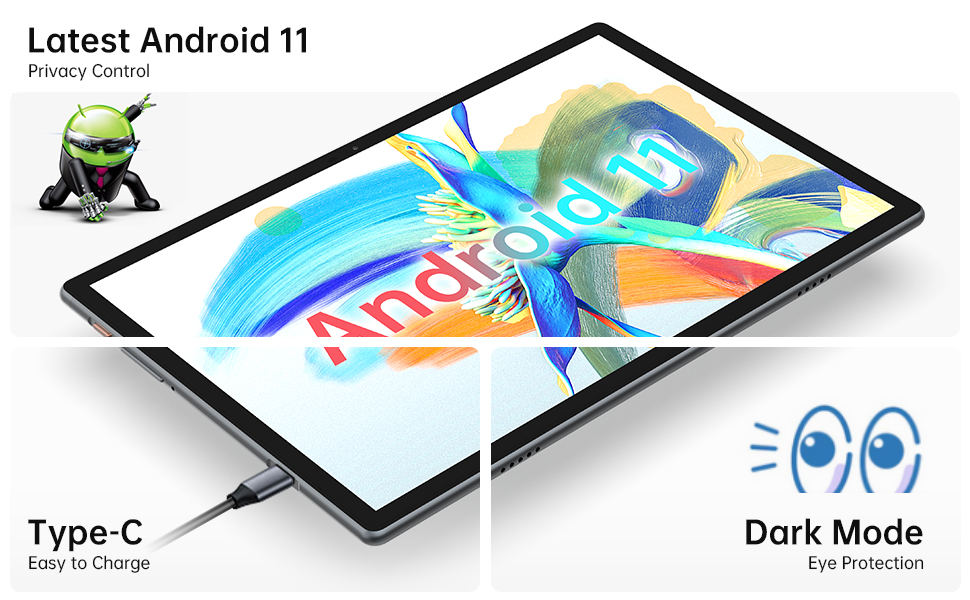
Image: Close-up of the tablet showing the Type-C charging port with a cable connected, illustrating the ease of charging.
4.2 Tænd/sluk
- For at tænde: Press and hold the Power Button until the TECLAST logo appears on the screen.
- For at slukke: Press and hold the Power Button until a power menu appears. Select "Power off" from the options.
- For at genstarte: Vælg "Genstart" i tænd/sluk-menuen.
4.3 Guide til indledende opsætning
The first time you power on the tablet, you will be guided through an initial setup wizard. Follow the on-screen prompts to:
- Vælg dit sprog.
- Opret forbindelse til et Wi-Fi-netværk.
- Log ind med din Google-konto, eller opret en ny.
- Konfigurer skærmlås (pinkode, mønster, adgangskode eller ansigtsgenkendelse).
- Review og accepterer vilkår og betingelser.
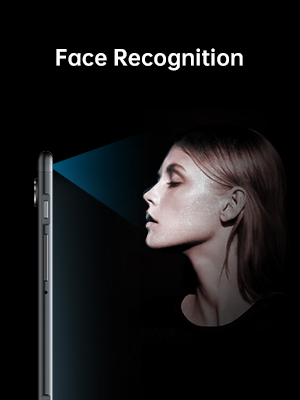
Image: Illustration of the tablet's face recognition feature in use, showing a user unlocking the device with their face.
5. Betjening af din tablet
5.1 Android 11-funktioner
Your TECLAST M40 Pro runs on Android 11, offering enhanced privacy controls, improved notification management, chat bubbles, and a system-wide dark mode for eye protection.
Image: The tablet screen prominently displaying the "Android 11" text, indicating the operating system version.
5.2 Forbindelse
- Wi-Fi: Go to Settings > Network & internet > Wi-Fi. Turn on Wi-Fi and select your desired network. Enter the password if required. The tablet supports 2.4G and 5G dual-band Wi-Fi for stable and fast connections.
- Bluetooth: Go to Settings > Connected devices > Connection preferences > Bluetooth. Turn on Bluetooth and pair with compatible devices like headphones or keyboards. The tablet features efficient Bluetooth 5.0.
- GPS: The tablet includes GPS functionality for navigation and location-based services. Ensure location services are enabled in Settings > Location.

Image: A visual representation of the tablet's connectivity features, showing icons for Dual Band WiFi (2.4G+5G), Bluetooth 5.0, and Android 11, emphasizing its ability to stay connected.
5.3 Lagring og ydeevne
The M40 Pro comes with 6GB RAM and 128GB ROM, providing smooth operation and ample space for apps, media, and documents. Storage can be expanded up to 512GB using a Micro SD card.

Image: A graphic comparing the TECLAST M40 Pro's 6GB RAM and 128GB ROM (expandable to 512GB) with other tablets, illustrating its superior storage and performance for video, music, photos, and apps.
The 2.0GHz Octa-Core processor ensures high performance and low power consumption, preventing crashes and overheating during intensive use.

Image: The tablet displaying a racing game, with text overlays highlighting its Octa Core Processor and 2.0 GHz Frequency, indicating high performance and low power consumption.
5.4 Skærm og lyd
The 10.1-inch FHD IPS display with 1920x1200 resolution provides a wide-angle viewing experience and exceptional color rendition. Coupled with quad speakers, it offers an immersive visual and audio experience.

Image: The tablet screen displaying vibrant colors, emphasizing its 1920x1200 FHD IPS resolution and 10.1-inch display size, along with dual camera specifications.
6. Vedligeholdelse
- Rensning: Brug en blød, fnugfri klud til at rengøre skærmen og tablettens kabinet. Tør let ved genstridige pletter.ampRengør kluden med vand eller et skærmrensemiddel. Undgå at bruge skrappe kemikalier eller slibende materialer.
- Opbevaring: Opbevar tabletten et køligt, tørt sted væk fra direkte sollys og ekstreme temperaturer.
- Batteripleje: For at forlænge batteriets levetid bør du undgå at aflade tabletten helt ofte. Oplad den regelmæssigt, og undgå at lade den være tilsluttet i længere tid, efter den er fuldt opladet.
- Softwareopdateringer: Tjek regelmæssigt for systemopdateringer i Indstillinger > System > Systemopdatering for at sikre optimal ydeevne og sikkerhed.
7. Fejlfinding
| Problem | Mulig løsning |
|---|---|
| Tabletten tænder ikke. | Ensure the tablet is sufficiently charged. Connect it to the charger for at least 30 minutes, then try powering on again. If unresponsive, press the RESET pinhole with a thin pin. |
| Problemer med Wi-Fi-forbindelse. | Tjek om Wi-Fi er aktiveret i indstillingerne. Genstart din Wi-Fi-router. Glem netværket, og genopret forbindelsen. Sørg for, at du er inden for Wi-Fi-signalets rækkevidde. |
| Langsom ydeevne eller apps der går ned. | Close unused apps. Clear cache for problematic apps (Settings > Apps > [App Name] > Storage & cache > Clear cache). Restart the tablet. Ensure sufficient free storage space. |
| Skærmen reagerer ikke. | Restart the tablet by holding the power button. If unresponsive, use the RESET pinhole. |
| Batteriet aflades hurtigt. | Reduce screen brightness. Disable unused features like Bluetooth, GPS, or Wi-Fi when not in use. Close background apps. Check battery usage in Settings > Battery to identify power-hungry apps. |
8. Specifikationer
| Feature | Detalje |
|---|---|
| Mærke | TECLAST |
| Modelnavn | Touch (M40PRO Android Tablet) |
| Operativsystem | Android 11 |
| Skærmstørrelse | 10 tommer |
| Skærmopløsning | 1920 x 1200 pixels (FHD IPS) |
| Processor | 2.0 GHz Octa Core |
| VÆDDER | 6 GB |
| Internt lager (ROM) | 128 GB |
| Udvidelig opbevaring | Up to 512GB (Micro SD/TF Card) |
| Bag Webcam opløsning | 8 MP |
| Front Webcam opløsning | 5 MP |
| Forbindelse | 2.4G+5G WiFi, Bluetooth 5.0, GPS |
| Batterikapacitet | 7000mAh (Approx. 8 Hours Average Battery Life) |
| Opladningsport | Type-C |
| Varens vægt | 2.14 pund |
| Produktdimensioner | 9 x 6 x 1 tommer |
9. Garanti og support
9.1 Garantioplysninger
TECLAST provides a 1 års garanti for tablets, valid immediately after purchase. Please retain your proof of purchase for warranty claims.
9.2 Kundesupport
For any questions, technical assistance, or warranty inquiries, please contact TECLAST customer service. We aim to provide professional service and answer any questions within 1 working day.
You can visit the official TECLAST store on Amazon for more information and support resources: TECLAST Amazon Store


