Indledning
The Pigtronix Gamma Drive is a versatile overdrive pedal designed to deliver a wide range of tones, from subtle boosts to aggressive, all-out grind. Its intuitive controls allow musicians to sculpt their sound with precision, making it an essential tool for any guitarist seeking dynamic and expressive overdrive.

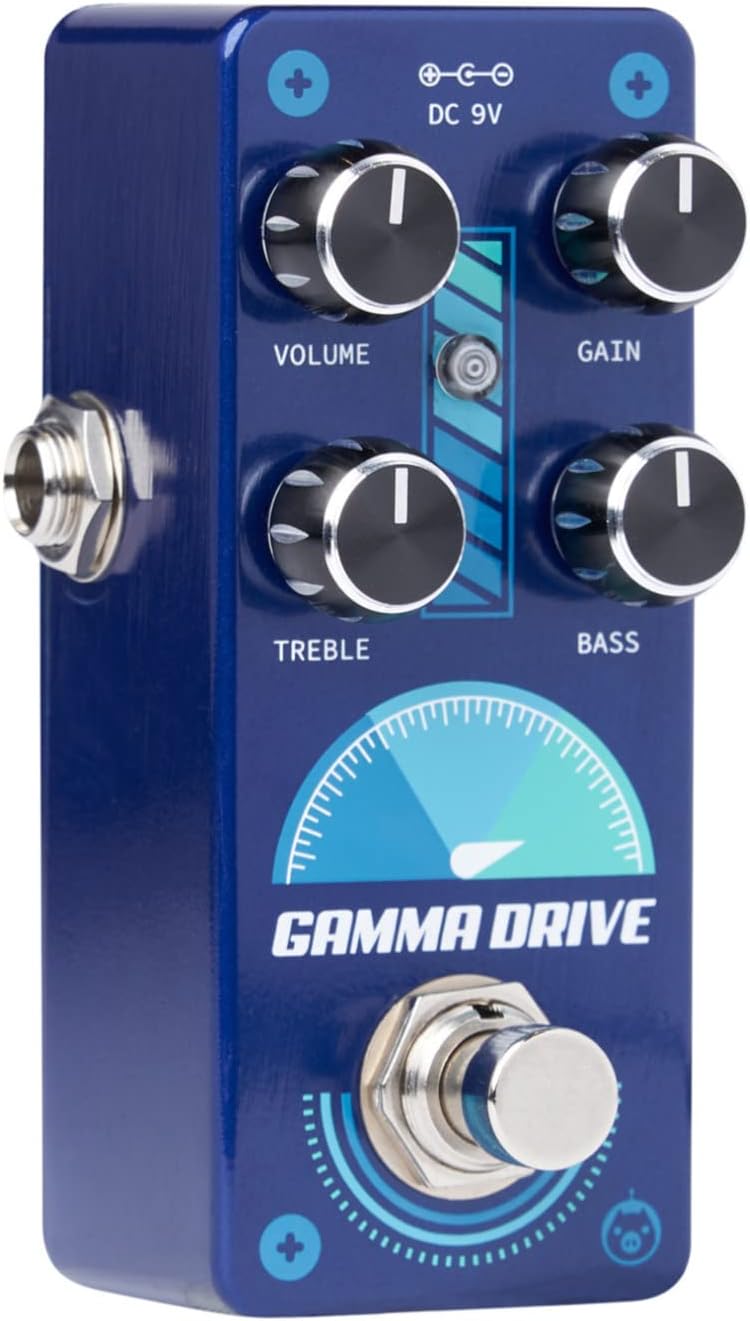
Figur 1: Forside view of the Pigtronix Gamma Drive Overdrive Pedal. This image displays the pedal's blue casing, the four control knobs (Volume, Gain, Treble, Bass), the footswitch, and the DC 9V power input label.
Nøglefunktioner
- Overdrive Pedal with Treble Bass Controls
- Wide range of gain from subtle boost to heavy distortion
- Kompakt og holdbart design
- True bypass switching for signal integrity
Pakkens indhold
Når du åbner pakken, skal du sørge for, at alle følgende varer er til stede:
- Pigtronix Gamma Drive Overdrive Pedal
- Brugervejledning (dette dokument)
- Tilslutningskabel
Opsætningsvejledning
Follow these steps to properly set up your Pigtronix Gamma Drive pedal:
1. Strømtilslutning
Connect a standard 9V DC power supply (not included) to the "DC 9V" input jack on the top of the pedal. Ensure the power supply is center-negative and provides at least 10mA of current.
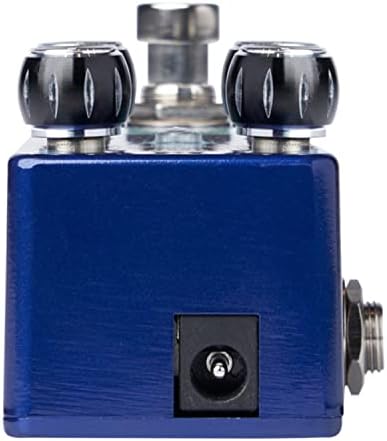
Figure 2: Close-up of the DC 9V power input jack located on the top side of the pedal.
2. Instrumenttilslutning
Connect your instrument (e.g., guitar) to the INPUT jack on the right side of the pedal using a standard 1/4-inch instrument cable.
3. Amplivligere forbindelse
Tilslut OUTPUT-stikket på venstre side af pedalen til din ampliferens indgang ved hjælp af et andet standard 6,5 mm instrumentkabel.
Figur 3: Vinklet view illustrating the input jack (right side) and output jack (left side) for instrument and amplifier tilslutninger.
Operation
The Pigtronix Gamma Drive features four primary control knobs and a footswitch for intuitive sound shaping.
Kontrol overview
Figur 4: Forside view of the pedal showing the layout of the control knobs.
- BIND: Controls the overall output level of the pedal. Turn clockwise to increase the volume.
- GEVINST: Adjusts the amount of overdrive and distortion. Higher settings produce more saturated and aggressive tones.
- DISKANT: Shapes the high-frequency content of your tone. Turn clockwise for brighter sounds, counter-clockwise for warmer tones.
- BAS: Controls the low-frequency content. Turn clockwise to add more bass, counter-clockwise to reduce it.
Brug af fodkontakten
The large footswitch at the bottom of the pedal engages or bypasses the effect. When the effect is active, the LED indicator above the footswitch will illuminate. When bypassed, your signal passes through the pedal unaffected (true bypass).
Vedligeholdelse og pleje
- Rensning: Brug en blød, tør klud til at rengøre pedalens overflade. Undgå slibende rengøringsmidler eller opløsningsmidler.
- Opbevaring: Opbevar pedalen et køligt, tørt sted væk fra direkte sollys og ekstreme temperaturer.
- Magt: Always use a regulated 9V DC power supply with the correct polarity (center-negative) to prevent damage.
- Forbindelser: Ensure all cables are securely connected before use. Disconnect cables when not in use to prevent accidental damage.
Fejlfinding
| Problem | Mulig årsag | Løsning |
|---|---|---|
| Ingen lyd når pedalen er trådt i. | Incorrect cable connections; Power supply issue; Pedal not engaged. | Check all input/output cables; Ensure 9V DC power supply is connected and functional; Press footswitch to engage pedal (LED should light up). |
| Svag eller forvrænget lyd. | Low power; Incorrect gain/volume settings. | Bekræft strømforsyningen voltage and current; Adjust GAIN and VOLUME knobs to desired levels. |
| Uønsket støj eller brummen. | Ground loop; Faulty cables; Interference from other electronics. | Use isolated power supply; Try different cables; Move pedal away from power transformers or fluorescent lights. |
Tekniske specifikationer
| Specifikation | Værdi |
|---|---|
| Varens vægt | 9 ounce |
| Produktdimensioner | 8.4 x 6.3 x 4.7 tommer |
| Modelnummer | DDR |
| Farve | Light Blue, Black |
| Hardware-interface | HP-HSC |
| Signalformat | Analog |
| Strømkilde | Battery Powered (Note: Typically refers to ability to use battery, but 9V DC adapter is standard for pedals) |
| Voltage | 9 volt DC |
| Ampslette | 10 mioamps (minimum required) |
Garanti og support
For detailed warranty information, product registration, and technical support, please visit the official Pigtronix webwebstedet eller kontakt deres kundeserviceafdeling. Gem din købsbevis til garantikrav.
Officiel Webwebsted: www.pigtronix.com


