Indledning
This manual provides essential information for setting up, operating, and maintaining your UMIDIGI A11 Pro Max smartphone. Please read it thoroughly to ensure optimal performance and longevity of your device. The UMIDIGI A11 Pro Max is an unlocked Android 11 smartphone featuring a 6.8-inch FHD+ display, a powerful Helio G80 processor, 8GB RAM, 128GB internal storage (expandable), a 5150mAh battery, and a versatile triple camera system.
Opsætning
1. Hvad er der i æsken
Upon unboxing, verify that all standard components are present:
- UMIDIGI A11 Pro Max Smartphone
- Strømadapter (oplader)
- USB Type-C-kabel
- SIM Ejector Tool
- Beskyttende etui (kan variere fra region til region)
- Skærmbeskytter (forudmonteret eller inkluderet)
- Hurtig startvejledning
2. Installation af SIM-kort og SD-kort
The UMIDIGI A11 Pro Max supports dual Nano-SIM cards and a microSD card simultaneously for expanded storage.
- Find SIM-kortbakken på siden af enheden.
- Insert the SIM ejector tool into the small hole on the SIM tray and press gently until the tray pops out.
- Carefully place your Nano-SIM card(s) and/or microSD card into the designated slots on the tray. Ensure the gold contacts face downwards and the cards are correctly oriented as indicated on the tray.
- Skub forsigtigt bakken tilbage i telefonen, indtil den klikker på plads.
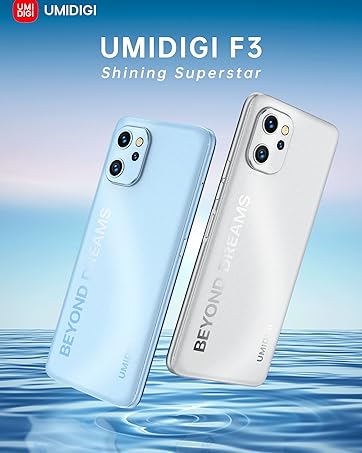
Figure 1: Proper insertion of SIM and MicroSD cards into the tray.
3. Første opstart og opsætning
To power on your device, press and hold the Power button (located on the right side) until the UMIDIGI logo appears. Follow the on-screen prompts to complete the initial setup, including language selection, Wi-Fi connection, Google account login, and security settings.

Figure 2: UMIDIGI A11 Pro Max smartphone overview.
4. Opladning af batteriet
Before first use, it is recommended to fully charge the device. Connect the USB Type-C cable to the phone's charging port (bottom edge) and the other end to the power adapter. Plug the adapter into a wall outlet. The phone supports 10W fast charging.

Figure 3: USB Type-C charging port and 3.5mm audio jack.
Betjening af din enhed
1. Basic Navigation and Interface
The UMIDIGI A11 Pro Max runs on Android 11, offering an intuitive user experience. Navigate using touch gestures on the 6.8-inch FHD+ display. The power button and volume rocker are located on the right side. A customizable shortcut key is also present for quick access to preferred functions.

Figure 4: The 6.8-inch FHD+ FullView Vise.
2. Kamerafunktioner
The device features a versatile triple camera system on the rear and a high-resolution front camera.
- Bagkameraer:
- 48MP Main Camera: For high-resolution photos.
- 16MP Ultra-Wide Angle Camera (120° FOV): Ideal for landscapes and group shots.
- 2MP Macro Camera: For detailed close-up photography.
- Forreste kamera: 24MP In-Screen Camera for selfies and video calls.
- Nattilstand: Enhances low-light photography, capturing more detail in dark environments.
To access the camera, tap the camera icon on your home screen or lock screen. Select different modes (Photo, Video, Portrait, Night, Macro, etc.) from the camera interface.

Figure 5: Rear Triple Camera System.
3. Customizable Shortcut Key
The UMIDIGI A11 Pro Max features a programmable button on the side. You can assign various functions to this key, such as launching an app, activating the flashlight, or taking a screenshot. To customize, go to Settings > Smart Assistant > Shortcut Key and select your preferred action.
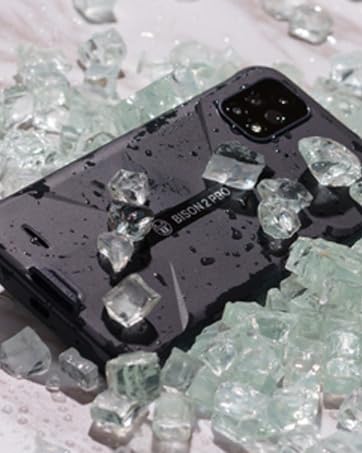
Figure 6: Side-mounted fingerprint sensor and customizable shortcut key.
4. Dual 4G VoLTE Connectivity
The device supports Dual 4G VoLTE, allowing both SIM slots to utilize 4G networks simultaneously for enhanced call quality and faster data speeds. Ensure your carrier supports VoLTE for this feature to function.
5. Ydeevne og spil
Powered by the Helio G80 gaming processor and 8GB of RAM, the UMIDIGI A11 Pro Max delivers smooth performance for applications, videos, and mobile gaming. The 128GB internal storage provides ample plads til din files, and it can be expanded further with a microSD card.

Figure 7: Gaming experience on the UMIDIGI A11 Pro Max.
6. Batteristyring
The 5150mAh massive battery provides extended usage times. To optimize battery life:
- Juster skærmens lysstyrke.
- Luk ubrugte programmer, der kører i baggrunden.
- Aktiver batterisparetilstand, når det er nødvendigt.
- Begræns brugen af baggrundsdata for bestemte apps.

Figure 8: Battery capacity and estimated usage.
Opretholdelse
1. Rengøring af enheden
To clean your UMIDIGI A11 Pro Max, use a soft, lint-free cloth. Avoid using harsh chemicals or abrasive materials, as these can damage the screen or finish. For stubborn smudges, slightly dampRengør kluden med vand eller en skærmrengøringsopløsning beregnet til elektronik.
2. Softwareopdateringer
Tjek regelmæssigt for softwareopdateringer for at sikre, at din enhed har de nyeste funktioner, sikkerhedsrettelser og forbedringer af ydeevnen. Gå til Indstillinger > System > Systemopdatering to check for and install available updates. Ensure your device is connected to Wi-Fi and has sufficient battery life before initiating an update.
3. Batteripleje
For at forlænge batteriets levetid:
- Undgå ekstreme temperaturer.
- Lad ikke batteriet aflades helt for ofte.
- Brug den originale oplader og det kabel, der fulgte med enheden.
Garanti og support
UMIDIGI products come with a standard manufacturer's warranty. For detailed warranty information, please refer to the warranty card included in your product packaging or visit the official UMIDIGI website. For technical support, troubleshooting assistance, or service inquiries, please contact UMIDIGI customer service through their official channels. You can often find support contact information on the UMIDIGI website or within the device's settings under About phone > Legal information.
For yderligere hjælp kan du også besøge UMIDIGI Store on Amazon.


