Indledning
Thank you for choosing the Keychron K1 Ultra-Slim Mechanical Keyboard. This manual provides detailed instructions on setting up, operating, and maintaining your keyboard to ensure optimal performance and longevity. The Keychron K1 is a versatile 87-key tenkeyless layout keyboard designed for both wireless (Bluetooth) and wired (USB) connectivity, featuring low-profile Gateron mechanical switches and white LED backlighting.

Image: Keychron K1 Ultra-Slim Tenkeyless Layout Mechanical Keyboard overview.
Pakkens indhold
Før du begynder, skal du sørge for, at alle varer er til stede i din pakke:
- Keychron K1 mekanisk tastatur
- USB Type-C-kabel
- Keycap aftrækker
- Afbryder (hvis hot-swap-version)
- Ekstra taster til Windows- og Mac-operativsystemer

Billede: Top-down view of the Keychron K1 mechanical keyboard, showing the 87-key tenkeyless layout.
Opsætning
1. Første opladning
For optimal performance, it is recommended to fully charge the keyboard before first use. Connect the provided USB Type-C cable to the keyboard's USB-C port and the other end to a USB power source (e.g., computer USB port, wall adapter). The battery indicator LED will show charging status.
2. Forbindelsestilstande
The Keychron K1 supports both Bluetooth wireless and USB wired connections.
Bluetooth-forbindelse:
- Ensure the keyboard's mode switch (located on the side/back) is set to "BT" (Bluetooth).
- Tryk på og hold nede for at gå ind i parringstilstand Fn + 1 (for enhed 1), Fn + 2 (for enhed 2), eller Fn + 3 (for Device 3) for 4 seconds until the corresponding key (1, 2, or 3) flashes rapidly.
- Aktiver Bluetooth på din enhed (computer, tablet, smartphone), og søg efter "Keychron K1".
- Select the keyboard from the list of available devices to complete pairing. The flashing light will become solid once connected.
- For at skifte mellem parrede enheder skal du blot trykke på Fn + 1, Fn + 2, eller Fn + 3.

Image: Diagram illustrating how the Keychron K1 keyboard connects to up to three Bluetooth devices (e.g., desktop, laptop, tablet) using Fn+1, Fn+2, and Fn+3.
Kablet forbindelse:
- Set the keyboard's mode switch to "Cable" (or "USB").
- Connect the USB Type-C cable from the keyboard to your computer's USB port. The keyboard will be recognized automatically.
3. Operativsystemkompatibilitet
The Keychron K1 is compatible with both Mac and Windows operating systems. Use the OS switch (located on the side/back) to select the appropriate layout for your system. Extra keycaps for both operating systems are included for customization.
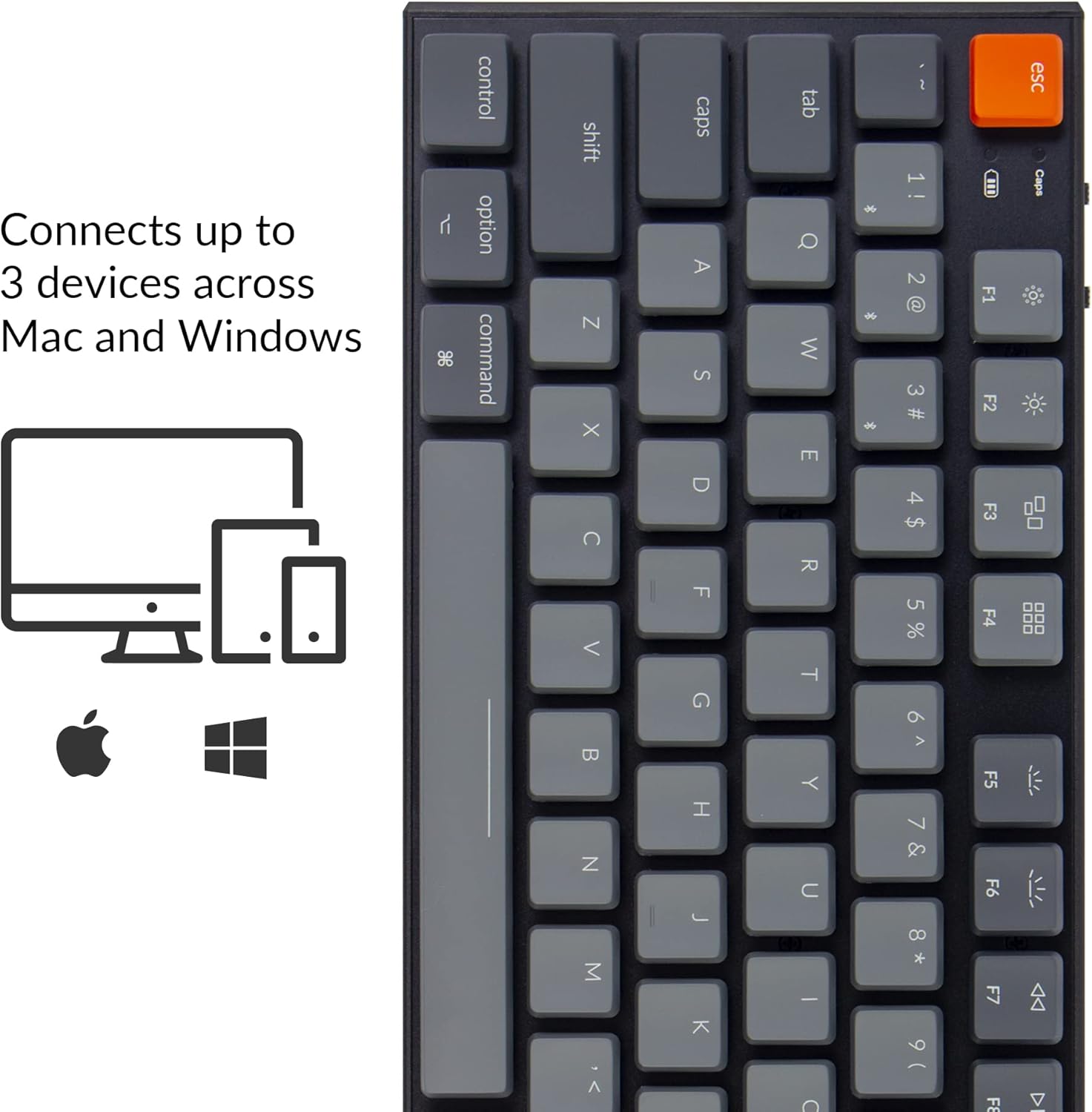
Image: Visual representation of the Keychron K1's compatibility with Mac and Windows operating systems, connecting to up to 3 devices.
Betjeningsvejledning
1. Nøglefunktioner
The K1 features an 87-key tenkeyless layout. Many keys have dual functions accessible via the Fn nøgle.
- Multimedienøgler: Access media controls (play/pause, volume up/down, mute) using Fn + F7 til Fn + F12.
- Baggrundslys kontrol: Adjust backlight brightness and effects using Fn + F5 (decrease brightness), Fn + F6 (increase brightness), and Fn + Light Bulb key (change backlight effect).
- N-nøgleoverførsel (NKRO): In wired mode, the keyboard supports N-Key Rollover, allowing all keys to be registered simultaneously. In wireless mode, it supports 6-Key Rollover (6KRO).

Image: The Keychron K1 keyboard with its white LED backlight illuminated, showcasing the key layout.
2. Batteriindikator
The battery indicator LED (located near the Esc key) provides information on battery status:
- Rød (blinker): Low battery. Please charge the keyboard.
- Grøn (fast): Fuldt opladet.
- Orange (solid): Opladning.

Billede: Nærbillede view of the top-left corner of the Keychron K1 keyboard, highlighting the orange Esc key and the battery indicator light.
Opretholdelse
1. Rensning
For at rengøre dit tastatur skal du slukke det og frakoble det fra alle enheder. Brug en blød, fnugfri klud, der er let tørret.ampened with water or a mild cleaning solution. For dust and debris between keycaps, use compressed air or the provided keycap puller to remove keycaps and clean underneath. Avoid excessive moisture.
2. Batteripleje
The Keychron K1 is equipped with a 2000 mAh Lithium Polymer battery. To prolong battery life:
- Undgå at aflade batteriet helt regelmæssigt.
- Opbevar tastaturet et køligt og tørt sted, hvis det ikke bruges i længere perioder.
- Charge the keyboard using a standard 5V USB power source.
Fejlfinding
| Problem | Mulig årsag | Løsning |
|---|---|---|
| Tastaturet opretter ikke forbindelse via Bluetooth | Keyboard not in pairing mode; device Bluetooth off; interference; already connected to 3 devices. | Ensure keyboard is in BT mode and pairing mode (Fn+1/2/3 held for 4s). Check device Bluetooth. Try forgetting and re-pairing the device. Ensure no more than 3 devices are paired. |
| Taster reagerer ikke i kablet tilstand | Keyboard not in Cable mode; faulty USB cable; loose connection. | Set keyboard to "Cable" mode. Try a different USB port or cable. Ensure cable is securely connected. |
| Baggrundsbelysningen virker ikke eller er svag | Backlight turned off or set to lowest brightness; low battery. | Increase brightness using Fn+F6. Change backlight effect using Fn+Light Bulb key. Charge the keyboard. |
| Keyboard randomly disconnects | Lavt batteri; Bluetooth-interferens; afstand fra enhed. | Charge the keyboard. Reduce distance to device. Minimize other wireless interference. |
Specifikationer
| Feature | Detalje |
|---|---|
| Model | K1-A2 |
| Layout | Tenkeyless (87 Keys) |
| Switch Type | Lav-Profile Gateron Mechanical Blue Switch |
| Skift levetid | Op til 50 millioner tastetryk |
| Forbindelse | Bluetooth 5.1 (Broadcom chipset) & USB Type-C Wired |
| Batterikapacitet | 2000 mAh Lithium Polymer |
| Batterilevetid | Up to 110 hours (with backlight off) |
| Baggrundsbelysning | Hvid LED |
| Dimensioner (L x B x H) | 13.98 x 5.31 x 1.02 tommer (355 x 135 x 26 mm) |
| Vægt | 2.27 pund (1.03 kg) |
| OS kompatibilitet | Mac, Windows, iOS, Android |

Image: Diagram showing the ultra-slim profile and dimensions of the Keychron K1 keyboard.

Billede: Nærbillede view of the Keychron K1 keyboard with several keycaps removed, revealing the low-profile Gateron Mechanical Blue switches and their specifications.
Garanti og support
Keychron products are manufactured with high-quality standards. For warranty information, technical support, or service inquiries, please visit the official Keychron webwebstedet eller kontakt deres kundesupport direkte. Gem din købskvittering som købsbevis i tilfælde af garantikrav.
Officiel nøglering Webwebsted: www.keychron.com


