Brugermanual til Diswoe Wireless Pro-controller
Model: Controller for Nintendo Switch
Indledning
Thank you for choosing the Diswoe Wireless Pro Controller. This gamepad is designed to enhance your gaming experience on Nintendo Switch, Switch Lite, OLED, and PC. It features advanced functionalities such as a 6-axis gyro, adjustable Turbo function, dual shock vibration, and a comfortable ergonomic design for extended play sessions. This manual provides detailed instructions on setup, operation, maintenance, and troubleshooting to ensure optimal performance of your controller.

Figure 1: Diswoe Wireless Pro Controller
Pakkens indhold
- Diswoe Wireless Pro Controller
- USB opladningskabel
- Brugermanual
Controller layout

Figur 2: Layout af controllerknapper
- Left 3D Stick: Til retningsbestemt bevægelse.
- D-pad: Directional Pad for precise inputs.
- Hjemknappen: Returns to the console's home screen.
- Skærmbillede-knap: Tager skærmbilleder fra spillet.
- Turbo knap: Activates and adjusts Turbo function.
- +/- knapper: System menu navigation, volume control.
- A/B/X/Y-knapper: Standard handlingsknapper.
- Right 3D Stick: For camera control or aiming.
- L1/R1 knapper: Skulderknapper.
- L2/R2 knapper: Udløserknapper.
- TAPY-C Port: USB-C port for charging and wired connection.
Opsætning
1. Første opladning
Before first use, fully charge the controller. Connect the supplied USB charging cable to the controller's USB-C port and the other end to a USB power source (e.g., Switch dock, PC, or USB wall adapter). The charging time is approximately 2-3 hours for a full charge, providing up to 12 hours of continuous gameplay.

Figure 3: Battery and Charging Indication
2. Pairing with Nintendo Switch/Switch Lite/OLED
- Fra HOME-menuen skal du vælge "Controllere" > "Skift greb/rækkefølge".
- While on the "Change Grip/Order" screen, press and hold the Home button on the Diswoe controller for 3-5 seconds until the LED indicators start flashing rapidly.
- Når de er parret, lyser den/de tilsvarende afspiller-LED('er) på controlleren konstant.
- The controller supports up to 4 players simultaneously.

Figure 4: Controller in use with Nintendo Switch
3. Connecting to PC (Wired Only)
The Diswoe controller can be connected to a PC via the USB charging cable. No specific driver installation is required for basic functionality.
- Connect the USB-C end of the cable to the controller and the USB-A end to your PC.
- The PC should automatically recognize the controller as a gamepad.
Betjeningsvejledning
1. Grundlæggende kontroller
Utilize the Left and Right 3D sticks for analog movement and camera control. The D-pad provides precise digital inputs. The A/B/X/Y buttons are for in-game actions. L1/R1 and L2/R2 serve as shoulder and trigger buttons respectively.
2. Gyro Axis Motion Sensors
The controller features a high-quality 6-axis centrifugal chip for precise somatosensory targeting. This allows for motion control in compatible games, enabling actions like rotation, tilt, and acceleration-based inputs.

Figure 5: 6-Axis Gyro Motion Sensors in Action
3. Adjustable TURBO Function
The Turbo function allows for rapid, automatic pressing of a button. To set up Turbo:
- Tryk og hold på Turbo-knap, then press the desired action button (A/B/X/Y/L1/R1/L2/R2) to enable Turbo for that button.
- To adjust Turbo speed, press and hold the Turbo-knap og flytte Right 3D stick Up/Down. There are 3 speeds: 5 shots/s, 12 shots/s, and 20 shots/s.
- To clear Turbo for a specific button, press and hold the Turbo-knap and press the action button again. To clear all Turbo settings, press and hold the Turbo-knap i 5 sekunder.

Figure 6: Turbo Function Activation
4. Dual Shock Vibration Adjustment
The controller features dual motors for realistic vibration feedback. You can adjust the vibration intensity:
- Tryk og hold på Turbo-knap og flytte Left 3D stick Up/Down to cycle through 3 vibration intensities: Low, Medium, and Strong.
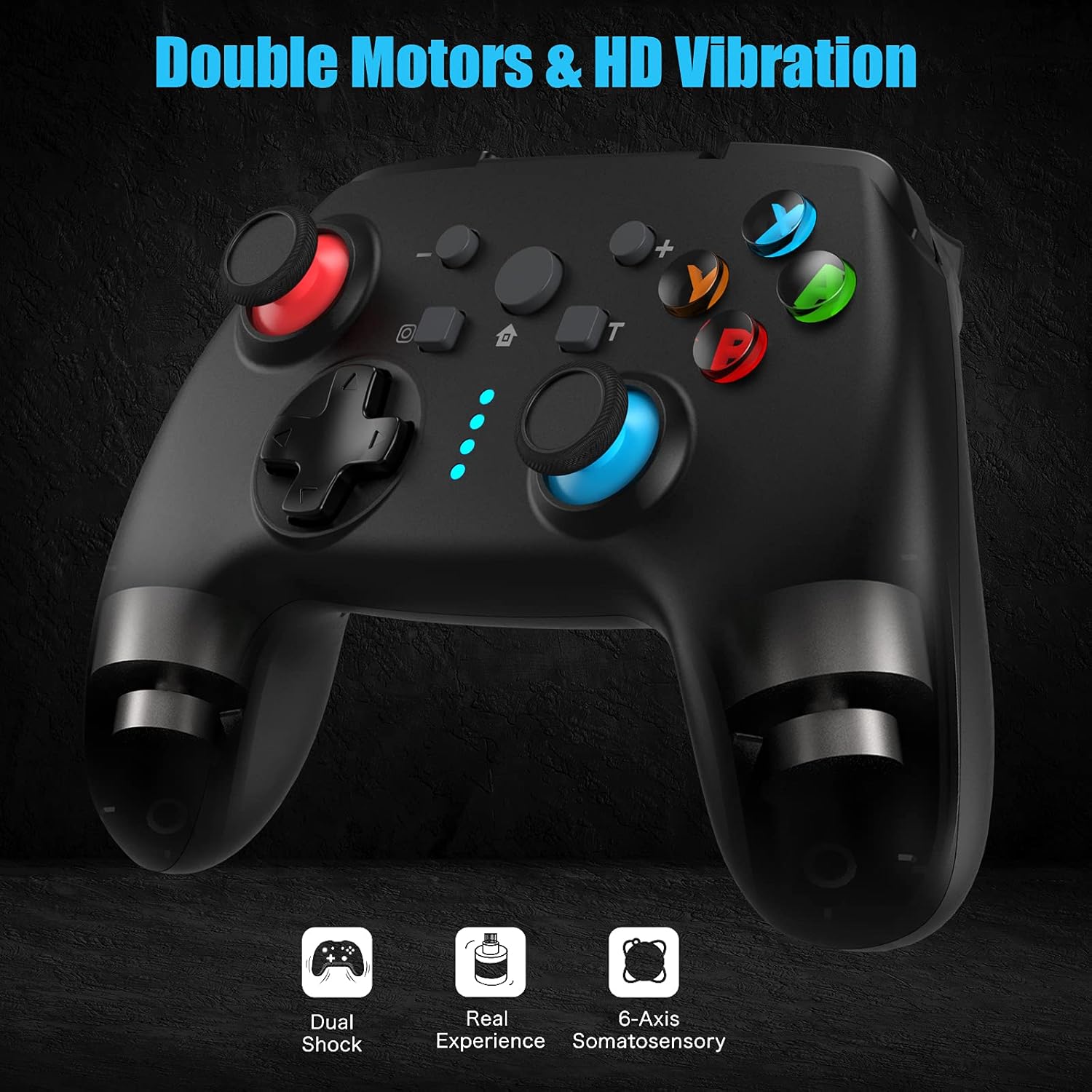
Figure 7: Dual Shock Vibration Feature
5. Screenshot Capture
Tryk på Skærmbillede knap (located near the Home button) to instantly capture your in-game moments.
6. Opvågningsfunktion
When the Switch console is in sleep mode, you can press the Hjem-knap på controlleren for at vække konsollen og automatisk genoprette forbindelsen til controlleren.
Opretholdelse
1. Charging Guidelines
- Charge the controller when the battery indicator is low.
- Undgå overopladning; frakobl når den er fuldt opladet.
- The controller supports charging while playing.
2. Rengøring og opbevaring
- Rengør controlleren med en blød, tør klud. Brug ikke skrappe kemikalier eller slibende materialer.
- Opbevar controlleren et køligt, tørt sted væk fra direkte sollys og ekstreme temperaturer.
- If not used for an extended period, charge the controller at least once every three months to maintain battery health.
3. Automatisk dvalefunktion
The controller will automatically enter sleep mode after 5 minutes of no input to conserve battery life. Press any button to wake it up.
Fejlfinding
- Controller not connecting/pairing:
- Sørg for, at controlleren er opladet.
- Make sure the Switch console is updated to the latest system version.
- Try restarting the Switch console.
- Repeat the pairing process carefully.
- If issues persist, try connecting the controller via USB cable to the Switch dock (if applicable) to force a connection, then try wireless pairing again.
- Buttons or sticks unresponsive:
- Kontroller batteriniveauet.
- Ensure the controller is within the 10m wireless range.
- Restart the controller by holding the Home button for 10 seconds until it turns off, then turn it back on.
- If connected to PC, try a different USB port.
- Vibrationen virker ikke eller er for svag/stærk:
- Adjust the vibration intensity as described in the "Operating Instructions" section.
- Sørg for, at spillet understøtter vibrationsfeedback.
- Turbofunktionen virker ikke:
- Ensure you have correctly assigned the Turbo function to the desired button.
- Check if the Turbo speed is set appropriately.
Specifikationer
| Feature | Detalje |
|---|---|
| Mærke | Diswoe |
| Modelnavn | Controller til Nintendo Switch |
| Forbindelsesteknologi | Wireless (Bluetooth), USB (Wired) |
| Controller type | Gamepad |
| Kompatible platforme | Nintendo Switch, Switch Lite, OLED, PC |
| Batteritype | Lithium-ion (600 mAh) |
| Opladningstid | Ca. 2-3 timer |
| Spilletid | Op til 12 timer |
| Wireless Range | Op til 10 meter |
| Særlige funktioner | 6-Axis Gyro, Adjustable Turbo, Dual Shock Vibration, Screenshot Capture, Wake-up Function |
| Antal knapper | 16 |
| Farve | Sort |
Garanti og support
Information regarding specific warranty terms and conditions for this product is not provided in the available data. For warranty claims, technical support, or further inquiries, please contact the manufacturer or your point of purchase. Keep your purchase receipt as proof of purchase.
Manufacturer: Diswoe


