1. Indledende opsætning
Udpakning og første brug
Upon receiving your ZZN ZT02 Wireless Headphones, open the charging case. Before first use, ensure to remove any protective films from the charging contacts on the earbuds. If the earbuds do not power on immediately, place them into the charging case to charge fully.
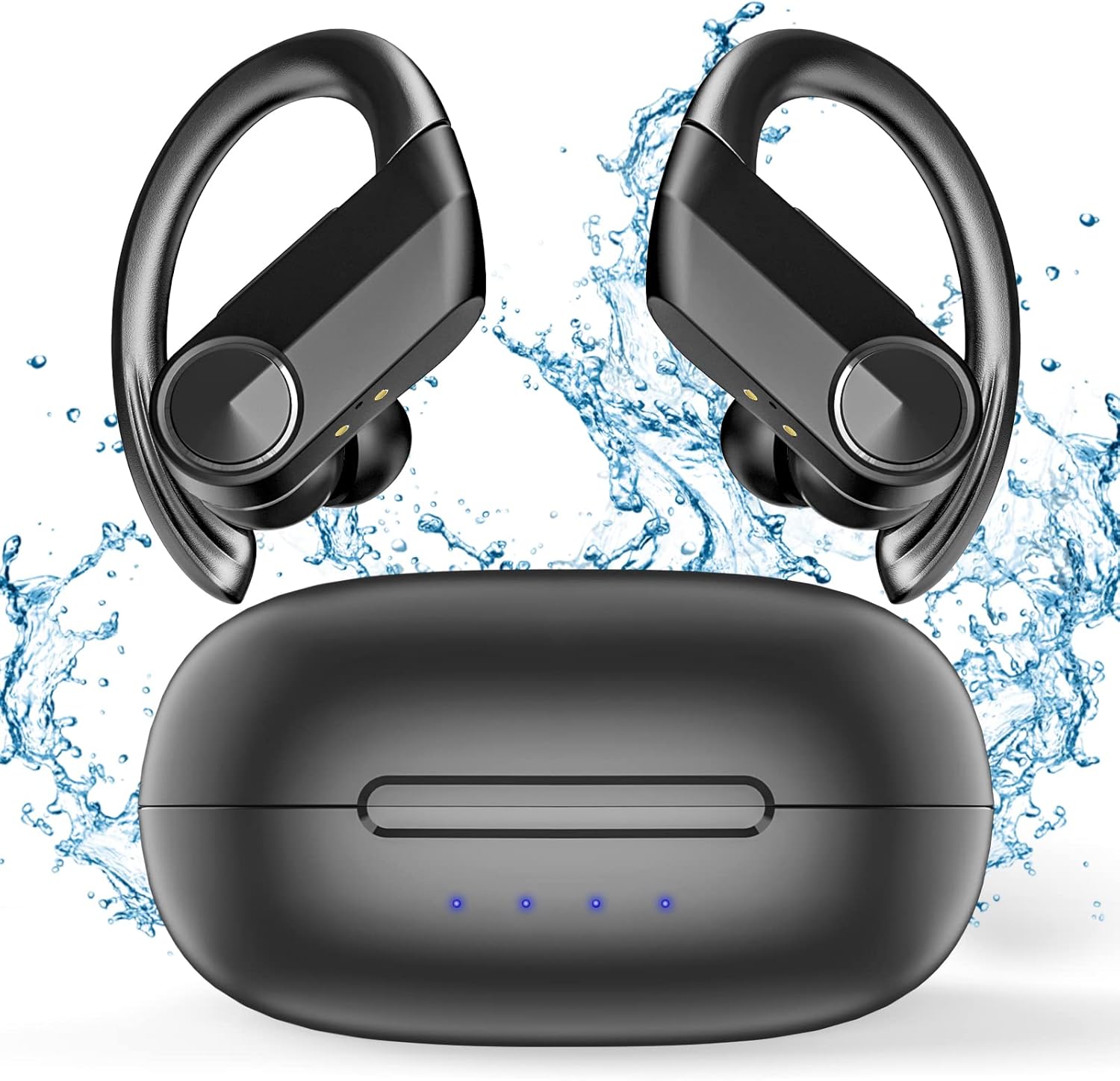
The ZZN ZT02 Wireless Headphones come with a charging case. Before first use, ensure to remove any protective films from the charging contacts on the earbuds.
Watch this official video from ZZN_Store for a visual guide on how to use your ZZN ZT02 earbuds, including initial setup and basic functions.
Parringsvejledning
To pair your ZZN ZT02 headphones with your device, open the charging case and take out both earbuds. They will automatically power on and enter pairing mode. On your smartphone or Bluetooth-enabled device, navigate to the Bluetooth settings and select "ZT02" from the list of available devices. Once connected, you will hear an audible confirmation.

To pair your ZZN ZT02 headphones, open the charging case, take out the earbuds, and enable Bluetooth on your device. Select 'ZT02' from the available devices.
2. Betjening af dine hovedtelefoner
Musik kontrol
The ZZN ZT02 headphones feature intuitive controls for managing your music playback:
- Afspil/pause: Klik én gang på multifunktionsknappen (MFB).
- Lydstyrke op: Click the volume + button.
- Skrue ned for lyden: Click the volume - button.
- Næste sang: Hold the volume + button for 1 second.
- Forrige sang: Hold the volume - button for 1 second.

The earbuds feature multi-function buttons (MFB) for controlling music. Single click to play/pause, hold for 1 second on volume + for next song, hold for 1 second on volume - for previous song.
Opkaldsstyring
Manage your calls effortlessly with the MFB:
- Accept/End Call: Klik på MFB én gang.
- Afvis opkald: Hold the MFB for 1 second.
Aktivering af stemmeassistent
Quickly access your device's voice assistant:
- Aktivér Siri/Stemmeassistent: Dobbeltklik på MFB.
3. Vedligeholdelse og pleje
Rengøringsvejledning
To ensure the longevity and optimal performance of your ZZN ZT02 headphones, proper cleaning is essential. The earbuds are IPX5 waterproof, making them resistant to sweat and light rain, but they are not designed for submersion.
After each use, especially after workouts or exposure to moisture, gently wipe the earbuds with a soft, dry cloth. Pay particular attention to the charging contacts on the earbuds and inside the charging case to ensure they are free of sweat, water, or debris. Always ensure the earbuds are completely dry before placing them back into the charging case to prevent damage.

The ZZN ZT02 headphones are IPX5 waterproof. After intense workouts or exposure to water, always dry the earbuds thoroughly before placing them back into the charging case.

Ensure the charging contacts on both the earbuds and the case are clean and dry to prevent damage during charging.
Batterilevetid og opladning
The ZZN ZT02 headphones offer extended listening time:
- Each earbud provides approximately 6 hours of playtime on a single charge.
- The 500mAh charging case offers an additional 4 full charges, extending total listening time to 30 hours.
- A quick 15-minute charge provides 1 hour of playtime.

Each earbud provides approximately 6 hours of playtime. The 500mAh charging case offers an additional 4 full charges, extending total listening time to 30 hours. A 15-minute charge provides 1 hour of playtime.
4. Fejlfinding
If you encounter any issues with your ZZN ZT02 Wireless Headphones, please refer to the following common problems and solutions:
- Ørepropper parrer ikke:
Ensure Bluetooth is enabled on your device. Place the earbuds back into the charging case, close the lid, wait a few seconds, then open it again and try re-pairing. If issues persist, try forgetting the device on your phone's Bluetooth settings and re-pairing. - Ingen lyd eller lav lydstyrke:
Check the volume levels on both your device and the earbuds. Ensure the earbuds are properly seated in your ears. Re-pair the earbuds with your device. Confirm the earbuds are charged. - Kun én øreprop virker:
Place both earbuds back into the charging case, close the lid, and then open it again. This often re-syncs them. Ensure both earbuds are charged. Clean the charging contacts on both earbuds and inside the case. - Opladningsproblemer:
Ensure the charging cable is securely connected to both the case and a power source. Verify the power source is active. Clean the charging contacts on the earbuds and inside the case to remove any dirt or debris. Ensure the earbuds are dry before charging.
5. Produktspecifikationer
| Feature | Specifikation |
|---|---|
| Modelnavn | ZT02 |
| Forbindelsesteknologi | Trådløs |
| Trådløs kommunikationsteknologi | Bluetooth |
| Vandmodstandsniveau | Vandtæt (IPX5) |
| Bæretaske Batteri Gennemsnitlig levetid | 20 timer (ekstra spilletid) |
| Varens vægt | 5 ounce |
| Produktdimensioner | 2.9 x 2.6 x 1.6 tommer |
| Støjkontrol | Aktiv støjreduktion |
6. Garanti og support
Begrænset garanti
ZZN products are manufactured to the highest quality standards. Your ZZN ZT02 Wireless Headphones come with a limited warranty against defects in materials and workmanship from the date of original purchase. Please retain your proof of purchase for warranty claims.
Kundesupport
For further assistance, technical support, or warranty inquiries, please visit the official ZZN Store or contact our customer service team. Our dedicated support staff is ready to help you with any questions or concerns.
Visit the ZZN Store: ZZN Official Store


