Indledning
This manual provides detailed instructions for the setup, operation, and maintenance of your SINGCALL Caregiver Pager Wireless Call Button System. This system is designed to provide a reliable and convenient way for individuals needing assistance to alert their caregivers.
Produkt overview
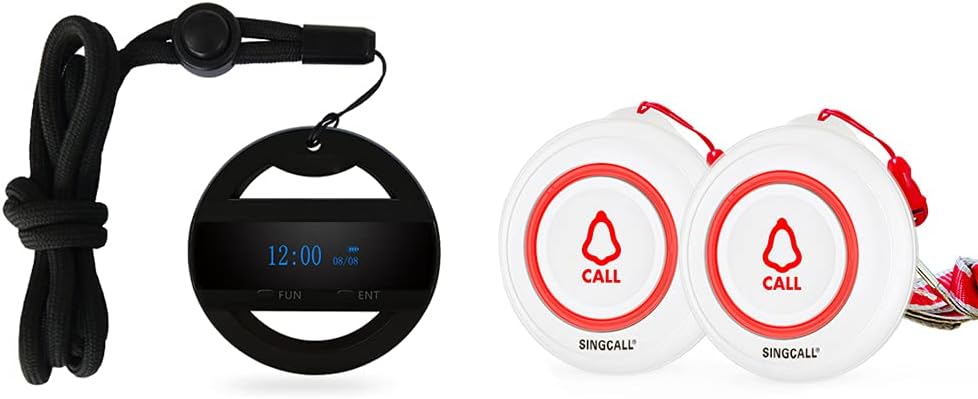
Komponenter
- 1 Mobile Receiver: A portable device that displays call alerts.
- 2 Call Buttons: Wireless buttons used to send call alerts.
Nøglefunktioner
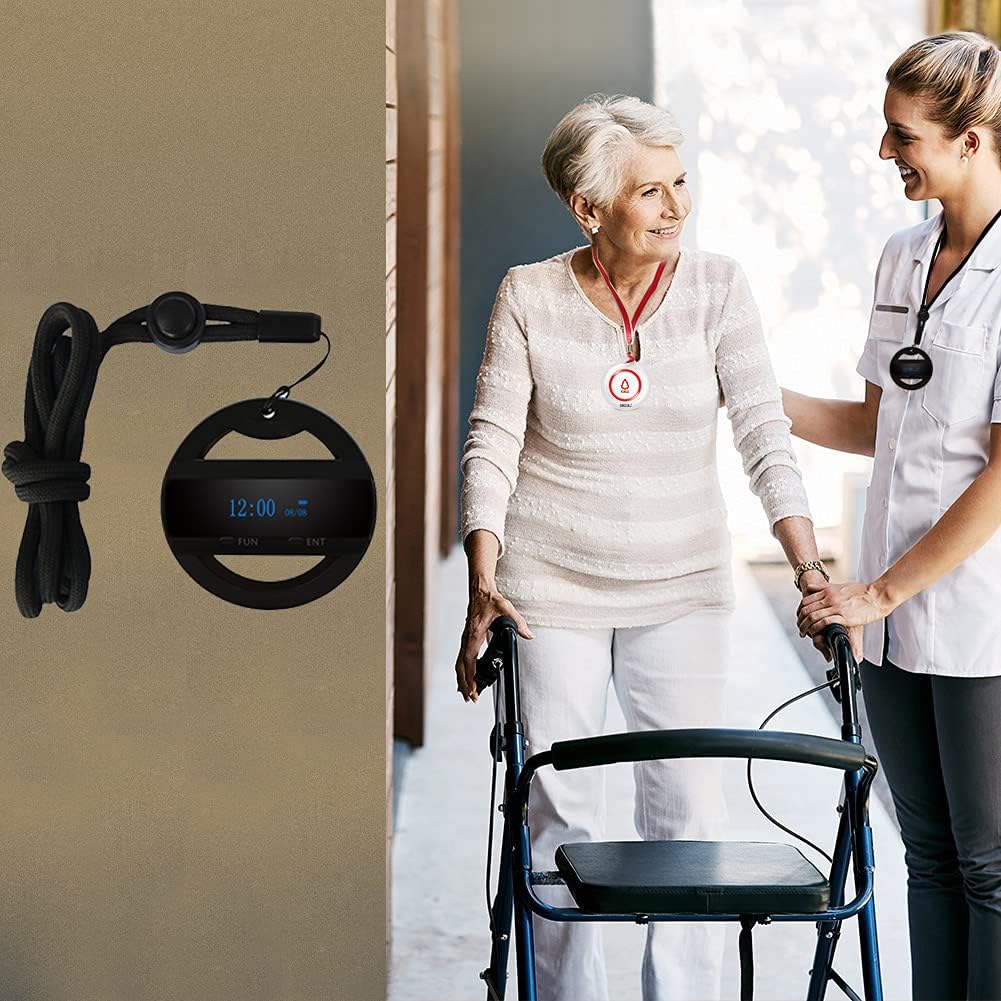
- Wrist Pager Receiver: Can be worn around the neck with a lanyard.
- Multifunktionel modtager: Includes calendar, clock, and alarm clock functions.
- Genopladeligt batteri: Receiver offers extended standby time (2-3 days).
- Fast Delete Function: Allows quick deletion of individual or all registered numbers from the receiver.
- Encryption Function: Receiver protects against accidental data loss.
- Waterproof Call Button: Emergency call buttons are designed to be waterproof.
- Bred kompatibilitet: SOS Transmitters are compatible with all SINGCALL receivers.
- Lang transmissionsafstand: Approximately 500 feet wireless range.
- Portable Call Button: Easy to carry, can be worn, taped, or placed conveniently.
Produktbilleder


Opsætningsinstruktioner
1. Opladning af modtageren
Before first use, fully charge the mobile receiver using the provided charging cable. The battery indicator on the OLED display will show charging status.
2. Pairing Call Buttons with Receiver
To ensure the call buttons communicate with the receiver, they must be paired. Follow these steps:
- Turn on the mobile receiver.
- Enter the pairing mode on the receiver (refer to the receiver's on-screen menu for 'Pairing' or 'Registration' option).
- Press the call button you wish to pair. The receiver should confirm successful pairing with a display message or sound.
- Repeat for all additional call buttons.
For a visual guide on the pairing process, please refer to the video below:
Video demonstrating the pairing process between the SINGCALL mobile receiver and call buttons.
3. Wearing and Placement
- Modtager: Use the provided lanyard to wear the receiver around the neck for easy access by the caregiver.
- Opkaldsknapper: Call buttons can be worn around the neck, placed in a pocket, or mounted on a wall near the user's bed, bathroom, or common areas. Ensure they are within easy reach.
Betjeningsvejledning
1. Foretagelse af et opkald
To send an alert, simply press the 'CALL' button on the wireless call button. The button will illuminate briefly, indicating the signal has been sent.
2. Receiving a Call Alert
When a call button is pressed, the mobile receiver will:
- Display the calling number on its OLED screen.
- Emit an audible alert (if enabled).
- Vibrate (if enabled).
Acknowledge the call by attending to the individual who initiated the alert.
3. Using Receiver Functions
- Clock/Calendar: The receiver displays the current time and date. Adjust these settings via the 'FUN' (Function) button.
- Vækkeur: Set alarms through the receiver's menu for reminders.
- Delete Registered Numbers: Use the 'ENT' (Enter) button and 'FUN' button to navigate the menu and delete specific call button registrations or clear all.
Opretholdelse
1. Battery Replacement (Call Buttons)
The call buttons use CR2 batteries. When the button's indicator light fails to illuminate or the range decreases significantly, replace the battery. Carefully open the button casing, replace the battery with a new CR2 battery, and ensure the casing is sealed properly to maintain its waterproof integrity.
2. Rensning
Wipe the receiver and call buttons with a soft, damp cloth. Do not use harsh chemicals or abrasive cleaners. Ensure the devices are dry before use or charging.
Fejlfinding
- No Signal/Receiver Not Alerting:
- Ensure the call button battery is not depleted.
- Verify the call button is paired with the receiver. Re-pair if necessary.
- Check if the receiver's volume or vibration settings are enabled.
- Ensure the call button and receiver are within the specified operating range (approx. 500ft in open air, less indoors due to obstacles).
- Receiver Not Charging:
- Check the charging cable and adapter for damage.
- Ensure the charging port on the receiver is clean and free of debris.
- Incorrect Time/Date on Receiver:
- Access the receiver's menu using the 'FUN' button to adjust time and date settings.
Produktspecifikationer
| Feature | Detalje |
|---|---|
| Kontrolmetode | Røre |
| Støjniveau | 9 decibel |
| Size (Call Button) | 2.2 inches (5.5 cm) diameter |
| Varens vægt | 7.2 g (samlet pakke) |
| Pakkedimensioner | 4.3 x 3.6 x 2.5 tommer |
| Batteries (Call Buttons) | 2 CR2 batterier påkrævet (medfølger) |
| Display Style (Receiver) | OLED |
| Battericelletype | Lithium-mangandioxid |
| Strømkilde | Batteridrevet |
| Voltage | 3.7 volt |
| Arbejdstemperatur | -4°F til 122°F |
| Waterproof Rating (Call Button) | IP55 |
Garanti og support
For warranty information and technical support, please refer to the product packaging or contact SINGCALL customer service directly. Keep your purchase receipt for warranty claims.

