Indledning
This manual provides comprehensive instructions for the installation and care of your Ailun Tempered Glass Screen Protector. Designed to offer maximum protection from scratches, scrapes, and impacts, this screen protector ensures your device's display remains pristine while maintaining touch sensitivity and clarity.
Pakkens indhold
Each Ailun Screen Protector package includes the following items:
- 3 x skærmbeskyttere af hærdet glas
- 3 x Wet Wipes (for initial cleaning)
- 3 x Dry Wipes (for drying and polishing)
- Dust Absorber Stickers (for removing fine dust particles)
- Guide Stickers (for precise alignment during installation)
- Installation Frame (for easy and accurate placement)
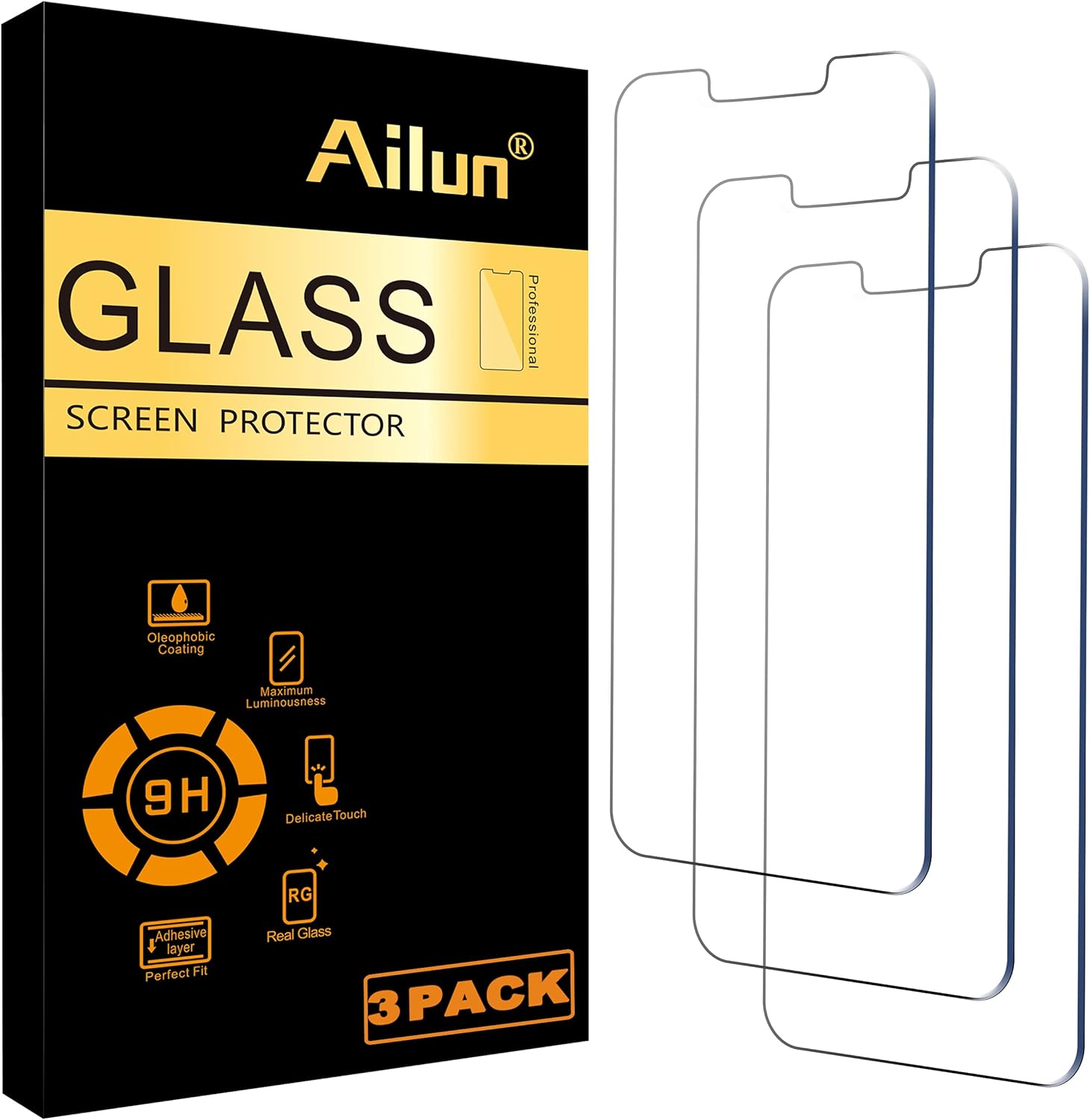
Image: Contents of the Ailun Screen Protector package, showing the box and three individual glass protectors.
Kompatibilitet
This screen protector is specifically designed for the following iPhone models with a 6.1-inch display:
- iPhone 16e
- iPhone 14
- iPhone 13
- iPhone 13 Pro
Note: This product is NOT compatible with iPhone 16 (6.1 inch), iPhone 13 mini (5.4 inch), iPhone 13 Pro Max/iPhone 14 Pro Max/iPhone 14 Plus (6.7 inch), or iPhone 14 Pro (6.1 inch).

Image: Visual guide illustrating compatible and incompatible iPhone screen sizes for the protector.
Installationsvejledning
Følg disse trin omhyggeligt for en boblefri og perfekt justeret installation:
1. Clean the Screen:
Use the provided wet wipe (labeled '1') to thoroughly clean your phone's screen, removing any dirt, oil, or fingerprints. Follow immediately with the dry wipe (labeled '2') to ensure the screen is completely dry and free of streaks.
2. Remove Dust:
Gently dab the screen with the dust absorber sticker to pick up any remaining dust particles. Ensure no dust is visible on the screen before proceeding.
3. Position the Installation Frame:
Place the green installation frame onto your iPhone. This frame will help guide the screen protector for precise alignment.
4. Prepare the Screen Protector:
Carefully peel off the protective layer from the back of the screen protector (labeled '1 BACK'). Avoid touching the sticky side of the protector to prevent fingerprints.
5. Apply the Protector:
Align the screen protector with the installation frame and gently lower it onto your phone's screen. The self-adhesive layer will automatically adhere to the screen, often pushing out air bubbles on its own.
6. Remove Bubbles:
If any small bubbles remain, gently push them towards the nearest edge using a soft cloth or a credit card wrapped in a cloth. Most bubbles will disappear within 24-48 hours.
7. Sidste hånd:
Carefully remove the installation frame. Your screen is now protected.


Images: Visual steps for applying the screen protector and smoothing out bubbles.
Nøglefunktioner
The Ailun Tempered Glass Screen Protector offers a range of features designed for optimal device protection and user experience:
- 9H hårdhed: Provides maximum protection against scratches, scrapes, and high-impact drops.
- Ultra-Clear HD Transparency: Ensures 99.99% light transmittance, preserving the original display quality and brightness.
- Oleophobic and Hydrophobic Coating: Repels sweat, oil, and fingerprints, making the screen easy to clean and maintaining a clear view.
- Etuivenligt design: Specifically designed to leave a small gap around the edges, ensuring compatibility with most phone cases without lifting.
- Delicate Touch Sensitivity: Maintains original touch screen accuracy and responsiveness for seamless operation.
- 2.5D Rounded Edges: Provides a smooth, comfortable feel and prevents chipping.

Billede: Overview of key features including hardness, clarity, and case compatibility.

Image: Demonstration of the screen protector's scratch-proof capabilities.

Image: Illustrates the ultra-clear nature of the tempered glass.
Opretholdelse
To keep your screen protector clean and clear, simply wipe it regularly with a soft, lint-free cloth. The oleophobic coating helps resist fingerprints and smudges, making cleaning effortless.
Avoid using harsh chemicals or abrasive materials, as these can damage the coating and the protector itself.
Fejlfinding
Bobler efter installation:
Small bubbles may appear immediately after installation. Most of these will naturally disappear within 24-48 hours as the adhesive fully settles. For stubborn bubbles, gently push them towards the nearest edge using a soft cloth or a credit card wrapped in a cloth.
"White Halo Effect":
In rare cases (approximately 1 in 10,000 phones), some iPhone models may have a slightly curved screen that prevents the screen protector from fully adhering to the edges, creating a "white halo" effect. This is due to the phone's design, not a defect in the screen protector. If this occurs, your screen is still protected, and you are fully covered by our replacement guarantee.
Genansøgning:
If the initial application is misaligned or has significant dust, you may carefully lift the protector from one corner and re-apply it. However, repeated re-applications may reduce the adhesive's effectiveness.
Specifikationer
| Attribut | Detalje |
|---|---|
| Produktdimensioner | 6.5 x 3.15 x 3.54 tommer |
| Varens vægt | 2.12 ounce |
| Varemodelnummer | iPhone 16e/14/13/13 Pro-6.1 Inch |
| Materiale | Hærdet glas |
| Varens hårdhed | 9H |
| Skærmstørrelse | 6.1 tommer |
| Antal enheder | 3 tæller |
| Farve | Gennemsigtig |
| Fabrikant | AilunUS |
| Oprindelsesland | Kina |
Garanti og support
Ailun offers a 100% Money Back / Replacement Guarantee for its screen protectors. If you encounter any issues such as defects, bubbles, dust, wrong item received, or damage during transit, please contact Ailun customer support for a full refund or replacement.
For more information or support, please visit the official Ailun website or contact customer service via email.
Webwebsted: www.ailun.com
E-mail: support@ailun.com


