1. Introduktion og overview
This manual provides essential information for the safe and efficient operation of your OMTech 50W Fiber Laser Engraver with Rotary Axis. This machine is designed for precise marking and etching on various materials, including metals and certain plastics. Please read this manual thoroughly before initial use and retain it for future reference.

Image 1.1: The OMTech 50W Fiber Laser Engraver system, including the laser head, control unit, and rotary axis.
The OMTech 50W Fiber Laser Engraver features a durable solid-state laser source with an average service life exceeding 100,000 hours. Its high-speed galvanometric system ensures rapid scanning and engraving, capable of marking at speeds up to 10,000 mm/s. The compact F-theta field lens provides a 7.9x7.9 inch (200x200 mm) workbed with less than 1% distortion, ensuring high precision for detailed designs.
2. Sikkerhedsoplysninger
Operating a laser engraver requires strict adherence to safety protocols to prevent injury. This device is a Class 2 laser product (0.874 mW output power). Always prioritize safety.
- Øjenbeskyttelse: Always wear the provided protective eyewear when the laser is in operation. Never look directly into the laser beam or at reflections.
- Nødstop: Familiarize yourself with the location and function of the emergency stop button. In case of any malfunction or hazard, immediately press this button to cut power to the laser.
- Arbejdsområde: Ensure the work area is clear of flammable materials. Do not operate the laser near explosive gases or vapors.
- Ventilation: Ensure adequate ventilation to dissipate fumes and particles generated during engraving.
- Uautoriseret brug: Use the access key to prevent unauthorized operation of the machine.

Image 2.1: The control panel with clearly marked emergency stop button, key switch, and laser activation button for safe operation.
3. Pakkens indhold
Kontroller, at alle komponenter er til stede og ubeskadigede ved udpakning. Hvis der mangler eller er beskadigede dele, skal du straks kontakte kundesupport.
- Fiber Laser Engraver Unit (Laser Head and Column)
- Kontrolenhed
- Roterende aksefastgørelse
- Beskyttelsesbriller
- Strømkabel
- USB Drive with EzCad2 Software
- USB kabel
- Focusing Ruler/Gauge
- Brugervejledning (dette dokument)
4. Opsætningsvejledning
Follow these steps to set up your OMTech Fiber Laser Engraver:
- Udpakning: Carefully remove all components from the packaging. Retain packaging for potential future transport or service.
- Placering: Place the laser engraver unit and control unit on a stable, level surface in a well-ventilated area.
- Forbindelser: Connect the laser head to the control unit using the provided cables. Connect the power cable to the control unit and a grounded power outlet. Connect the control unit to your computer via the USB cable.
- Software installation: Insert the provided USB drive into your computer. Install the EzCad2 software. Ensure your operating system meets the software requirements.
- Rotary Axis (Optional): If using the rotary axis, connect it to the 4-pin port on the control unit.

Image 4.1: The height adjustment knob for convenient manual focusing of the laser head.
5. Betjeningsvejledning
This section outlines the basic steps for operating your laser engraver.
5.1. Fokusering af laseren
Accurate focusing is crucial for optimal engraving results.
- Place your material on the workbed.
- Activate the red dot pointer (usually via software or a dedicated button).
- Adjust the height of the laser head using the manual focus knob until the two red dots from the pointer converge into a single, sharp dot on the material surface.
- The red dot guidance also provides an outline or pattern preview on the workpiece, aiding in precise positioning.

Image 5.1: Red dot guidance system showing outline and pattern preview on a workpiece for precise alignment.
5.2. Using EzCad2 Software
The EzCad2 software is used to create and control your engraving projects. The device is also compatible with LightBurn software.
- Launch EzCad2 on your computer.
- Import or create your design. The software supports various image formats.
- Adjust laser parameters such as power, speed, frequency, and number of passes according to your material and desired effect.
- Brug preview function to verify the engraving area and pattern.
- Ensure protective eyewear is worn, then initiate the engraving process.

Image 5.2: EzCad2 software interface on a computer, demonstrating design capabilities and LightBurn compatibility.
5.3. Rotary Axis Operation
Den medfølgende roterende akse muliggør gravering på buede eller cylindriske overflader.
- Attach the rotary axis to the laser engraver unit and connect it to the control unit.
- Secure the cylindrical object (e.g., ring, bracelet, cup) firmly in the rotary chuck.
- Adjust the height and position of the rotary axis and laser head to ensure proper focus and alignment with the object.
- Configure the rotary axis settings within the EzCad2 software for cylindrical engraving.
- Proceed with engraving as described in Section 5.2.

Billede 5.3: Eks.amples of cylindrical objects being engraved using the rotary axis, demonstrating its capability for curved surfaces.
6. Vedligeholdelse
Regelmæssig vedligeholdelse sikrer din lasergravørs levetid og optimale ydeevne.
- Rensning: Regularly clean the workbed and surrounding areas to remove debris and dust. Use a soft, lint-free cloth.
- Linsepleje: The F-theta scanning lens is a critical component. Clean it gently with lens cleaning solution and a specialized lens cloth only when necessary, following manufacturer guidelines. Avoid touching the lens surface with bare hands.
- Kabelinspektion: Periodically inspect all cables for signs of wear or damage. Replace any damaged cables immediately.
- Softwareopdateringer: Keep your EzCad2 or LightBurn software updated to the latest version for improved performance and features.
7. Fejlfinding
Dette afsnit omhandler almindelige problemer, du kan støde på.
- Ingen laseroutput:
- Ensure the machine is powered on and the key switch is in the 'ON' position.
- Check if the emergency stop button is disengaged.
- Kontroller, at alle kabler er korrekt tilsluttet.
- Confirm the laser is enabled in the software.
- Dårlig graveringskvalitet:
- Check laser focus. Re-focus the laser as described in Section 5.1.
- Adjust laser parameters (power, speed, frequency) for the specific material.
- Ensure the material surface is clean and free of obstructions.
- Inspect the lens for dirt or damage.
- Softwaren forbinder ikke:
- Ensure the USB cable is properly connected to both the control unit and the computer.
- Restart both the laser engraver and the computer.
- Check device drivers on your computer.
If you encounter issues not covered here or require further assistance, please contact OMTech customer support.
8. Specifikationer
| Feature | Specifikation |
|---|---|
| Modelnummer | FMM-5RW2U1 |
| Laser Power | 50W |
| Laser type | Solid-State Fiber Laser |
| Arbejdsområde | 7.9" x 7.9" (200 x 200 mm) |
| Graveringshastighed | Op til 10,000 mm/s |
| Graveringspræcision | 0.01 mm |
| Laser Source Service Life | Over 100,000 timer |
| Software kompatibilitet | EzCad2 (included), LightBurn (compatible) |
| Roterende akse | Inkluderet |
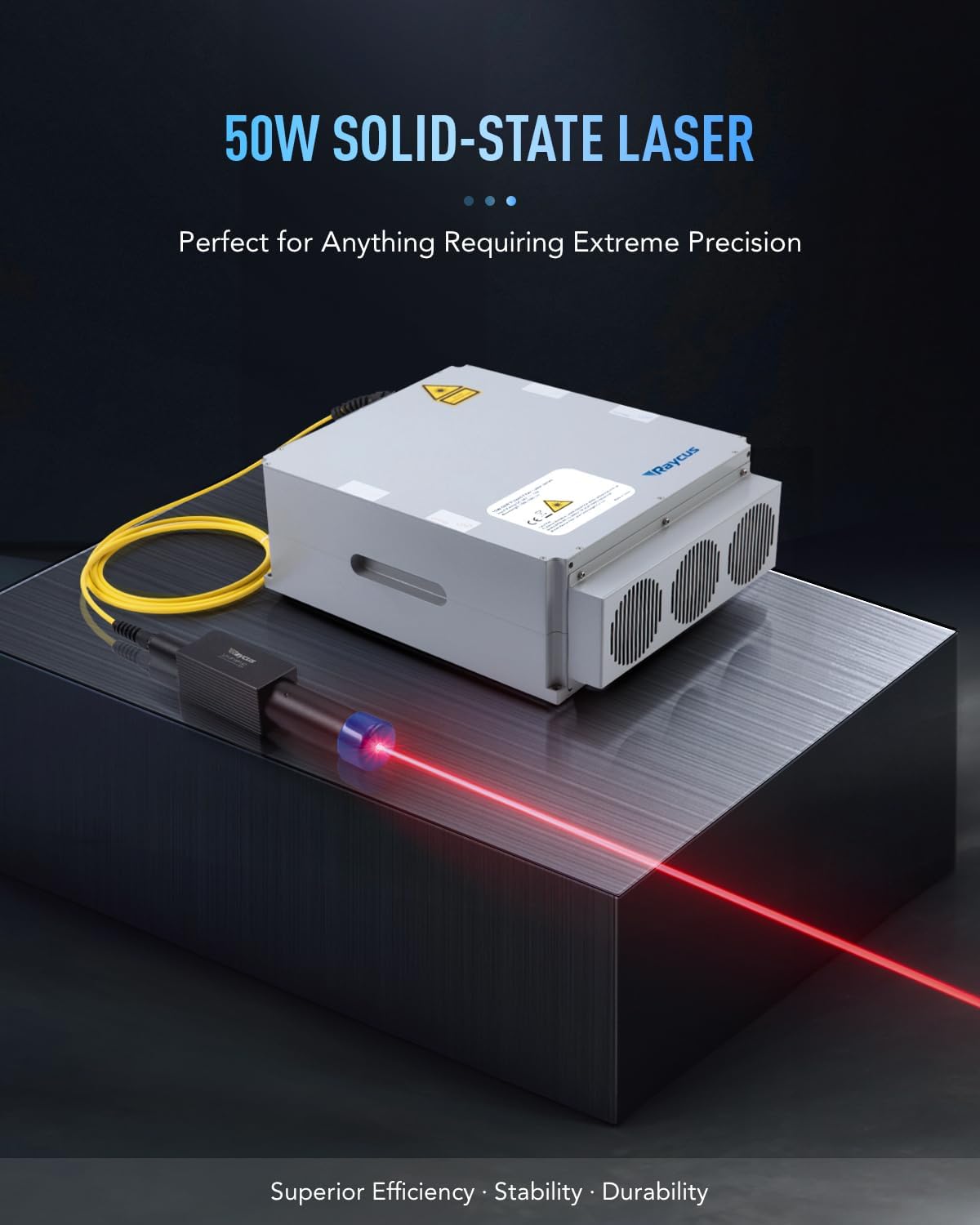
Image 8.1: The 50W solid-state fiber laser source, a key component of the engraver.

Image 8.2: Visual representation of the 7.9" x 7.9" work area and material capacity.
9. Garanti og support
OMTech provides customer support for their products. For warranty information, technical assistance, or service inquiries, please contact OMTech directly.
- Telefon: +1 (949) 438-4949
- E-mail support: SUPPORT@OMTECHLASER.COM
- Teknisk support via e-mail: TECHSUPPORT@OMTLASER.COM

Image 9.1: OMTech customer support contact details for assistance.


