1. Introduktion
BOG'enASING G4 is a powerful and versatile portable Bluetooth speaker designed to deliver high-quality audio with enhanced bass. Featuring a robust 50W output and advanced DSP technology, it ensures clear and balanced sound reproduction. Its durable, IPX7 waterproof design makes it ideal for various indoor and outdoor environments. With Bluetooth 5.3 and multiple playback modes, the G4 offers seamless connectivity and an immersive listening experience.
For an even more expansive sound, two G4 speakers can be paired together using the Wireless Stereo Function, creating a true surround sound experience with double the volume.

Image: The BOGASING G4 Bluetooth Speaker, a compact black rectangular device with a metal grille and gold accents, showcasing dens robuste design.
2. Pakkens indhold
Markér venligst feltet for følgende elementer:
- 1x BOGASING G4 Speaker Unit
- 1x 3.5mm lydkabel
- 1x USB-C opladerkabel
- 1x hurtigstartguide
3. Produktfunktioner
- High-Quality 50W Audio: Equipped with two drivers and passive radiators, the G4 delivers powerful sound with a maximum output of 50W. It is tuned for balanced sound across all frequencies, from crisp highs to deep lows.
- Digital Signal Processing (DSP): Integrated DSP algorithm ensures clear music reproduction that stays true to the original sound, minimizing distortion.
- Tre lydeffekttilstande: Customize your listening experience with BOGASING's unique sound effect modes: 3D Stereo, Clear Vocal, and Enhanced Bass.
- IPX7 Waterproof & Durable Design: The G4 features an IPX7 waterproof rating, making it suitable for use near water, such as pools or during outdoor activities. Its exterior is covered with soft rubber material, enhancing shock resistance.
- Forlænget afspilningstid: Enjoy up to approximately 24 hours of continuous music playback at moderate volume, ensuring your music lasts all day.
- Wireless Stereo Function (TWS): Pair two G4 speakers wirelessly to create a massive stereo soundstage with double the volume, providing an immersive surround sound experience.
- Multi-functional Playback Modes: Supports Bluetooth 5.3 for stable and efficient wireless connection. For non-Bluetooth devices, audio can be played via SD card, USB-C, or AUX IN cable.

Billede: En intern view af BOGASING G4 speaker, highlighting its dual drivers and passive radiators, capable of delivering 50W of audio output.

Billede: En udskæring view af BOGASING G4 speaker, illustrating the internal circuitry and emphasizing the integrated DSP technology for enhanced sound quality.
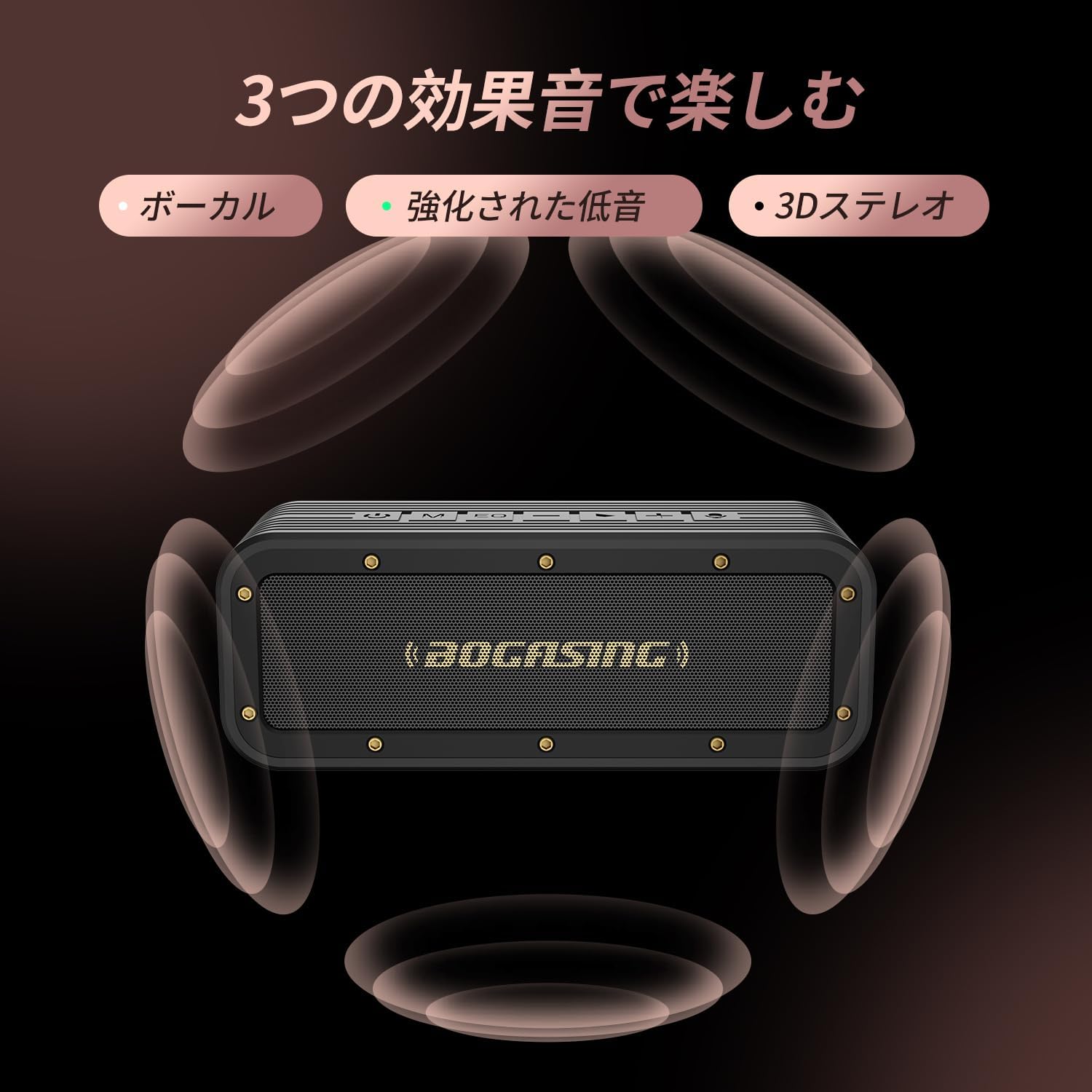
Image: The BOGASING G4 speaker surrounded by visual representations of sound waves, indicating its three distinct sound effect modes: Vocal, Enhanced Bass, and 3D Stereo.

Image: The BOGASING G4 speaker being splashed with water, visually demonstrating its IPX7 waterproof protection, suitable for various wet environments.
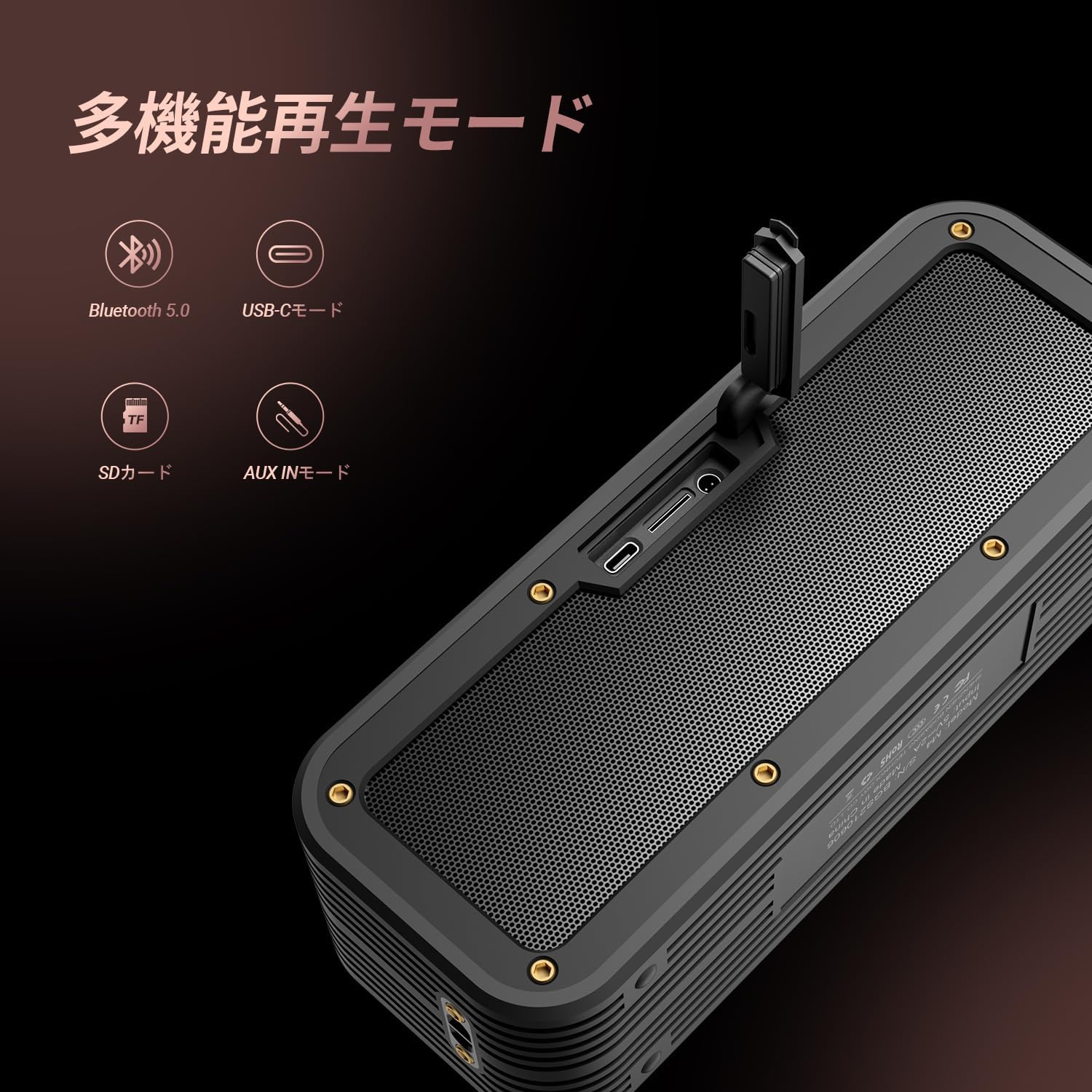
Image: The BOGASING G4 speaker with icons representing its various playback modes: Bluetooth 5.0, USB-C, SD Card, and AUX IN, highlighting its versatile connectivity.
4. Opsætning
4.1 Opladning af højttaleren
- Tilslut det medfølgende USB-C-opladerkabel til højttalerens USB-C-port.
- Tilslut den anden ende af kablet til en kompatibel USB-strømadapter (medfølger ikke) eller en computers USB-port.
- The charging indicator light will illuminate. Once fully charged, the light will change or turn off (refer to the Quick Start Guide for specific indicator behavior).
4.2 Tænd/sluk
- For at tænde: Tryk og hold tænd/sluk-knappen (⏻) for approximately 2-3 seconds until you hear an audible prompt and the indicator light turns on.
- For at slukke: Tryk og hold tænd/sluk-knappen (⏻) for approximately 2-3 seconds until you hear an audible prompt and the indicator light turns off.
4.3 Bluetooth -parring
- Ensure the speaker is powered on and in Bluetooth pairing mode (the Bluetooth indicator light will typically flash).
- Aktiver Bluetooth på din enhed (smartphone, tablet, computer) og søg efter tilgængelige enheder.
- Vælg "BOG"ASING G4" from the list of found devices.
- Once successfully paired, you will hear a confirmation sound, and the Bluetooth indicator light will become solid.
4.4 Wireless Stereo (TWS) Pairing
To pair two BOGASING G4 speakers for a stereo experience:
- Ensure both G4 speakers are powered on and not connected to any Bluetooth device.
- On one of the speakers (this will be the primary speaker), press the Power button twice quickly. You will hear a prompt indicating TWS pairing mode.
- The speakers will automatically search for and connect to each other. Once connected, you will hear a confirmation sound.
- Tilslut nu din enhed til den primære højttaler via Bluetooth som beskrevet i afsnit 4.3. Lyden afspilles i stereo gennem begge højttalere.
4.5 Connecting via AUX / USB-C / TF Card
- AUX-tilstand: Insert a 3.5mm audio cable into the AUX IN port on the speaker and connect the other end to your audio source's headphone jack. The speaker will automatically switch to AUX mode.
- USB-C Mode: Connect a USB-C cable to the speaker's USB-C port and to a compatible audio source (e.g., computer). The speaker may automatically switch to USB-C audio input.
- TF-korttilstand: Indsæt et TF-kort (microSD) med lyd files i TF-kortstikket. Højttaleren registrerer automatisk kortet og begynder at afspille musik.
5. Betjeningsvejledning
5.1 Knapfunktioner
BOG'enASING G4 features intuitive controls located on the top panel:
- Tænd/sluk-knap (⏻): Press and hold to power on/off. Double press for TWS pairing.
- Mode-knap (M): Press to switch between Bluetooth, AUX, USB-C, and TF Card playback modes.
- EQ-knap (EQ): Press to cycle through the three sound effect modes (3D Stereo, Clear Vocal, Enhanced Bass).
- Skrue ned for lyden (-): Tryk for at sænke lydstyrken. Tryk og hold nede for at gå til det forrige nummer.
- Afspil/Pause-knap (>): Press to play or pause music. Press to answer/end calls. Press and hold to reject calls.
- Lydstyrke op (+): Tryk for at øge lydstyrken. Tryk og hold nede for at gå til næste nummer.
- Mikrofonikon: Indicates the built-in microphone for hands-free calling.
5.2 Lydstyrkekontrol
Tryk på + knappen for at øge lydstyrken og - knappen for at reducere lydstyrken.
5.3 Sporstyring
Tryk og hold på + button for the next track. Press and hold the - knappen for det forrige spor.
5.4 Opkaldshåndtering
Når der kommer et opkald ind, mens du er forbundet via Bluetooth:
- Tryk på Afspil/pause knappen for at besvare et indgående opkald.
- Tryk på Afspil/pause knappen igen for at afslutte opkaldet.
- Tryk og hold på Afspil/pause knappen for at afvise et indgående opkald.
6. Vedligeholdelse
- Rensning: Use a soft, dry cloth to clean the speaker's surface. Do not use abrasive cleaners, alcohol, or other chemical solvents, as they may damage the finish.
- Opbevaring: Opbevar højttaleren et køligt, tørt sted væk fra direkte sollys og ekstreme temperaturer.
- Batteripleje: To prolong battery life, fully charge the speaker before first use and at least once every three months if not used regularly. Avoid completely draining the battery frequently.
- Vandtæthed: While the speaker is IPX7 waterproof, ensure the charging port and AUX port covers are securely closed before exposing it to water. Do not submerge the speaker for extended periods or expose it to saltwater or other chemicals. After exposure to water, wipe the speaker dry before charging.
7. Fejlfinding
Hvis du støder på problemer med din BOGASING G4 speaker, please refer to the following common problems and solutions:
| Problem | Mulig årsag | Løsning |
|---|---|---|
| Højttaleren tænder ikke. | Lavt batteri; Tænd/sluk-knappen er ikke trykket korrekt ind. | Oplad højttaleren helt. Tryk på tænd/sluk-knappen og hold den nede i 2-3 sekunder. |
| Ingen lyd eller forvrænget lyd. | Volume too low; Incorrect mode selected; Device not connected properly; Audio file spørgsmål. | Increase speaker and device volume. Ensure correct playback mode (Bluetooth, AUX, TF Card). Re-pair Bluetooth device. Try a different audio file. |
| Bluetooth-parring mislykkes. | Højttaler ikke i parringstilstand; Enhedens Bluetooth er slået fra; For langt fra højttaleren; Interferens. | Ensure speaker is in pairing mode (flashing light). Turn device Bluetooth off/on. Move device closer to speaker. Avoid strong electromagnetic interference. |
| TWS-parring mislykkes. | Højttalere er allerede tilsluttet andre enheder; Forkert parringsprocedure. | Sørg for, at begge højttalere er frakoblet fra andre enheder. Følg TWS-parringstrinene nøje (afsnit 4.4). |
| Højttaleren oplader ikke. | Defekt kabel eller adapter; Problem med opladningsporten. | Try a different USB-C cable and power adapter. Ensure the charging port is clean and free of debris. If the issue persists, contact customer support. |
8. Specifikationer
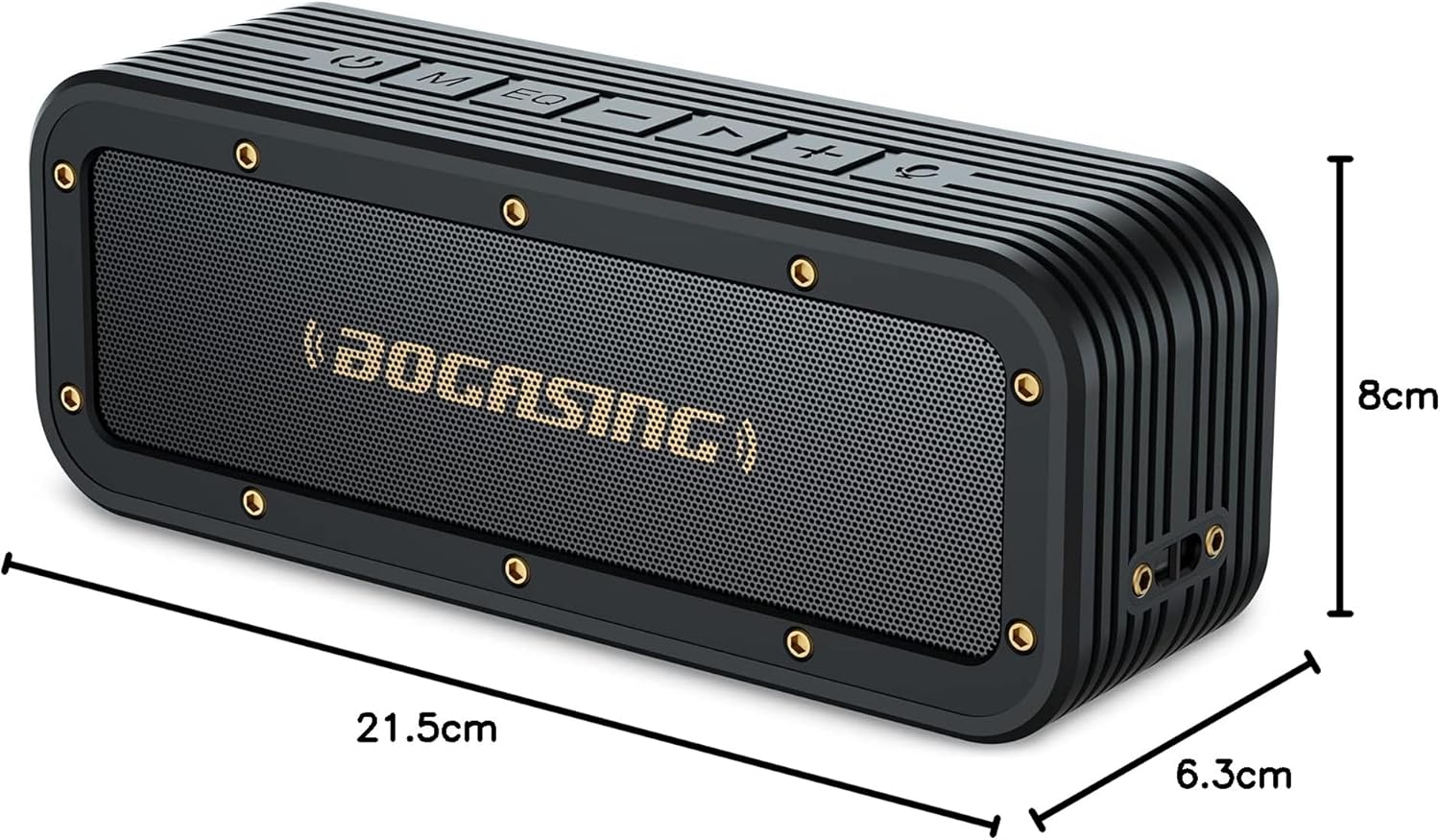
Image: The BOGASING G4 speaker with its dimensions clearly marked: 21.5cm length, 8cm height, and 6.3cm depth.
| Feature | Detalje |
|---|---|
| Mærke | MOSEASING |
| Modelnavn | G4 |
| Produkt Modelnummer | M4 |
| Højttaler type | Bærbar højttaler |
| Speaker Format | Aktiv |
| Højttalerens maksimale output | 50 Watts (Note: Some product descriptions may state 40W, but the feature bullet indicates 50W max output) |
| Wattage | 40 W |
| Forbindelsesteknologi | Bluetooth, AUX |
| Trådløs kommunikationsteknologi | Bluetooth |
| Bluetooth version | 5.3 |
| Strømkilde | Batteri |
| Batteritype | Lithium Ion (1 batteri inkluderet) |
| Vandtæt vurdering | IPX7 |
| Produktdimensioner | 22.8 x 8.6 x 6.4 cm (Længde x Bredde x Højde) |
| Produktets vægt | 0.88 kilo |
| Materiale | Plast |
| Farve | Sort |
| Subwoofer diameter | 50.8 millimeter |
| Frekvensrespons | 20 KHz |
| Anbefalet brug | Gaming, TV |
| Kompatible enheder | Computer, iPhone, MacBook, Laptop |
| Monteringstype | Bordplademontering |
| Antal genstande | 1 |
| Lydudgangstilstand | Stereoanlæg |
| Første ledige dato | 26. juli 2021 |
9. Garanti og support
9.1 Produktgaranti
BOG'enASING G4 Bluetooth Speaker comes with a 12 måneders garanti fra købsdatoen. Denne garanti dækker fabrikationsfejl og problemer, der opstår ved normal brug. Gem venligst din købsbevis til garantikrav.
9.2 Kundesupport
For any questions, technical assistance, or warranty claims, please contact BOGASING customer support through the retailer's platform where you purchased the product or visit the official BOGASING brand store online. Please have your product model number (M4) and purchase details ready when contacting support.
MOSEASING Official Store: Besøg BOGASING Store on Amazon.co.jp


