1. Introduktion
This manual provides essential information for the safe and effective use of your Amazon Echo Dot (5th Gen) smart speaker. Please read these instructions thoroughly before operating the device and retain them for future reference.

Image: Amazon Echo Dot (5th Gen) in Glacier White on a wooden surface, highlighting its compact size and capabilities.
2. Hvad er der i æsken
Kontroller, at alle varer er til stede i emballagen:
- Echo Dot (5th Gen) Device
- Glacier White Power Adapter (15W)
- Hurtig startvejledning
3. Produktet er slutview
The Amazon Echo Dot (5th Gen) is a compact smart speaker designed to deliver an enhanced audio experience and integrate seamlessly with your smart home ecosystem. It features a spherical design with a fabric finish and an LED light ring at the base.

Image: Amazon Echo Dot (5th Gen) in Glacier White, front view with glowing light ring.
Nøglefunktioner:
- Improved Audio: Features a 1.73” (44 mm) front-firing speaker for clearer vocals, deeper bass, and vibrant sound.
- Alexa Voice Assistant: Provides hands-free control for music, information, timers, and smart home devices.
- Privatlivskontroller: Includes a microphone off button and the ability to view and delete voice recordings.
- Smart Home Hub: Supports WiFi, Bluetooth Low Energy Mesh, and Matter for compatible smart home device control.
- Temperatursensor: Built-in sensor for triggering smart home routines.
- Tap Controls: Tap the top of the device to snooze alarms or pause music.
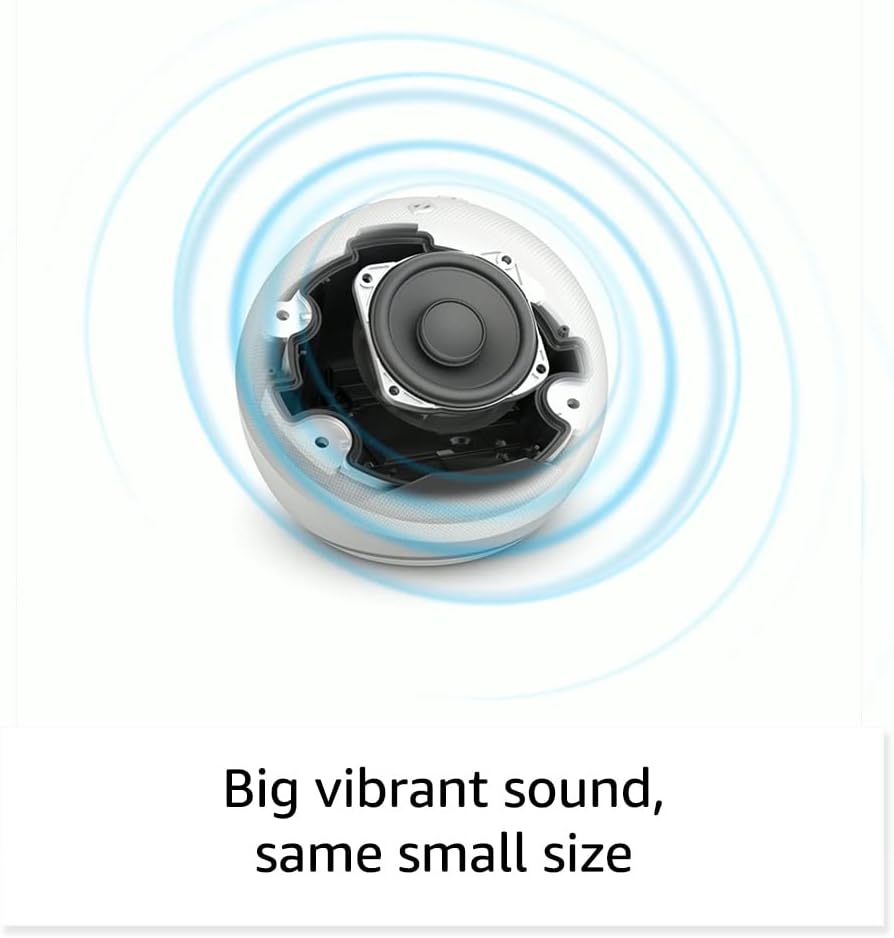
Billede: Intern view of the Amazon Echo Dot (5th Gen) speaker components, illustrating its audio design.
4. Opsætning
Follow these steps to set up your Echo Dot (5th Gen):
- Tilslut din Echo Dot: Tilslut den medfølgende strømadapter til din Echo Dot og derefter til en stikkontakt. Lysringen bliver blå og derefter orange, hvilket indikerer, at den er klar til opsætning.
- Download Alexa-appen: On your mobile device, download and install the Amazon Alexa app from your device's app store (compatible with Fire OS, Android, and iOS devices).
- Tilføj din enhed: Open the Alexa app. If prompted, sign in with your Amazon account. Tap the 'Devices' icon at the bottom, then the '+' icon in the top right corner. Select 'Add Device', then 'Amazon Echo', and choose 'Echo Dot'.
- Følg instruktionerne på skærmen: The app will guide you through connecting your Echo Dot to your Wi-Fi network. Ensure your Wi-Fi network supports 802.11a/b/g/n/ac (2.4 and 5 GHz). Ad-hoc networks are not supported.
- Placering: Place your Echo Dot in a central location within your room, away from walls or other objects that might obstruct sound.
5. Betjening af din Echo Dot
Voice Commands with Alexa:
To interact with your Echo Dot, simply say the wake word "Alexa," followed by your command or question. The light ring will turn blue to indicate Alexa is listening.
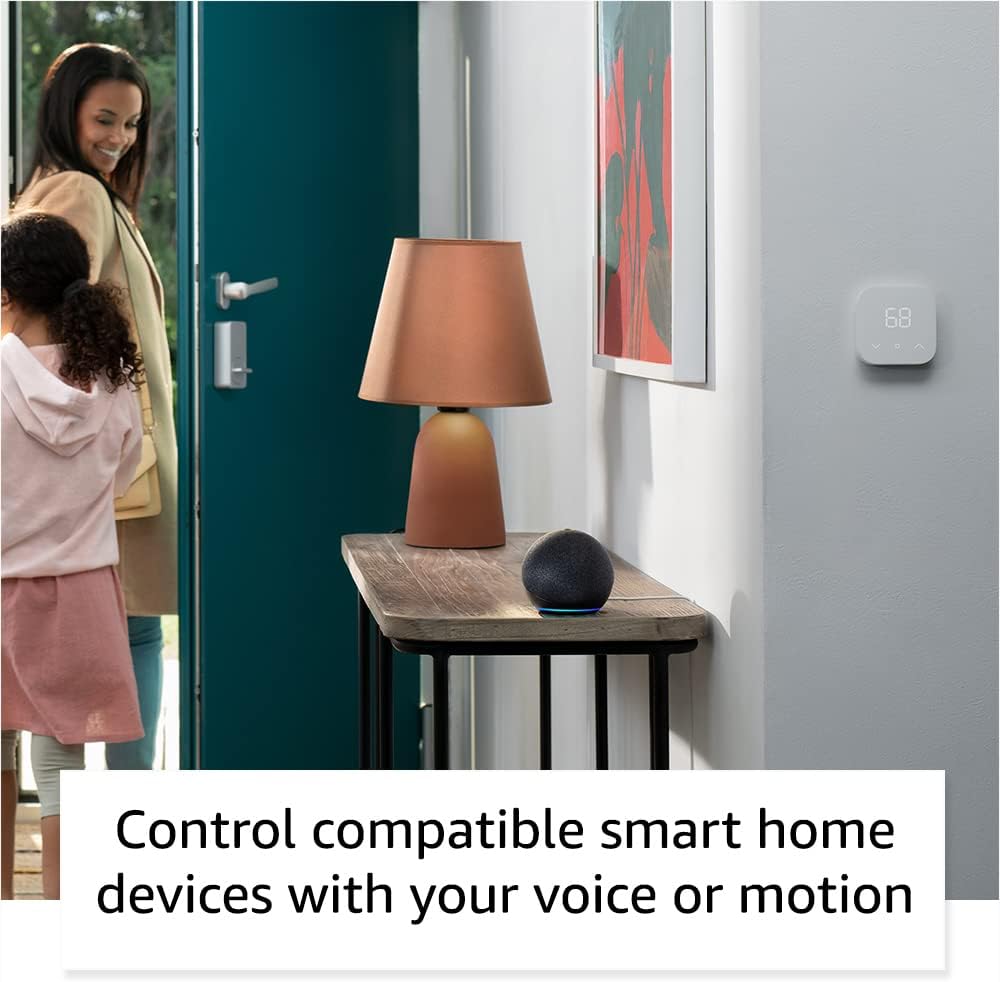
Image: Amazon Echo Dot (5th Gen) in Deep Sea Blue on a kitchen counter, demonstrating a user asking Alexa for the weather.
Almindelige kommandoer:
- "Alexa, afspil musik."
- "Alexa, hvordan er vejret?"
- "Alexa, indstil en timer til 10 minutter."
- "Alexa, fortæl mig en joke."
- "Alexa, skru op for lyden."
Tap Controls:
The top surface of your Echo Dot is touch-sensitive for quick actions:
- Tap to Snooze: When an alarm sounds, tap the top of the device to snooze it.
- Tap to Pause/Resume: Tap to pause or resume music playback.

Image: A hand tapping the top of the Amazon Echo Dot (5th Gen) in Glacier White, demonstrating the tap-to-snooze or pause music function.
6. Smart Home Integration
Your Echo Dot can control compatible smart home devices using voice commands or routines. It supports WiFi, Bluetooth Low Energy Mesh, and Matter protocols.
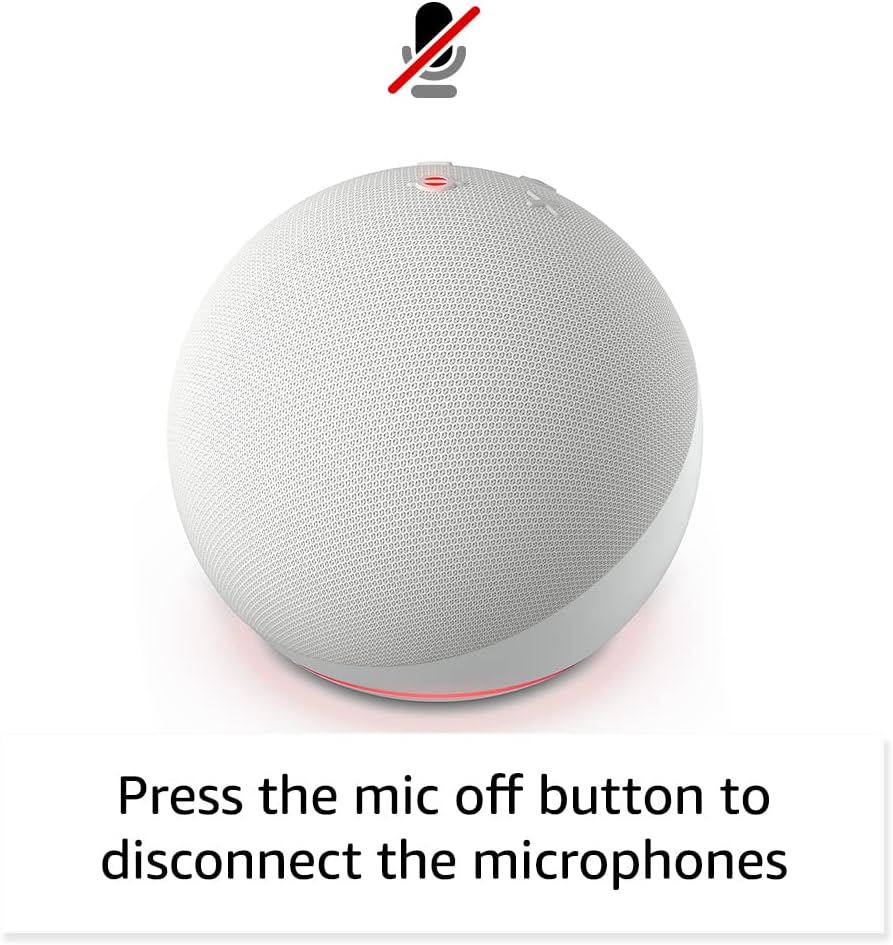
Image: Amazon Echo Dot (5th Gen) in a living space, illustrating its use for controlling compatible smart home devices.
Using the Temperature Sensor:
The built-in temperature sensor allows you to create routines in the Alexa app. For example, you can set a routine to automatically turn on a fan if the room temperature exceeds a specified comfort zone.
Amazonas fortov:
Amazon Sidewalk uses Echo and Ring devices to securely keep other devices connected and help find lost items. It can enable supported devices to remain connected even when Wi-Fi is lost or they are outside the range of their home Wi-Fi. Sidewalk uses a small portion of your internet bandwidth. You can manage Sidewalk settings in the Alexa app.
eero Built-in:
If you have a compatible eero router, your Echo Dot can extend Wi-Fi coverage. This feature requires linking your eero and Amazon accounts and managing it through the eero mobile application. eero Built-in compatible Echo devices support up to 1,000 sq. ft. of additional coverage, speeds up to 100 Mbps, and 10 or fewer connected devices in the 5 GHz band.
7. Privatlivsfunktioner
Amazon Echo devices are designed with multiple layers of privacy controls:
- Mikrofon fra-knap: Press the microphone off button on the top of your Echo Dot to electronically disconnect the microphones. The light ring will turn red to indicate the microphones are off.
- Voice Recordings: Du har evnen til at view, listen to, and delete your voice recordings through the Alexa app or your Amazon account settings.
- Wake Word-teknologi: The device only begins recording and sending audio to the cloud after it detects the wake word (e.g., "Alexa").
Image: Amazon Echo Dot (5th Gen) with a red light indicating the microphone is off, showing the privacy control feature.
8. Tilgængelighedsfunktioner
The Alexa app provides various accessibility features to personalize your experience. Access these settings by navigating to 'Settings' → 'Accessibility' in the Alexa App.
- Adaptiv lytning: Giver mere tid til at afslutte talen, før Alexa svarer.
- Foretrukken talehastighed: Control how fast or slow Alexa speaks by saying "Alexa, speak slower" or "Alexa, speak faster."
- Anmod om lyd: Plays an audible tone in addition to the visual indicator when you speak to Alexa. Enable by saying "Alexa, turn on Start of Request Sound."
- Kindle Læs højt: Alexa kan læse dine Kindle-bøger højt.
- Giv besked når du er i nærheden: Afspiller notifikationslyde, når du bliver registreret i nærheden af din Echo-enhed.
9. Vedligeholdelse
To ensure the longevity and optimal performance of your Echo Dot:
- Rensning: Use a soft, dry, lint-free cloth to clean the device. Do not use abrasive cleaners or sprays.
- Placering: Undgå at placere enheden i direkte sollys, i nærheden af varmekilder eller i ekstremt fugtige omgivelser.
- Softwareopdateringer: Your Echo Dot automatically receives software security updates. Ensure it remains connected to Wi-Fi for these updates.
10. Fejlfinding
Almindelige problemer og løsninger:
- Enheden reagerer ikke:
- Ensure the microphone is not muted (red light ring indicates mute).
- Check if the device is plugged in and powered on.
- Restart the device by unplugging it from the power outlet for 30 seconds and then plugging it back in.
- Kan ikke oprette forbindelse til Wi-Fi:
- Bekræft, at din Wi-Fi-adgangskode er korrekt.
- Ensure your router is working and other devices can connect.
- Flyt Echo Dot tættere på din Wi-Fi-router.
- Genstart din router og dit modem.
- Dårlig lydkvalitet:
- Juster lydstyrken ved hjælp af stemmekommandoer eller Alexa-appen.
- Sørg for, at enheden ikke placeres i et lukket rum, der kan dæmpe lyden.
- Kontrollér for eventuelle fysiske forhindringer omkring højttaleren.
- Alexa forstår ikke kommandoer:
- Speak clearly and at a normal pace.
- Reduce background noise.
- Ensure you are within hearing range of the device.
11. Specifikationer
| Feature | Detalje |
|---|---|
| Størrelse | 3.9" x 3.9" x 3.5" (100 mm x 100 mm x 89 mm) |
| Vægt | 10.7 oz (304g) |
| Lyd | 1.73” (44 mm) fronthøjttaler, tabsfri high definition |
| Wi-Fi-forbindelse | Dual-band Wi-Fi supports 802.11a/b/g/n/ac (2.4 and 5 GHz) networks. Does not support ad-hoc networks. |
| Bluetooth-forbindelse | A2DP support for audio streaming, AVRCP for voice control of connected mobile devices. Bluetooth speakers requiring PIN codes are not supported. |
| Kompatibilitet med smarte hjemmeenheder | WiFi, Bluetooth Low Energy Mesh, and Matter |
| Systemkrav | Alexa app compatible with Fire OS, Android, and iOS devices. Web browser access also available. |
| Generation | Echo Dot (5th Gen) - 2022 release |
| Sprog | Alexa taler engelsk og spansk |
12. Garanti og support
Garantioplysninger:
Your Echo Dot (5th Gen) comes with a 90-day limited warranty and service. Optional 1-year, 2-year, and 3-year extended warranties are available for U.S. customers and are sold separately. Use of the Echo Dot is subject to specific terms and conditions.
Softwaresikkerhedsopdateringer:
This device is guaranteed to receive software security updates for at least four years after it is last available for purchase as a new unit on Amazon websites. For more information on software security updates or to manage your device, visit the Amazon webwebsted.
Kundesupport:
For further assistance, please refer to the Amazon Alexa app or visit the Amazon support website. You can also find information specific to your device by visiting 'Manage Your Content and Devices' on Amazon.


