Indledning
The Amazon Echo Dot (5th Generation) is a compact smart speaker with Alexa, designed to provide vibrant sound, smart home control, and hands-free assistance. This manual provides essential information for setting up, operating, and maintaining your device.

The Amazon Echo Dot (5th Gen) in Deep Sea Blue, a compact spherical smart speaker with a glowing light ring at its base.
Hvad er der i æsken
- Echo Dot-enhed (5. generation)
- Gletsjerhvid strømadapter (15W)
- Hurtig startvejledning
Opsætning
- Tænd: Plug the included power adapter into your Echo Dot and then into a wall outlet. The light ring will turn blue, then orange.
- Download Alexa-appen: Download Amazon Alexa-appen på din smartphone eller tablet fra din enheds appbutik.
- Opret forbindelse til Wi-Fi: Open the Alexa app and follow the on-screen instructions to connect your Echo Dot to your Wi-Fi network. The device supports dual-band Wi-Fi (2.4 and 5 GHz).
- Tilpas indstillinger: Complete the setup by personalizing your device settings, including your location, preferred language, and linking music services.
For more details on Wi-Fi simple setup, visit the Amazon Wi-Fi simple setup page.
Betjening af din Echo Dot
Stemmekontrol med Alexa
To activate Alexa, simply say the wake word "Alexa". The light ring will turn blue, indicating Alexa is listening. You can then issue commands or ask questions.

The Echo Dot ready to respond to a voice command, asking about the weather.
Musik og lydafspilning
Play music, audiobooks, and podcasts from various services like Amazon Music, Apple Music, Spotify, and more. You can also stream audio via Bluetooth from your mobile device.

The Echo Dot supports various music streaming services and Bluetooth connectivity for audio playback.
Smart Home Control
Control compatible smart home devices using your voice. The Echo Dot supports Wi-Fi, Bluetooth Low Energy Mesh, and Matter for smart home connectivity. You can also create routines triggered by built-in motion or indoor temperature sensors.
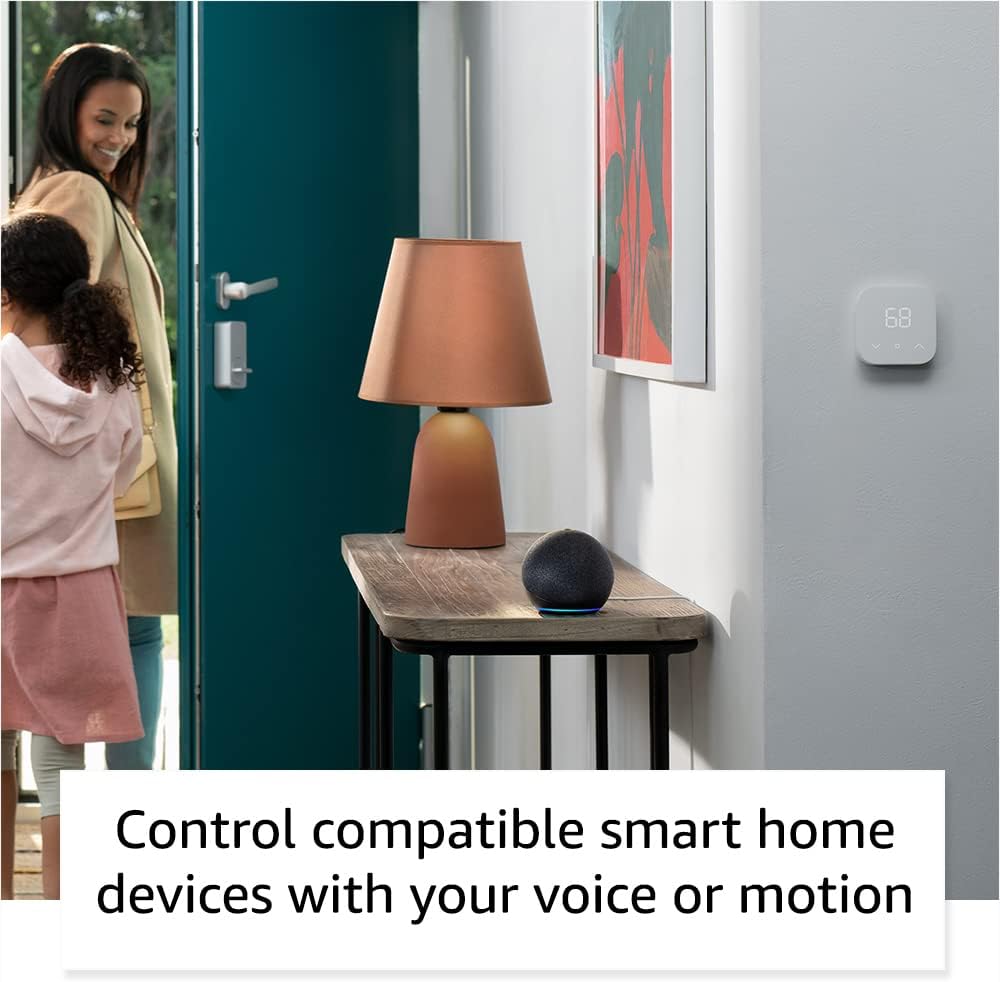
The Echo Dot can control compatible smart home devices, such as thermostats and lights, using voice commands or motion detection.
Fysisk kontrol
- Lydstyrkeknapper: Use the '+' and '-' buttons on top to adjust volume.
- Handlingsknap: Press to wake Alexa or snooze an alarm.
- Mikrofon fra-knap: Press to disconnect the microphones for privacy. The light ring will turn red.

Tapping the top of the Echo Dot can pause music or snooze an alarm.
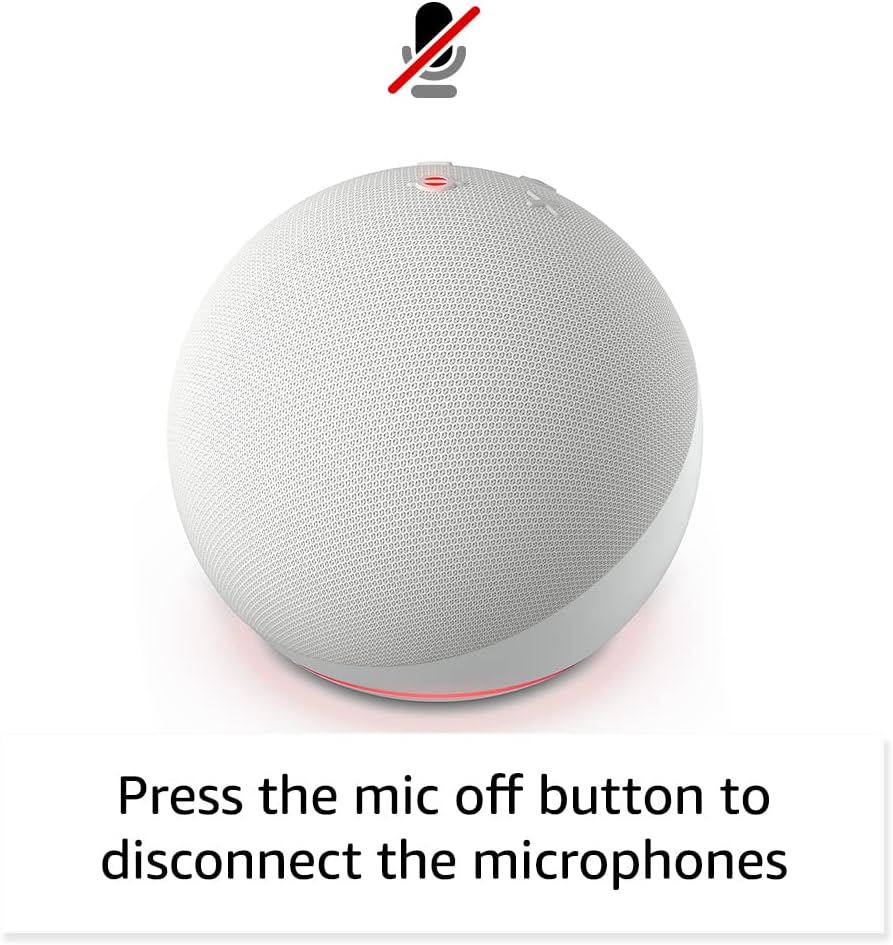
Pressing the microphone off button disconnects the microphones for enhanced privacy.
Opretholdelse
The Echo Dot requires minimal maintenance. Keep the device clean by wiping it with a soft, dry cloth. Avoid using abrasive cleaners or submerging the device in water.
Ensure the device is placed in a well-ventilated area and not covered to prevent overheating.
Fejlfinding
| Problem | Løsning |
|---|---|
| Echo Dot not responding: | Ensure the microphone is not muted (red light ring). Check power connection. Restart the device by unplugging and plugging it back in. |
| Kan ikke oprette forbindelse til Wi-Fi: | Verify your Wi-Fi password. Ensure your router is working. Try moving the Echo Dot closer to the router. Re-run Wi-Fi setup in the Alexa app. |
| Dårlig lydkvalitet: | Check device placement; avoid corners or enclosed spaces. Ensure no obstructions are blocking the speaker. Adjust volume. |
| Alexa not understanding commands: | Speak clearly and at a normal volume. Reduce background noise. Ensure you are within listening range. |
For yderligere hjælp henvises til Amazon Echo Dot Help pages eller kontakt Amazons kundeservice.
Specifikationer
- Størrelse: 3.9" x 3.9" x 3.5" (100 mm x 100 mm x 89 mm)
- Vægt: 10.7 oz (304g)
- Lyd: 1.73” (44 mm) fronthøjttaler, tabsfri high definition
- Wi-Fi-forbindelse: Dual-band Wi-Fi (802.11a/b/g/n/ac, 2.4 and 5 GHz)
- Bluetooth-forbindelse: A2DP support for audio streaming, AVRCP for voice control of connected mobile devices.
- Smart Home-kompatibilitet: Wi-Fi, Bluetooth Low Energy Mesh, Materie
- Generation: Echo Dot (5. generation) - udgivelse i 2022
- Sprog: Alexa taler engelsk og spansk
Privatlivsfunktioner
The Echo Dot is designed with multiple layers of privacy controls:
- Wake Word-teknologi: Alexa begynder først at lytte efter at have registreret vækkeordet.
- Mikrofon fra-knap: Electronically disconnects the microphones.
- Streamingindikatorer: Visual indicators show when Alexa is streaming audio to the cloud.
- Håndtering af stemmeoptagelse: Evne til view and delete your voice recordings via the Alexa app.
For mere information, besøg Alexa Privacy Hub.
Tilgængelighedsfunktioner
The Alexa app provides various accessibility settings:
- Adaptiv lytning: Giver mere tid til at afslutte talen, før Alexa svarer.
- Foretrukken talehastighed: Styr hvor hurtigt eller langsomt Alexa taler.
- Anmod om lyd: Plays an audible tone when you speak to Alexa.
- Kindle Læs højt: Alexa kan læse dine Kindle-bøger højt.
- Giv besked når du er i nærheden: Afspiller notifikationslyde, når den registreres i nærheden af enheden.
Access these features in the Alexa App: Indstillinger → Tilgængelighed.
Amazon Sidewalk
Amazon Sidewalk uses Echo and Ring devices to securely keep other devices connected and help find lost items. It uses a small portion of your internet bandwidth to provide these benefits. Sidewalk is turned on by default but can be turned off at any time via the Alexa app.
Learn more about Amazon Sidewalk her.
eero Indbygget
Your Echo Dot can extend Wi-Fi coverage with a compatible eero router. This feature requires linking your eero and Amazon accounts and managing it from the eero mobile application. eero Built-in compatible Echo devices support up to 1,000 sq. ft. of additional coverage, speeds up to 100 Mbps, and 10 or fewer connected devices.
For flere detaljer, besøg eero Built-in information page.
Garanti og service
The Echo Dot comes with a 90-day limited warranty and service. Optional 1-year, 2-year, and 3-year extended warranties are available for U.S. customers, sold separately.
Denne enhed modtager garanterede softwareopdateringer i mindst fire år efter, at enheden sidst er tilgængelig til køb som ny enhed på Amazon. webwebsteder.
For warranty claims or service, please contact Amazon Customer Service or visit the Amazon-enhedssupportside.


