1. Introduktion
Welcome to your new HAOVM 10-inch Android 11 Tablet. This manual provides essential information to help you set up, operate, maintain, and troubleshoot your device. Please read it carefully to ensure optimal performance and longevity of your tablet.

Image: The HAOVM 10-inch Android 11 Tablet, showcasing dens elegante design og display.
2. Kom godt i gang (opsætning)
2.1 Opladning af tabletten
Before first use, ensure your tablet is fully charged.
- Tilslut USB Type-C-kablet til tablettens opladningsport.
- Tilslut den anden ende af kablet til en kompatibel strømadapter, og sæt den i en stikkontakt.
- The battery icon on the screen will indicate the charging status.
2.2 Tænd/sluk
- For at tænde: Press and hold the Power Button (located on the side) until the HAOVM logo appears on the screen.
- For at slukke: Press and hold the Power Button until a power options menu appears. Select "Power off" and confirm.
2.3 Indledende opsætning
Når du tænder for strømmen første gang, vil du blive guidet gennem den indledende opsætningsproces:
- Vælg dit foretrukne sprog.
- Opret forbindelse til et Wi-Fi-netværk for at få adgang til internettet.
- Log ind med din Google-konto, eller opret en ny.
- Follow the remaining prompts to complete the setup.

Image: Close-up of the tablet's USB Type-C port, highlighting its modern connectivity.
3. Betjening af din tablet
3.1 Display og navigation
The HAOVM tablet features a vibrant 10.1-inch IPS FHD display with a resolution of 1920x1200 pixels, providing clear and crisp visuals. The capacitive touchscreen allows for smooth and responsive navigation.
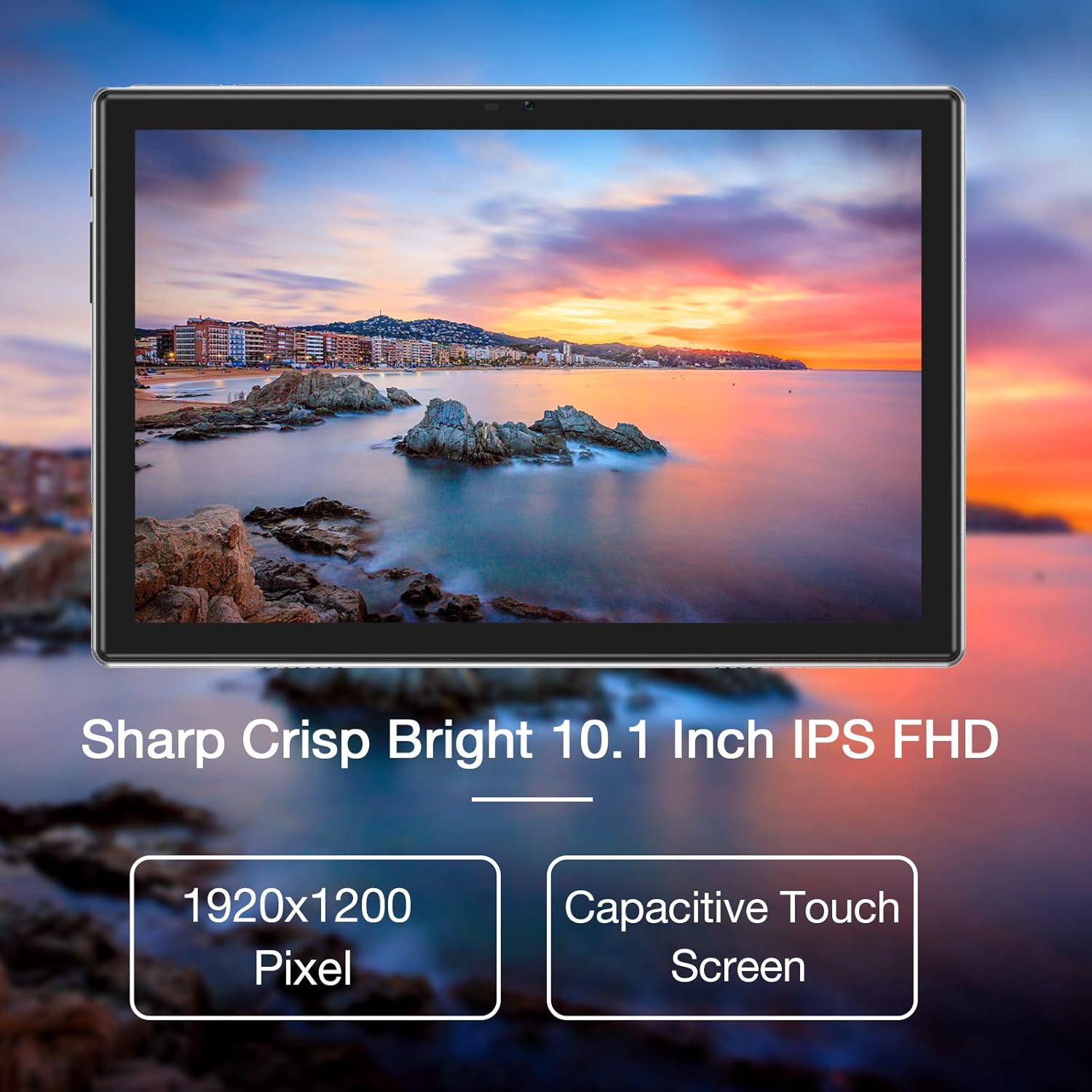
Image: The tablet's 10.1-inch IPS FHD display showcasing its sharp and bright visual quality.
3.2 Forbindelse
Your tablet offers robust connectivity options:
- Wi-Fi: Supports 5G WiFi (802.11ac) for high-speed internet access. To connect, go to Indstillinger > Netværk og internet > Wi-Fi, vælg dit netværk, og indtast adgangskoden.
- Bluetooth: Equipped with Bluetooth 5.0 for connecting to wireless headphones, speakers, and other compatible devices. Enable it via Indstillinger > Forbundne enheder > Forbindelsespræferencer > Bluetooth.
3.3 kameraer
Capture moments and make video calls with the tablet's dual cameras:
- Forreste kamera: 5 Megapixels, ideal for video conferencing and selfies.
- Bagkamera: 13 Megapixels, suitable for taking photos and recording videos.

Image: Illustration showing the tablet's 5.0MP front camera and 13.0MP back camera capabilities.
3.4 Lagring og ydeevne
The tablet is designed for efficient multitasking and ampopbevaring:
- VÆDDER: 3GB of RAM ensures smooth operation and efficient multitasking.
- Intern opbevaring: 64GB of internal storage for your apps, photos, and files.
- Udvidelig lagerplads: Storage can be expanded up to 128GB using a microSD card (not included).
- Processor: Powered by a 1.6 GHz Octa-Core processor, providing fast and fluid performance for various applications.

Image: Diagram illustrating the tablet's powerful internal configuration, including the Octa-Core CPU, 3GB RAM, and 64GB storage.
3.5 GPS-funktionalitet
The integrated GPS system allows for accurate navigation and location-based services, making it a useful tool for travel and exploration.

Image: The tablet being used for navigation, demonstrating its GPS capabilities and long-lasting 6000mAh battery.
4. Vedligeholdelse
4.1 Rengøring
- Brug en blød, fnugfri klud til forsigtigt at tørre skærmen og tablettens kabinet af.
- Avoid using abrasive cleaners, alcohol, or chemical solvents, as they may damage the surface.
4.2 Pleje af batterier
- For at forlænge batteriets levetid skal du undgå at udsætte tabletten for ekstreme temperaturer (varme eller kolde).
- Lad ikke batteriet aflades helt til 0% ofte.
- Hvis tabletten opbevares i længere tid, skal den oplades til ca. 50%, før den slukkes.
4.3 Softwareopdateringer
- Regularly check for system updates to ensure your tablet has the latest features, performance improvements, and security patches.
- You can usually find update options in Indstillinger > System > Systemopdatering.
5. Fejlfinding
5.1 Almindelige problemer og løsninger
| Problem | Løsning |
|---|---|
| Tabletten tænder ikke | Ensure the battery is charged. Connect to a power source for at least 30 minutes. Press and hold the power button for 10-15 seconds to force a restart. |
| Problemer med Wi-Fi-forbindelse | Restart the tablet and your Wi-Fi router. Go to Wi-Fi settings, forget the network, and then reconnect. Ensure you are within range of the Wi-Fi signal. |
| Apps går ned eller fryser | Luk appen, og åbn den igen. Ryd appens cache og data i Indstillinger > Apps > [Appnavn] > Lager > Ryd cache/Ryd data. Ensure sufficient storage space is available. |
| Langsom ydeevne | Close unused background apps. Clear system cache (if option available). Uninstall unnecessary apps. If issues persist, consider a factory reset (backup all data first). |
| Skærmen reagerer ikke | Restart the tablet by holding the power button. If unresponsive, let the battery drain completely and then recharge and power on. |
6. Specifikationer
6.1 Tekniske specifikationer
| Feature | Detalje |
|---|---|
| Mærke | HAOVM |
| Modelnummer | Tablet (HP20) |
| Operativsystem | Android 11 |
| Processor | Octa-Core 1.6 GHz |
| VÆDDER | 3 GB |
| Intern opbevaring | 64 GB |
| Udvidelig opbevaring | Op til 128 GB (MicroSD) |
| Skærmstørrelse | 10.1 tommer |
| Skærmopløsning | 1920 x 1200 pixels (FHD IPS) |
| Forreste kamera | 5 MP |
| Bagkamera | 13 MP |
| Forbindelse | Wi-Fi (802.11ac), Bluetooth 5.0, GPS |
| Interface | USB Type-C |
| Batteri | 6000mAh |
| Dimensioner (L x B x H) | 27.2 x 18 x 6.1 cm |
| Vægt | 5 gram |
7. Garanti og support
7.1 Garantioplysninger
Your HAOVM tablet comes with a limited warranty. Please refer to the warranty card or documentation included in the product packaging for specific terms, conditions, and duration of the warranty. Keep your proof of purchase for warranty claims.
7.2 Kundesupport
For technical assistance, troubleshooting beyond this manual, or service inquiries, please contact HAOVM customer support. You can typically find contact information on the official HAOVM webhjemmeside eller gennem den forhandler, hvor du købte produktet.


