Indledning
This user manual provides comprehensive instructions for the Altec Lansing HydraMotion Wireless Bluetooth Speaker. It covers setup, operation, maintenance, and troubleshooting to ensure optimal performance and longevity of your device. The HydraMotion speaker is designed for robust outdoor use, featuring 360-degree sound, IP67 Everything Proof rating (Waterproof, Snowproof, Dustproof, Shockproof), and up to 12 hours of playtime.
Produkt overview
The Altec Lansing HydraMotion speaker delivers powerful audio in a compact, durable design. It is built to withstand various environmental conditions, making it ideal for outdoor adventures. Key features include:
- 360-graders lyd: Designed with speakers on all sides for immersive audio.
- IP67 Alt-sikkert: Waterproof, Snowproof, Dustproof, and Shockproof for reliable use in any condition.
- 12-timers spilletid: Extended battery life for continuous music enjoyment.
- 100ft Bluetooth Range: Connect wirelessly from a significant distance.
- Kompakt og bærbar: Lightweight design with an included carabiner clip for easy transport.
Hvad er der i æsken:
- Altec Lansing HydraMotion Wireless Bluetooth Speaker
- USB kabel
- Karabinhage klip
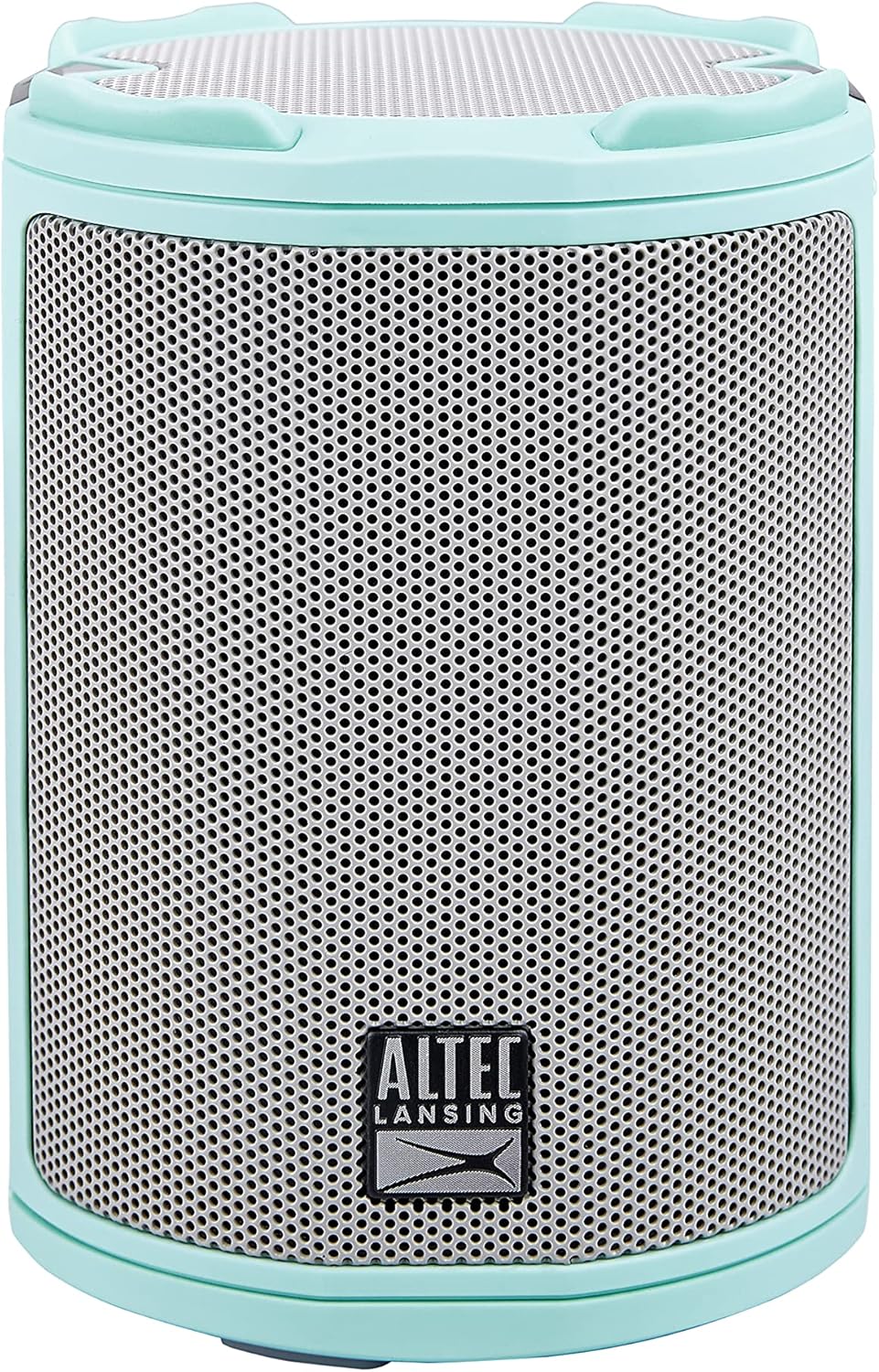
Billede: Forside view of the Mint Green Altec Lansing HydraMotion Wireless Bluetooth Speaker.

Image: The HydraMotion speaker highlighting its key features: 12 hours playtime, multi-light and strobe modes, true wireless pairing, and waterproof/dustproof capabilities.
Opsætning
1. Opladning af højttaleren
Before first use, fully charge your HydraMotion speaker. Connect the included USB cable to the charging port on the speaker and plug the other end into a USB power adapter (not included) or a computer USB port. The charging indicator light will show the charging status and turn off when fully charged.
2. Tænd/sluk
For at tænde højttaleren skal du trykke på og holde Power-knap located on the top panel until you hear an audible tone and the LED lights illuminate. To power off, press and hold the Power-knap igen indtil lyset slukkes.
3. Bluetooth-parring
- Sørg for, at højttaleren er tændt og i Bluetooth-parringstilstand (indikeret med et blinkende LED-lys).
- Gå til Bluetooth-indstillingerne på din enhed (smartphone, tablet, bærbar computer).
- Select "HydraMotion" from the list of available devices.
- Once connected, the speaker will emit a confirmation tone, and the LED light will become solid.

Image: Top panel of the HydraMotion speaker, illustrating the function of each button: Volume Up, Volume Down, Virtual Assistant, LED Light Control, True Wireless Pairing, and Power On/Off.
Video: An official product video demonstrating the features and capabilities of the Altec Lansing HydraMotion Wireless Bluetooth Speaker, including its durability and sound quality.
Betjeningsvejledning
Lydafspilning
Once connected via Bluetooth, you can play audio from your paired device. Use the volume buttons on the speaker or your device to adjust the sound level. The speaker provides 360-degree sound for an immersive listening experience.
LED-lystilstande
The HydraMotion speaker features multiple LED light modes. Press the LED Light Control button on the top panel to cycle through different light patterns and colors. This allows you to customize the ambiance for your listening environment.
Ægte trådløs parring (TWS)
You can pair two HydraMotion speakers together for a true wireless stereo experience. Follow the instructions in your speaker's quick start guide for detailed TWS pairing steps.
"Everything Proof" Features
The HydraMotion speaker boasts an IP67 rating, making it highly resistant to water, snow, dust, and impacts. This means it can be submerged in water up to 1 meter for 30 minutes, is protected from dust ingress, and can withstand drops. Always ensure the charging port cover is securely closed to maintain its waterproof integrity.

Image: The HydraMotion speaker displayed against backgrounds of water, dirt, and snow, illustrating its "Everything Proof" capabilities.

Image: The HydraMotion speaker in an outdoor setting, demonstrating its portability and suitability for travel and extended use.
Opretholdelse
Rensning
For at rengøre din højttaler skal du bruge en blød,amp cloth. Avoid using harsh chemicals or abrasive cleaners, as these can damage the speaker's finish or waterproof seals. For stubborn dirt, a mild soap solution can be used, followed by wiping with a clean, damp klæde.
Opbevaring
When not in use for extended periods, store the speaker in a cool, dry place away from direct sunlight and extreme temperatures. Ensure the charging port cover is closed to prevent dust or moisture ingress.
Fejlfinding
| Problem | Mulig årsag | Løsning |
|---|---|---|
| Højttaleren tænder ikke. | Lavt batteri; Tænd/sluk-knappen holdes ikke nede længe nok. | Oplad højttaleren helt; Tryk på tænd/sluk-knappen og hold den nede i 3-5 sekunder. |
| Kan ikke parres via Bluetooth. | Højttaler ikke i parringstilstand; Enhedens Bluetooth er slået fra; For langt fra højttaleren. | Ensure speaker LED is flashing; Turn on Bluetooth on your device; Move device closer to speaker (within 100ft). |
| Ingen lyd eller lav lydstyrke. | Lydstyrken på højttaleren eller enheden er for lav; Højttaleren er ikke tilsluttet. | Skru op for lydstyrken på både højttaler og enhed; par højttaleren med din enhed igen. |
| Lydforvrængning. | Lydstyrken er for høj; Svagt Bluetooth-signal. | Lower the volume; Move closer to the speaker. |
Specifikationer
| Modelnavn | HydraMotion |
| Modelnummer | IMW1100-MTG-STK-2 |
| Højttaler type | Udendørs |
| Forbindelsesteknologi | Bluetooth |
| Trådløs kommunikationsteknologi | Bluetooth |
| Maksimal rækkevidde | 100 fod (30.48 meter) |
| Batterilevetid | 12 timer |
| Opladningstid | 12 timer |
| Vandmodstandsniveau | IP67 vandtæt |
| Produktdimensioner | 4.4" D x 4.4" B x 8.2" H |
| Varens vægt | 1.23 pund |
| Lydudgangstilstand | 360-degree audio output |
| Højttaler Maksimal udgangseffekt | 10 watt |
| UPC | 021331023612 |
Garanti og support
Producentgaranti
The Altec Lansing HydraMotion Wireless Bluetooth Speaker comes with a manufacturer warranty. For specific details regarding warranty coverage, duration, and claims process, please refer to the warranty card included with your product or visit the official Altec Lansing webwebsted. Gem din købsbevis for at validere garantien.
Kundesupport
For technical assistance, troubleshooting beyond this manual, or general inquiries, please contact Altec Lansing customer support. Contact information can typically be found on the product packaging, the official Altec Lansing webwebstedet eller i garantidokumentationen.
Du kan også besøge Altec Lansing-butik på Amazon for yderligere produktinformation og supportressourcer.


