1. Introduktion
This manual provides detailed instructions for the setup, operation, and maintenance of your SINGCALL Caregiver Pager System, Model 6100 E57 1-1. This wireless system is designed to facilitate communication between caregivers and individuals requiring assistance, such as the elderly, patients, or those with disabilities.
The system includes a portable watch receiver and one or more call buttons (transmitters). Please read this manual thoroughly to ensure proper use and to maximize the benefits of your device.

Figure 1: SINGCALL Caregiver Pager System components, including the watch receiver and call button.
2. Pakkens indhold
- 1 x SINGCALL Portable Watch Receiver
- 1 x SINGCALL Call Button (Transmitter)
- 1 x Lanyard for Watch Receiver
- 1 x Lanyard for Call Button
- 1 x Charging Cable for Watch Receiver
- 1 x Brugermanual (dette dokument)
- Batteries (1 CR2 battery included for call button, rechargeable battery for watch receiver)
3. Produktet er slutview
3.1. Watch Receiver
The portable watch receiver is designed to be worn by the caregiver. It features a clear display for time, date, and call alerts. It includes a lanyard for convenient wearing around the neck.
- Vise: OLED screen showing time, date, and call information.
- Funktioner: Calendar, clock, alarm clock.
- Batteri: Rechargeable, offering approximately 2-3 days of standby time.
- Advarsler: Visual and audible notifications for incoming calls.
- Ledelse: Fast delete function for registered numbers (single or all).

Figur 2: Nærbillede view of the watch receiver display and control buttons.
3.2. Call Button (Transmitter)
The call button is designed for the individual needing assistance. It features a large, easily identifiable "CALL" button for quick activation. Its compact size allows for versatile placement.
- Aktivering: Large, prominent "CALL" button.
- Portabilitet: Can be worn around the neck with a lanyard, placed in a pocket, or mounted on a wall.
- Holdbarhed: IP55 waterproof rating, suitable for various environments.
- Batteri: Uses 1 CR2 battery (included).

Figur 3: Nærbillede view of the call button.
4. Opsætning og parring
4.1. Charging the Watch Receiver
- Connect the provided charging cable to the watch receiver's charging port.
- Plug the other end of the cable into a standard USB power adapter (not included) or a computer's USB port.
- Allow the receiver to charge fully before first use. The battery indicator on the OLED screen will show charging status. A full charge typically provides 2-3 days of standby time.
4.2. Installing Battery in Call Button
The call button uses one CR2 battery. Ensure the battery is correctly inserted with the positive (+) and negative (-) terminals aligned as indicated inside the battery compartment.
4.3. Pairing Call Buttons with Watch Receiver
To ensure the call button communicates with the watch receiver, they must be paired. Follow these steps:
- On the watch receiver, press the SJOV knappen for at gå ind i menuen.
- Navigate to the "Pairing" or "Registration" option using the SJOV knappen og bekræft med ØNH knap.
- The receiver display will show "Press Call Button" or similar.
- Tryk på RING knappen på senderen.
- The watch receiver will display a confirmation message (e.g., "Registered Successfully") and assign a number to the call button.
- Repeat for any additional call buttons.
Note: The watch receiver can download registration information via charged software for easier setup, if available.

Figure 4: Illustration of the wireless range between the call button and watch receiver within a home environment.
5. Betjeningsvejledning
5.1. Making a Call (from Call Button)
When assistance is needed, simply press the large RING button on the transmitter. A signal will be sent wirelessly to the paired watch receiver.
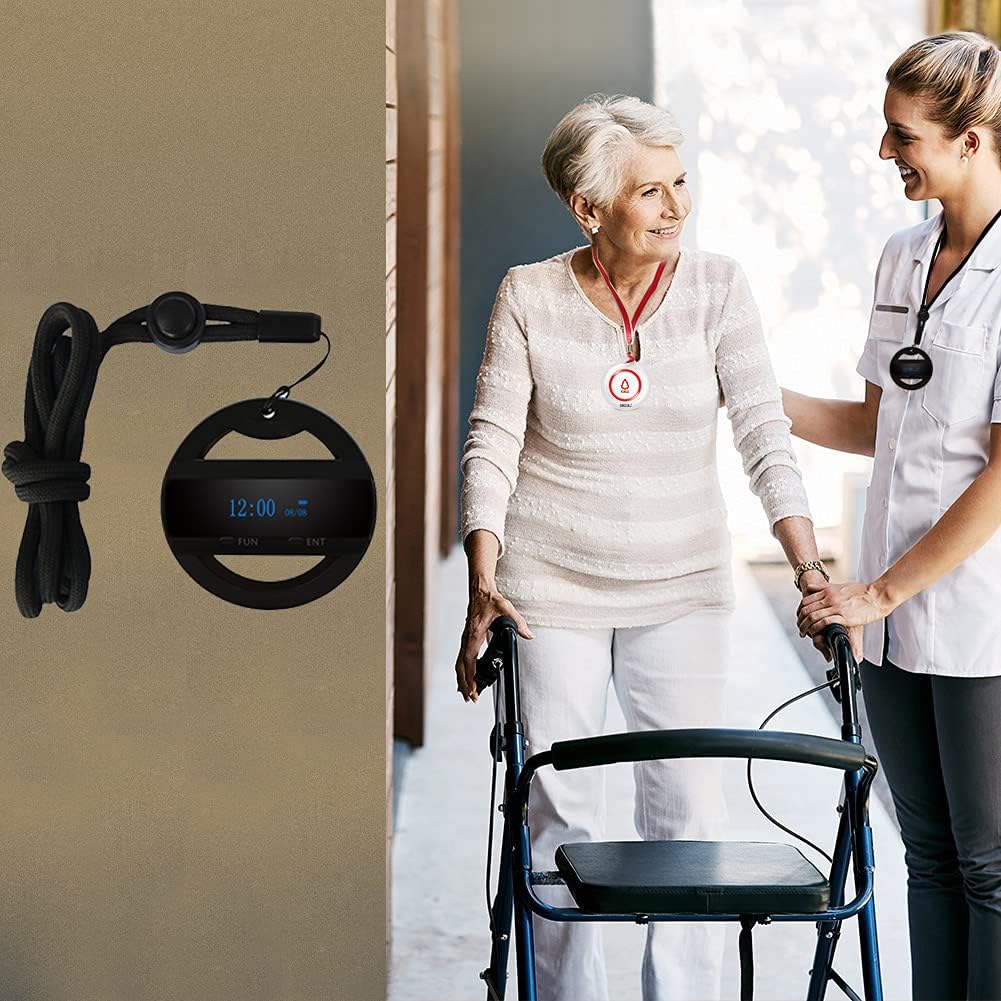
Figur 5: Eksample of the call button being worn by a user and the watch receiver by a caregiver.
5.2. Receiving an Alert (on Watch Receiver)
Upon receiving a call signal, the watch receiver will:
- Display the number of the calling button on its OLED screen.
- Udsend en hørbar alarm (hvis aktiveret).
- Vibrer (hvis aktiveret).
To acknowledge or clear the alert, press the ØNH button on the watch receiver.
5.3. Watch Receiver Functions
The watch receiver offers additional features:
- Tid og dato: The OLED screen continuously displays the current time and date.
- Vækkeur: Set alarms for reminders using the menu options.
- Opkaldshistorik: Review recent call alerts.
- Slet registrerede numre: Use the "Fast Delete" function to remove individual call buttons or clear all registered devices from the receiver's memory. Access this through the menu using the SJOV og ØNH knapper.
6. Vedligeholdelse
6.1. Rensning
Tør enhederne af med en blød kludamp cloth. Do not use harsh chemicals or abrasive cleaners. Ensure the call button's battery compartment is sealed properly after cleaning.
6.2. Batteripleje
- Watch Receiver: Recharge the watch receiver regularly to maintain battery health. Avoid fully discharging the battery frequently.
- Opkaldsknap: Replace the CR2 battery when the signal strength or responsiveness decreases.
6.3. Opbevaring
When not in use for extended periods, store the devices in a cool, dry place. For the watch receiver, ensure it has some charge before storing. For the call button, consider removing the battery if storing for several months.
7. Fejlfinding
| Problem | Mulig årsag | Løsning |
|---|---|---|
| Watch receiver not receiving calls. |
|
|
| Watch receiver display is blank. |
|
|
| Opkaldsknappen svarer ikke. |
|
|
8. Specifikationer
| Feature | Detalje |
|---|---|
| Modelnummer | 6100 E57 1-1 |
| Mærke | SINGCALL |
| Varens vægt | 4.2 ounce |
| Pakkedimensioner | 4.09 x 3.58 x 2.44 tommer |
| Monteringstype | Hængende |
| Displaystil (modtager) | OLED |
| Strømkilde | Batteridrevet |
| Modtager batteritype | Genopladelig lithium-ion |
| Call Button Battery Type | 1 x CR2 (Lithium Manganese Dioxide) |
| Vandtæthedsklassificering (opkaldsknap) | IP55 |
| Working Temperature (Call Button) | -4°F til 122°F (-20°C til 50°C) |
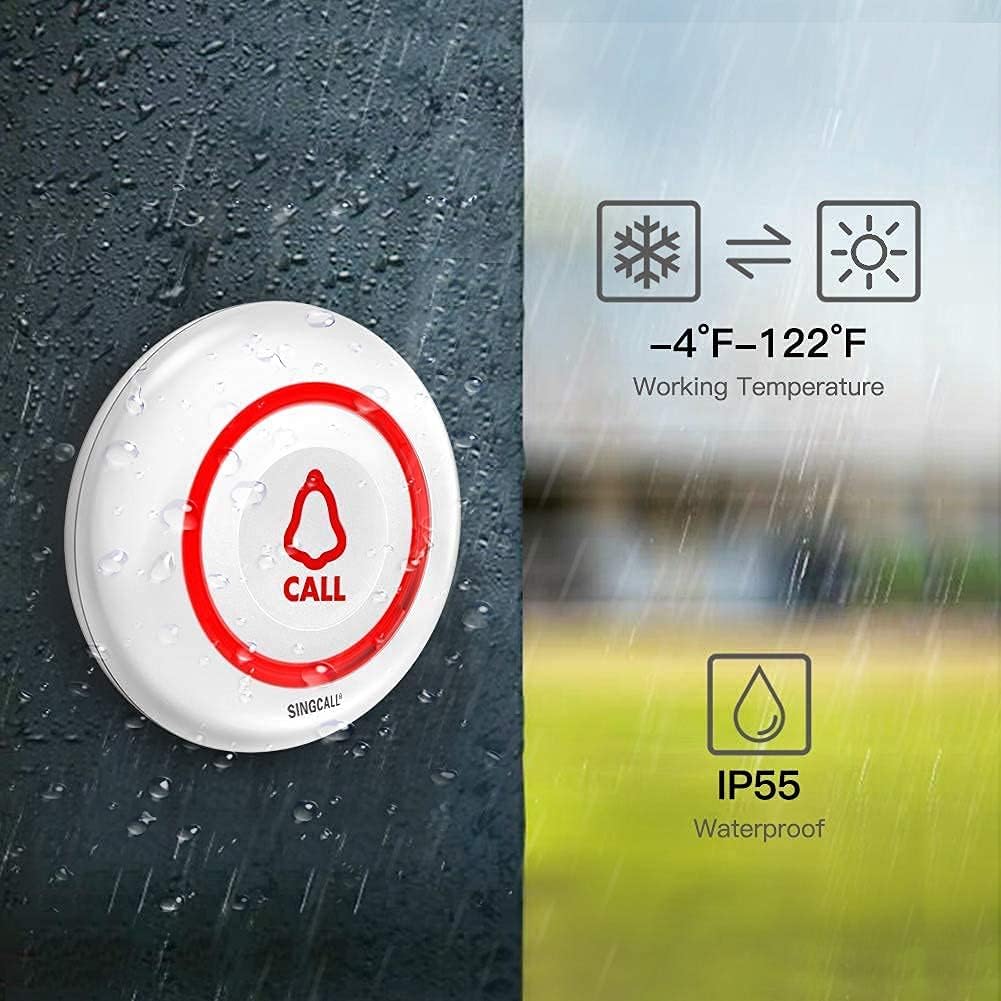
Figure 6: Call button durability features: IP55 waterproof and wide operating temperature range.

Figure 7: Dimensions of the call button.

Figure 8: Dimensions of the watch receiver.
9. Garanti og support
For warranty information and customer support, please refer to the documentation included with your purchase or visit the official SINGCALL website. If you encounter any issues not covered in this manual, please contact SINGCALL customer service for assistance.
Fabrikant: EASTWAY INTERNATIONAL (HK) LIMITED


