1. Introduktion
Thank you for choosing the TOKVIA T111 Senior Mobile Phone. This phone is designed with ease of use in mind, featuring a large display, big buttons, and essential functions for clear communication. It includes a dedicated SOS button for emergencies, making it an ideal choice for elderly users or anyone seeking a straightforward mobile experience. This manual provides detailed instructions to help you get started and make the most of your device.
2. Kom godt i gang: Opsætning
Before using your TOKVIA T111 phone, please follow these steps to set it up.
2.1 Pakkens indhold
Sørg for, at alle varer er til stede i din pakke:
- TOKVIA T111 Mobiltelefon
- Genopladeligt lithium-ion-batteri
- Opladningsdock
- USB opladningskabel
- Strømadapter (UK-stik)
- Brugermanual / Quick Start Guide
- SIM Tray Ejector / SIM Adapters (if included)

Image: All components included in the TOKVIA T111 package.
2.2 Isætning af SIM-kort og batteri
- Fjern bagdækslet: Gently pry open the back cover of the phone using the notch provided, usually at the bottom or side.
- Indsæt SIM-kort: Locate the SIM card slot(s). Insert your 2G compatible SIM card into the designated slot with the gold contacts facing down, ensuring it clicks into place. This phone supports 2G networks only.
- Indsæt batteri: Align the battery contacts with the terminals inside the phone's battery compartment. Press down gently until the battery is securely seated.
- Udskift bagdæksel: Sæt forsigtigt bagcoveret tilbage på telefonen, og tryk langs kanterne, indtil det klikker sikkert på plads.
2.3 Opladning af telefonen
For first-time use, fully charge the phone for at least 4 hours.
- Brug af opladningsdokken: Connect the USB charging cable to the power adapter, then plug the adapter into a wall outlet. Connect the other end of the USB cable to the charging dock. Place the phone into the charging dock, ensuring it sits correctly and the charging indicator appears on the screen.
- Direkte opladning: Alternatively, you can connect the USB charging cable directly to the phone's charging port (usually at the bottom) and then to the power adapter and wall outlet.

Image: The TOKVIA T111 phone charging in its convenient dock.
3. Betjeningsvejledning
This section details the basic functions and features of your TOKVIA T111 phone.
3.1 Tænd/sluk
- For at tænde: Press and hold the red End Call/Power button (⏏) indtil skærmen lyser op.
- For at slukke: Press and hold the red End Call/Power button (⏏) until the power off options appear, then select 'Power off'.
3.2 Foretage og modtage opkald
- Sådan foretager du et opkald: Dial the phone number using the large keypad buttons. Press the green Call button (✆) for at starte opkaldet.
- For at besvare et opkald: When the phone rings, press the green Call button (✆).
- Sådan afslutter du et opkald: Press the red End Call button (⏏).

Image: The phone's display showing photo contacts for simplified dialing.
3.3 Sending and Receiving Messages (SMS)
- To Send a Message: Navigate to the 'Messages' menu. Select 'New Message' and enter the recipient's number and your message using the keypad. Press 'Send'.
- Sådan læser du en besked: When a new message arrives, an icon will appear on the screen. Navigate to the 'Messages' menu to view din indbakke.

Image: The phone's screen displaying the 'Messages' menu.
3.4 SOS-nødknap
The SOS button is a critical safety feature. In an emergency, pressing this button will automatically send SMS messages and make calls to pre-set emergency contacts.
- Opsætning af SOS-kontakter: Go to 'Settings' > 'SOS Settings'. Add up to 5 emergency contact numbers. These contacts will receive an emergency SMS and be called in sequence until one answers.
- Brug af SOS-knappen: Press and hold the SOS button (located on the back of the phone) for a few seconds. The phone will activate the emergency sequence.
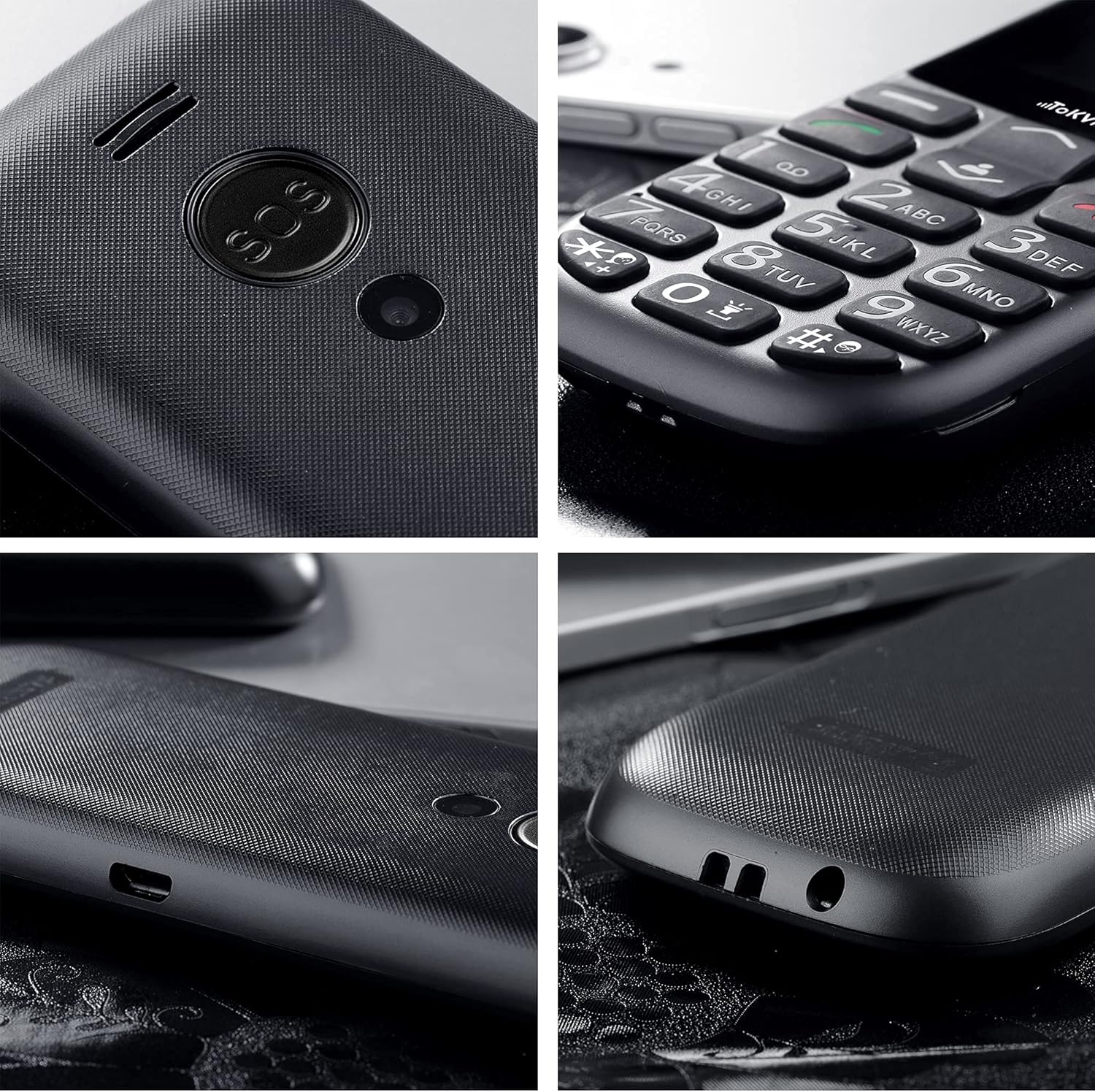
Billede: Detaljeret view of the SOS button on the back of the phone.
3.5 Yderligere funktioner
- FM-radio: The phone includes a built-in FM radio that operates without requiring headphones or an external antenna. Access it via the main menu.
- Bluetooth: For connecting to compatible Bluetooth devices like headsets. Enable Bluetooth in the 'Settings' menu.
- Alarm Clock, Calculator, Calendar, Music Player: These standard features are accessible through the phone's main menu, providing basic utility functions.
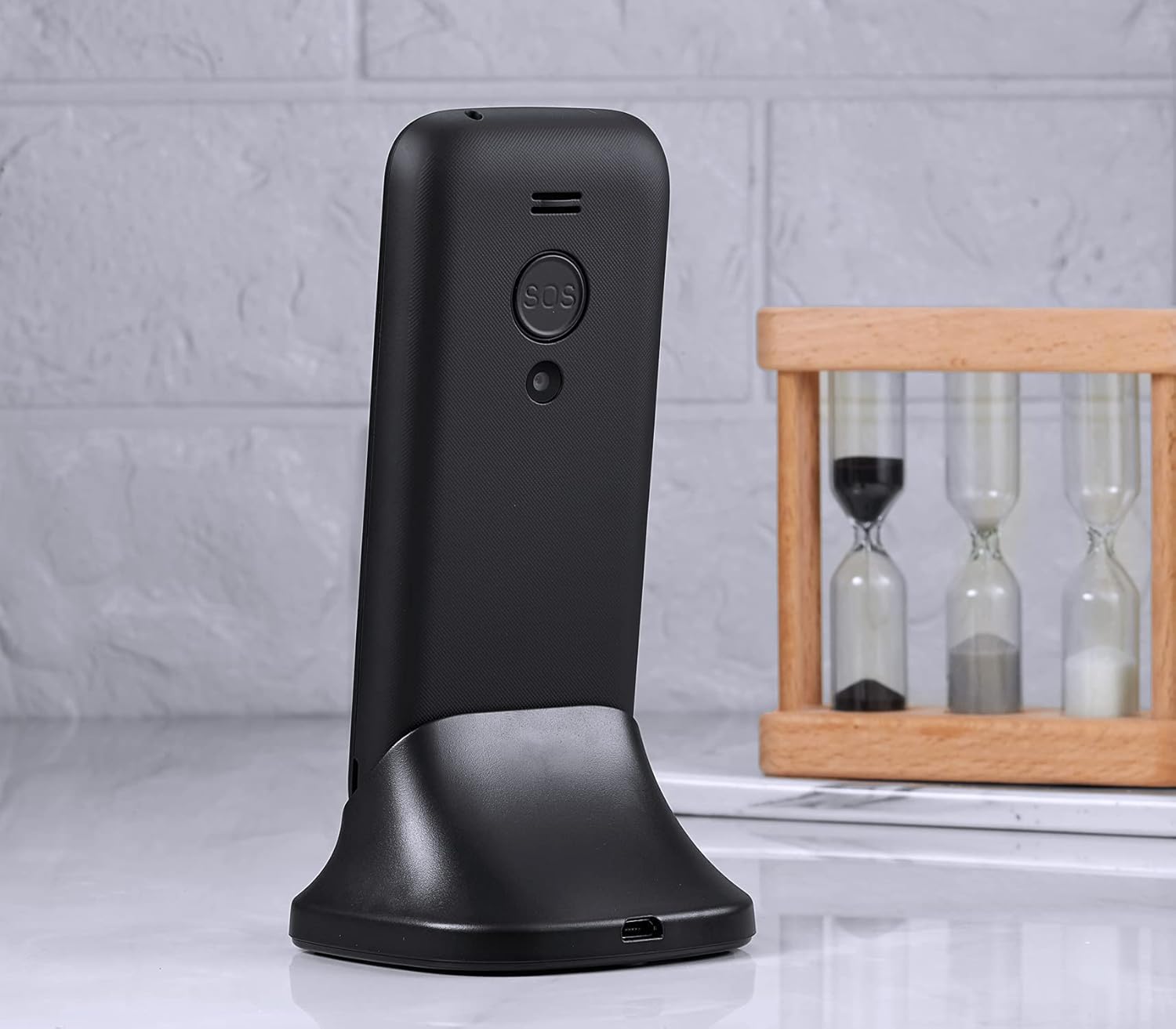
Image: The phone's display showing the time and date.
4. Vedligeholdelse og pleje
To ensure the longevity and optimal performance of your TOKVIA T111 phone, please follow these maintenance guidelines:
- Rensning: Brug en blød, tør klud til at rengøre telefonens skærm og kabinet. Undgå at bruge flydende rengøringsmidler eller slibende materialer.
- Undgå ekstreme temperaturer: Udsæt ikke telefonen for meget høje eller lave temperaturer, da dette kan påvirke batteriets levetid og de interne komponenter.
- Beskyt mod fugt: Keep the phone dry. Moisture can damage the internal circuitry.
- Håndteres med forsigtighed: While designed to be robust, avoid dropping the phone or subjecting it to strong impacts.
- Batteripleje: For best battery life, avoid frequently draining the battery completely. Charge it regularly.
5. Fejlfinding
If you encounter issues with your TOKVIA T111 phone, refer to the following common problems and solutions:
| Problem | Mulig løsning |
|---|---|
| Telefonen tænder ikke | Sørg for, at batteriet er korrekt isat og fuldt opladet. Prøv at oplade telefonen i mindst 30 minutter. |
| Intet netværkssignal | Check if the SIM card is properly inserted. Ensure you are in an area with 2G network coverage. Contact your network provider if issues persist. |
| Kan ikke foretage eller modtage opkald | Verify network signal. Check if the SIM card is active and has sufficient credit/plan. Restart the phone. |
| Lav opkaldsvolumen | Increase the call volume using the side volume buttons during a call. Note that for individuals with severe hearing loss, the phone's maximum volume may still be insufficient. |
| Batteriet aflades hurtigt | Ensure background applications are closed. Reduce screen brightness. Limit usage of features like FM radio or Bluetooth when not needed. |
| Tastaturet reagerer ikke | Restart the phone. Ensure the keypad lock is not activated. |
6. Specifikationer
Detailed technical specifications for the TOKVIA T111 Mobile Phone:
| Feature | Detalje |
|---|---|
| Modelnavn | T111 |
| Mærke | TOKVIA |
| Skærmstørrelse | 2.4 tommer |
| Opløsning | 240 x 320 pixels |
| Operativsystem | Nucleus OS |
| Installeret RAM-hukommelsesstørrelse | 32 MB |
| Hukommelseslagringskapacitet | 32 GB (likely refers to expandable storage via microSD, not internal) |
| Trådløs bærer | Låst op for alle udbydere |
| Cellulær teknologi | 2G |
| Forbindelsesteknologi | Bluetooth |
| Batteri | 1 lithium-ion batteri (medfølger) |
| Produktdimensioner | 12.9 x 5.4 x 1.3 cm; 81 g |
| Fabrikant | TOKVIA |

Image: Visual comparison of screen sizes on the TOKVIA T111.
7. Garanti og support
Your TOKVIA T111 phone comes with a standard manufacturer's warranty. Please refer to the warranty card included in your package for specific terms and conditions. For technical support, troubleshooting assistance beyond this manual, or warranty claims, please contact TOKVIA customer service through the contact information provided on the product packaging or official webwebsted.
Gem venligst din købsbevis til eventuelle garantirelaterede spørgsmål.


