Indledning
This manual provides essential information for the safe and efficient operation, installation, and maintenance of your IRIS USA 3-in-1 WOOZOO Portable Air Conditioner and Dehumidifier. Please read this manual thoroughly before using the appliance and retain it for future reference.
Sikkerhedsoplysninger
Følg altid grundlæggende sikkerhedsforanstaltninger ved brug af elektriske apparater for at reducere risikoen for brand, elektrisk stød og personskade.
- Sørg for, at strømforsyningen matcher voltagsom angivet på enhedens typeskilt.
- Betjen ikke enheden med en beskadiget ledning eller stik.
- Bloker ikke luftindtag eller -udtag.
- Keep children away from the appliance. Activate the child lock function for added safety.
- Do not insert fingers or foreign objects into the air outlet.
- Tag stikket ud af enheden, før du rengør eller udfører vedligeholdelse.
- This unit is UL listed to meet U.S. safety standards.
Produkt overview
Familiarize yourself with the components and features of your portable air conditioner.

Figur 1: The IRIS USA WOOZOO Portable Air Conditioner shown with its accompanying remote control. The unit is white with a black top panel and front grille, featuring wheels for easy mobility.

Figur 2: An illustration highlighting the powerful cooling capabilities of the unit, including 10,000 BTU AC cooling power, 3 adjustable fan speeds, and a dehumidifying capacity of 74 pints per day.

Figur 3: A diagram illustrating the detailed dimensions of the portable air conditioner, showing its height (30 inches), depth (16 inches), and width (12 inches). Key specifications like weight (55 lbs), wattage (1010W), cable length (71 inches), and temperature range (61°F - 86°F) are also displayed.

Figur 4: This image shows the full-function remote control with a digital display, allowing easy operation of the unit. Below, a close-up of the built-in casters demonstrates the unit's easy maneuverability.
Opsætning og installation
Proper installation is crucial for optimal performance. This unit includes a window kit for exhaust ventilation.
- Udpakning: Tag forsigtigt enheden og alt tilbehør ud af emballagen. Kontroller for eventuelle skader.
- Placering: Place the unit on a flat, stable surface. Ensure there is at least 20 cm (8 inches) of space around the unit for proper airflow. The unit is equipped with wheels for easy movement.
- Installation af vinduessæt:
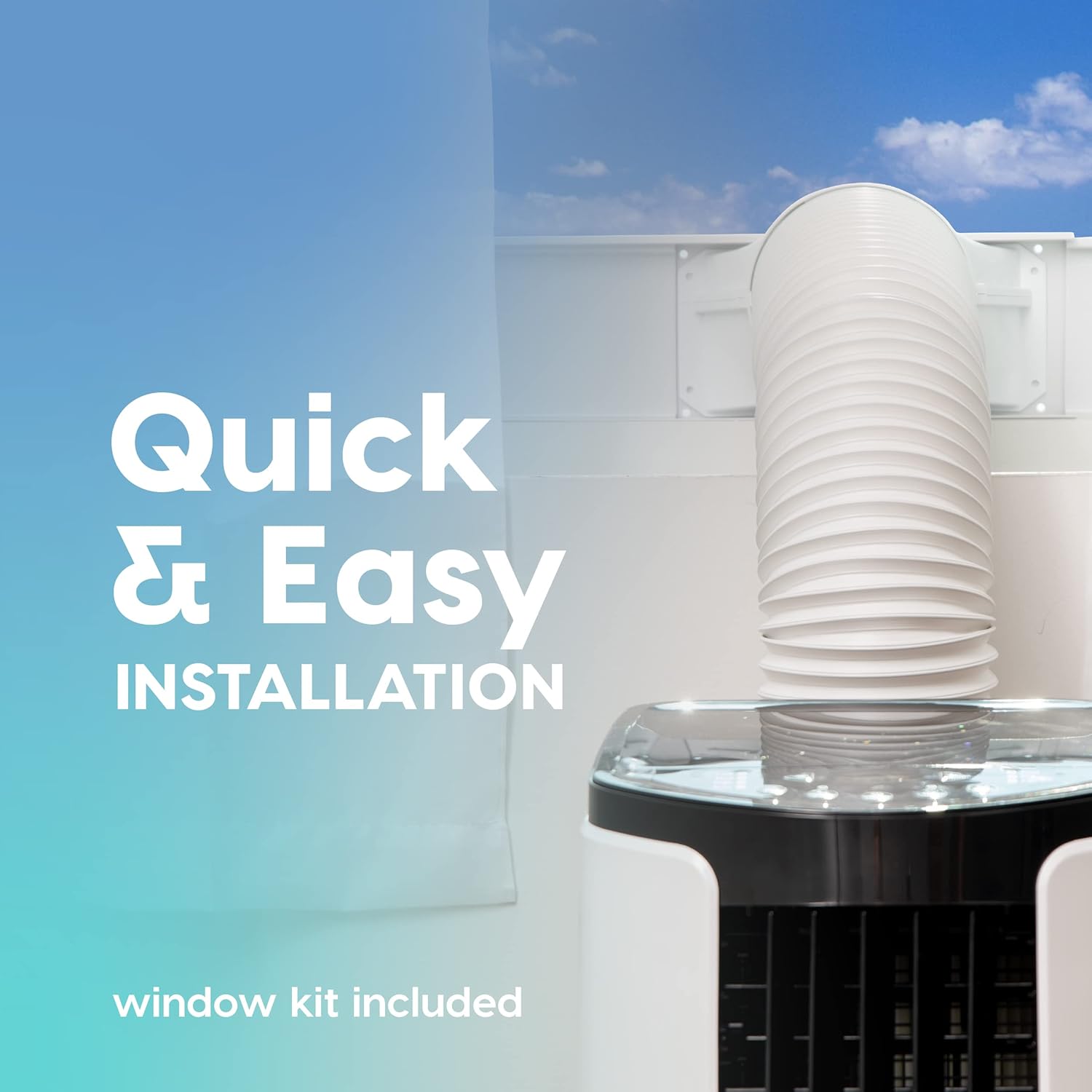
Figur 5: This image illustrates the quick and easy installation process, showing the exhaust hose connected to the unit and extended through a window using the included window kit.
- Assemble the window sealing plate kit according to the instructions provided in the separate window kit manual.
- Connect the exhaust hose to the unit's exhaust outlet and extend it to the window kit.
- Sørg for, at slangen ikke er knækket eller bøjet skarpt, da dette kan begrænse luftstrømmen og reducere effektiviteten.
- Strømtilslutning: Sæt netledningen i en jordet stikkontakt.
Betjeningsvejledning
Your portable air conditioner offers multiple modes for customized comfort. All functions can be easily operated with the included remote control.
Kontrolpanel og fjernbetjening
The unit can be controlled via the top-mounted control panel or the remote control. The remote control features a digital display for easy viewing.
Driftstilstande
- Køletilstand: Provides powerful cooling for rooms up to 450 square feet.
- Tryk på MODE button until the cooling indicator light is on.
- Juster den ønskede temperatur ved hjælp af + or - buttons (range: 61°F / 16°C to 86°F / 30°C).
- Juster ventilatorhastigheden ved hjælp af FAN button (3 speeds available).
- Ventilatortilstand: Cirkulerer luft uden afkøling.
- Tryk på MODE button until the fan indicator light is on.
- Juster ventilatorhastigheden ved hjælp af FAN knap.
- Affugtertilstand: Fjerner overskydende fugt fra luften.
- Tryk på MODE button until the dehumidifier indicator light is on.
- The unit will automatically exhaust condensate in most environments.
Yderligere funktioner
- Sove mode: Activates quiet operation and gradually adjusts temperature for comfortable sleep. Press the SOVE knap.
- Timer funktion: Set the unit to turn on or off automatically within a 24-hour period. Press the TIMER knap og brug + or - for at indstille den ønskede tid.
- Børnelås: Prevents accidental changes to settings. Refer to the remote control instructions for activation.
- oscillation: Both vertical and horizontal oscillation can be adjusted manually to direct airflow.
Opretholdelse
Regelmæssig vedligeholdelse sikrer levetiden og effektiviteten af dit bærbare klimaanlæg.
Filterrensning

Figur 6: This image shows the reusable air filter being cleaned under running water, emphasizing the ease of maintenance with simple soap and water.
The unit is equipped with a washable air filter that can be cleaned with simple soap and water. Clean the filter every two weeks or more frequently depending on usage and air quality.
- Tag enheden ud af stikkontakten.
- Find og fjern luftfilteret fra bagsiden eller siden af enheden.
- Wash the filter under running water with a mild detergent.
- Skyl grundigt, og lad filteret lufttørre helt, før det sættes tilbage i enheden.
Almen pleje
- Tør ydersiden af enheden af med en blød, damp klæde. Brug ikke skrappe kemikalier eller slibende rengøringsmidler.
- Ved langtidsopbevaring skal du tømme eventuelt ophobet vand, rengøre filteret og opbevare enheden et tørt sted.
Fejlfinding
Se dette afsnit for almindelige problemer og deres løsninger.
| Problem | Mulig årsag | Løsning |
|---|---|---|
| Enheden tænder ikke. | Ingen strøm, netledning frakoblet, afbryder udløst. | Kontroller strømtilslutningen, nulstil afbryderen. |
| Enheden køler ikke effektivt. | Air filter dirty, exhaust hose blocked/kinked, room too large, windows/doors open. | Clean air filter, check exhaust hose, ensure proper room size, close windows/doors. |
| Enheden er støjende. | Enheden står ikke på en plan overflade, ventilatorblokering. | Place on a level surface, check for obstructions in fan area. |
| Vandlækage. | Drain plug not properly sealed, unit tilted. | Ensure drain plug is secure, place unit on a level surface. |
Specifikationer
| Feature | Detalje |
|---|---|
| Model | WOOZOO Portable Air Conditioner |
| ASIN | B096SHCS8J |
| Kølekapacitet | 10,000 BTU (ASHRAE) |
| Dækningsområde | Op til 450 sq ft |
| Affugtningskapacitet | 74 pints / dag |
| Temperaturområde | 61°F (16°C) til 86°F (30°C) |
| Blæserhastigheder | 3 |
| Strømforbrug | 1010 W |
| Voltage | 115 volt |
| Støjniveau | 30 dB |
| Mål (D x B x H) | 31.5D x 39.5W x 77H Centimetres (approx. 12.4D x 15.6W x 30.3H inches) |
| Vægt | 55 pund (ca. 24.9 kg) |
| Særlige funktioner | LED Temperature Display, Remote Controlled, Sleep Mode, Timer, Child Lock, Auto Drain Function |
Garanti og support
For warranty information or technical support, please refer to the warranty card included with your product or contact IRIS USA customer service. Keep your purchase receipt as proof of purchase.
For further assistance, visit the official IRIS USA webwebstedet eller kontakt deres kundesupportlinje.


