1. Introduktion
The Ruckus Unleashed R550 is a high-performance Wi-Fi 6 (802.11ax) indoor access point designed to deliver increased capacity, improved coverage, and affordability in dense environments. This mid-range dual-band, dual-concurrent AP supports four spatial streams (2x2:2 in 2.4GHz/5GHz) and offers peak data rates of up to 1774 Mbps, efficiently managing up to 512 client connections.
It is ideal for classrooms, office spaces, and medium-sized venues where Wi-Fi capacity requirements are growing due to an increasing number of connected devices and bandwidth-intensive applications. The R550 also features embedded IoT capabilities, including BLE and Zigbee, allowing for the unification of Wi-Fi and IoT technologies into a single network, with expandability for future wireless technologies.
2. Hvad er der i æsken
Upon unpacking your Ruckus Unleashed R550 Access Point, please ensure all the following components are present:
- Ruckus Unleashed R550 Wireless Access Point
- Amerikansk strømadapter
- Ethernet kabel
If any items are missing or damaged, please contact your vendor or Ruckus support immediately.
3. Produktfunktioner og overview
The Ruckus Unleashed R550 incorporates advanced technologies to optimize wireless performance and network management:
- Wi-Fi 6 (802.11ax) Teknologi: Provides increased capacity and improved coverage for dense environments.
- Dual-Band, Dual-Concurrent Radios: Supports 2.4GHz and 5GHz frequencies simultaneously for optimal performance.
- BeamFlex+ Adaptive Antenna Technology: Mitigates interference and extends coverage by utilizing several directional antenna patterns.
- MU-MIMO Spatial Streams: Connects more devices simultaneously with four MU-MIMO spatial streams, enhancing device performance.
- Embedded IoT: Built-in BLE (Bluetooth Low Energy) and Zigbee for converged access, allowing unification of Wi-Fi and IoT technologies.
- ChannelFly Dynamisk Kanalteknologi: Uses machine learning to automatically find the least congested channels, ensuring highest throughput.
- SmartMesh Wireless Meshing Technology: Simplifies network expansion by dynamically creating self-forming, self-healing mesh networks, reducing cabling needs.
3.1. Fysisk overview

Figur 1: Front view of the Ruckus R550 Access Point, showing the Ruckus logo and status LEDs.
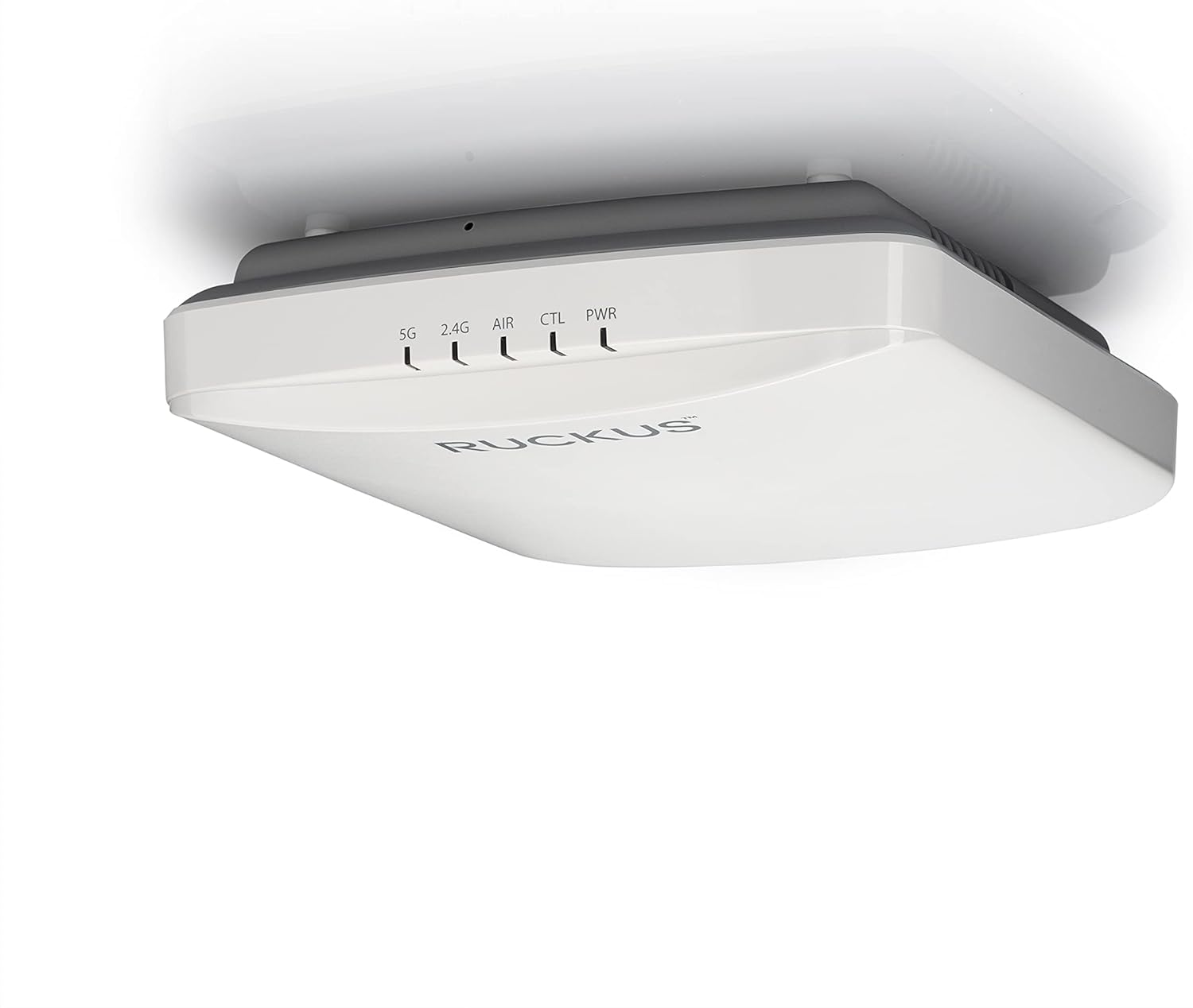
Figur 2: Side view of the Ruckus R550 Access Point, highlighting its compact design.
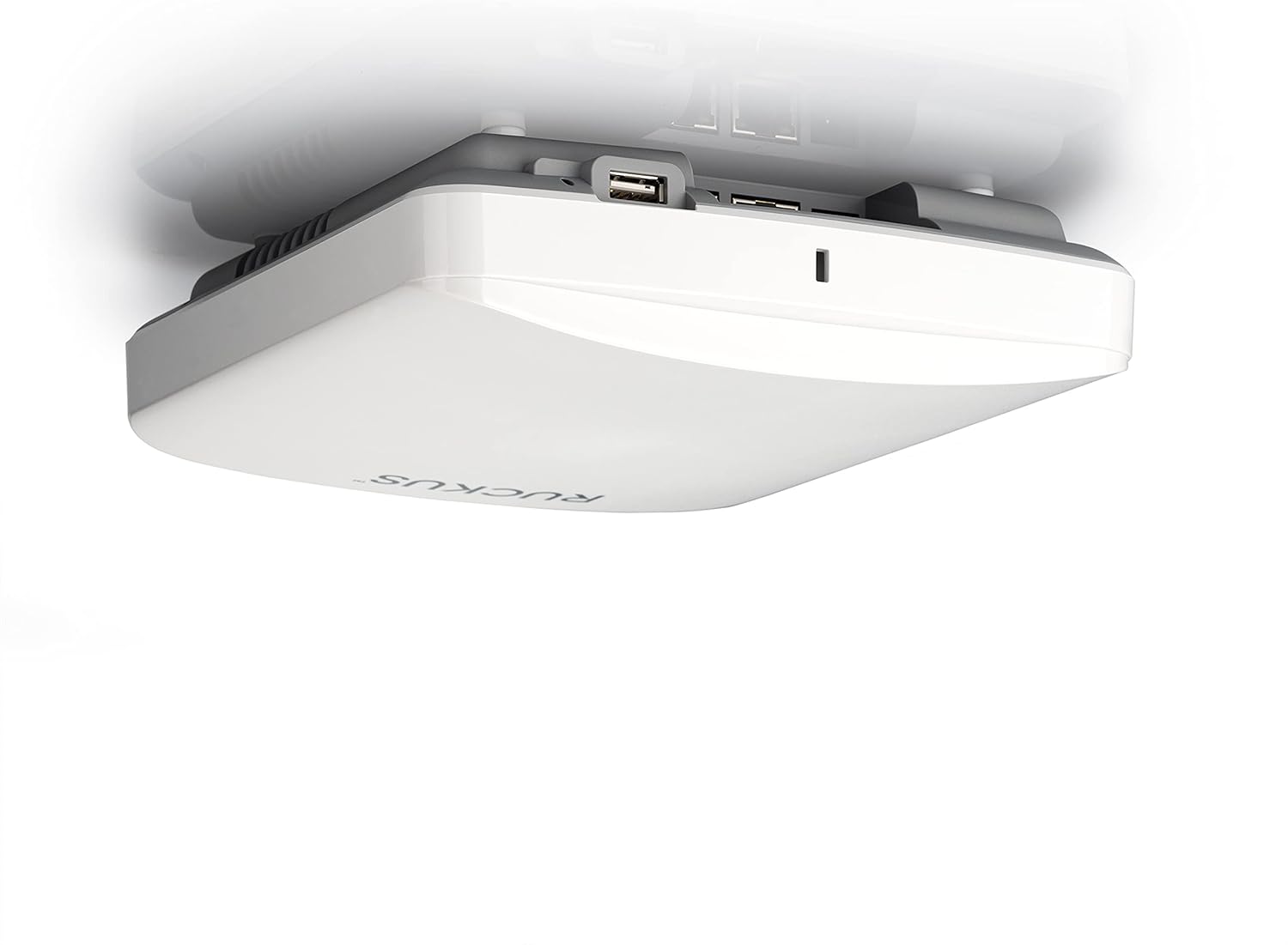
Figur 3: Bag view of the Ruckus R550 Access Point, displaying its connectivity ports.

Figur 4: Bund view of the Ruckus R550 Access Point.
4. Opsætning og installation
Setting up your Ruckus Unleashed R550 Access Point is a straightforward process. You can configure the access point using either a web browser or the Ruckus Unleashed mobile application. For the best experience, the mobile app is recommended.
4.1. Indledende opsætningstrin
- Tænd: Connect the R550 Access Point to the included US power adapter.
- Netværks forbindelse: Connect the R550 to your network using the provided Ethernet cable.
- Mobile App Configuration (Recommended):
- Download the Ruckus Unleashed Mobile App from your device's app store.
- On your phone, connect to the "Configure Me-[XXXXXX]" Wi-Fi network broadcast by the R550.
- Open the Ruckus Unleashed Mobile App and follow the on-screen instructions to complete the installation and initial configuration. This typically involves setting up administrator credentials and basic network settings.
- Web Browser Configuration (Alternative):
- Connect your computer to the "Configure Me-[XXXXXX]" Wi-Fi network or directly to the R550 via Ethernet.
- Åbn a web browser and navigate to the default IP address (refer to the Ruckus Unleashed documentation for the specific IP, often 192.168.1.1 or similar).
- Følg web-based wizard to configure your access point.
4.2. Understanding Mesh Networking
The Ruckus Unleashed R550 supports SmartMesh wireless meshing technology, which allows you to extend your Wi-Fi coverage without running additional Ethernet cables to every access point. This technology dynamically creates self-forming and self-healing mesh networks, simplifying deployment and reducing infrastructure costs.

Figur 5: Illustration of a Ruckus Unleashed mesh network, showing how access points can wirelessly connect to extend coverage.
4.3. Opsætningsvideoguide
For a visual guide on setting up your Ruckus Unleashed network, please watch the official video below:
Video 1: How to setup a RUCKUS Unleashed network. This video demonstrates the step-by-step process of installing and managing your Ruckus Unleashed network using the mobile app.
5. Betjeningsvejledning
Once your Ruckus Unleashed R550 Access Point is installed and configured, you can manage your network and connected clients through the Unleashed mobile app or web interface.
- Dashboard overview: The mobile app provides a quick snapshot of connected clients, WLANs (Wireless Local Area Networks), and access points in your network.
- Adding WLANs: Easily add new Wi-Fi networks (WLANs) for different purposes (e.g., guest network, private network).
- Klienthåndtering: View detailed information about connected clients, rename them for easy identification, and mark them as favorites to receive instant notifications.
- Applikationskontrol: Utilize Deep Packet Inspection to monitor network usage patterns of over 2,200 applications. Define application-specific access rules to limit bandwidth for certain applications (e.g., streaming services) or even limit Wi-Fi speeds for specific user groups.
- Meddelelser: Receive alerts for any changes in your network, such as an unresponsive access point. You can also restart an AP remotely from the mobile app.
6. Vedligeholdelse
To ensure optimal performance and longevity of your Ruckus Unleashed R550 Access Point, regular maintenance is recommended:
- Firmwareopdateringer: Regularly check for and apply the latest firmware updates. These updates often include performance improvements, security patches, and new features.
- Fysisk rengøring: Keep the access point clean and free from dust accumulation. Use a soft, dry cloth for cleaning. Ensure ventilation holes are not obstructed.
- Miljøforhold: Ensure the access point is operating within its specified environmental conditions (temperature, humidity) to prevent overheating or damage.
- Netværksovervågning: Periodisk vedrview network performance metrics and client activity through the Unleashed dashboard to identify and address potential issues proactively.
7. Fejlfinding
If you encounter issues with your Ruckus Unleashed R550 Access Point, consider the following troubleshooting steps:
- Ingen strøm/LED'er slukket:
- Kontroller, at strømadapteren er korrekt tilsluttet både adgangspunktet og en fungerende stikkontakt.
- Sørg for, at stikkontakten fungerer.
- Ingen netværksforbindelse:
- Check the Ethernet cable connection between the AP and your router/switch.
- Confirm your router/switch is functioning correctly and providing internet access.
- Restart the R550 Access Point (unplug and re-plug the power).
- Dårlig Wi-Fi-ydeevne:
- Ensure the AP is centrally located and free from obstructions.
- Kontrollér for potentiel interferens fra andre elektroniske enheder.
- Utilize ChannelFly technology to ensure the AP is using the least congested Wi-Fi channels.
- Verify that no application-specific bandwidth limits are affecting performance for critical applications.
- Kan ikke få adgang til konfigurationsgrænsefladen:
- Ensure your device is connected to the correct Wi-Fi network broadcast by the R550.
- Confirm the correct IP address or app is being used for access.
For advanced troubleshooting or persistent issues, Ruckus support can assist remotely using their remote management system. Refer to the support section for contact information.
8. Specifikationer
| Feature | Detalje |
|---|---|
| Mærke | Ruckus |
| Modelnavn | AMZ-R550-US1U |
| Trådløs type | 802.11n, 802.11ax (Wi-Fi 6), 802.11a, 802.11g, 802.11ac |
| Frekvensbåndsklasse | Dobbeltbånd (2.4 GHz, 5 GHz) |
| Datahastigheder | Op til 1774 Mbps |
| Rumlige strømme | 4 (2x2:2 in 2.4GHz/5GHz) |
| Client Connections | Up to 512 clients |
| Embedded IoT | BLE, Zigbee |
| Forbindelsesteknologi | Wi-Fi |
| Antal USB 2.0-porte | 1 |
| Varens vægt | 1.79 pund |
| Produktmål (LxBxH) | 3 x 12 x 12 tommer |
| Voltage | 1.2E+2 volt (AC) |
| Fabrikant | CommScope |
| Dato først tilgængelig | 23. maj 2021 |
9. Garanti og support
For warranty information and technical support regarding your Ruckus Unleashed R550 Access Point, please contact CommScope, the manufacturer, or your authorized Ruckus reseller. Ruckus also offers remote management assistance for troubleshooting and support.
For more information and support resources, please visit the official Ruckus Networks webwebsted: ruckusnetworks.com/unleashed


