1. Introduktion
This manual provides instructions for the DOYOKY Wireless Switch Controller, model YS32-01. This controller is designed for use with Nintendo Switch and Switch Lite consoles, offering an enhanced gaming experience with features such as customizable LED lighting, precise motion control, dual vibration feedback, and a turbo function.
Please read this manual thoroughly before using the product to ensure proper operation and to maintain the device's longevity.
2. Produktet er slutview
The DOYOKY Wireless Switch Controller features an ergonomic design for comfortable gameplay and includes various buttons and functions for comprehensive control.

Figur 2.1: Front view of the DOYOKY Wireless Switch Controller YS32-01. This image displays the controller's overall layout, including the D-pad, ABXY buttons, joysticks with LED rings, Home button, Capture button, Plus and Minus buttons, and shoulder buttons.
2.1 Controllerkomponenter
- Venstre joystick: Til retningsbestemt bevægelse.
- Højre joystick: Til kamerastyring eller sigtning.
- D-Pad: Retningspad til præcis input.
- A/B/X/Y-knapper: Handlingsknapper.
- V/H-knapper: Venstre og højre skulderknapper.
- ZL/ZR-knapper: Venstre og højre udløserknapper.
- HJEM knap: Returns to the console's home screen, also used for wake-up function.
- OPTAG-knap: Tager skærmbilleder.
- PLUS (+) / MINUS (-) Buttons: Start/vælg funktioner.
- TURBO knap: Aktiverer/deaktiverer turbofunktionen.
- LED-indikatorer: Spillernummer og opladningsstatus.
- USB-C-port: Til opladning og kabelforbindelse.
3. Opsætning
3.1 Opladning af controlleren
The controller is equipped with a built-in Lithium Ion battery. Before first use, fully charge the controller.
- Connect the provided USB-C cable to the charging port on the controller.
- Tilslut den anden ende af USB-C-kablet til en USB-strømkilde (f.eks. Nintendo Switch-dock, USB-vægadapter, computerens USB-port).
- LED-indikatorerne på controlleren viser opladningsstatus. Når den er fuldt opladet, ændres eller slukkes indikatorerne.
A full charge provides approximately 8 hours of gameplay. The controller can be used while charging.

Figur 3.1: Illustration of the controller's high-performance battery, indicating 8 hours of service and a 600mAh capacity. This image highlights the internal battery and its specifications.
3.2 Pairing with Nintendo Switch / Switch Lite
The controller connects wirelessly to your Nintendo Switch or Switch Lite console.
- Fra Nintendo Switch HOME-menuen skal du vælge "Controllere" > "Skift greb/rækkefølge".
- On the DOYOKY controller, press and hold the dedicated pairing button (often a small button on the top or back, refer to controller diagram if available) until the LED indicators begin to flash rapidly.
- Når controlleren er parret, vil den/de tilsvarende afspiller-LED('er) på controlleren lyse konstant.
- To wake up the console from sleep mode, simply press the HOME button on the controller.
The wireless connection range is approximately 23 feet (7 meters).
4. Betjeningsvejledning
4.1 LED Colors and Lighting Modes
The controller features customizable LED lighting around the joysticks, offering 7 different colors and three lighting modes.
- Tilgængelige farver: Red, Orange, Green, Cyan, Blue, Purple, and Rainbow.
- Belysningstilstande: Palette (static color), Breathe (fading in/out), Rainbow Breathe (cycling rainbow colors).
Refer to the controller's specific button combinations (usually a combination of a function button and a joystick click) to cycle through colors and modes. This allows for personalization based on game or preference.

Figur 4.1: Nærbillede view of the controller's joysticks with illuminated LED rings, demonstrating the "6 Colors Breathing LED" feature. This image illustrates the various color options and lighting effects.
4.2 Bevægelseskontrol
The controller incorporates a 6-axis gyro sensor for precise motion control, enhancing gameplay in titles that utilize tilt and movement inputs.
- The gyro sensor provides accurate detection of the controller's orientation and movement in 3D space.
- This feature is automatically active in compatible games.
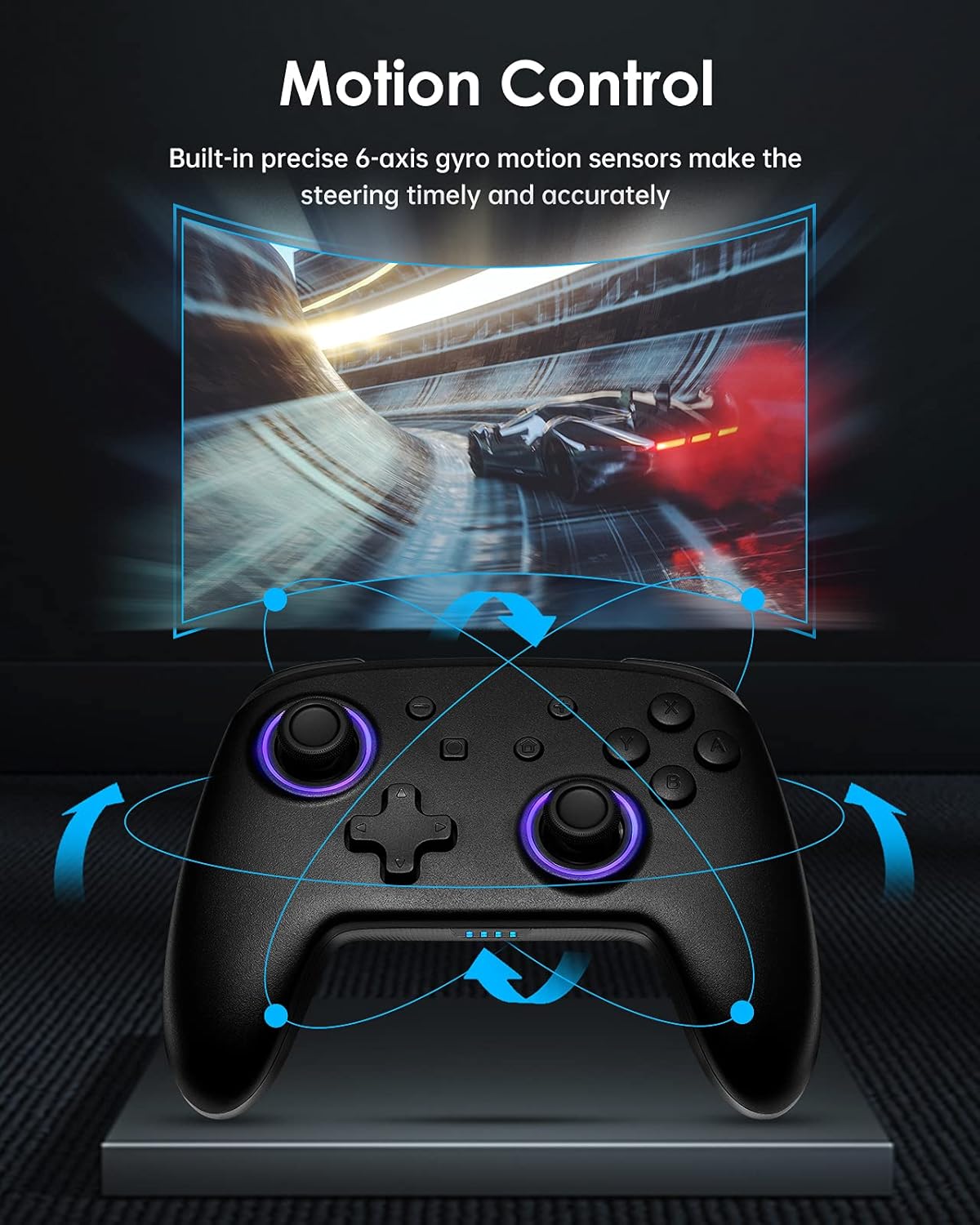
Figur 4.2: Diagram illustrating the motion control capabilities of the controller, showing how tilting and movement translate into in-game actions, such as steering in a racing game.
4.3 Dual Vibration
Experience immersive feedback with the controller's dual vibration motors, providing timely and varied haptic responses to in-game events.
- The controller features 4-level built-in dual motors for different intensities of vibration.
- Vibration feedback is automatically triggered by compatible games.

Figur 4.3: eksploderede view of the controller highlighting the dual vibration motors and illustrating the different levels of vibration feedback.
4.4 TURBO Funktion
The TURBO function allows for continuous rapid input of a selected button, useful in games requiring fast, repeated presses.
- The controller supports a three-gear adjustable turbo speed.
- To activate TURBO: Press and hold the TURBO button, then press the desired action button (e.g., A, B, X, Y, L, R, ZL, ZR). The button will now continuously input when held.
- To adjust TURBO speed: While TURBO is active, press the TURBO button and move the Right Joystick Up or Down to cycle through speeds (e.g., 5/s, 12/s, 20/s).
- To deactivate TURBO: Press and hold the TURBO button, then press the same action button again.

Figur 4.4: Graphic illustrating the TURBO function with three adjustable speeds (5/s, 12/s, 20/s) and how the 'T' button activates this feature.
5. Vedligeholdelse
Proper care and maintenance will extend the life of your DOYOKY controller.
- Hold controlleren tør. Undgå udsættelse for fugt eller væsker.
- Rengør controlleren med en blød, tør klud. Brug ikke skrappe kemikalier eller slibende rengøringsmidler.
- Avoid extreme temperatures. Store the controller in a cool, dry place.
- Do not attempt to disassemble or modify the controller, as this will void any warranty and may cause damage.
6. Fejlfinding
Hvis du støder på problemer med din controller, kan du bruge følgende almindelige løsninger:
- Controller does not connect or frequently disconnects:
- Sørg for, at controlleren er fuldt opladet.
- Gentag parringsprocessen som beskrevet i afsnit 3.2.
- Ensure the controller is within the 23-foot wireless range of the console.
- Kontroller for eventuelle trådløse interferenser fra andre enheder.
- If the issue persists, try restarting both the controller and the Nintendo Switch console.
- Knapper eller joysticks reagerer ikke:
- Ensure the controller is properly connected to the console.
- Kontroller, om controllerens batteri er lavt.
- Clean around the buttons and joysticks with a soft, dry cloth to remove any debris.
- Test the controller in a different game or on a different console (if available) to determine if the issue is with the controller or the game/console settings.
- LEDs are not working or displaying incorrectly:
- Refer to Section 4.1 for instructions on changing LED colors and modes.
- Ensure the controller has sufficient battery power.
7. Specifikationer
| Feature | Detalje |
|---|---|
| Modelnummer | YS32-01 |
| Kompatibilitet | Nintendo Switch, Nintendo Switch Lite |
| Forbindelse | Trådløs |
| Batteritype | 1 litium-ion-batteri (indbygget) |
| Batterilevetid | Op til 8 timer (ca.) |
| Dimensioner (L x B x H) | 16.51 x 11.18 x 6.86 cm |
| Vægt | 290 g |
| Særlige funktioner | 7 LED Colors, 3 Lighting Modes, 6-axis Gyro Motion Control, Dual Vibration (4 levels), 3-gear TURBO Function |
8. Garanti og support
Warranty information for the DOYOKY Wireless Switch Controller YS32-01 is typically provided with the product packaging or available on the manufacturer's official webwebsted. Gem venligst din købsbevis til garantikrav.
For technical support or further inquiries, please refer to the contact information provided by your retailer or visit the official DOYOKY support channels.


