1. Introduktion
This manual provides detailed instructions for the setup, operation, maintenance, and troubleshooting of your MEETION MT-KB015 One-Handed Wired RGB Gaming Keyboard. Please read this manual thoroughly to ensure proper use and to maximize your gaming experience.
2. Produktet er slutview
The MEETION MT-KB015 is a compact, one-handed gaming keyboard designed for enhanced control and comfort. It features vibrant RGB backlighting, ergonomic keycaps, and dedicated multimedia controls. Its durable membrane switches are rated for 50 million keystrokes, ensuring longevity.

Dette billede viser forsiden view of the MEETION MT-KB015 one-handed gaming keyboard, highlighting its compact design and vibrant RGB backlighting.

An angled perspective of the MEETION MT-KB015 keyboard, emphasizing its integrated ergonomic palm rest designed for comfortable use during extended gaming sessions.

A user's hand is shown comfortably resting on the integrated palm rest of the MEETION MT-KB015 keyboard, illustrating its ergonomic design for gaming.
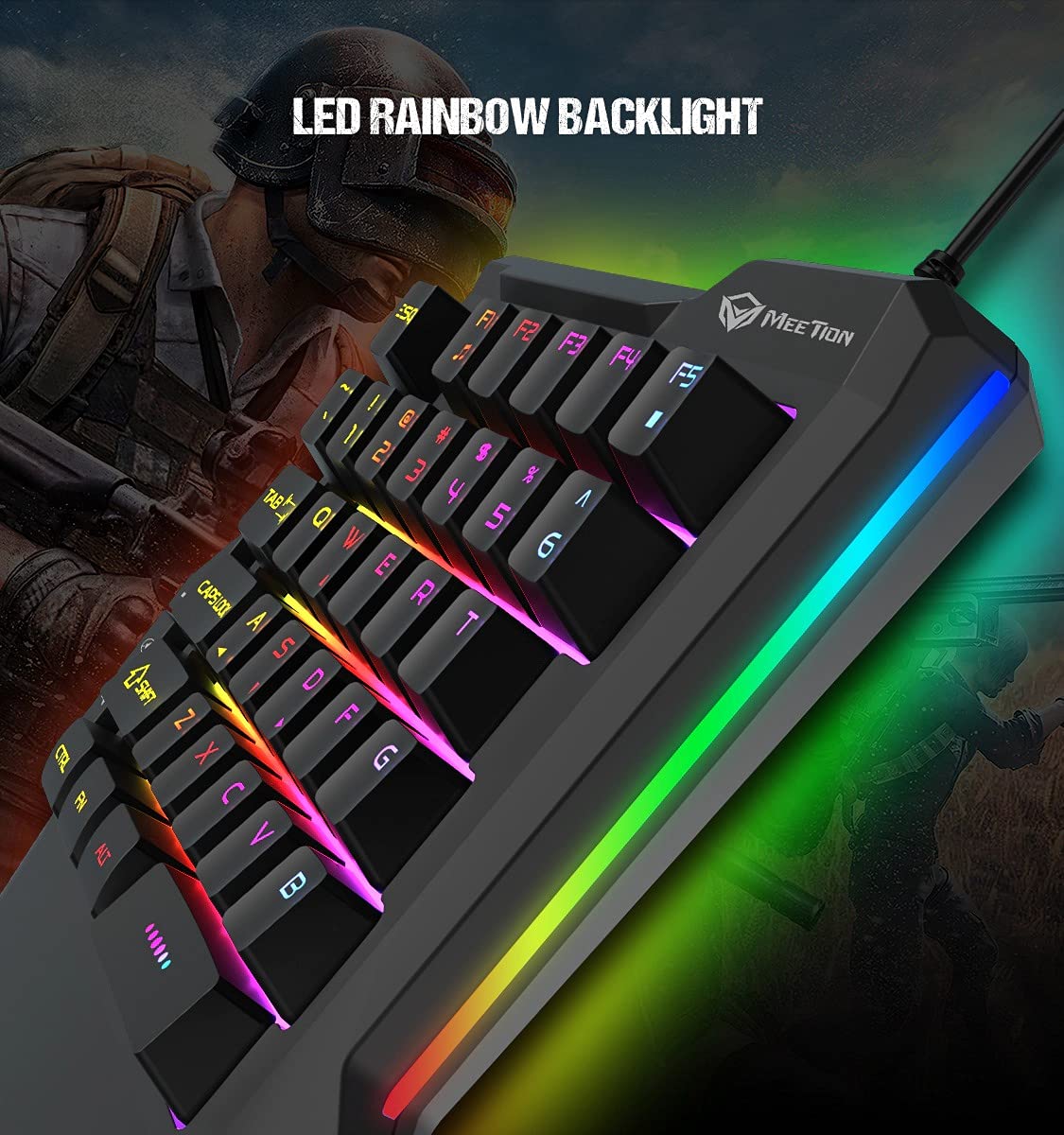
En detaljeret view of the MEETION MT-KB015 keyboard's keys, showcasing the dynamic LED rainbow backlighting effect.

This image provides a close-up of the membrane switch keys on the MEETION MT-KB015 keyboard, illustrating their design and construction.

The MEETION MT-KB015 keyboard is depicted connected to a computer setup, demonstrating its simple plug-and-play connectivity.

En overhead view of a user engaged in gaming, utilizing the MEETION MT-KB015 one-handed keyboard alongside a gaming mouse on a desk.
Nøglefunktioner:
- 50 Million Keystroke Life: Durable membrane switches designed for extended use.
- Multimedienøgler: Conveniently placed dedicated keys for volume control.
- Comfortable Palm Rest: Integrated broad palm rest for ergonomic support during long gaming sessions.
- Easy To Use Plug and Play: Simple connectivity with various devices without requiring additional drivers.
3. Opsætning
The MEETION MT-KB015 keyboard is designed for plug-and-play functionality, requiring no complex installation.
Tilslutning af tastaturet:
- Locate an available USB port on your computer, laptop, or compatible smartphone.
- Plug the USB cable of the MT-KB015 keyboard into the USB port.
- The operating system (e.g., Windows 10) will automatically detect and install the necessary drivers.
- The keyboard's RGB backlight will illuminate, indicating it is ready for use.
Kompatible enheder: Laptop, PC, Smartphone.
4. Betjeningsvejledning
Grundlæggende betjening:
Once connected, the keyboard functions immediately. The keys are laid out for one-handed gaming, providing quick access to essential commands.
RGB-baggrundsbelysningskontrol:
The keyboard features an LED rainbow backlight. Specific key combinations or dedicated buttons for backlight mode changes are not detailed in the product information, but the lighting will be active upon connection.
Multimedienøgler:
The MT-KB015 includes dedicated multimedia keys for convenient audio control.

A diagram highlighting the location and function of the dedicated Volume Up, Mute, and Volume Down multimedia keys positioned on the left side of the MEETION MT-KB015 keyboard.
- Lydstyrke op: Increases audio output.
- Stum: Toggles audio mute on/off.
- Skrue ned for lyden: Decreases audio output.
Additional multimedia functions (Music Player, Stop) are indicated with FN key combinations (FN + F1 for Music Player, FN + F5 for Stop).
5. Vedligeholdelse
For at sikre dit tastaturs levetid og optimale ydeevne skal du følge disse retningslinjer for vedligeholdelse:
- Rensning: Use a soft, dry cloth to wipe the surface of the keyboard. For deeper cleaning, a slightly damp cloth with mild soap can be used, ensuring no liquid enters the key switches or internal components.
- Fjernelse af støv: Brug trykluft til at fjerne støv og snavs mellem tasterne.
- Undgå væsker: Spild ikke væsker på tastaturet. I tilfælde af utilsigtet spild skal du straks frakoble tastaturet og lade det tørre helt, før du tilslutter det igen.
- Opbevaring: Opbevar tastaturet et køligt, tørt sted væk fra direkte sollys og ekstreme temperaturer.
6. Fejlfinding
If you encounter issues with your MEETION MT-KB015 keyboard, refer to the following common solutions:
Tastaturet reagerer ikke:
- Tjek USB-forbindelse: Ensure the USB cable is securely plugged into a functional USB port on your device. Try a different USB port.
- Genstart enhed: Genstart din computer eller smartphone.
- Test på en anden enhed: Connect the keyboard to another computer or compatible device to determine if the issue is with the keyboard or the original device.
Baggrundslys virker ikke:
- Sørg for, at tastaturet er korrekt tilsluttet og modtager strøm.
- If available, check for any dedicated backlight control keys or software settings.
Nøgler registreres ikke eller dobbelttastes:
- Clean the affected keys to remove any debris that might be obstructing the switch mechanism.
- Ensure the keyboard is on a stable, flat surface.
Hvis problemerne fortsætter efter at have forsøgt disse løsninger, bedes du kontakte kundesupport.
7. Specifikationer
| Feature | Detalje |
|---|---|
| Mærke | MØDE |
| Modelnummer | MT-KB015 |
| Serie | MEETION MT-KB015 |
| Farve | Sort |
| Forbindelsesteknologi | Kablet |
| Tastaturbeskrivelse | Spil |
| Switch Type | Membran switch |
| Keystroke Life Cycle | 50 mio |
| Hardware platform | Laptop, pc, smartphone |
| Operativsystemkompatibilitet | Windows 10 (and compatible with other OS via Plug and Play) |
| Produktmål (LxBxH) | 21 x 3.8 x 18.1 cm |
| Varens vægt | 420 g |
| Inkluderede komponenter | USB kabel |
| Batterier medfølger | Ingen |
8. Garanti og support
Garantioplysninger:
The MEETION MT-KB015 One-Handed Wired RGB Gaming Keyboard comes with a 1 års garanti fra købsdatoen. Denne garanti dækker fabrikationsfejl ved normal brug. Gem venligst din købsbevis i tilfælde af garantikrav.
Kundesupport:
For technical assistance, warranty claims, or any product-related inquiries, please contact MEETION customer support. Contact details for the manufacturer/importer are provided below:
- Fabrikant: Meetion, Meetion Tech Co. LTD - China
- Importør: Cavitak Marketing Pvt Ltd. 9, Vitthalbhai Patel Colony, Lakhudi, Naranpura, Ahmedabad-380014
- E-mail: meetion@cavitak.com
- Telefon: 0796813-66-11


