1. Introduktion
This manual provides detailed instructions for the OMOTON KB066 Bluetooth Keyboard. Designed for seamless integration with various iOS devices, this ultra-slim wireless keyboard offers a comfortable and efficient typing experience. Please read this manual thoroughly before use to ensure proper setup and operation.
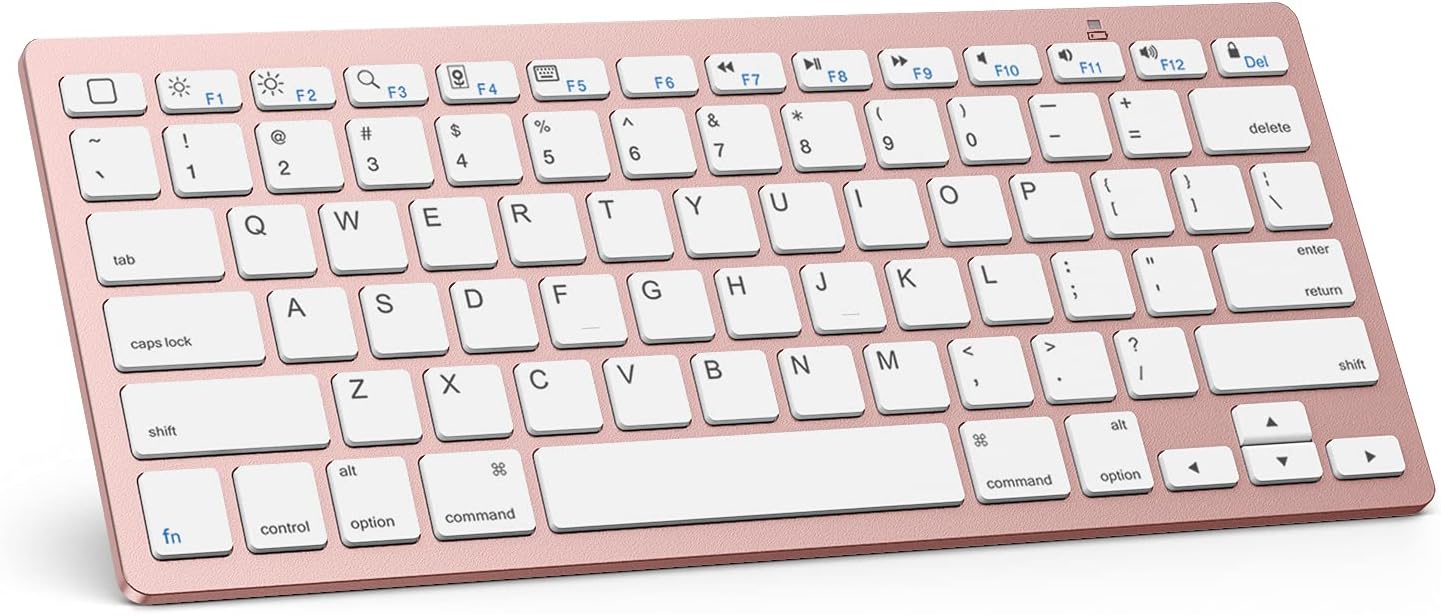
Image 1.1: The OMOTON KB066 Bluetooth Keyboard, showcasing dens kompakte design og tastelayout.
2. Pakkens indhold
- OMOTON KB066 trådløst tastatur
3. Specifikationer
| Feature | Detalje |
|---|---|
| Modelnummer | OMOTON KB066 |
| Produktdimensioner | 11.22 x 4.72 x 0.24 tommer (284.5 x 119.4 x 5.1 mm) |
| Varens vægt | 11.3 ounce |
| Forbindelsesteknologi | Bluetooth |
| Strømkilde | 2 x AAA-batterier (medfølger ikke) |
| Driftsafstand | Op til 10 meter (33 fod) |
| Tastaturlayout | QWERTY with Hot Keys |
| Særlige funktioner | Lightweight, Portable, Automatic Sleep Mode |

Image 3.1: Diagram illustrating the dimensions of the OMOTON KB066 Bluetooth Keyboard.
4. Opsætningsvejledning
4.1 Batteriinstallation
- Find batterirummet på bagsiden af tastaturet.
- Åbn batteridækslet.
- Isæt to AAA-batterier (medfølger ikke), og sørg for at polariteten (+/-) vender korrekt.
- Luk batteridækslet forsvarligt.
4.2 Bluetooth -parring
- Turn on the keyboard by sliding the power switch to the 'ON' position. The power indicator light will briefly illuminate.
- Press the 'Connect' button on the back of the keyboard. The Bluetooth indicator light will begin to flash, indicating it is in pairing mode.
- On your iOS device (iPad, iPhone, etc.), go to Indstillinger > Bluetooth.
- Sørg for, at Bluetooth er aktiveret på din enhed.
- Your device will search for available Bluetooth devices. Select 'OMOTON Keyboard' or 'OMOTON KB066' from the list.
- Follow any on-screen prompts to complete the pairing process. Once successfully paired, the Bluetooth indicator light on the keyboard will turn off.

Billede 4.1: Top og bund view of the keyboard, highlighting the power switch, connection button, and battery slot.
5. Betjeningsvejledning
5.1 Grundlæggende skrivning
The OMOTON KB066 keyboard features a standard QWERTY layout. Simply open any text input application on your paired iOS device and begin typing.
5.2 Function Keys (Hot Keys)
The top row of keys provides quick access to various functions specific to iOS/iPadOS. These include:
- Fn + F1: Home Screen
- Fn + F2: Lysstyrke ned
- Fn + F3: Lysstyrke op
- Fn + F4: Søg
- Fn + F5: Show/Hide Keyboard
- Fn + F6: Forrige spor
- Fn + F7: Afspil/Pause
- Fn + F8: Næste spor
- Fn + F9: Lydløs
- Fn + F10: Skrue ned
- Fn + F11: Lydstyrke op
- Fn + F12: Låseskærm
- Del: Slet
Note: Function keys may not be fully compatible with other operating systems.

Billede 5.1: Nærbillede view of the keyboard highlighting the optimized multimedia function keys.
5.3 Strømstyring
The keyboard features an energy-saving design with an automatic sleep mode. If inactive for a period, the keyboard will enter sleep mode to conserve battery life. To wake it up, simply press any key. The keyboard will automatically reconnect to your paired device.
6. Kompatibilitet
The OMOTON KB066 Bluetooth Keyboard is broadly compatible with a range of Apple iOS devices, including:
- iPad 10. generation
- iPad 10.2 (9th/8th/7th Generation)
- iPad Pro 13/12.9/11 inch
- iPad Air 13/11 inch
- iPad Air 10.9 inch (5th/4th Gen)
- iPad mini 6 / 5
- Other iOS devices (function keys may vary)
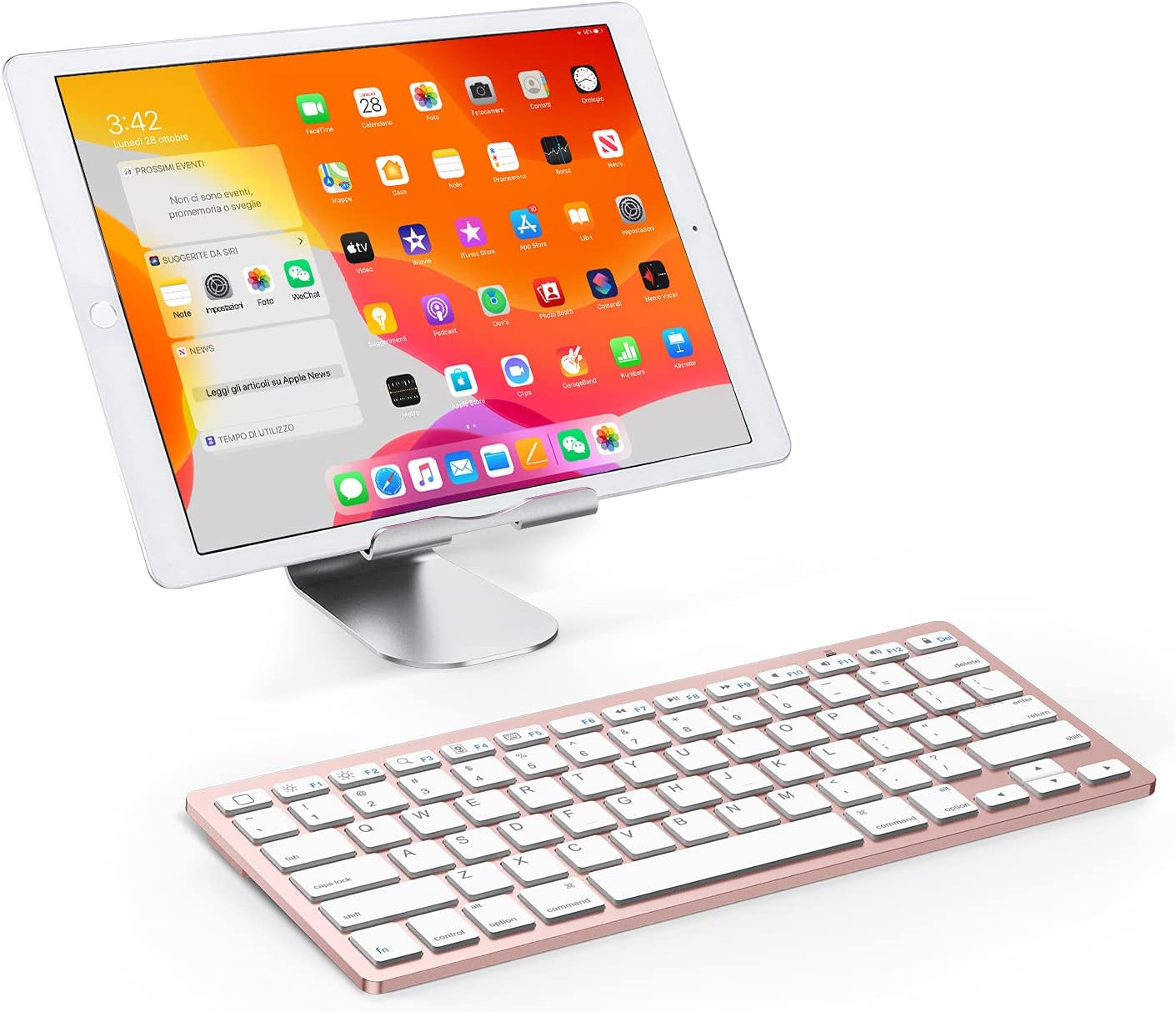
Image 6.1: The OMOTON KB066 keyboard positioned with an iPad on a stand, demonstrating its use with a tablet.
7. Fejlfinding
7.1 Tastatur opretter ikke forbindelse
- Sørg for, at tastaturet er tændt og har friske batterier.
- Verify Bluetooth is enabled on your iOS device.
- Make sure the keyboard is within the 10-meter operating range of your device.
- If previously paired, try 'forgetting' the device in your iOS Bluetooth settings and re-pairing.
- Restart both the keyboard (turn off and on) and your iOS device.
7.2 Taster reagerer ikke
- Check battery levels. Low batteries can cause intermittent key responses.
- Sørg for, at tastaturet er korrekt forbundet via Bluetooth.
- Fjern eventuelt snavs omkring tasterne.
7.3 Disconnections During Use
- This can sometimes occur if the keyboard enters sleep mode. Press any key to wake it up.
- Ensure there are no strong interfering signals (e.g., other Bluetooth devices, Wi-Fi routers) nearby.
- Kontroller batteriniveauer.
8. Vedligeholdelse
8.1 Rengøring
To clean the keyboard, gently wipe the surface with a soft, damp, lint-free cloth. Avoid using harsh chemicals or abrasive materials. Do not immerse the keyboard in water.
8.2 Opbevaring
Når tastaturet ikke er i brug i længere perioder, skal det slukkes for at spare på batteriet. Opbevar det et køligt og tørt sted væk fra direkte sollys og ekstreme temperaturer.
9. Garanti og support
OMOTON is committed to providing quality products and customer satisfaction. For any questions, concerns, or technical assistance regarding your OMOTON KB066 Bluetooth Keyboard, please contact OMOTON customer service. Refer to the product packaging or the official OMOTON webwebsted for kontaktoplysninger.


