1. Introduktion
Welcome to the user manual for your XPG Xenia Xe Lifestyle Gaming Ultrabook. This high-performance laptop is designed for both productivity and gaming, featuring a powerful Intel Core i5-1135G7 processor, Intel Iris Xe Graphics, and a fast 1TB PCIe 4x4 NVMe SSD. Its sleek design, 15.6-inch touch screen with Corning Gorilla Glass, and long battery life make it an ideal companion for various tasks.
This manual provides essential information for setting up, operating, maintaining, and troubleshooting your device to ensure you get the most out of its capabilities.

Image 1.1: The XPG Xenia Xe, a result of a design collaboration between XPG and Intel.

Billede 1.2: Forside view of the XPG Xenia Xe Lifestyle Gaming Ultrabook.
2. Opsætning
2.1 Udpakning og første inspektion
Carefully remove your XPG Xenia Xe laptop from its packaging. Inspect the contents for any signs of damage. Ensure all components listed below are present.
2.2 Hvad er der i æsken
- XPG XENIA Xe Laptop
- 65W Power Adapter / AC Cord
- XPG Brand Stickers
- Hurtig startvejledning
2.3 Tænd for første gang
- Tilslut strømadapteren til den bærbare computers opladningsport og derefter til en stikkontakt.
- Open the laptop lid. The system may power on automatically, or you may need to press the power button located on the keyboard.
- Follow the on-screen instructions to complete the Windows 10 Home setup process. This includes selecting your region, language, and setting up your user account.
2.4 Tilslutning af eksterne enheder
The XPG Xenia Xe offers various ports for connecting external devices:
- USB 3.2 Gen2-porte: Til tilslutning af USB-enheder som mus, tastaturer og eksterne drev.
- Thunderbolt 4-porte: High-speed ports for data transfer, video output, and power delivery.
- HDMI 2.0b: Til tilslutning til eksterne skærme eller projektorer.
- 3.5 mm kombineret lydstik: Til hovedtelefoner eller headsets.

Image 2.1: The XPG Xenia Xe connected to peripherals, ready for use.
3. Operating Your Ultrabook
3.1 Grundlæggende betjening
- Tastatur: Utilize the full-sized keyboard for typing. Function keys (Fn) provide quick access to system controls like volume, brightness, and Wi-Fi.
- Touchpad: Præcisions-touchpad'en understøtter multi-touch-bevægelser til navigation.
- Berøringsskærm: The 15.6-inch touch screen allows for intuitive interaction with Windows 10 Home.

Billede 3.1: Top-down view of the XPG Xenia Xe's keyboard and touchpad.
3.2 Batteristyring
Your Xenia Xe ultrabook offers impressive battery life, up to 16 hours depending on usage. It also supports fast-charging technology.
- Opladning: The battery can be fully charged within 2.5 hours, with 80% charge achieved in approximately 1 hour.
- Optimering: To maximize battery life, adjust screen brightness, close unused applications, and utilize power-saving modes in Windows settings.
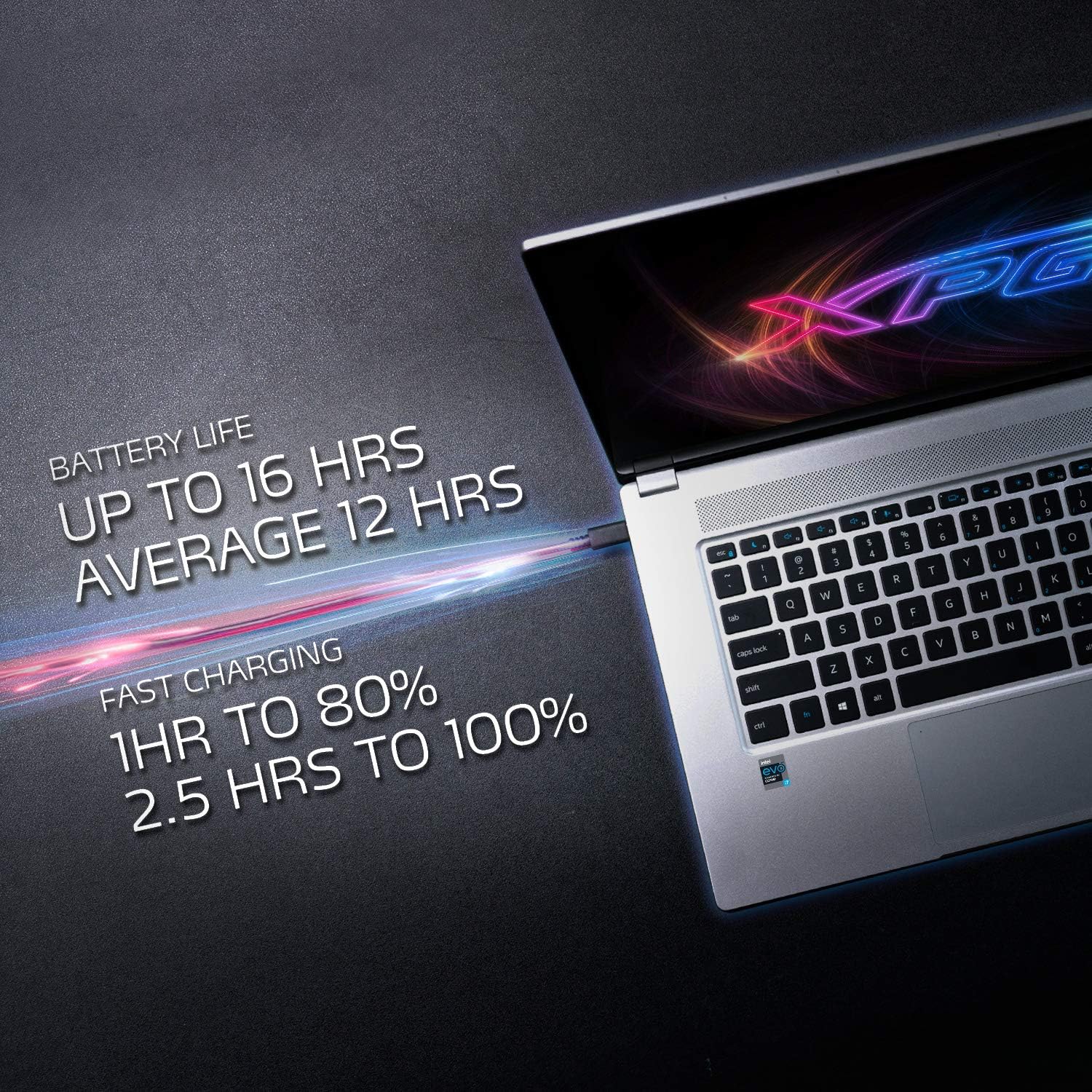
Image 3.2: Information regarding the Xenia Xe's battery life and fast charging capabilities.
3.3 Avancerede funktioner
- Windows Hello: Utilize facial recognition for secure and instant login.
- Instant Wake: The laptop supports quick wake-up from sleep mode, allowing you to resume work or play almost instantly.
- Wi-Fi 6 og Bluetooth 5.1: Experience faster wireless connectivity and improved Bluetooth performance for accessories.
- Xbox Game Pass: Your purchase includes a 1-month trial of Xbox Game Pass for unlimited access to a library of games.

Image 3.3: The XPG Xenia Xe demonstrating its gaming capabilities with Intel Iris Xe Graphics.

Image 3.4: The XPG Xenia Xe is suitable for both productivity and entertainment.
4. Vedligeholdelse
4.1 Cleaning Your Ultrabook
Sådan bevarer du din bærbare computers udseende og funktionalitet:
- Brug en blød, fnugfri klud lidt damprengøres med vand eller en skærmrens til skærmen.
- Brug en blød, tør klud til tastatur og kabinet. Undgå slibende materialer eller barske kemikalier.
- Periodically use compressed air to clear dust from vents to ensure proper airflow.
4.2 Softwareopdateringer
Opdater dit operativsystem og dine drivere regelmæssigt for at sikre optimal ydeevne, sikkerhed og kompatibilitet.
- Windows-opdateringer: Gå til Indstillinger > Opdatering og sikkerhed > Windows Update.
- Driver opdateringer: Check the XPG official website for the latest drivers for your Xenia Xe model.
4.3 Lagerstyring
Your laptop is equipped with a 1TB PCIe 4x4 NVMe SSD, offering high-speed storage. To maintain performance:
- Slet regelmæssigt unødvendige files og programmer.
- Brug cloud-lagring til store files for at frigøre lokal diskplads.
- Avoid filling the SSD to its maximum capacity, as this can impact performance.

Image 4.1: The XPG Xenia Xe features a high-speed PCIe 4.0 NVMe SSD for rapid data access.
5. Fejlfinding
This section addresses common issues you might encounter with your XPG Xenia Xe ultrabook.
5.1 Strømproblemer
- Bærbar computer tænder ikke: Sørg for, at strømadapteren er korrekt tilsluttet både den bærbare computer og en fungerende stikkontakt. Prøv en anden stikkontakt.
- Batteri oplades ikke: Kontroller, at strømadapteren fungerer korrekt. Kontroller, om opladningsporten eller kablet er beskadiget.
5.2 Skærmproblemer
- Ingen visning: Connect an external monitor to check if the issue is with the laptop's screen. If the external monitor works, the laptop's display may require service.
- Flimrende skærm: Opdater dine grafikdrivere. Hvis problemet fortsætter, kan det være tegn på et hardwareproblem.
5.3 Forbindelsesproblemer (Wi-Fi/Bluetooth)
- Kan ikke oprette forbindelse til Wi-Fi: Ensure Wi-Fi is enabled in Windows settings. Restart your router and the laptop. Update wireless drivers.
- Bluetooth-enhed parres ikke: Ensure the Bluetooth device is in pairing mode and within range. Remove and re-add the device in Windows Bluetooth settings.
5.4 Systemydelse
- Langsom ydeevne: Luk unødvendige programmer. Tjek Jobliste for højt CPU/RAM-forbrug. Sørg for tilstrækkelig ledig plads på SSD'en. Kør en virusscanning.
- Overophedning: Ensure vents are clear of obstructions. Use the laptop on a hard, flat surface. Consider a cooling pad if frequently performing intensive tasks.
If you encounter issues not covered here or if troubleshooting steps do not resolve the problem, please refer to the Warranty and Support section for further assistance.
6. Specifikationer
Below are the detailed specifications for the XPG Xenia Xe Lifestyle Gaming Ultrabook (Intel Core i5-1135G7 model):
| Feature | Specifikation |
|---|---|
| Modelnavn | Xenia Xe |
| Processor | Intel Core i5-1135G7 (4.2 GHz max turbo frequency) |
| Grafik coprocessor | Intel Iris Xe-grafik (integreret) |
| VÆDDER | 8 GB LPDDR4 (4266 MHz Memory Speed) |
| Harddisk | 1 TB SSD (PCIe 4x4 NVMe) |
| Skærmstørrelse | 15.6 tommer |
| Skærmopløsning | 1920 x 1080 pixels (Fuld HD) |
| Operativsystem | Windows 10 Home (Free upgrade to Windows 11 available) |
| Trådløs type | Bluetooth, Wi-Fi 6 |
| USB-porte | 4 (USB 3.0 / USB 3.2 Gen2, Thunderbolt 4) |
| HDMI port | HDMI 2.0b |
| Gennemsnitlig batterilevetid | Op til 16 timer |
| Varens vægt | 1 pund (ca. 0.45 kg) |
| Produktdimensioner | 9.05 x 13.9 x 0.43 tommer |
| Farve | Sølv |

Billede 6.1: Side view of the XPG Xenia Xe highlighting its Thunderbolt ports and other connectivity options.
7. Garanti og support
7.1 Produktgaranti
Your XPG Xenia Xe Ultrabook comes with a standard manufacturer's warranty. Please refer to the warranty card included in your product packaging or visit the official XPG webwebstedet for detaljerede vilkår og betingelser vedrørende garantidækning, varighed og begrænsninger.
7.2 Kundesupport
For technical assistance, troubleshooting beyond this manual, or warranty claims, please contact XPG customer support through the following channels:
- XPG Officiel Webwebsted: Visit the support section on the official XPG website for FAQs, driver downloads, and contact information.
- Online supportportal: Many issues can be resolved through XPG's online support resources.
Please have your product model number (XENIAXe15TI5G11GXELX-SGCUS) and serial number ready when contacting support to expedite the process.
8. Officielle produktvideoer
No official product videos from the seller were found for this specific model in the provided data.


