1. Introduktion
The Numark Party Mix Live is an all-in-one compact DJ controller designed for intuitive mixing and dynamic performance. It features built-in speakers, integrated lighting effects, and seamless integration with Serato DJ Lite, making it suitable for both beginners and experienced DJs. This manual provides essential information for setting up, operating, and maintaining your device.

Figure 1: Numark Party Mix Live DJ Controller overview.
2. Opsætning
2.1 Pakkens indhold
- Party Mix Live DJ Controller
- USB kabel
- Strømadapter
- Software Download Card (for Serato DJ Lite)
- Hurtig start guide
2.2 Tilslutning af controlleren
- Strømtilslutning: Connect the included power adapter to the Party Mix Live and then to a power outlet.
- USB-forbindelse: Connect the Party Mix Live to your computer (Mac or Windows) using the provided USB cable. This connection facilitates data transfer and control.
- Lydudgang:
- Hovedoutput: Use a 1/8-inch (3.5mm) stereo cable to connect the main output of the Party Mix Live to your external speakers or sound system.
- Hovedtelefonudgang: Plug your DJ headphones into the 1/8-inch (3.5mm) headphone jack for private monitoring.
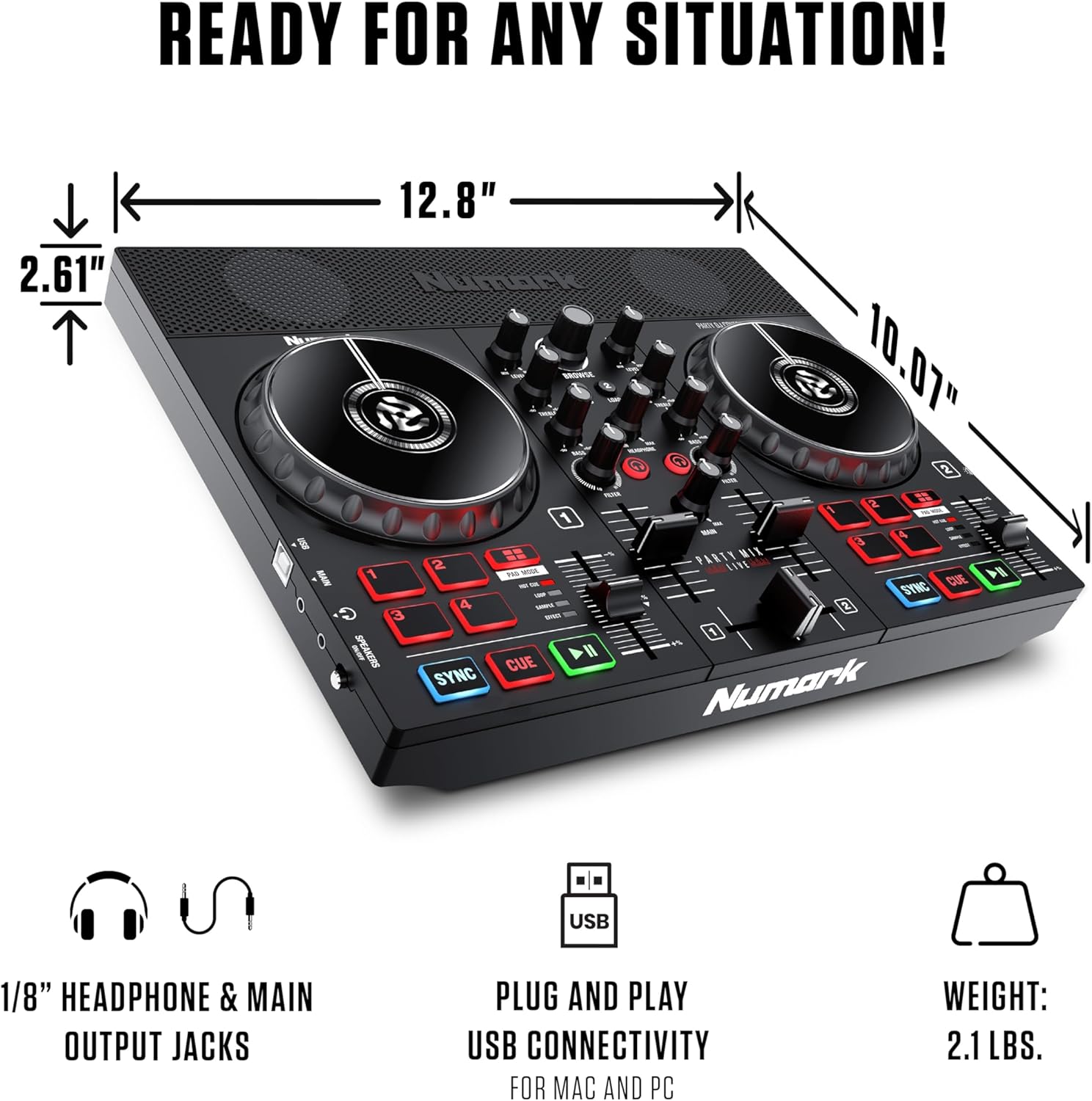
Figur 2: Bagside view showing USB and audio connections.
2.3 Softwareinstallation
The Party Mix Live includes Serato DJ Lite software. Follow these steps to install:
- Besøg Serato website (serato.com/dj/lite/downloads) and download the latest version of Serato DJ Lite.
- Installer softwaren ved at følge instruktionerne på skærmen.
- Once installed, launch Serato DJ Lite. The software should automatically detect your Party Mix Live controller.
3. Operating the Party Mix Live
The Party Mix Live offers a comprehensive set of controls for mixing and performance. Familiarize yourself with the layout:

Figur 3: Detaljeret view of the controller's top panel with labeled controls.
3.1 Basic DJ Controls
- Joghjul: Large, touch-sensitive jog wheels allow for scratching, nudging, and track searching.
- Play/Pause & Cue Buttons: Control track playback and set cue points.
- Synkroniseringsknap: Automatically matches the BPM (beats per minute) of tracks for seamless transitions.
- Pitch Sliders: Adjust the tempo of each track manually.
3.2 Mixerfunktioner
- 2-bånds EQ: Adjust the high and low frequencies for each deck to shape your sound.
- Filter Knobs: Apply high-pass or low-pass filters to create dynamic effects.
- Crossfader: Blend between the two decks.
- Niveauknapper: Control the individual volume of each deck.
- Main Gain Control: Adjust the overall output volume of the controller.
3.3 Performance Pads
The Party Mix Live features four performance pads per deck, offering various functions:
- Hot Cue: Set and trigger instant cue points in your tracks.
- Løkke: Create and trigger automatic loops of various lengths.
- SampLæs: Forudindlæst udløserampeller lav dine egne.
- Effekt: Apply various effects to your tracks.
3.4 Integrated Lighting Effects
The built-in multi-colored LEDs provide a beat-synced light show, enhancing your performance environment.
- Lystilstandskontakt: Cycle through different lighting modes to suit your preference.
- The lights automatically sync to the beat of your music.

Figure 4: Close-up of the integrated multi-colored LED lights.
3.5 Indbyggede højttalere
The Party Mix Live includes 10W stereo speakers for immediate audio playback, ideal for practice or small gatherings.
- Speaker On/Off Switch: Allows for private headphone monitoring without external sound.
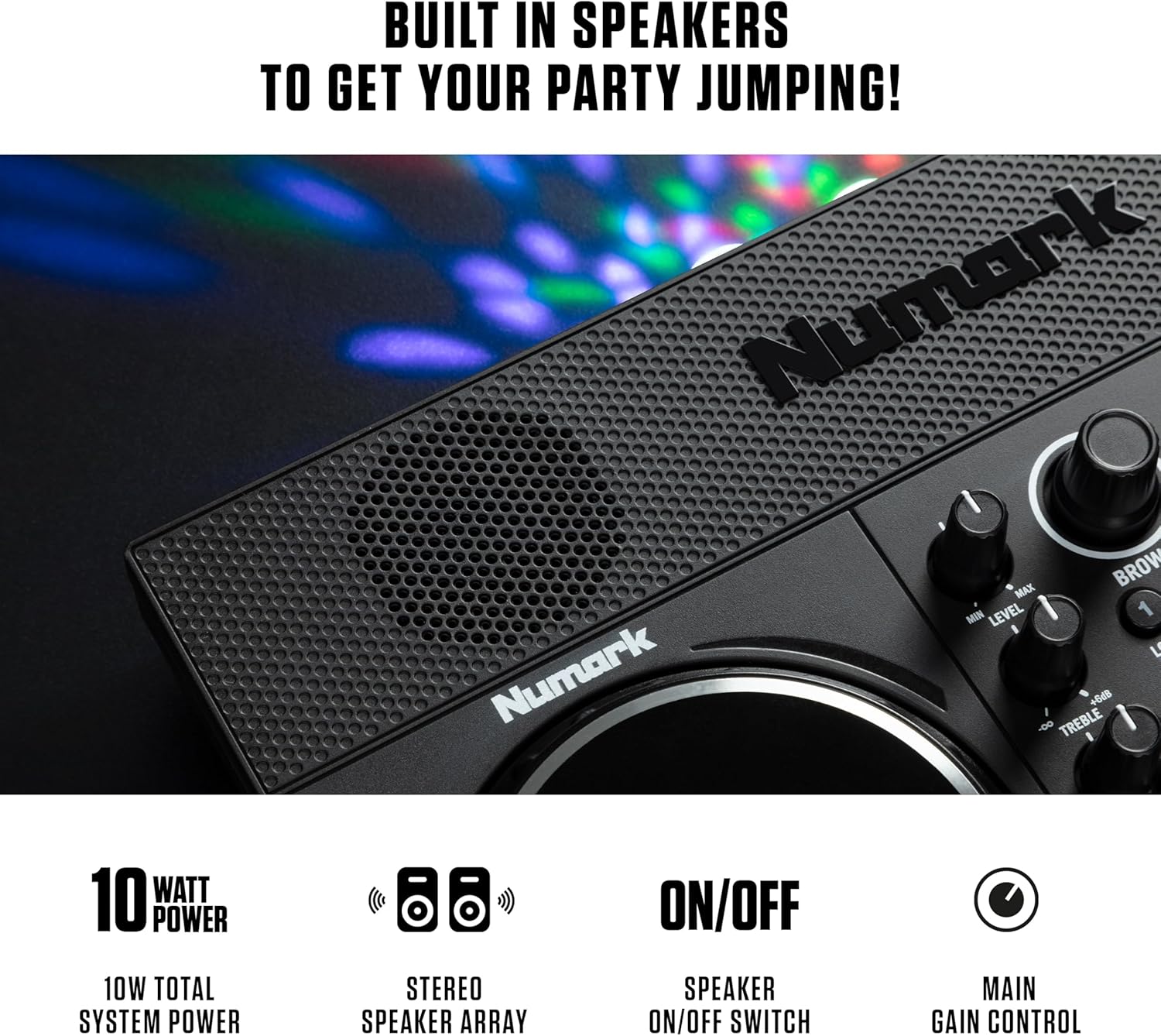
Figure 5: Detail of the built-in stereo speakers.
3.6 Musikstreaming
Serato DJ Lite provides access to millions of tracks from leading streaming platforms:
- Apple Music
- TIDAL
- SoundCloud GO
- Beatport Link
- Beatsource Link

Figure 6: Serato DJ Lite interface showing integrated streaming services.
3.7 Official Product Video: DJ Controller with Lights & Speakers
Video 1: An official video from inMusic Brands Inc. showcasing the Numark Party Mix Live DJ Controller, highlighting its built-in lights and speakers. This video demonstrates the product's features and functionality in a dynamic setting.
3.8 Official Product Video: DJ Set for Beginners with Built-In DJ Lights
Video 2: An official video from inMusic Brands Inc. demonstrating the Numark Party Mix Live as a beginner-friendly DJ set, emphasizing its ease of use and integrated lighting features.
4. Vedligeholdelse
Proper maintenance ensures the longevity and optimal performance of your Party Mix Live.
- Rensning: Brug en blød, tør klud til at rengøre controllerens yderside. Undgå slibende rengøringsmidler eller opløsningsmidler.
- Opbevaring: Opbevar controlleren et køligt, tørt sted væk fra direkte sollys og ekstreme temperaturer.
- Kabelpleje: Undgå at bøje eller klemme kabler for meget for at forhindre skader.
5. Fejlfinding
If you encounter issues with your Party Mix Live, refer to the following common solutions:
- Ingen strøm: Ensure the power adapter is securely connected to both the controller and a working power outlet.
- Ingen lyd:
- Check all audio cable connections (main output to speakers, headphones).
- Verify that the volume levels on the controller, software, and external speakers are turned up.
- Ensure the built-in speaker switch is in the correct position if using internal speakers.
- Software genkender ikke controlleren:
- Sørg for, at USB-kablet er korrekt tilsluttet.
- Restart Serato DJ Lite and/or your computer.
- Check for updated drivers for the controller on the Numark webwebsted.
- Lys virker ikke: Ensure the controller is powered on and check the light mode switch.
6. Specifikationer
| Feature | Specifikation |
|---|---|
| Mærke | Numark |
| Model | Party Mix Live |
| Varens vægt | 2.87 pund (1.3 kg) |
| Produktdimensioner | 18.9 x 20.51 x 17.91 tommer (48 x 52.1 x 45.5 cm) |
| Output Wattage | 10 Watts (Built-in Speakers) |
| Forbindelse | USB, 1/8-inch Main Output, 1/8-inch Headphone Output |
| Software inkluderet | Serato DJ Lite |
| Integrerede funktioner | Built-in Speakers, Beat-Synced LED Light Show |
7. Garanti og support
The Numark Party Mix Live DJ Controller comes with a manufacturer's warranty. Please refer to the warranty card included in your package for specific terms and conditions.
For technical support, product registration, or additional resources, please visit the official Numark webwebsted eller kontakt deres kundeserviceafdeling.
- Officiel Webwebsted: www.numark.com
- Støtte: Se supportafsnittet på den officielle webwebsted for ofte stillede spørgsmål, fejlfindingsvejledninger og kontaktoplysninger.


