1. Introduktion
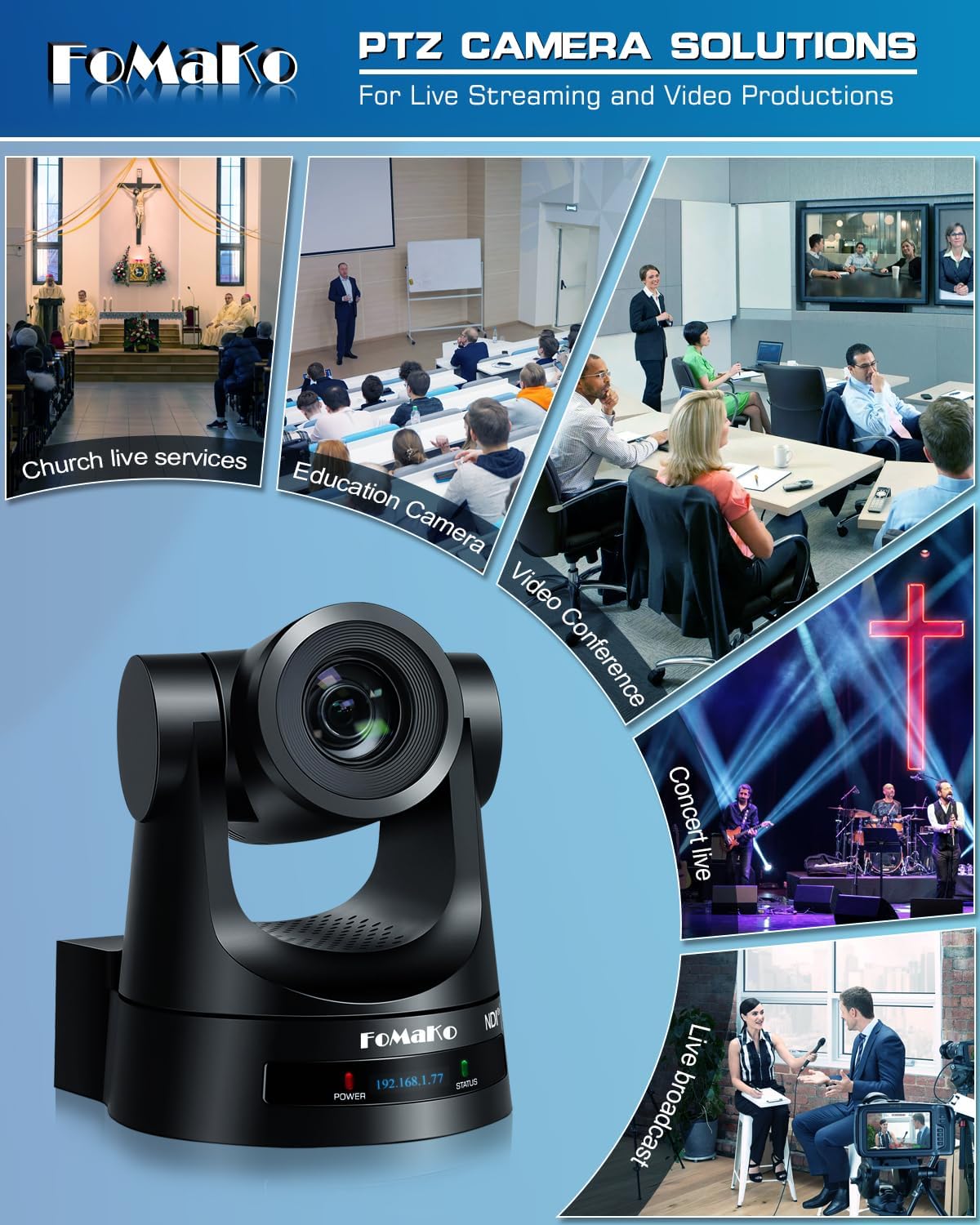
This manual provides detailed instructions for the installation, operation, and maintenance of your FoMaKo NDI PTZ Camera KN20A Pro. This camera features AI auto-tracking, 20x optical zoom, and multiple output interfaces including HDMI, 3G-SDI, IP, NDI, and USB3.0. It is designed for professional video production and live streaming in various environments such as churches, educational institutions, and event venues.
2. Hvad er der i æsken
Bekræft at alle varer er til stede i pakken:
- FoMaKo AI Tracking NDI PTZ Camera (20x optical zoom)
- IR fjernbetjening
- Vægmonteringsbeslag
- Loftsbeslag
- USB kabel
- Strømadapter (12V 2A)
- Brugervejledning (dette dokument)

Image 2.1: FoMaKo NDI PTZ Camera KN20A Pro and its standard accessories.
3. Produktfunktioner overview
- Official NDI 6 & NDI HX3 Certification: Ensures stable and high-quality video transmission, even with limited bandwidth.
- 20x optisk zoom: Provides clear, detailed images from a distance.
- Advanced AI Auto-Tracking (Gen 3): Offers customizable tracking modes, sensitivity, and target switching.
- Flere videoudgangsgrænseflader: Simultaneous 3G-SDI, HDMI, LAN/Ethernet, and USB3.0 for versatile connectivity.
- Power over Ethernet (PoE) support: Forenkler installationen ved at levere strøm og data via et enkelt Ethernet-kabel.
- Efficient Video Encoding: Supports H.264/H.265 for fluent motion video under various bandwidth conditions.
- Lav lys ydeevne: High SNR CMOS combined with 2D & 3D noise reduction for clear images in challenging lighting.
- Precise Gear Transmission Structure: Ensures accurate preset positioning and enhanced durability compared to belt-driven systems.
- Flere kontrolmetoder: Includes IR remote, dedicated PTZ controller, web interface, OBS/vMix PTZ plugins, and StreamDeck compatibility.

Billede 3.1: Visuel repræsentation af kameraets kernefunktioner.
4. Opsætning
4.1 Fysisk installation
The FoMaKo NDI PTZ Camera supports three primary installation methods:
- Vægbeslag: Securely attach the camera to a vertical surface using the provided wall mount bracket.
- Stativmontering: Mount the camera on a standard tripod for portable or temporary setups.
- Loftmontering: Install the camera inverted on a ceiling using the provided ceiling bracket. The camera automatically adjusts its image and control orientation when mounted upside down.

Billede 4.1: Eks.amples of camera installation methods.
4.2 Forbindelser
Connect the camera to your system using the appropriate ports on the rear panel:
- 3G-SDI-udgang: For professional video transmission over coaxial cable.
- HDMI udgang: For direct connection to displays or video switchers.
- USB3.0 udgang: For direct connection to a computer for live streaming or recording.
- LAN/Ethernet-port: For IP streaming (NDI, RTSP, RTMP, SRT), control (VISCA over IP), and PoE power.
- RS232/RS485: For serial control using a PTZ controller.
- Linie ind: 3.5 mm lydindgang.
- DC12V: Power input if not using PoE.
Billede 4.2: Tilslutninger på bagpanel.
4.3 Netværkskonfiguration
For IP-based control and streaming, configure the camera's network settings. This can typically be done via the camera's web interface or on-screen display (OSD) menu.
- DHCP: Enable DHCP for automatic IP address assignment or disable it to set a static IP.
- IP Address, Subnet Mask, Gateway: Manually configure these settings if DHCP is disabled.
Få adgang til kameraets web grænseflade ved at indtaste dens IP-adresse i en web browser. The default IP address is often printed on the camera or can be found using an NDI discovery tool.

Image 4.3: Network settings interface.
5. Betjeningsvejledning
5.1 Grundlæggende kontroller
The camera can be controlled using the IR remote, a dedicated PTZ controller, or the web interface.
- Panorer/vip/zoom: Use the joystick on a PTZ controller or directional buttons on the IR remote/web interface to adjust the camera's view.
- Hastighedstilpasning: Pan, tilt, and zoom speeds can be adjusted to achieve smooth camera movements. Preset speed is also adjustable.
- Fokus: The camera features fast auto-focus. Manual focus adjustment is also available.
5.2 AI automatisk sporing
The third-generation AI auto-tracking system allows the camera to automatically follow a designated subject.
- Aktivering: Press the F2 button on the IR remote control to activate automatic tracking.
- Target Switching: Press the F4 button on the IR remote to switch between detected tracking targets.
- Tilpasning: Adjust tracking modes, sensitivity, figure size, AI-track speed, horizontal tracking only, character position, and lost target action via the camera's settings menu or web interface.

Image 5.1: AI Tracking Gen 3 settings and capabilities.
5.3 forudindstillinger
The camera supports up to 255 preset positions, allowing quick recall of specific camera angles and zoom levels. Ten presets can be accessed directly via the IR remote control.
- Indstilling af forudindstillinger: Placer kameraet i den ønskede position view, then use the remote or controller to save the preset. Refer to the detailed manual for specific steps.
- Genkaldelse af forudindstillinger: Use the preset buttons on the remote or controller to move the camera to a saved position.
6. Vedligeholdelse
To ensure optimal performance and longevity of your FoMaKo NDI PTZ Camera, follow these maintenance guidelines:
- Rensning: Brug en blød, tør klud til at rengøre kamerahuset. Brug en specialklud og -opløsning til objektivet. Undgå slibende materialer eller barske kemikalier.
- Miljø: Brug og opbevar kameraet i et rent, tørt miljø, væk fra ekstreme temperaturer, fugtighed og direkte sollys.
- Firmwareopdateringer: Periodically check the FoMaKo webwebsted for firmwareopdateringer for at sikre, at dit kamera har de nyeste funktioner og ydeevneforbedringer.
- Kabelstyring: Sørg for, at alle kabler er korrekt tilsluttet og ikke er under belastning for at forhindre beskadigelse af porte eller kabler.
7. Fejlfinding
Hvis du støder på problemer med dit kamera, kan du se følgende almindelige fejlfindingstrin:
- Ingen strøm: Ensure the power adapter is correctly connected or that your PoE switch is providing power if using PoE. Check power indicators on the camera.
- Ingen videoudgang: Verify all video cables (HDMI, SDI, USB, Ethernet) are securely connected. Check input selections on your display or switcher. Ensure the camera is powered on.
- Ingen netværksforbindelse: Confirm Ethernet cable connection. Check network settings (IP address, subnet mask, gateway) in the camera's web interface. Ensure the camera and controlling device are on the same network segment.
- PTZ Control Not Responding: Check remote control batteries. Ensure the camera is receiving IR signals or that the network/serial control connection is active. Verify the correct camera ID is selected on the controller.
- Auto-Tracking Issues: Ensure AI auto-tracking is enabled (F2 on remote). Check tracking sensitivity and other settings in the menu. Ensure the subject is clearly visible and within the camera's tracking range.
- Problemer med billedkvalitet: Check lighting conditions. Ensure lens is clean. Adjust exposure and white balance settings if necessary.
For more detailed troubleshooting or issues not covered here, please refer to the full user manual PDF available online or contact FoMaKo customer support.
8. Specifikationer
| Feature | Specifikation |
|---|---|
| Mærkenavn | FoMaKo |
| Modelnummer | KN20A |
| Varens vægt | 2.64 pund |
| Produktdimensioner | 5.63 x 6.93 x 6.65 tommer |
| Farve | Sort |
| Særlige funktioner | AI tracking NDI PTZ Camera |
| Optisk zoom | 20x |
| Videooptagelsesopløsning | 1080p |
| Optagetilstande | Automatisk |
| Eksponeringskontroltype | Automatisk |
| Forbindelse | 3G-SDI, HDMI, IP (NDI 6 & NDI HX3), USB3.0, RS232, RS485, PoE |
9. Garanti og support
FoMaKo is committed to providing excellent customer service and product reliability.
- Garanti: The product includes a 3-Year Limited Warranty.
- Penge-tilbage-garanti: A 30-Day No-Questions-Asked Money-Back Guarantee is provided for risk-free purchase.
- Online træning: Free online training is available to help users get started easily.
- Ekspert assistance: 24/7 expert assistance is available, with responses typically within 24 hours. Please include your Order ID when contacting support.
- Fjernhjælp: Remote assistance for setup can be provided if necessary.
- Livsvarig teknisk support: Enjoy lifetime customer technical support for your product.

Image 9.1: FoMaKo customer support and warranty information.


