1. Introduktion
The iRobot Roomba i4 EVO Wi-Fi Connected Robot Vacuum is designed to provide efficient and thorough floor cleaning. This robot vacuum features 10X the Power-Lifting Suction to effectively remove dirt, dust, and pollen from various floor types. It utilizes Smart Mapping technology to learn your home's layout and cleaning habits, allowing for personalized cleaning schedules. Reactive Sensor Technology helps prevent the robot from getting stuck, while Dirt Detect™ Technology focuses cleaning on dirtier areas. The Roomba i4 EVO is compatible with voice assistants like Google Assistant and Alexa, offering convenient control options. Its Dual Multi-Surface Rubber Brushes are ideal for homes with pets, preventing hair tangles and adapting to different surfaces. The robot receives automatic software updates via iRobot OS, ensuring continuous improvement and new features.
2. Hvad er der i æsken
Bekræft at alle komponenter er til stede i din pakke:
- 1 Roomba® i4 EVO Robot Vacuum
- 1 Home Base® ladestation
- 1 Virtual Wall
- 2 AA batteries (for Virtual Wall)
- 2 ekstra højeffektivt filter
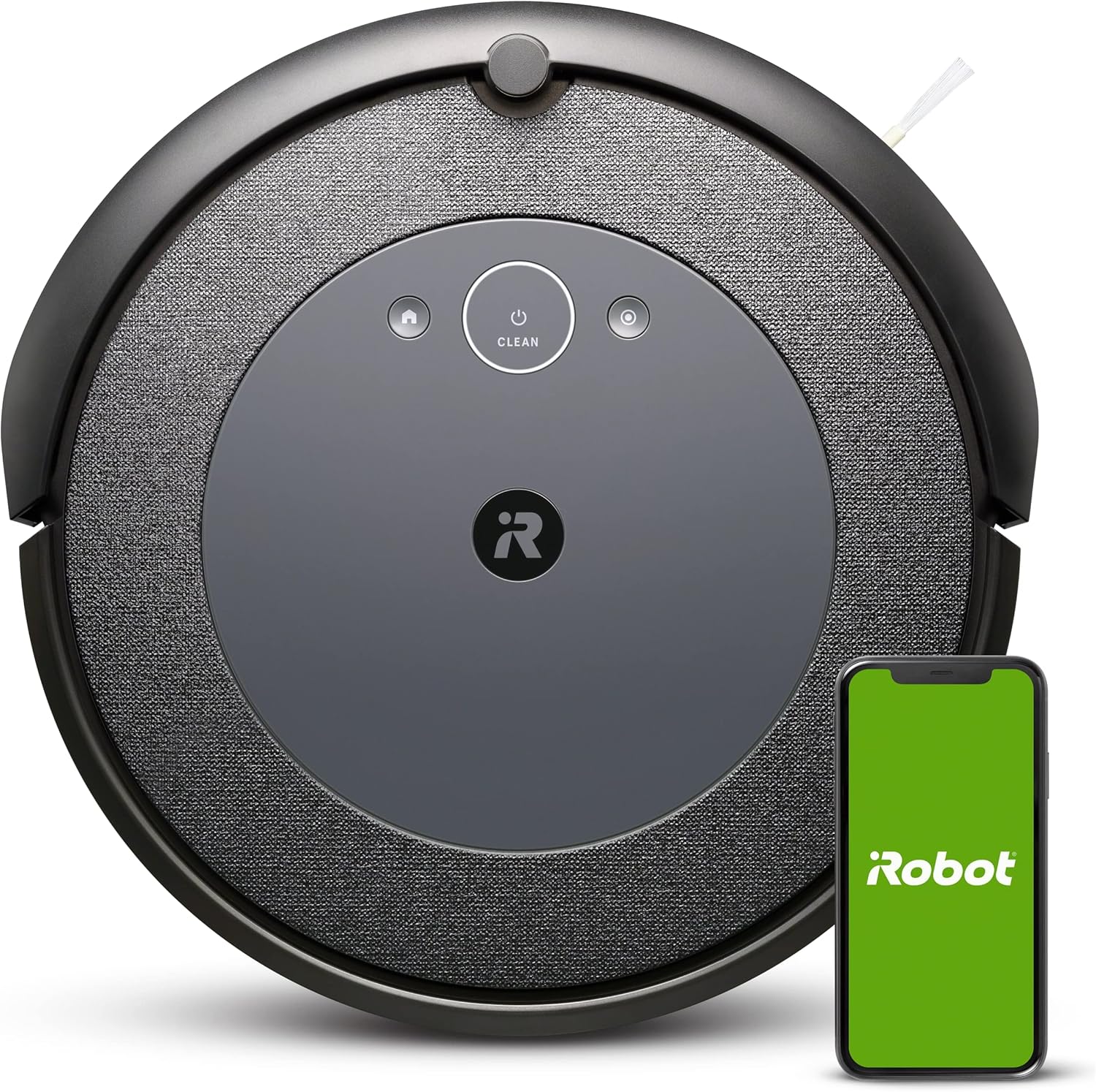
Image: The Roomba i4 EVO robot vacuum with its Home Base charging station and a smartphone displaying the iRobot app.
3. Opsætning
- Unpack and Place the Home Base: Choose a location for the Home Base charging station that is against a wall, on a level surface, and free from obstacles. Ensure there is at least 1.5 feet (0.5 meters) of clear space on either side of the Home Base and 4 feet (1.2 meters) in front of it. Plug the power cord into the Home Base and then into a wall outlet.
- Oplad robotten: Place the Roomba i4 EVO onto the Home Base, ensuring the charging contacts on the robot align with those on the Home Base. The light ring on the robot will pulse white to indicate it is charging. Allow the robot to fully charge before its first use (approximately 3 hours).
- Install the iRobot Home App: Download the iRobot Home App from your device's app store. The app is essential for accessing all features, including Smart Mapping, scheduling, and voice control integration.
- Opret forbindelse til Wi-Fi: Follow the in-app instructions to connect your Roomba i4 EVO to your home Wi-Fi network. This enables smart features and remote control.
- Set up Virtual Wall (Optional): Insert the included AA batteries into the Virtual Wall device. Place the Virtual Wall to create invisible barriers that the robot will not cross, useful for blocking off specific areas or protecting delicate items.
4. Operating Your Roomba i4 EVO
4.1 First Clean and Smart Mapping
For the first few cleaning cycles, allow the robot to explore your home freely. This helps it build an Imprint Smart Map of your floor plan, which can then be customized in the iRobot Home App. The robot cleans purposefully in neat rows.

Image: The robot vacuum cleaning a room in straight, organized lines, demonstrating its intelligent navigation.
4.2 Start af en rengøring
- Using the Clean Button: Press the CLEAN button on the robot to start or pause a cleaning cycle. Press it again to send the robot back to its Home Base.
- Brug af iRobot Home-appen: Open the app to start, stop, or schedule cleaning cycles. You can select specific rooms to clean using the Smart Map. The app also provides cleaning time estimates.
- Stemmestyring: Connect your Roomba to Amazon Alexa or Google Assistant-enabled devices. Use commands like "Alexa, tell Roomba to clean the kitchen" or "Hey Google, ask Roomba to start cleaning."

Image: An Amazon Echo device on a table, with a speech bubble indicating a voice command to the Roomba i4 EVO in the background.
4.3 Dirt Detect™ Technology
The Roomba i4 EVO uses patented Dirt Detect™ Technology to identify and focus on dirtier areas of your home, ensuring a more thorough clean where it's needed most.

Image: The robot vacuum moving over a floor with scattered debris, illustrating its Dirt Detect technology.
4.4 Pet Hair Optimization
Equipped with Dual Multi-Surface Rubber Brushes, the Roomba i4 EVO is designed to prevent pet hair tangles and effectively pick up pet hair from various floor types.

Image: The robot vacuum cleaning near a black dog, highlighting its suitability for homes with pets.
4.5 Reactive Sensor Technology
Advanced sensors help the Roomba i4 EVO navigate around furniture and avoid getting stuck, ensuring continuous cleaning.

Image: The robot vacuum positioned under a piece of furniture, demonstrating its ability to navigate tight spaces and avoid getting stuck.
5. Vedligeholdelse
Regular maintenance is crucial for optimal performance of your Roomba i4 EVO. The iRobot Home App will notify you when maintenance is required.
5.1 Tømning af støvbeholderen
The dust bin should be emptied after each cleaning cycle or when indicated by the robot or app. To empty, press the bin release button, pull out the bin, open the bin door, and shake out debris.
5.2 Rengøring af filtre
The high-efficiency filter should be cleaned weekly (more often if you have pets). Tap the filter against a trash can to remove debris. Replace the filter every 2-3 months, or as needed.
5.3 rengøringsbørster
The Dual Multi-Surface Rubber Brushes should be cleaned regularly to remove hair and debris. Remove the brushes from the robot and clear any tangled hair or dirt. The side brush should also be checked for debris.

Image: A diagram showing the underside of the Roomba i4 EVO, highlighting the Edge-Sweeping Brush, Dual Multi-Surface Rubber Brushes, and Power-Lifting Suction components.
5.4 Rengøring af sensorer og opladningskontakter
Wipe the sensors and charging contacts on both the robot and the Home Base with a clean, dry cloth to ensure proper function and charging.
6. Fejlfinding
If your Roomba i4 EVO encounters an issue, the light ring will illuminate, and the robot will play an audible alert. Consult the iRobot Home App for detailed troubleshooting steps and solutions.
- Robotten oplader ikke: Ensure the Home Base is plugged in and the robot is properly aligned on the charging contacts. Clean the charging contacts on both the robot and Home Base.
- Robot sidder fast: Clear obstacles from the cleaning path. Use Virtual Walls to block off problem areas. Clean the cliff sensors.
- Dårlig rengøringsevne: Empty the dust bin, clean or replace the filter, and clean the main brushes and side brush.
- Problemer med Wi-Fi-forbindelse: Ensure your Wi-Fi router is on and within range. Restart the robot and your router. Follow in-app instructions for re-connecting to Wi-Fi.
Video: A user demonstrating the iRobot Roomba i4 EVO in a home environment, showcasing its operation and interaction with pets. This video highlights the robot's ability to clean effectively in a real-world setting with common household elements.
7. Specifikationer
| Feature | Detalje |
|---|---|
| Mærke | iRobot |
| Modelnavn | i415020 |
| Speciel funktion | Smart Mapping, Ideal for Pet Hair, Wi-Fi Connected, Compatible with Alexa |
| Farve | Sort |
| Produktdimensioner | 13.34 cm L x 13.26 cm B x 3.63 cm H |
| Filtertype | Patron |
| Batterilevetid | 75 minutter |
| Voltage | 220 volt |
| Kapacitet | 0.4 liter |
| Strømkilde | Batteridrevet |
| Kontrolmetode | App, stemme |
| Kompatible enheder | Smartphones, Amazon Echo, Tablets, Google Home |
| Varens vægt | 7.44 pund |
8. Garanti og support
For detailed warranty information and customer support, please refer to the official iRobot website or the iRobot Home App. You can also find a comprehensive User Guide in PDF format for further assistance:
Download den officielle brugervejledning (PDF)
iRobot does not certify the quality or authenticity of products purchased from non-authorized resellers on Amazon, and will only cover warranty claims, provide service or offer replacements for products purchased from authorized sellers. Always purchase from reputable sources to ensure warranty coverage.


