Indledning
This manual provides comprehensive instructions for the Inrico T522A 4G/LTE Network Radio. Designed for reliable communication, this device integrates 4G/LTE connectivity with Zello and ZelloWork platforms, offering long-range, clear audio transmission. Please read this manual thoroughly before operating the device to ensure proper usage and optimal performance.
Produkt overview
The Inrico T522A is a robust network radio built for demanding environments. It features a durable design, including waterproof and dustproof capabilities (IP66 rating), and supports various network functionalities for seamless communication.
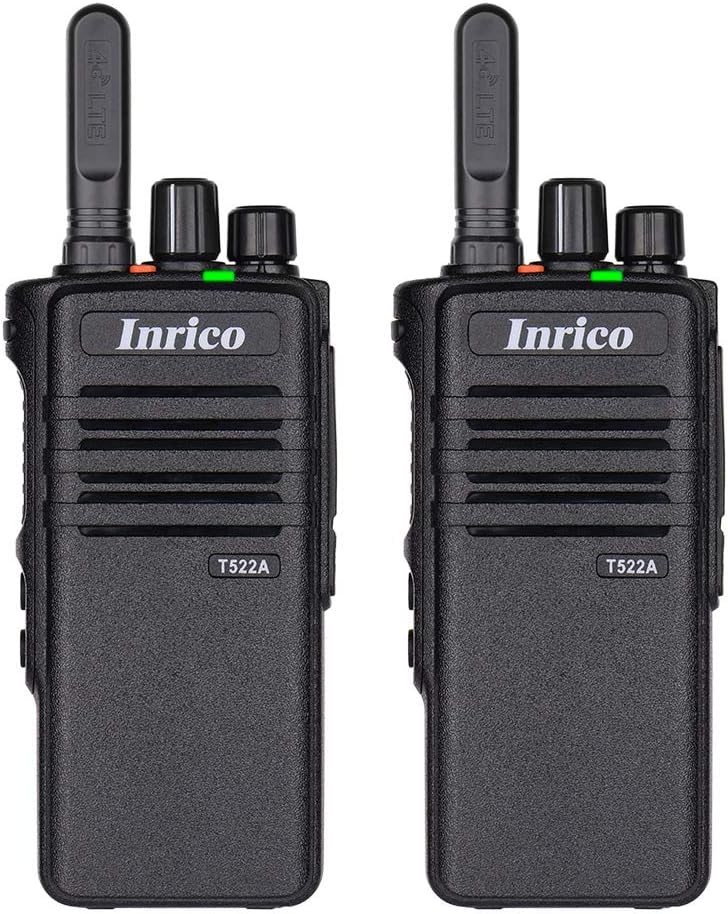
Figur 1: Forside view of two Inrico T522A network radios, showing the Inrico branding and T522A model number.

Figure 2: Various angles of the Inrico T522A radio, including front, side, and back views, highlighting its compact design and belt clip.
Nøglekomponenter:
- Antenne: For 4G/LTE signal reception.
- Strøm-/lydstyrkeknap: To turn the device on/off and adjust volume.
- Channel/Function Knob: For selecting channels or functions.
- PTT (Push-to-Talk) knap: For initiating voice transmissions.
- Højttaler/mikrofon: Integrated for audio input and output.
- Batterirum: Indeholder det aftagelige batteri.
- Bælteklips: For praktisk transport.
- Opladningskontakter: Located at the bottom for cradle charging.
Opsætning
1. Batteriinstallation:
- Sørg for, at radioen er slukket.
- Find batterirummet på bagsiden af radioen.
- Align the battery with the contacts and gently push it into place until it clicks.
- Secure the battery cover if applicable.
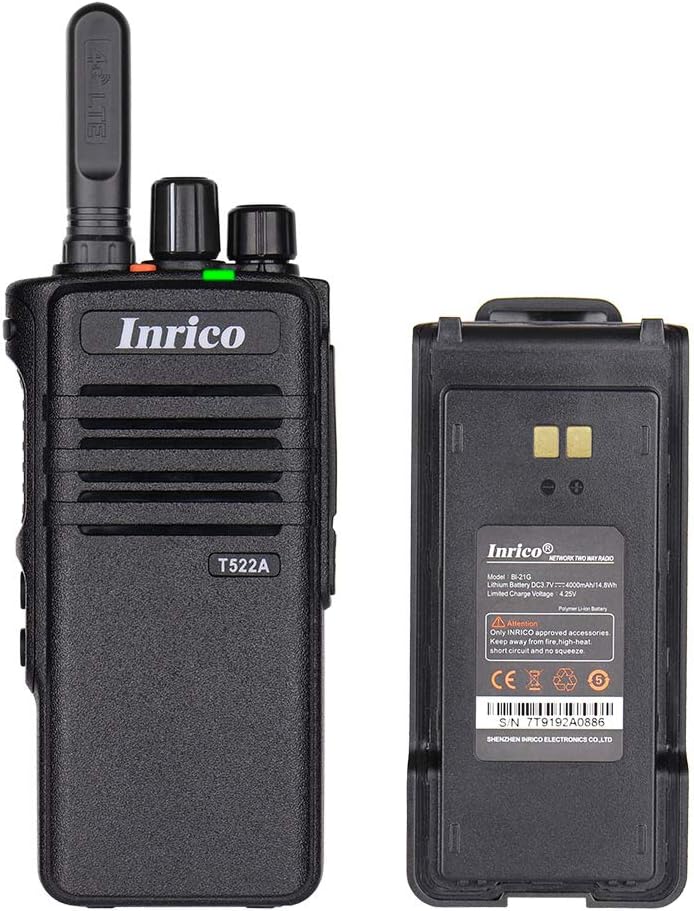
Figure 3: The Inrico T522A radio shown alongside its removable battery pack, illustrating the battery's connection points.
2. Opladning af batteriet:
Inden første brug skal batteriet oplades helt.
- Place the radio into the charging cradle, ensuring the charging contacts align.
- Connect the charging cradle to a power source using the provided adapter.
- The charging indicator light will illuminate (typically red) during charging and change color (typically green) when fully charged.

Figure 4: The Inrico T522A radio securely placed in its dedicated charging cradle, ready for power replenishment.
3. Netværksforbindelse:
The T522A supports 4G/LTE and WLAN connectivity. Ensure a valid SIM card is inserted for 4G/LTE operation, or configure Wi-Fi settings for WLAN use.

Figure 5: The Inrico T522A radio depicted with "4G LTE" and Android logos, indicating its cellular and operating system capabilities.

Figure 6: The Inrico T522A radio shown with a WLAN (Wi-Fi) symbol, indicating its wireless local area network connectivity.
Betjeningsvejledning
Tænd/sluk:
- To power on, rotate the Power/Volume knob clockwise until you hear a click.
- For at slukke skal du dreje tænd/sluk-/lydstyrkeknappen mod uret, indtil du hører et klik.
Justering af lydstyrke:
- Drej tænd/sluk-/lydstyrkeknappen med uret for at øge lydstyrken og mod uret for at sænke lydstyrken.
Using Zello/ZelloWork:
The Inrico T522A is optimized for Zello and ZelloWork applications.
- Ensure the Zello or ZelloWork application is installed and configured on the device.
- Log in to your Zello/ZelloWork account.
- Select the desired channel or contact.
- Press and hold the PTT button to transmit your voice. Release the PTT button to listen.
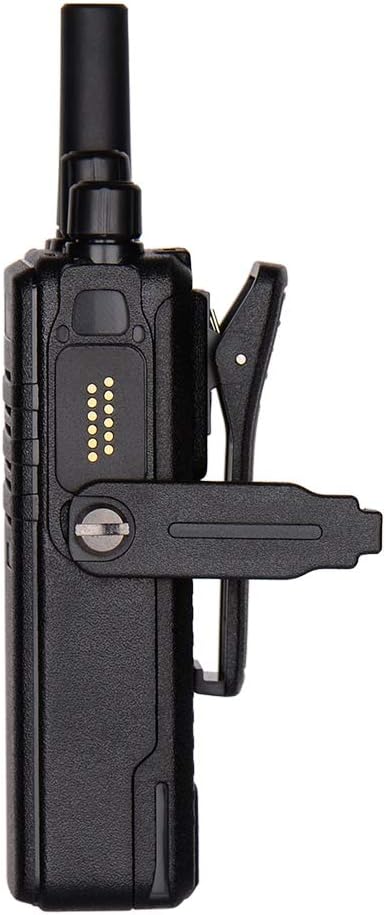
Figure 7: Two Inrico T522A radios displayed in front of a computer monitor showing a dispatch system interface, illustrating their integration with communication platforms.
Opretholdelse
- Rensning: Brug en blød, damp cloth to clean the exterior of the radio. Do not use harsh chemicals or abrasive cleaners.
- Batteripleje: For at forlænge batteriets levetid bør du undgå at aflade batteriet helt ofte. Opbevar radioen og batteriet et køligt og tørt sted, når de ikke er i brug i længere perioder.
- Miljøbeskyttelse: While the radio is waterproof and dustproof (IP66), avoid prolonged exposure to extreme temperatures or direct sunlight.
Fejlfinding
| Problem | Mulig årsag | Løsning |
|---|---|---|
| Radioen tænder ikke. | Batteriet er lavt eller ikke installeret korrekt. | Oplad batteriet, eller sæt det sikkert i igen. |
| Ingen lyd fra højttaleren. | Volume is too low; speaker is blocked; network issue. | Increase volume; check for obstructions; verify network connection. |
| Cannot transmit/receive. | No network signal; Zello/ZelloWork not logged in; incorrect channel. | Check network signal strength; log into Zello/ZelloWork; select correct channel. |
| Dårlig lydkvalitet. | Weak network signal; interference. | Move to an area with better signal; avoid sources of interference. |
Specifikationer
| Feature | Detalje |
|---|---|
| Mærke | Inrico |
| Model | T522A |
| Forbindelse | 4G/LTE, WLAN |
| Kompatible enheder | Zello, ZelloWork, 4G/LTE devices on the same frequency band, internet-capable devices |
| Vandmodstandsniveau | Vandtæt (IP66) |
| Særlige funktioner | Long Range, Waterproof, Dust Proof |
| Inkluderede komponenter | 2 x Radio (as per product listing) |
| Farve | Sort |
Garanti og support
For warranty information and technical support, please refer to the official Inrico webwebstedet eller kontakt din autoriserede forhandler. Gem din købskvittering som købsbevis.
Fabrikant: Inrico


