1. Introduktion
This manual provides essential information for setting up, operating, maintaining, and troubleshooting your Dell Latitude 5410 laptop. Please read this guide thoroughly to ensure optimal performance and longevity of your device.
The Dell Latitude 5410 is a 14-inch Full HD laptop designed for productivity, featuring an Intel Quad-Core i5-10310U processor, 16GB DDR4 RAM, and a 512GB SSD. It comes pre-installed with Windows 10 Pro.
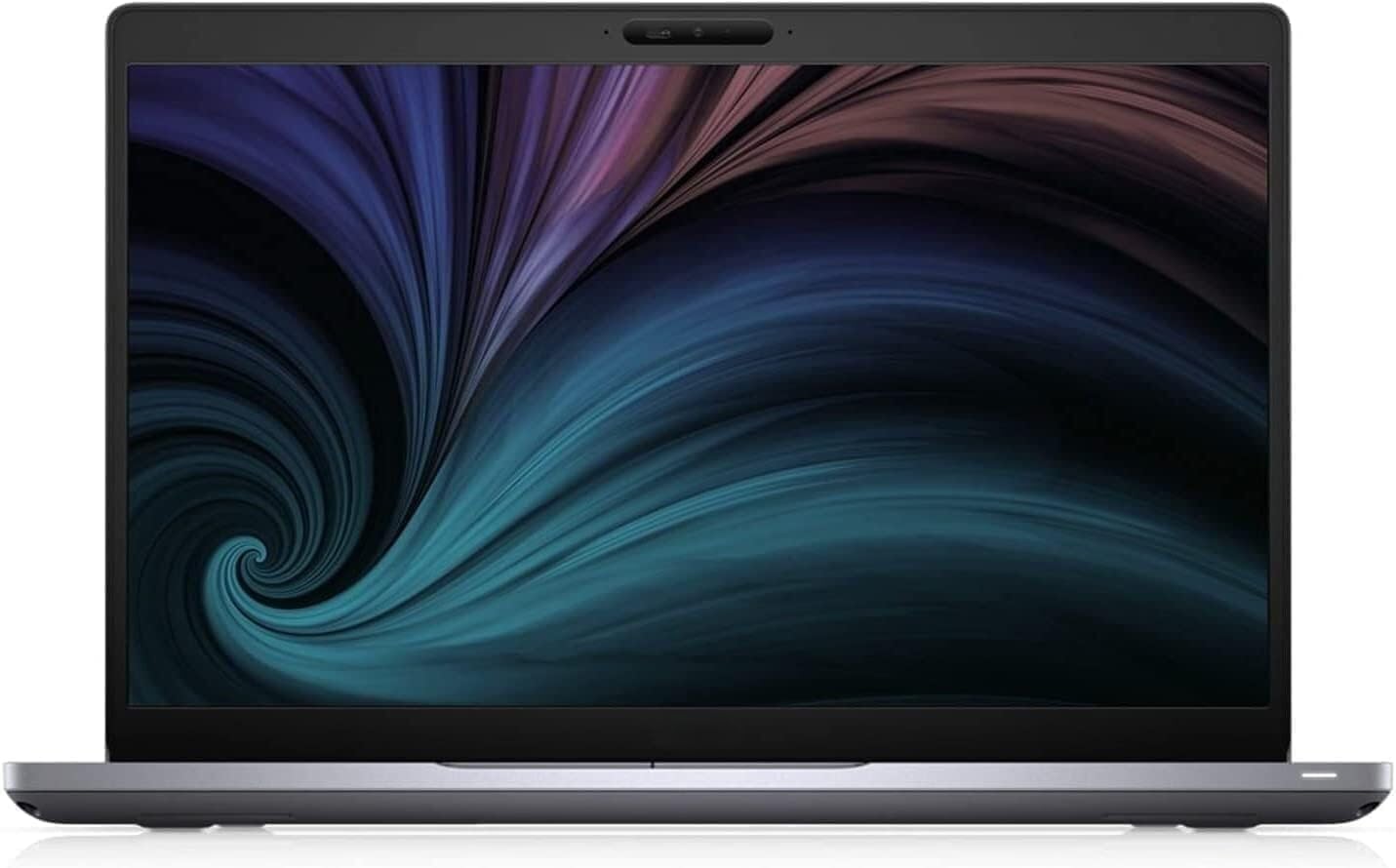
Figur 1.1: Forside view of the Dell Latitude 5410 laptop, showcasindens display.
2. Kom godt i gang
2.1 Udpakning og første opsætning
- Pak den bærbare computer ud: Carefully remove the laptop and its accessories from the packaging. Ensure all components, including the laptop and charger, are present.
- Tilslut strøm: Plug the power adapter into the laptop's power port and then into a wall outlet. The battery may have a partial charge, but it is recommended to fully charge it before first use.
- Tænd: Åbn låget på den bærbare computer, og tryk på tænd/sluk-knappen, som typisk er placeret øverst til højre på tastaturet.
- Første Windows-opsætning: Follow the on-screen instructions to complete the Windows 10 Pro setup. This includes selecting your region, language, creating a user account, and connecting to a Wi-Fi network.
2.2 Tilslutning af eksterne enheder
Your Dell Latitude 5410 supports various external devices. Refer to the 'Ports and Connectors' section for port identification.
- USB-enheder: Connect USB mice, keyboards, external hard drives, or flash drives to the available USB Type-A or USB Type-C ports.
- Eksternt display: Brug HDMI-porten til at tilslutte en ekstern skærm eller projektor.
- Netværkskabel: For en kablet internetforbindelse skal du tilslutte et Ethernet-kabel til RJ-45-porten.
3. Using Your Laptop
3.1 Tastatur og touchpad
The Dell Latitude 5410 features a backlit keyboard and a precision touchpad for navigation.

Figur 3.1: Top-down view of the Dell Latitude 5410 keyboard and touchpad.
- Tastatur: The keyboard includes standard alphanumeric keys, function keys (F1-F12), and special keys. Function keys often have secondary actions (e.g., volume, brightness) accessible by pressing the Fn nøgle samtidigt.
- Baggrundsbelyst tastatur: To adjust keyboard backlight brightness, use the dedicated function key combination (often Fn + F10 or similar, check keyboard icons).
- Touchpad: The touchpad supports multi-touch gestures for scrolling, zooming, and other functions. Click the left or right buttons integrated into the touchpad for corresponding mouse clicks.
3.2 Porte og stik
The Dell Latitude 5410 offers a variety of ports for connectivity:

Figure 3.2: Right side of the Dell Latitude 5410, displaying various ports.
- USB Type-A Ports (3x): Til tilslutning af standard USB-enheder.
- USB Type-C Port (1x): Supports data transfer and potentially power delivery or display output (check specific model capabilities).
- HDMI Port (1x): Til tilslutning til eksterne skærme.
- RJ-45 Ethernet Port (1x): Til kablede netværksforbindelser.
- Smart Card Reader (1x): For security and authentication purposes.
- Lydstik: Til hovedtelefoner eller headsets.
- SD-kortlæser: Til læsning af hukommelseskort.
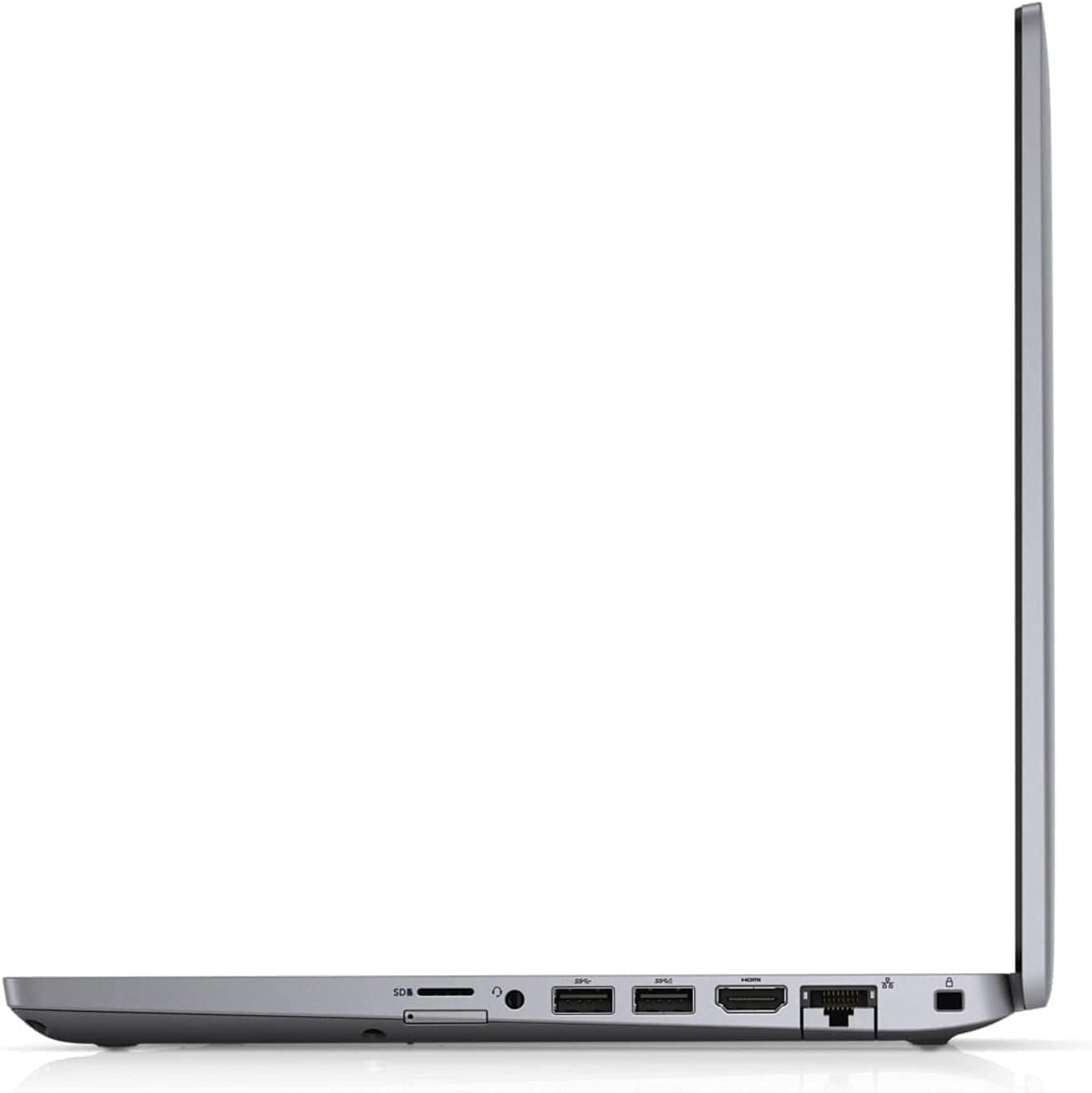
Figur 3.3: Sideprofile of the Dell Latitude 5410, illustrating its port layout and slim design.
3.3 Operating System Basics (Windows 10 Pro)
Your laptop comes with Windows 10 Pro. Familiarize yourself with basic operations:
- Startmenu: Få adgang til applikationer, indstillinger og strømstyringsindstillinger.
- Opgavelinje: Pin frequently used applications and view open programs.
- Handlingscenter: Få adgang til hurtigindstillinger og notifikationer.
- File Explorer: Administrer din files og mapper.
4. Power Management and Battery
The Dell Latitude 5410 is equipped with a Lithium Ion battery. Proper power management extends battery life and ensures stable operation.
- Opladning: Connect the AC adapter to charge the battery. The battery indicator light will show charging status.
- Batterilevetid: Average battery life is approximately 5 hours, depending on usage. To maximize battery life, adjust screen brightness, close unused applications, and utilize power-saving modes in Windows settings.
- Strømtilstande: Windows 10 Pro offers various power plans (e.g., Balanced, Power Saver, High Performance) that can be configured in the Control Panel or Settings app.
- Opbevaring: If storing the laptop for an extended period, ensure the battery is charged to about 50% to prevent deep discharge.
5. Vedligeholdelse og pleje
Regular maintenance helps keep your laptop in good condition.
- Rensning: Brug en blød, fnugfri klud til at rengøre skærmen og ydersiden. Fjern genstridige pletter ved atampRengør kluden med vand eller et skærmrensemiddel. Undgå skrappe kemikalier.
- Ventilation: Ensure the ventilation openings are not blocked to prevent overheating. Use the laptop on a hard, flat surface.
- Softwareopdateringer: Regularly update Windows and device drivers to ensure security and optimal performance.
- Data backup: Sikkerhedskopier regelmæssigt vigtige data til et eksternt drev eller en cloud-lagring.
- Fysisk beskyttelse: Transport the laptop in a padded case to protect it from impacts.
6. Fejlfinding
Dette afsnit omhandler almindelige problemer, du kan støde på.
- Den bærbare computer tænder ikke:
- Sørg for, at strømadapteren er korrekt tilsluttet både den bærbare computer og en fungerende stikkontakt.
- Kontroller, at stikkontakten fungerer ved at tilslutte en anden enhed.
- Hvis batteriet er helt afladet, kan det tage et par minutter at oplade den bærbare computer, før den kan tændes.
- Screen is Blank or Black:
- Check if the laptop is powered on (listen for fan noise or look for indicator lights).
- Juster skærmens lysstyrke ved hjælp af funktionstasterne.
- Connect an external monitor to see if a display appears there. If so, the laptop's internal display may have an issue.
- Problemer med Wi-Fi-forbindelse:
- Sørg for, at Wi-Fi er aktiveret i Windows-indstillingerne.
- Genstart din router og dit modem.
- Opdater driverne til dit trådløse netværkskort.
- Langsom ydeevne:
- Luk unødvendige programmer, der kører i baggrunden.
- Tjek for malware eller virus.
- Sørg for tilstrækkelig ledig plads på SSD'en.
- Update Windows and drivers.
7. Tekniske specifikationer
Below are the detailed technical specifications for the Dell Latitude 5410 laptop:
| Feature | Specifikation |
|---|---|
| Modelnavn | Breddegrad 5410 |
| Processor | Intel Quad-Core i5-10310U (Up to 4.4 GHz) |
| VÆDDER | 16 GB DDR4 |
| Opbevaring | 512 GB SSD (NVMe) |
| Vise | 14 inch FHD (1920 x 1080 pixels) |
| Grafik coprocessor | Intel integreret grafik |
| Operativsystem | Windows 10 Pro |
| Havne | 3x USB Type-A, 1x USB Type-C, 1x HDMI, 1x RJ-45, 1x Smart Card Reader |
| Trådløs forbindelse | Bluetooth |
| Særlige funktioner | Backlit Keyboard, HD Audio, Memory Card Slot, Spill Resistant, TrackPoint |
| Gennemsnitlig batterilevetid | 5 timer |
| Varens vægt | 3.88 pund |
| Produktdimensioner | 14 x 13 x 1 tommer |
8. Garanti og support
This Dell Latitude 5410 laptop is a renewed product. Renewed products are professionally inspected and tested to work and look like new.
- Amazons fornyede garanti: If you are not satisfied with your purchase, renewed products are eligible for replacement or refund under the Amazon Renewed Guarantee. Please refer to the Amazon Renewed program terms for full details.
- Beskyttelsesplaner: Optional protection plans may be available for purchase to extend coverage beyond the standard guarantee. Check your purchase details for information on any additional plans.
- Teknisk support: For technical assistance, refer to Dell's official support website for drivers, manuals, and troubleshooting guides specific to the Latitude 5410 model.


