Indledning
This manual provides detailed instructions for the safe and efficient operation of your HiQuick 8 Bay Smart Battery Charger. Please read this manual thoroughly before use and retain it for future reference.
Pakkeindhold:
- 1 x HiQuick 8 Bay Smart Battery Charger (Model: SW-8N)
- 4 x HiQuick AA 2800mAh Ni-MH Rechargeable Batteries
- 4 x HiQuick AAA 1100mAh Ni-MH Rechargeable Batteries
- 1 x USB Type-C opladningskabel
- 1 x brugermanual

Opsætning
Tilslutning af opladeren:
- Connect the provided USB Type-C charging cable to the input port on the back of the charger.
- Connect the other end of the USB cable to a compatible 5V 2A USB power source (e.g., a USB wall adapter, computer USB port, or power bank).
- Ensure the power source is active. The LED indicators on the charger will briefly light up upon connection.

Official product video: HiQuick 8 Bay Smart Battery Charger overview og funktioner.
Official product video: Unboxing the HiQuick 8 Bay Smart Battery Charger.
Betjeningsvejledning
Isætning af batterier:
The charger features 8 independent charging slots, accommodating both AA and AAA Ni-MH/Ni-Cd rechargeable batteries. Each slot can charge batteries individually.
- Insert the batteries into the charging slots, ensuring the positive (+) and negative (-) poles match the indicators on the charger.
- The charger can charge 1 to 8 batteries simultaneously.
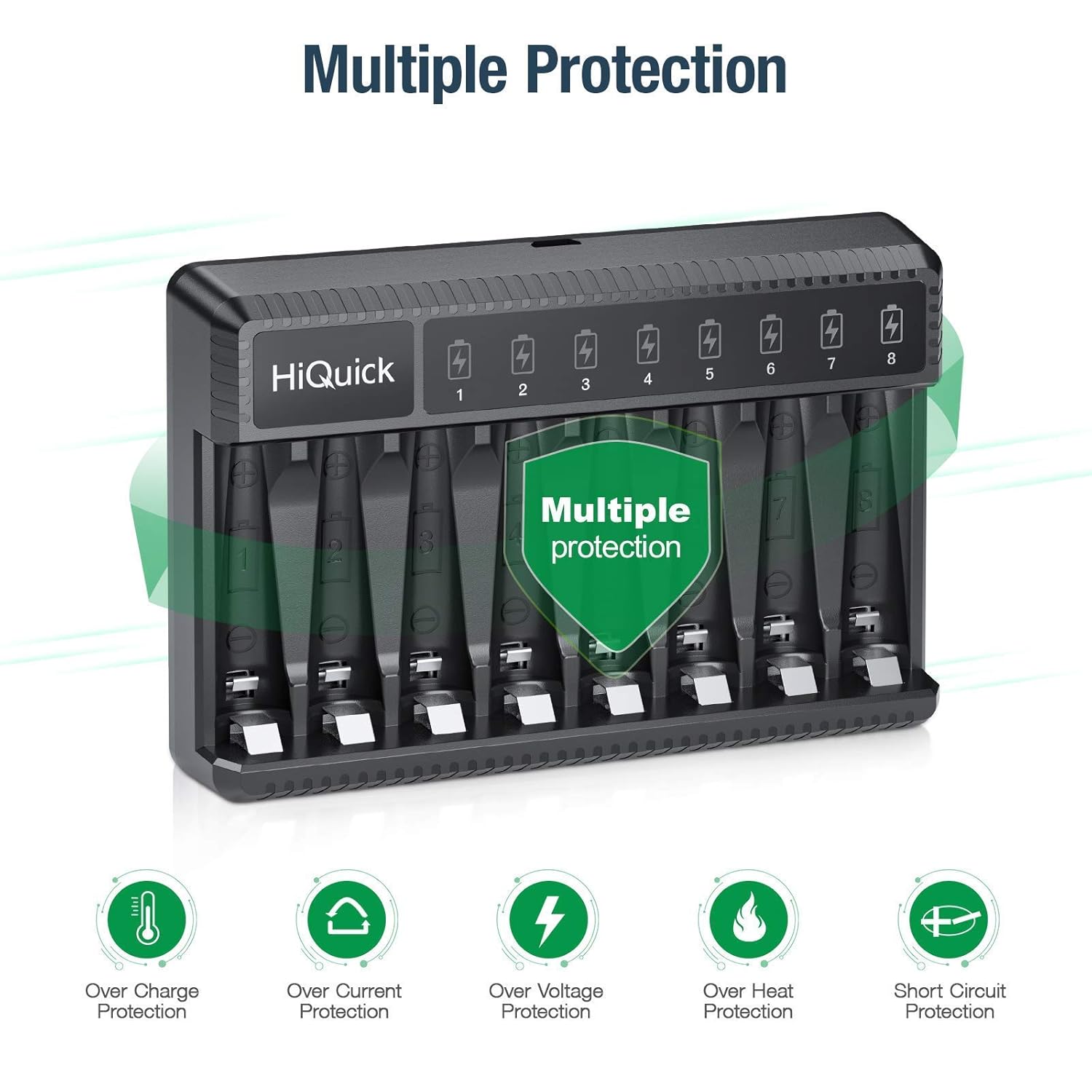
LED-indikatorstatus:
| LED farve | Status |
|---|---|
| Rødt Lys | Opladning i gang |
| Grønt Lys | Batteri fuldt opladet |

Opladningstid:
- AAA 1100mAh batteries: Approximately 2 hours for 1-8 batteries.
- AA 2800mAh batteries: Approximately 4.5 hours for 1-8 batteries.

Opretholdelse
Batteripleje:
- Store batteries in a cool, dry place away from direct sunlight or high temperatures.
- For long-term storage, it is recommended to charge batteries once every 3 months to maintain optimal performance and prevent damage.
- Avoid mixing old and new batteries, or different types/brands of batteries, when using them in devices.


Opladerpleje:
- Hold opladeren ren og fri for støv. Brug en blød, tør klud til rengøring.
- Adskil eller saml ikke opladeren igen, da det kan forårsage kortslutning eller brandfare.
- Do not expose the charger to water or excessive humidity.
Fejlfinding
Almindelige problemer:
- Batteries not charging (LED not red):
- Sørg for, at USB-kablet er korrekt tilsluttet til både opladeren og strømkilden.
- Verify the power source is active and providing 5V 2A output.
- Check if batteries are inserted with correct polarity (+/-).
- Confirm batteries are Ni-MH/Ni-Cd rechargeable type. Alkaline or non-rechargeable batteries will not charge.
- Hvis batteriet voltage is lower than 0.9V, the charger may not activate. Try removing and reinserting the battery.
- Charger or batteries getting hot:
- This is normal during the charging process, but excessive heat may indicate an issue. Ensure proper ventilation around the charger.
- Hvis overophedningen fortsætter, skal du stoppe brugen og kontakte support.
- LED remains red after extended charging time:
- The battery might be defective or has reached its end of life. Try charging another battery to confirm charger functionality.
Specifikationer
| Feature | Detalje |
|---|---|
| Modelnummer | SW-8N |
| Input | Type-C DC 5V 2A Min. |
| Udgang (AA/AAA) | 1.48V DC 500mA ± 10% |
| Batteriopladningshastighed | ≥80 % |
| Opladningsmetode | Konstant voltage og strømstyring |
| Kompatible batterityper | Ni-MH / Ni-Cd (AA/AAA) |
| Produktdimensioner | 1.1 x 3.35 x 4.92 tommer |
| Varens vægt | 3.46 ounces (98 gram) |
| Farve | Sort |
| Oprindelsesland | Kina |
Garanti og support
HiQuick products typically come with a 30-day money-back guarantee and a 1-year warranty. For specific warranty details or technical support, please refer to the warranty card included in your package or visit the official HiQuick webwebsted.
For customer service inquiries, please contact HiQuick support via their official webwebstedet eller kontaktoplysningerne på din produktemballage.
Du kan også besøge HiQuick Store on Amazon for mere information.


