1. Sikkerhedsoplysninger
Læs venligst alle instruktioner omhyggeligt inden montering og brug. Gem denne manual til senere brug.
- Stå eller sid ikke på skrivebordet.
- Sørg for, at alle skruer og forbindelser er spændt forsvarligt før brug.
- Placer skrivebordet på en plan overflade for at forhindre ustabilitet.
- Hold små dele væk fra børn under montering.
2. Produktet er slutview
The Yaheetech L-Shaped Gaming Desk is designed for optimal workspace and comfort. It features a sturdy metal frame, a durable desktop, a monitor stand, and adjustable feet for stability.

Billede 2.1: Overview of the Yaheetech L-Shaped Gaming Desk in a gaming setup.

Image 2.2: The L-shaped desk configured for a home office environment.
3. Komponentliste
Before assembly, ensure all components are present and undamaged. Refer to the included hardware pack for specific part identifiers.
Nøglekomponenter:
- Desktop Panels (MDF P2)
- Metalrammesektioner
- Monitor Stand
- Justerbare trædepuder
- Reinforced Crossbars
- Samlebeslag (skruer, bolte, unbrakonøgle)
4. Opsætnings- og monteringsvejledning
Assembly typically requires two people. Follow the numbered steps carefully.
Nødvendige værktøjer:
- Inkluderet unbrakonøgle
- Screwdriver (not always included, but recommended for some screws)
Monteringstrin:
- Udpak og identificer dele: Carefully remove all components from the packaging. Lay them out on a clean, soft surface to prevent scratches. Refer to the parts list in your packaging to identify each piece.
- Saml hovedrammen: Connect the metal frame sections using the provided screws and the Allen key. Ensure the X-shaped crossbars are correctly positioned for stability. Do not fully tighten screws until all frame parts are loosely assembled.
- Fastgør skrivebordspaneler: Place the desktop panels onto the assembled frame. Align the pre-drilled holes in the desktop with the holes in the frame. Secure the panels using the appropriate screws. Once all panels are in place, gradually tighten all screws on the frame and desktop.
- Installer skærmstativ: Position the monitor stand on the desired section of the desk. Secure it using the clamping mechanism or screws as indicated in the specific monitor stand instructions.
- Monter justerbare fødder: Screw the adjustable footpads into the bottom of each leg of the desk frame.
- Endelig kontrol: Verify that all connections are secure and the desk is stable. Adjust the footpads to level the desk on uneven floors.
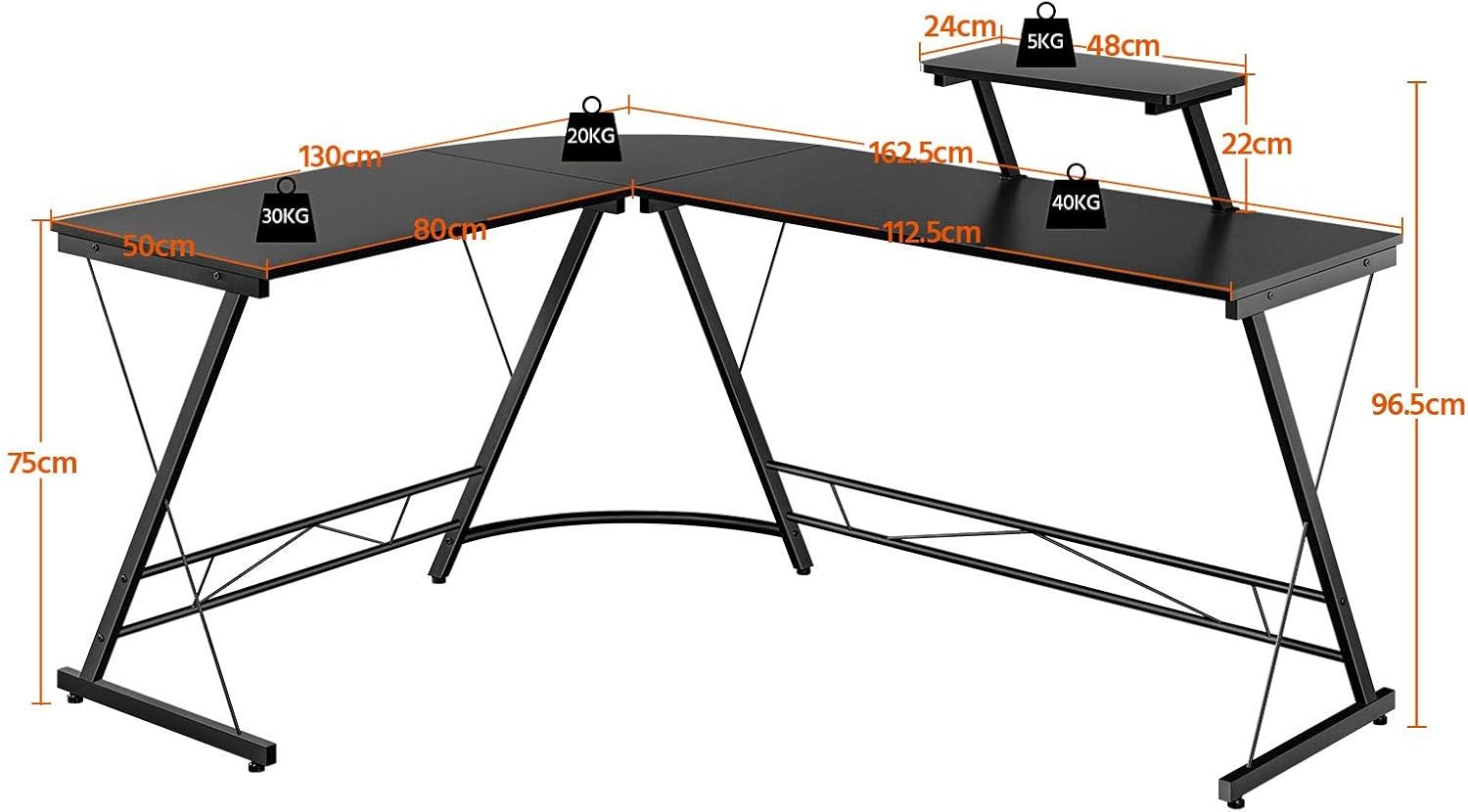
Image 4.1: Dimensional diagram of the L-shaped desk, indicating lengths, depths, and heights.
5. Betjeningsvejledning
5.1 Using the Monitor Stand
The integrated monitor stand elevates your screen to an ergonomic height, reducing neck and eye strain. It also frees up valuable desktop space below for keyboards, mice, or other peripherals.

Image 5.1: Detail of the monitor stand, highlighting its adjustable attachment to the desk.
5.2 Justering af fødderne
The desk is equipped with adjustable footpads. To level the desk on uneven floors, simply rotate the footpads clockwise or counter-clockwise until the desk is stable and does not wobble.
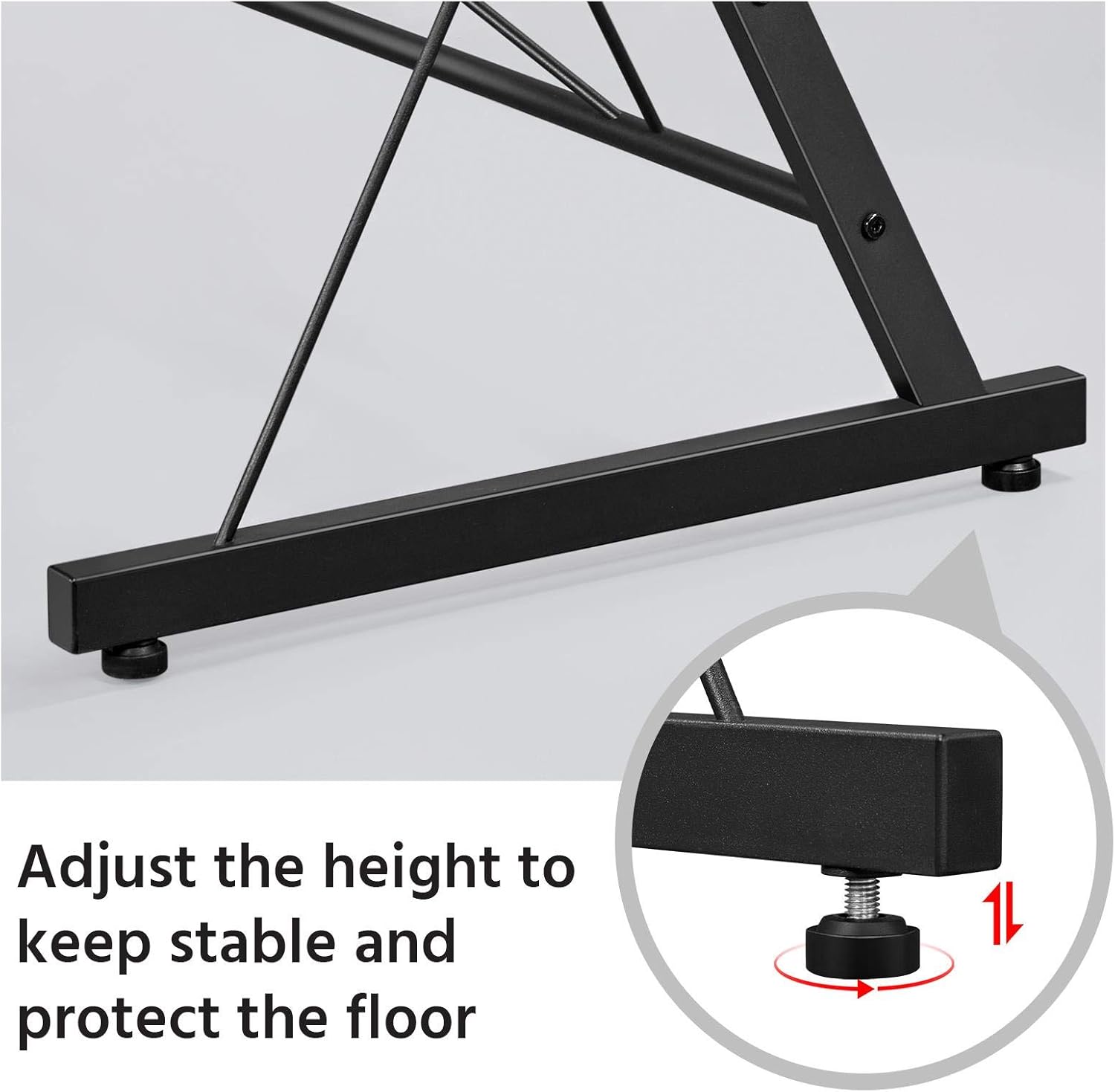
Image 5.2: Adjustable footpads for leveling the desk and protecting floors.
6. Vedligeholdelse og pleje
Korrekt pleje vil forlænge levetiden og udseendet af dit skrivebord.
- Rensning: Tør skrivebordets overflade af med en blød, damp cloth. Avoid harsh chemicals or abrasive cleaners, as these can damage the finish. The desk surface is water-resistant and designed to protect against slight scratches.
- Regelmæssig kontrol: Kontrollér regelmæssigt alle skruer og forbindelser for at sikre, at de forbliver stramme. Spænd igen om nødvendigt for at opretholde stabiliteten.
- Undgå overbelastning: Do not exceed the recommended weight capacity for the desk and monitor stand.
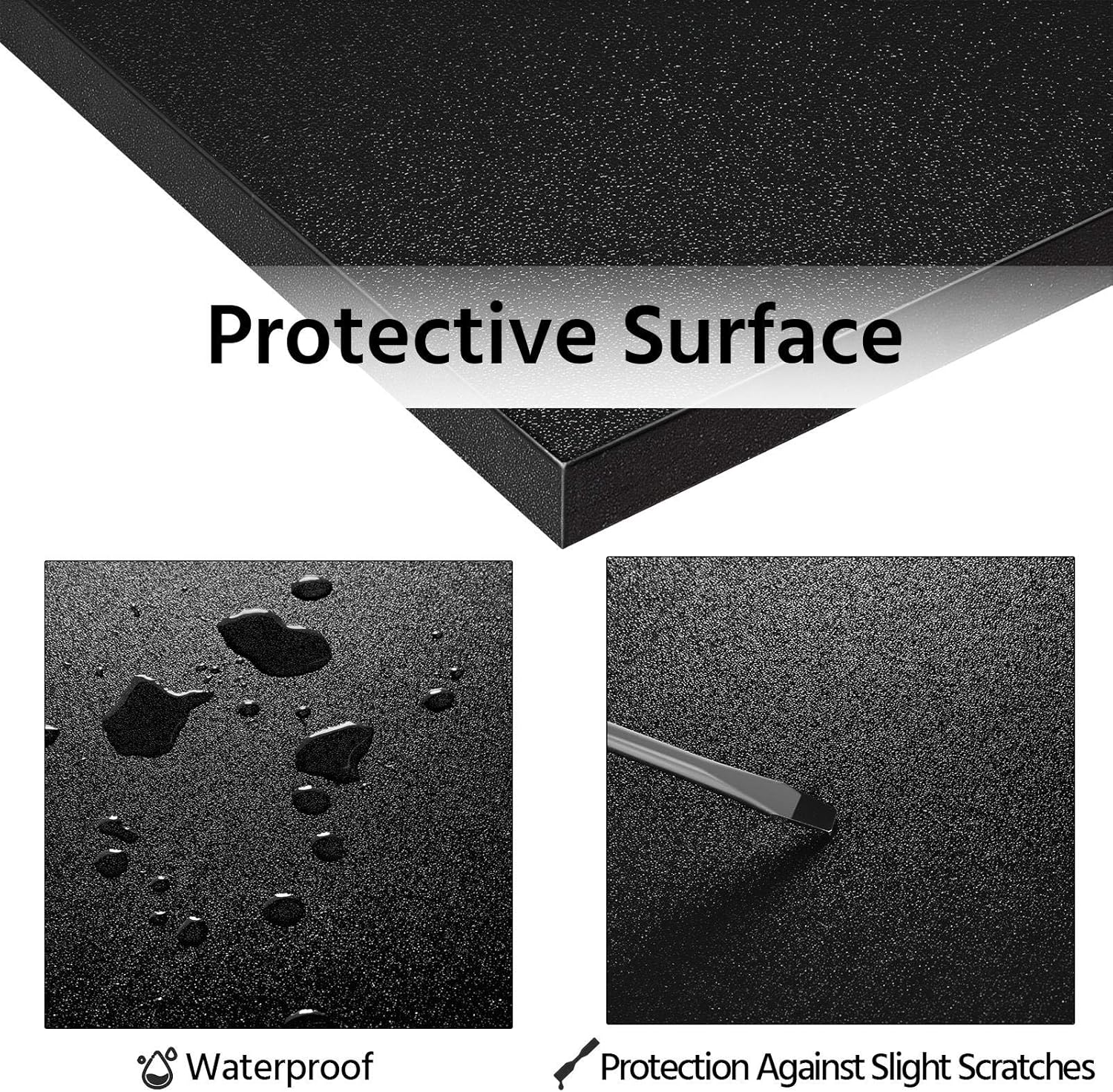
Image 6.1: The protective surface of the desk is waterproof and resistant to minor scratches.
7. Fejlfinding
7.1 Skrivebordsvagter
- Løsning: Check if the desk is on an uneven surface. Adjust the footpads on each leg until the desk is stable. Ensure all assembly screws are fully tightened.
7.2 Manglende dele
- Løsning: Carefully re-check all packaging materials. If parts are still missing, contact Yaheetech customer support with your model number and a description of the missing parts.
7.3 Samlingsvanskeligheder
- Løsning: Review the assembly instructions carefully. Ensure you are using the correct screws for each step. Do not force parts together. If issues persist, contact customer support.
8. Specifikationer
| Feature | Detalje |
|---|---|
| Mærke | Yaheetech |
| Modelnummer | YA-00102820 |
| Farve | Sort |
| Materiale | MDF P2, Metal |
| Overordnede mål (L x B x H) | 162.5 cm x 130 cm x 97 cm (ca.) |
| Main Desk Height | 75 cm |
| Monitor Stand Height (above main desk) | 22 cm |
| Skrivebordsdybde | 50 cm |
| Varens vægt | 21.63 kg |
| Særlige funktioner | Ergonomic, Monitor Stand, Adjustable Feet, Reinforced Crossbar, Wear-resistant surface |
| Anbefalede anvendelser | Office, Gaming, Study |
9. Garanti og support
Yaheetech products are designed for quality and durability. For any questions regarding assembly, missing parts, or product performance, please contact Yaheetech customer service.
Please retain your purchase receipt for any warranty claims. Specific warranty details may vary by region and purchase point. Information regarding spare parts availability is not provided in the product details.
For further assistance, visit the official Yaheetech webwebstedet eller kontakt deres kundesupportkanaler.


