Indledning
Thank you for choosing BACKWIN B580S Wired Earbuds. This manual provides essential information for setting up, operating, and maintaining your new earphones. Please read it carefully to ensure optimal performance and longevity of your product.

Image: The BACKWIN B580S Wired Earbuds, featuring a black design, 3.5mm audio jack, and integrated in-line controls.
Hvad er der i æsken
Kontroller venligst pakkens indhold for at sikre, at alle varer er til stede:
- BACKWIN B580S Wired Earbuds (with integrated cable and microphone)
- Beskyttende etui
- Ørepuder (forskellige størrelser)
Produkt overview
Familiarize yourself with the main components of your earbuds:

Billede: Eksploderet view of the earbud's internal structure, emphasizing the 16.2mm driver for enhanced audio.
Billede: Detaljeret view of the in-line remote control, illustrating its multi-function button for call and music management.
Opsætning
Connecting your BACKWIN B580S Wired Earbuds is straightforward:
- Identificér 3.5 mm lydstikket: Locate the 3.5mm audio port on your device (smartphone, tablet, laptop, etc.).
- Sæt stikket i: Gently insert the 3.5mm plug of your earbuds into the audio port until it clicks into place.
- Adjust Earbuds: Place the earbuds comfortably into your ears. Ensure a snug fit for optimal sound isolation and audio quality.
Watch this video for a visual guide on connecting and using your earbuds:
Video: A demonstration of connecting the BACKWIN B580S earbuds to a device and wearing them for audio playback.
Betjeningsvejledning
The in-line remote control allows for easy management of calls and music playback:
- Besvar/afslut opkald: Tryk én gang på multifunktionsknappen.
- Afspil/sæt musik på pause: Tryk én gang på multifunktionsknappen.
- Næste sang: Double-click the multi-function button.
- Forrige sang: Triple-click the multi-function button.
- Lydstyrkekontrol: Use the dedicated volume slider or buttons on the in-line remote (if present, otherwise use device volume).
Image: The in-line remote control with clear icons indicating functions for call management and music track selection.
Nøglefunktioner

Image: Visual representation of the mobile subwoofer technology, designed for superior clarity and acoustic performance with enhanced bass.

Image: A user wearing the earbuds, highlighting the closed cavity design that minimizes external noise interference for clearer sound.
High-Fidelity Audio
The earbuds feature high-fidelity enhancement of bass sound effects, designed to restore the natural quality of sound. Expert tuning ensures a rich audio experience, allowing users to enjoy a wonderful feast of sound.
Ergonomisk design
Designed for comfort, the earbuds fit the curve of the ear, providing a secure and comfortable experience even during extended wear. This ergonomic design helps prevent discomfort and ensures the earbuds stay in place during activities like jogging or travel.
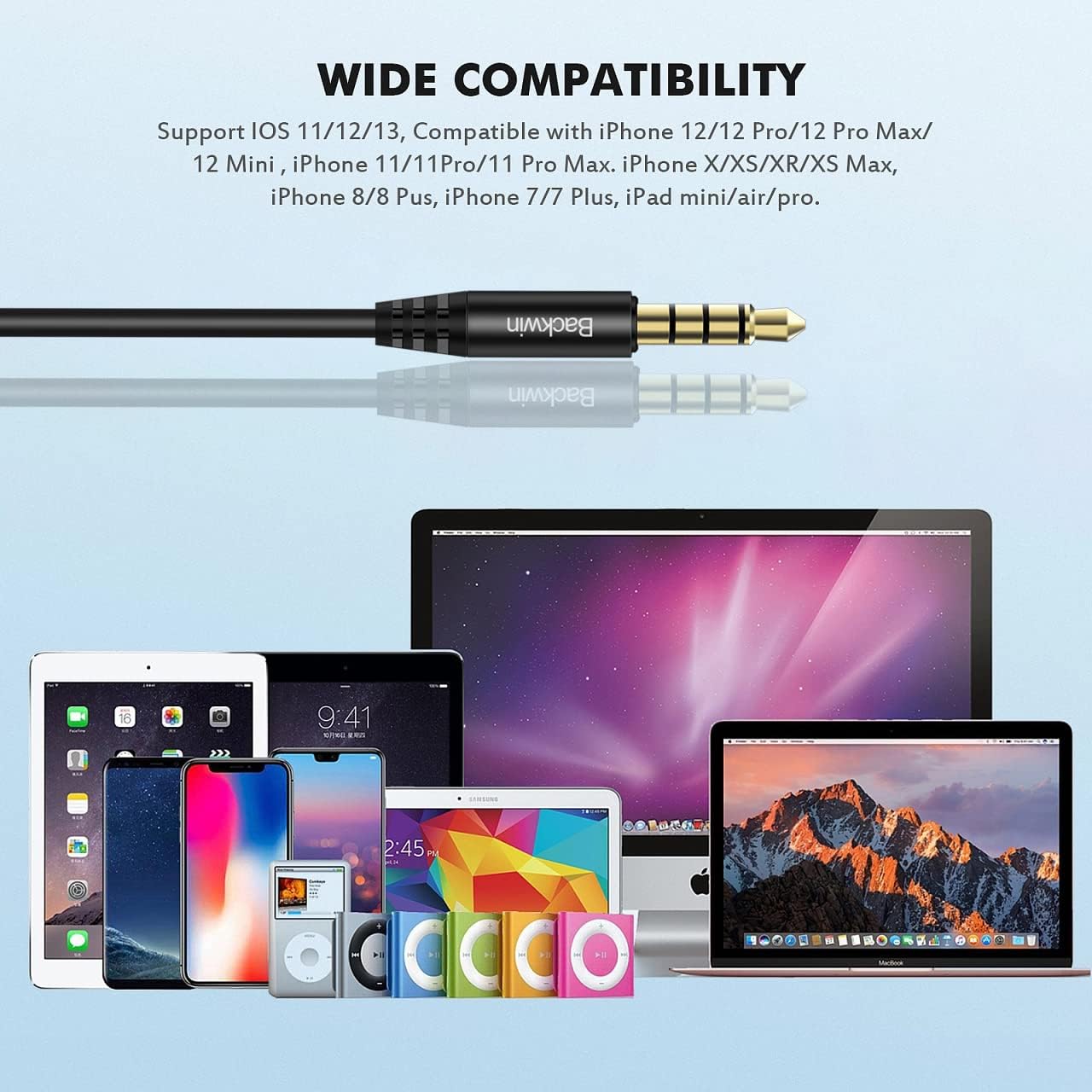
Image: A detailed illustration demonstrating the ergonomic fit of the earbud within the ear canal, designed for comfort and stability.
Holdbart og sammenfiltringsfrit kabel
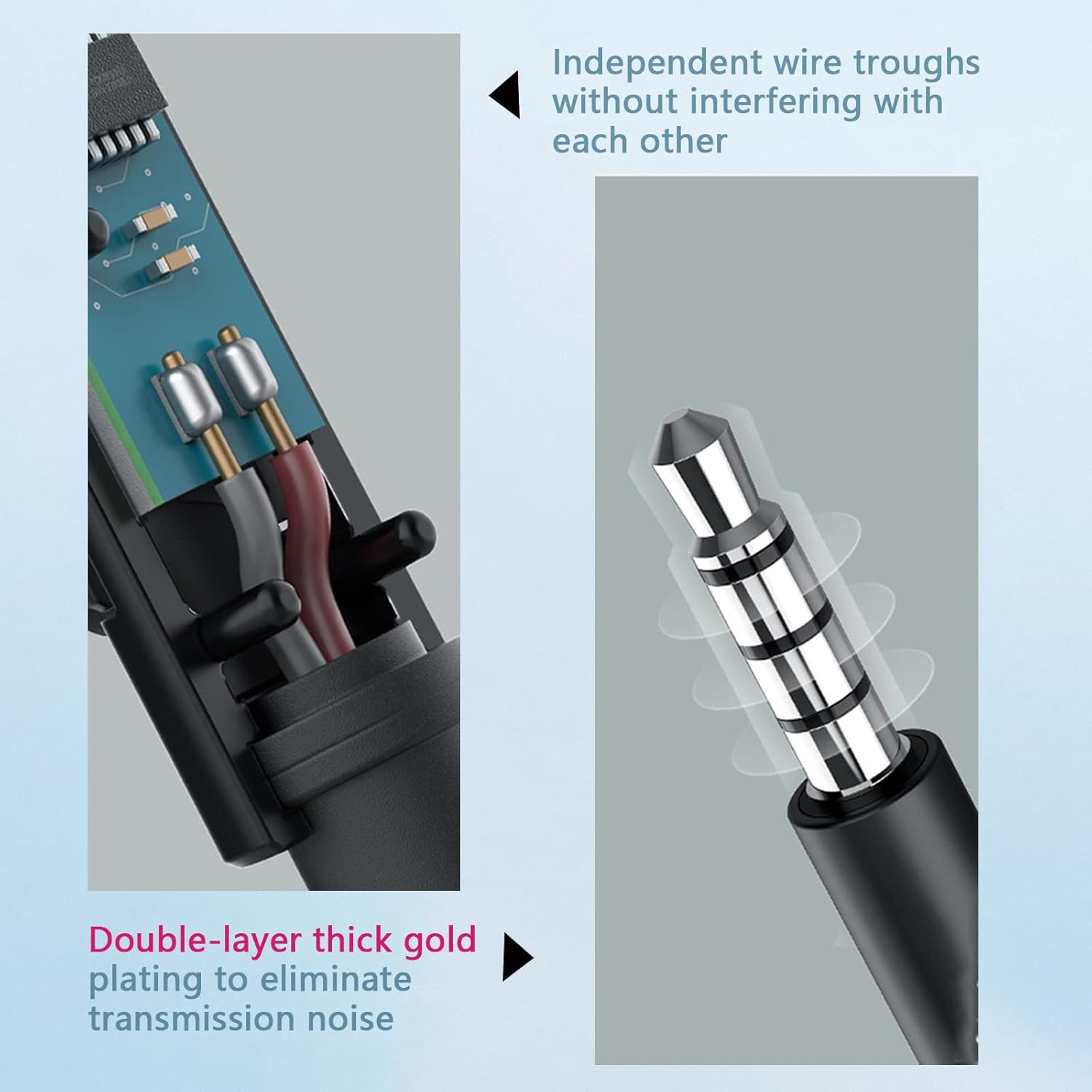
The cable utilizes a hollow tube material technology, making it soft, comfortable to handle, and resistant to tangling. This design allows for easy portability without the hassle of knots, ensuring continuous and convenient use.

Image: Cross-section of the cable, illustrating independent wire troughs to prevent interference.

Image: The 3.5mm jack, featuring double-layer thick gold plating for improved signal transmission and reduced noise.

Image: Hands stretching the earbud cable, highlighting its flexible and durable construction.
Integreret mikrofon
The built-in microphone is positioned to be close to your mouth for clear communication. Its multi-functionality simplifies call management (receive/end calls) and music control (play/pause/next/last song), making communication convenient.
Kompatibilitet
The BACKWIN B580S Wired Earbuds are compatible with any audio device featuring a standard 3.5mm jack. This includes, but is not limited to:
- iPhone devices (models with 3.5mm jack or adapter)
- Android smartphones
- iPod and other MP3 players
- iPad and other tablets
- Mac and other laptops/computers

Image: The 3.5mm audio jack positioned above a collection of compatible devices, including various smartphones, tablets, and laptops.
Opretholdelse
For at sikre dine øreproppers levetid og optimale ydeevne skal du følge disse retningslinjer for vedligeholdelse:
- Rensning: Tør forsigtigt ørepropperne og kablet af med en blød, tør klud. Brug ikke skrappe kemikalier eller slibende materialer.
- Ørepuder: Fjern ørepuderne med jævne mellemrum, og rengør dem med enamp klud. Sørg for, at de er helt tørre, før du sætter dem på igen.
- Opbevaring: When not in use, store the earbuds in the provided protective case to prevent tangling and damage.
- Undgå fugt: While the earbuds have some water resistance, avoid prolonged exposure to water or high humidity. Do not submerge them.
Fejlfinding
If you encounter any issues with your BACKWIN B580S Wired Earbuds, please refer to the following common solutions:
| Problem | Mulig årsag | Løsning |
|---|---|---|
| Ingen lyd eller lav lydstyrke |
|
|
| Mikrofon virker ikke |
|
|
| Lydforvrængning |
|
|
Specifikationer
| Feature | Detalje |
|---|---|
| Modelnavn | B580S |
| Forbindelsesteknologi | Kablet |
| Hovedtelefonstik | 3.5 mm Jack |
| Øreplacering | In Ear |
| Støjkontrol | Lydisolering |
| Frekvensrespons | 20000 Hz |
| Impedans | 32 Ohm |
| Kontroltype | Lydstyrkekontrol, multifunktionsknap |
| Kabelfunktion | Tangle Fri |
| Særlige funktioner | Mikrofon medfølger, svedtæt |
| Materiale | Plast |
| Varens vægt | 3.69 ounces (104.55 gram) |
| Produktdimensioner | 0.47 x 0.39 x 0.39 tommer |
| Fabrikant | GUANGZHOU BACKWIN TECHNOLOGY CO.,LIMITED |
Garanti og support
BACKWIN provides a 365-day quality assurance for this product. If you encounter any issues or require support, please contact our customer service. We are committed to ensuring your satisfaction and will assist with replacements or refunds as needed.

Image: A visual representation of BACKWIN's commitment to quality assurance and customer satisfaction.
