1. Introduktion
The COMPUTHERM T-32 room thermostat is designed for controlling most boilers and air conditioners available in the EU. It can be easily connected to any gas boiler with a two-wire thermostatic connection point, and to all air conditioning systems or electrical appliances, whether they have a 24V or 230V control circuit.
This digital thermostat allows for more precise temperature measurement and adjustment compared to traditional thermostats. It helps reduce energy costs while maintaining comfort by regulating the connected appliance (e.g., a gas boiler or pump) based on the measured and set temperatures.
Nøglefunktioner:
- Præcis temperaturkontrol: Easily set desired temperature between 5°C and 30°C in 0.5°C increments.
- Constant Indoor Temperature: Switching sensitivity of ±0.2°C or 0.1°C ensures a uniform and stable room temperature.
- Alsidig kompatibilitet: Suitable for boilers with a two-wire connection and various HVAC systems (24V or 230V).
- Opvarmnings- og afkølingstilstande: Supports both heating and cooling functions.
- Digital skærm: Provides clear and accurate temperature readings.
2. Opsætning og installation
Vigtig: Enheden skal installeres af en kompetent person.
2.1 Pakkens indhold
Bekræft at alle komponenter er til stede:
- 1x COMPUTHERM T-32 Digital Room Thermostat
- 2x AAA batterier
- Mounting hardware (screws and wall plugs)

Figure 1: Package contents including the thermostat, batteries, and mounting hardware.
2.2 Batteriinstallation
- Carefully remove the back cover of the thermostat.
- Sæt de to AAA-batterier i batterirummet, og sørg for at polerne vender korrekt (+/-).
- Sæt bagdækslet på igen.
2.3 Montering og ledningsføring
The thermostat is designed for wall mounting in a room. Choose a location away from direct sunlight, drafts, or heat sources that could affect temperature readings.
- Separate the front panel from the back plate.
- Marker den ønskede monteringsposition på væggen.
- Bor huller og isæt vægdyvlerne.
- Fastgør bagpladen til væggen med de medfølgende skruer.
- Connect the two-wire control circuit from your boiler or HVAC system to the terminals on the back plate. Refer to the wiring diagram on the back of the thermostat for correct connections.
- Carefully reattach the front panel to the back plate.

Figur 2: Bagside view of the thermostat with wiring terminals and battery compartment details.
3. Betjening
3.1 Display overview
The digital display shows the current room temperature and the set desired temperature. The thermostat features three control buttons below the display.

Figur 3: Forside view of the COMPUTHERM T-32 thermostat with its digital display and three control buttons.
3.2 Indstilling af den ønskede temperatur
Use the temperature control buttons (typically marked with up and down arrows or similar symbols) to adjust the desired temperature. Each press changes the temperature by 0.5°C within a range of 5°C to 30°C.
- Tryk på Pil op knappen for at øge den ønskede temperatur.
- Tryk på Pil ned knappen for at sænke den ønskede temperatur.
The thermostat will automatically regulate the connected heating or cooling appliance to maintain the set temperature within its switching sensitivity of ±0.2°C.
3.3 Varmetilstand
In heating mode, if the measured room temperature falls below the set temperature minus the switching sensitivity (e.g., 22°C - 0.2°C = 21.8°C), the thermostat will activate the heating appliance. It will deactivate the heating when the room temperature rises above the set temperature plus the switching sensitivity (e.g., 22°C + 0.2°C = 22.2°C).
3.4 Kølefunktion
In cooling mode, the operation is reversed. If the measured room temperature rises above the set temperature plus the switching sensitivity, the thermostat will activate the cooling appliance. It will deactivate cooling when the room temperature falls below the set temperature minus the switching sensitivity.
Note: After a temperature change using the thermostat's adjustment buttons, the switching sensitivity is temporarily not considered, allowing the thermostat to react to a difference of ±0.1°C for immediate response.
4. Vedligeholdelse
- Rensning: Tør termostaten af med en blød, tør klud. Brug ikke slibende rengøringsmidler eller opløsningsmidler.
- Udskiftning af batteri: Replace batteries when the low battery indicator appears on the display. Always use new AAA alkaline batteries.
- Undgå forhindringer: Ensure no objects block the thermostat's ventilation slots or sensor, as this can affect temperature accuracy.
5. Fejlfinding
| Problem | Mulig årsag | Løsning |
|---|---|---|
| Termostatdisplayet er tomt. | Døde eller forkert installerede batterier. | Udskift batterierne, og sørg for korrekt polaritet. |
| Varme-/kølesystemet reagerer ikke. | Incorrect wiring; system power off; thermostat in wrong mode. | Check wiring connections (consult a professional); ensure system power is on; verify thermostat is set to appropriate mode (heating/cooling). |
| Upræcis temperaturaflæsning. | Thermostat located near heat source/draft; sensor obstructed. | Relocate thermostat if possible; ensure no obstructions around the sensor. |
| Temperature fluctuates too much. | High switching sensitivity setting (not applicable for T-32 as it's fixed). | The T-32 has a fixed sensitivity of ±0.2°C. Ensure proper placement and insulation of the room. |
6. Specifikationer
- Model: T32
- Strømkilde: 2x AAA 1.5V Alkaline Batteries (included)
- Kontrol Voltage: 24V AC eller 230V AC
- Belastningskapacitet: 8 Amperes
- Temperaturmåleområde: 5°C til 30°C
- Temperaturindstillingsområde: 5°C til 30°C
- Temperaturindstillingstrin: 0.5°C
- Skiftfølsomhed: ±0.2°C (or ±0.1°C after manual adjustment)
- Dimensioner (L x B x H): 8.5 x 8.5 x 2.8 cm
- Vægt: 160 gram
- Forbindelse: Kablet
- Farve: Hvid


Figure 4: Dimensions of the COMPUTHERM T-32 thermostat.
7. Garanti
The COMPUTHERM T-32 Digital Room Thermostat comes with a 5 års producentgarantiGem venligst din købsbevis i tilfælde af garantikrav. Garantien dækker materiale- og fabrikationsfejl ved normal brug.
8. Support
For further assistance or if you encounter issues not covered in this manual, please refer to the official COMPUTHERM website or contact your retailer. Always ensure that any electrical work is performed by a qualified professional.
For mere information kan du besøge producentens webwebsted: www.calorsol.de
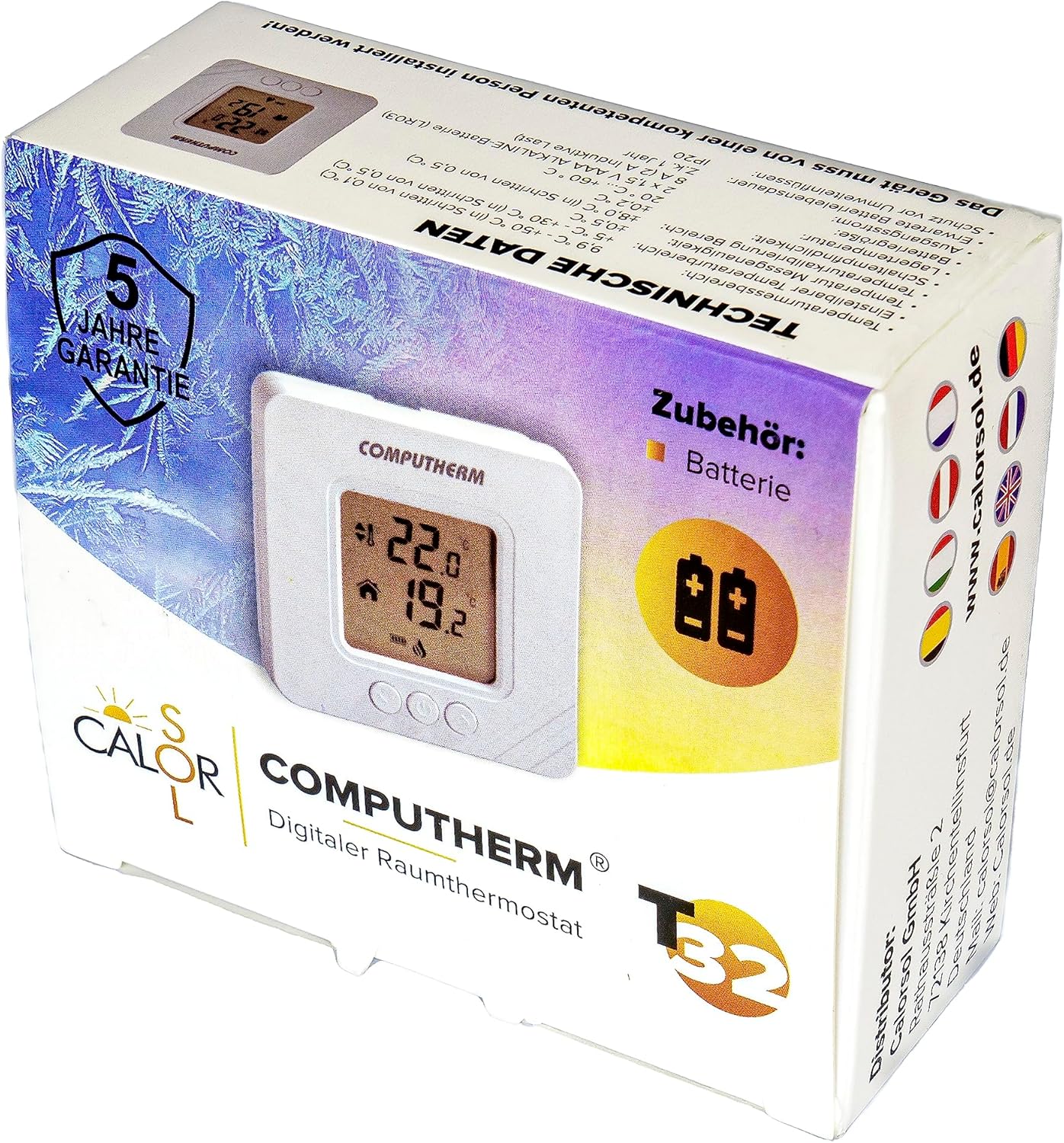
Figure 5: Product packaging displaying warranty information and technical data.


