1. Introduktion
This manual provides instructions for the Avantree HT381 Wireless Earbuds for TV Listening. It covers setup, operation, maintenance, and troubleshooting to ensure optimal performance and user experience. The HT381 system is designed to provide clear audio from your television directly to the earbuds, featuring an RF transmitter for extended range and minimal audio lag.
2. Indhold i kassen
Kontroller venligst, at alle nedenstående varer er inkluderet i din pakke:
- Sender / Opladningsbase
- Headphones (Under-Chin Earphone)
- Sets of Earbud Tips (S, M)
- Spare Battery
- Power Cable & Wall Adapter
- 6.35 mm adapter
- OPT Cable (Optical Audio Cable)
- RCA-kabel
- AUX Cable (3.5mm Audio Cable)

Image: All components included in the Avantree HT381 package.
3. Opsætning
3.1 Indledende opladning
Before first use, fully charge the headphones. Place the headphones onto the transmitter/charging base. The charging indicators on the base will illuminate to show charging status. A spare battery is included and can be charged simultaneously in the base.
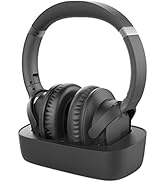
Image: Headphones correctly placed on the charging base, showing charging indicators.
3.2 Connecting the Transmitter to Power
Connect the provided power cable to the transmitter and plug it into a wall outlet. Ensure the transmitter is powered on.

Image: The transmitter connected to a power source.
3.3 Connecting the Transmitter to Your TV
The HT381 transmitter is compatible with TVs that have Optical (TOSLINK) or AUX (3.5mm) audio outputs. Please confirm your TV's available audio output ports before connecting.

Billede: Bagside view of the transmitter highlighting available audio input ports.
3.3.1 Optisk forbindelse (anbefalet)
- Connect one end of the provided OPT cable to the 'OPTICAL IN' port on the transmitter.
- Connect the other end of the OPT cable to your TV's Optical (TOSLINK) audio output port.
- On your TV's audio settings, select 'Optical' or 'Digital Audio Out' as the output. Ensure the format is set to 'PCM' if available.

Billede: Eksample TV audio settings menu, showing selection of Optical output.
3.3.2 AUX-forbindelse (3.5 mm)
- Connect one end of the provided AUX cable to the 'AUX IN' port on the transmitter.
- Connect the other end of the AUX cable to your TV's 3.5mm audio output (headphone jack).
3.4 Automatisk parring
The HT381 headphones and transmitter are factory pre-paired. Once both are powered on and the transmitter is connected to your TV's audio output, they should automatically connect. The 'TRANSMIT' indicator on the base will confirm connection.

Image: The Avantree HT381 system, showing the headphones and transmitter.
4. Betjeningsvejledning
4.1 Tænd/sluk
- To power on the headphones, press and hold the power button until the indicator light illuminates.
- For at slukke skal du trykke på tænd/sluk-knappen og holde den nede, indtil indikatorlampen slukker.
4.2 Volume Control and Balance
The headphones feature independent volume controls for each ear (L/R balance) and a master volume wheel.
- Hovedvolumen: Use the volume wheel on the headphones to adjust the overall listening volume.
- V/H-balance: Use the L/R balance control to adjust the volume for the left and right ears individually, optimizing for personal hearing needs.

Billede: Detaljeret view of the headphone controls for volume and L/R balance.
4.3 Sound Modes (EQ Modes)
The HT381 offers three distinct sound modes to enhance your listening experience. Press the 'MODE' button on the transmitter to cycle through these options:
- Klar dialog: Optimizes audio for spoken content, making voices more distinct.
- Heavier Bass: Enhances low-frequency sounds for a richer audio experience.
- Balanceret: Giver en neutral lydprofile egnet til generel lytning.
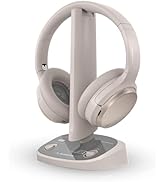
Image: The transmitter with the EQ mode button indicated.
4.4 Ambient Sound Mode
The ambient sound mode allows you to hear your surroundings without removing the headphones. Press the 'AMBIENT' button on the headphones to activate or deactivate this feature. This amplifies external sounds, facilitating conversations or awareness of your environment.
4.5 Extended Range and Low Latency
The HT381 utilizes 2.4GHz RF technology, providing a stable wireless connection with a range of up to 100 feet and virtually no audio lag, ensuring synchronized audio with video content.
Image: Illustration of the 100-foot wireless range of the HT381 system.
5. Vedligeholdelse
5.1 Batteristyring
The HT381 headphones use a replaceable battery. A spare battery is included, allowing for continuous use by swapping a depleted battery with a fully charged one. The charging base can charge the spare battery while the headphones are in use.
Image: Instructions for inserting the spare battery into the headphones.
- Batterilevetid: Approximately 6 hours per charge.
- Opladningstid: Cirka 2 timer for en fuld opladning.
5.2 Rengøring
To maintain optimal performance and hygiene, regularly clean the earbuds and charging contacts. Use a soft, dry cloth for the transmitter and headphones. For earbud tips, remove them and clean with a mild soap solution, then rinse and dry thoroughly before reattaching.
6. Fejlfinding
6.1 Ingen lyd
- Tjek strøm: Ensure both the transmitter and headphones are powered on and charged.
- Tjek forbindelser: Verify that the audio cable (Optical or AUX) is securely connected to both the TV and the transmitter.
- TV-lydudgang: Confirm your TV's audio output settings are correctly configured to the port you are using (e.g., Optical/PCM or Headphone Out).
- Lydstyrkeniveauer: Adjust the volume on both the headphones and your TV.
- Parring: Although pre-paired, ensure the 'TRANSMIT' indicator on the base is lit, indicating a connection. If not, try restarting both devices.
6.2 Poor Sound Quality / Static
- Interferens: Move the transmitter away from other wireless devices (Wi-Fi routers, cordless phones) that might cause interference.
- Rækkevidde: Ensure you are within the operational range of 100 feet from the transmitter.
- Kabelkvalitet: Ensure audio cables are not damaged.
6.3 Hovedtelefoner oplader ikke
- Korrekt placering: Ensure the headphones are correctly seated on the charging base and the charging contacts align. The charging indicator lights on the base should be active.
- Strømkilde: Verify the charging base is connected to a working power outlet.
6.4 Ambient Mode Not Working
- Tryk på knappen: Ensure the 'AMBIENT' button is pressed firmly to toggle the mode.
- Batteriniveau: Low battery might affect advanced features. Ensure headphones are sufficiently charged.
7. Specifikationer
| Feature | Specifikation |
|---|---|
| Modelnavn | HT381 |
| Forbindelsesteknologi | Trådløs (RF) |
| Trådløs kommunikationsteknologi | RF |
| Kompatible enheder | Audio Video Devices (TVs, Stereo AVRs, Blu-Ray Players, Projectors) |
| Audio Output Compatibility | Optical (TOSLINK), AUX (3.5mm) |
| Støjkontrol | Passiv støjreduktion |
| Særlige funktioner | Replaceable Battery, L/R Balance Volume Control, Ambient Sound Mode, 3 EQ Modes |
| Batterilevetid | 6 timer |
| Opladningstid | 2 timer |
| Frekvensområde | 20Hz-20KHz |
| Impedans | 16 Ohm |
| Varens vægt | 1.36 pund |
| Produktdimensioner | 3.39 x 7.56 x 10.08 tommer |
8. Garanti og support
For warranty information and technical support, please refer to the official Avantree website or contact Avantree customer service directly. Keep your purchase receipt for warranty claims.
You can visit the Avantree Store for more information: Avantree Store on Amazon


