1. Introduktion
The EVGA X12 Gaming Mouse is a high-performance wired mouse designed for precision and customization. It features advanced sensor technology, a high report rate, and programmable buttons to enhance your gaming and computing experience.
Nøglefunktioner:
- Dual Sensor 2-Dimension Array Technology: Combines a Lift Off Distance (LOD) sensor with a Pixart 3389 optical sensor for precise tracking.
- 8K Hz Report Rate: Utilizes a USB 2.0 High-Speed 32-bit Arm Cortex-M33 core microprocessor, providing an 8000 Hz report rate for faster response times and accurate movements.
- Tilpasset Profiles: 5 onboard profiles with on-the-fly DPI settings allow for personalized configurations.
- 3-zoners RGB-belysning: Customizable RGB lighting zones via the UNLEASH RGB software.
- Letvægts ambidextrøs design: Ergonomic design suitable for both left and right-handed users, paired with a flexible paracord USB cable.
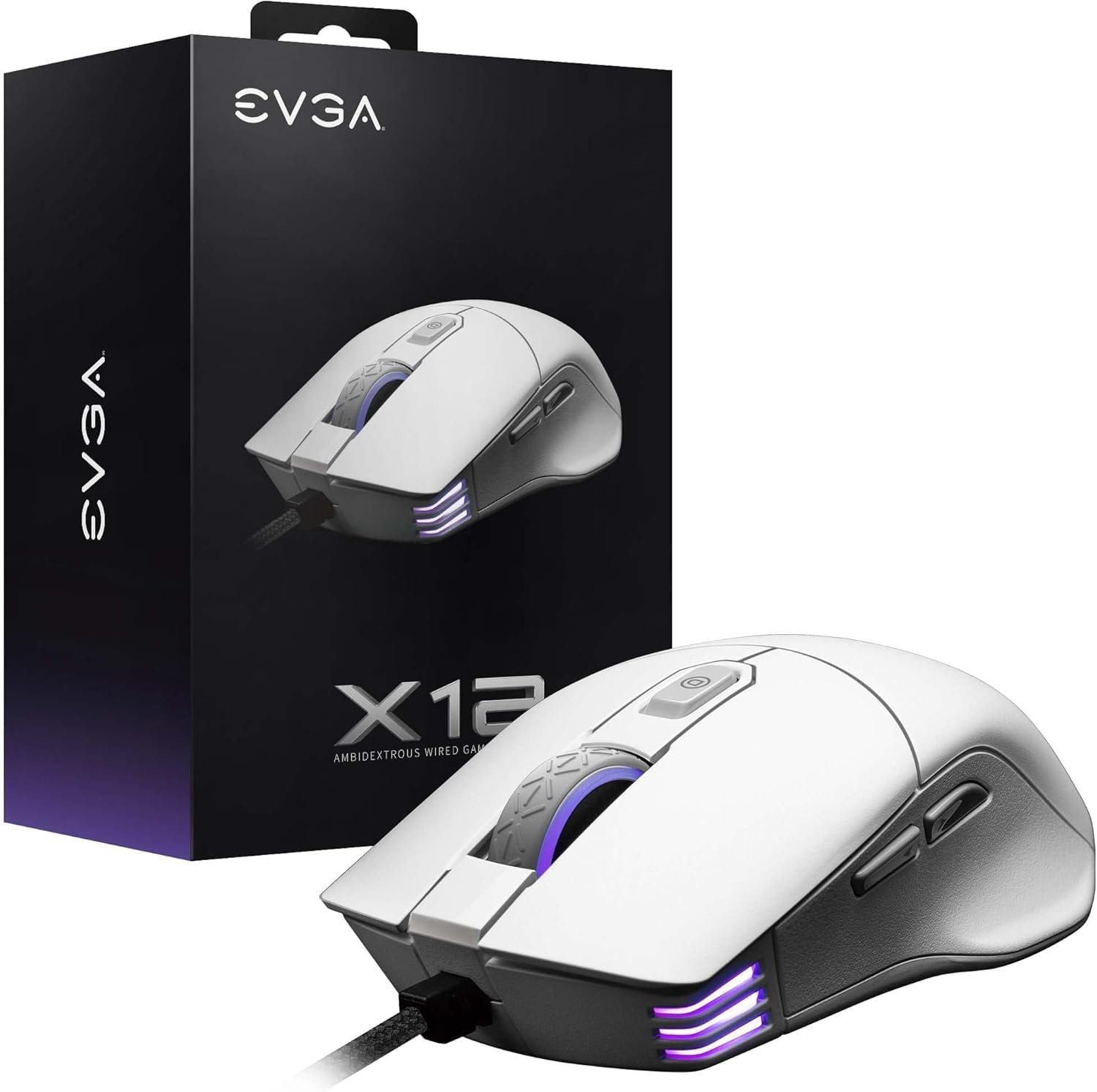
Image 1.1: EVGA X12 Wired Gaming Mouse and its retail packaging.
2. Opsætning
2.1 Tilslutning af musen
- Find en ledig USB-A-port på din computer.
- Plug the USB-A connector of the EVGA X12 mouse cable into the USB-A port.
- The mouse will automatically be detected by your operating system.
2.2 Software Installation (UNLEASH RGB)
To unlock the full customization potential of your EVGA X12 mouse, including DPI settings, RGB lighting, macro programming, and profile management, download and install the UNLEASH RGB software from the official EVGA webwebsted.
- Visit the official EVGA support webwebsted.
- Navigate to the downloads section for the X12 Gaming Mouse.
- Download and run the UNLEASH RGB software installer.
- Følg instruktionerne på skærmen for at fuldføre installationen.
3. Betjening af musen
3.1 Grundlæggende knapfunktioner
The EVGA X12 mouse features 8 programmable buttons for versatile control:
- Left Click (Primary): Standardvalg og aktivering.
- Right Click (Secondary): Adgang til kontekstmenu.
- Scrollhjul: Scrolls content vertically. Can also be pressed for a middle-click function.
- DPI op/ned-knapper: Adjusts the mouse's sensitivity (DPI) on the fly.
- Sideknapper (frem/tilbage): Bruges typisk til navigation i web browsere eller file opdagelsesrejsende.
- Sniper knap: Located on the side, this button can be programmed to temporarily lower DPI for precise aiming in games.

Billede 3.1: Nærbillede view of the EVGA X12 mouse highlighting the main buttons and scroll wheel.
3.2 DPI-justering
The DPI (Dots Per Inch) setting determines the sensitivity of your mouse. Higher DPI means the cursor moves faster across the screen with less physical mouse movement. You can adjust DPI using the dedicated buttons on the mouse or through the UNLEASH RGB software.
3.3 8K Hz Report Rate
The 8K Hz report rate means the mouse sends data to your computer 8000 times per second, significantly reducing input lag compared to standard 1000 Hz mice. This results in faster response times and more precise tracking, particularly beneficial in fast-paced gaming scenarios.
4. Customization with UNLEASH RGB Software
The UNLEASH RGB software provides extensive customization options for your EVGA X12 mouse:
- RGB belysning: Customize the 3-zone RGB lighting (scroll wheel, front, and logo) with various effects and colors.
- DPI-indstillinger: Fine-tune DPI levels and assign them to your 5 onboard profiles.
- Makro programmering: Create and assign complex macros to any of the 8 programmable buttons.
- Profile Ledelse: Save and switch between up to 5 distinct profiles, allowing you to adapt your mouse settings for different games or applications.
- Lift Off Distance (LOD) Calibration: Adjust the lift-off distance for optimal tracking performance on your specific mouse pad surface.
5. Specifikationer
| Feature | Detalje |
|---|---|
| Mærke | EVGA |
| Modelnummer | 905-W1-12WH-KR |
| Sensortype | Dual Sensor (Pixart 3389 Optical + Optical LOD Sensor) |
| Max DPI | 16,000 |
| Rapportér rate | 8K Hz (8000 Hz) |
| Knapper | 8 Programmerbare knapper |
| RGB belysning | 3-Zone RGB |
| Forbindelse | Wired (Flexible Paracord USB Cable) |
| Design | Ambidextrøs, Letvægts |
| Dimensioner (LxBxH) | 4.84 x 2.75 x 0.1 tommer |
| Varens vægt | 2.65 ounce |
| Kompatibel OS | Windows, macOS, Linux |

Image 5.1: Physical dimensions of the EVGA X12 mouse.
6. Vedligeholdelse
To ensure optimal performance and longevity of your EVGA X12 Gaming Mouse, follow these maintenance guidelines:
- Rensning: Brug en blød, tør klud til at tørre musens overflade af. Ved genstridigt snavs, tør letampRengør kluden med vand eller en mild rengøringsopløsning. Undgå skrappe kemikalier.
- Sensorpleje: Keep the optical sensor on the underside of the mouse clean and free of dust or debris. Use compressed air or a cotton swab for cleaning.
- Kabelstyring: Undgå skarpe bøjninger eller for meget træk i USB-kablet for at forhindre skader.
- Opbevaring: Opbevar musen et rent og tørt sted, når den ikke er i brug.
7. Fejlfinding
If you encounter issues with your EVGA X12 Gaming Mouse, try the following steps:
- Musen reagerer ikke: Try plugging the mouse into a different USB port on your computer. Ensure the cable is securely connected.
- Cursor Jumps/Lag: Clean the optical sensor on the underside of the mouse. Ensure your mouse pad surface is clean and free of obstructions. Update mouse drivers or reinstall the UNLEASH RGB software.
- Knapper virker ikke: Check button assignments in the UNLEASH RGB software. Ensure no macros are conflicting.
- Problemer med RGB-belysning: Verify RGB settings in the UNLEASH RGB software. Ensure the software is up to date.
- Software registrerer ikke mus: Reinstall the UNLEASH RGB software. Ensure your operating system is up to date.
8. Garanti og support
For warranty information, technical support, or to access the latest drivers and software for your EVGA X12 Gaming Mouse, please visit the official EVGA webwebsted:
- EVGA Support Webwebsted: www.evga.com/support/
- Produktregistrering: Register your product on the EVGA website to activate your warranty and receive support.


