1. Produktet er slutview
The BioLite Charge 80 PD is a high-capacity portable power bank designed to provide reliable power for your electronic devices on the go. With a 20,000 mAh battery, it features both USB-C Power Delivery (PD) for fast charging and two USB-A outputs, allowing you to charge multiple devices simultaneously. Its compact and durable design makes it ideal for travel and outdoor adventures.

Image: BioLite Charge 80 PD portable power bank, showcasing dens kompakte design og portlayout.
Pakkeindhold:
- BioLite Charge 80 PD Power Bank
- USB-A to USB-C Charge Cable
- Instruktionsmanual
Nøglekomponenter:

Image: Diagram illustrating the key components of the BioLite Charge 80 PD, including the USB-C port, USB-A ports, battery life indicator button, and LED indicators.
- 18W USB-C Charge In/Out Port
- (2) 3.0 USB-A Charge Out Ports
- Battery Life Indicator Button
- Battery Life Indicator LEDs
- 20,000 mAh Li-ion batteri
2. Kom godt i gang (opsætning)
Before first use, it is recommended to fully charge your BioLite Charge 80 PD power bank.
Indledende opladning:
- Connect the included USB-A to USB-C cable to the USB-C In/Out port (1) on the Charge 80 PD.
- Connect the other end of the cable (USB-A) to a compatible USB wall adapter (not included) or a computer USB port. For fastest charging, use an 18W USB-C Power Delivery adapter.
- The Battery Life Indicator LEDs (4) will illuminate to show charging progress. A full charge typically takes approximately 5 hours.
- Once all four LEDs are solid, the power bank is fully charged and ready for use.
3. Betjening
Opladning af eksterne enheder:
The Charge 80 PD can charge up to three devices simultaneously using its USB-C and two USB-A ports.
- Connect your device's charging cable to one of the available output ports on the Charge 80 PD (USB-C In/Out port (1) or USB-A Charge Out Ports (2)).
- Connect the other end of the cable to your electronic device (e.g., smartphone, tablet, laptop, headlamp).
- Charging should begin automatically. If not, press the Battery Life Indicator Button (3) to initiate charging.
- The power bank will automatically stop charging when your device is fully charged or when the power bank's battery is depleted.
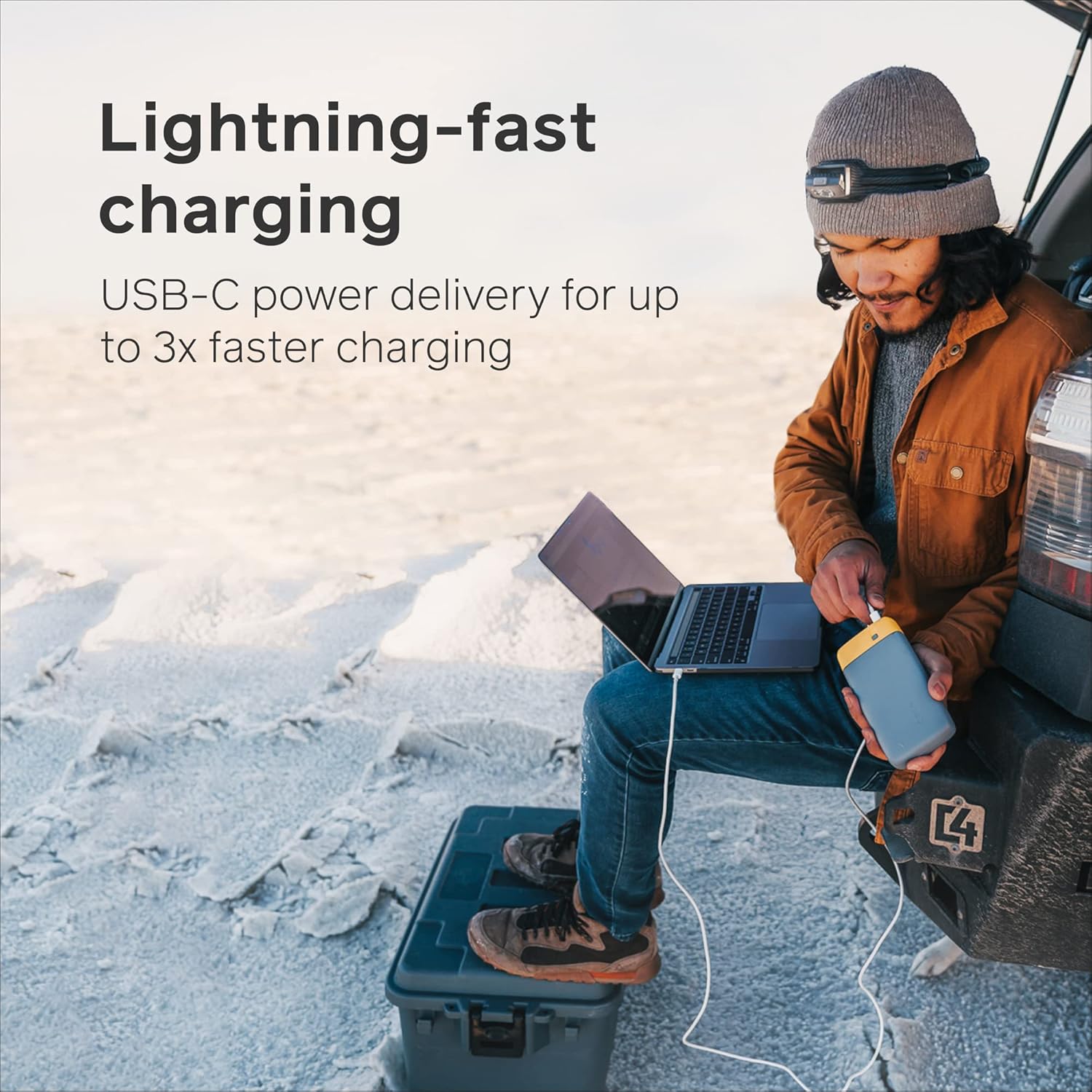
Image: A person charging a laptop using the BioLite Charge 80 PD, demonstrating its lightning-fast USB-C power delivery.

Image: The BioLite Charge 80 PD connected to and charging a smartphone, highlighting its capability for multiple smartphone charges.

Image: The BioLite Charge 80 PD simultaneously charging multiple devices, including a smartphone and a camera stabilizer, showcasindens alsidighed.
Kontrol af batteriniveau:
To check the remaining battery charge of the Charge 80 PD, press the Battery Life Indicator Button (3). The Battery Life Indicator LEDs (4) will illuminate to show the current charge level:
- 4 lysdioder: 75-100% opladning
- 3 lysdioder: 50-75% opladning
- 2 lysdioder: 25-50% opladning
- 1 lysdioder: 0-25% opladning (genoplad snart)
4. Pleje og vedligeholdelse
- Opbevaring: Opbevar powerbanken et køligt, tørt sted væk fra direkte sollys og ekstreme temperaturer.
- Rensning: Tør ydersiden af med en blød, tør klud. Brug ikke skrappe kemikalier eller slibende materialer.
- Undgå dråber: While durable, avoid dropping the power bank or subjecting it to severe impacts.
- Vandeksponering: Denne enhed er ikke vandtæt. Undgå udsættelse for vand eller høj luftfugtighed.
- Regelmæssig brug: For optimal batterilevetid anbefales det at oplade og aflade powerbanken helt mindst én gang hver tredje måned, hvis den ikke er i regelmæssig brug.
5. Fejlfinding
| Problem | Mulig årsag | Løsning |
|---|---|---|
| Powerbank oplader ikke | Charging cable is faulty or not properly connected. Wall adapter is not providing enough power. | Ensure cable is securely connected. Try a different USB-C cable or a different wall adapter (preferably 18W PD compatible). |
| Enheden oplader ikke fra powerbanken | Device cable is faulty or not properly connected. Power bank battery is depleted. Device requires more power than available. | Ensure cable is securely connected. Press the Battery Life Indicator Button to activate charging. Recharge the power bank if LEDs indicate low battery. Ensure your device is compatible with the power bank's output. |
| LED'er lyser ikke | Battery is completely depleted. Button not pressed firmly. | Connect the power bank to a power source for charging. Press the Battery Life Indicator Button firmly. |
6. Specifikationer
| Feature | Detalje |
|---|---|
| Modelnummer | CBC0100 |
| Batterikapacitet | 20,000 mAh (74 Wh) |
| Indgang (USB-C PD) | 18W USB-C PD |
| Output 1 (USB-C PD) | 18W USB-C PD |
| Udgang 2 (USB-A) | 3.0 USB-A |
| Udgang 3 (USB-A) | 3.0 USB-A |
| Dimensioner | 7.09 x 1.18 x 3.54 tommer (180 x 30 x 90 mm) |
| Vægt | 1.03 pund (467 gram) |
| Batteritype | Lithium-ion |
| Charge Time (Full) | Approx. 5 hours (with 18W PD input) |
| FAA Carry-on Compliant | Ja |
7. Garanti og support
Garantioplysninger:
BioLite products are typically covered by a limited warranty against defects in materials and workmanship. Please refer to the warranty card included with your product or visit the official BioLite webwebstedet for de mest aktuelle og detaljerede garantivilkår.
Kundesupport:
For technical assistance, troubleshooting not covered in this manual, or warranty claims, please contact BioLite customer support:
- Webwebsted: www.bioliteenergy.com
- Supportside: Se efter et afsnit om 'Support' eller 'Kontakt os' på webwebsted med ofte stillede spørgsmål, fejlfindingsvejledninger og kontaktformularer.
Gem venligst din købsbevis af garantihensyn.


